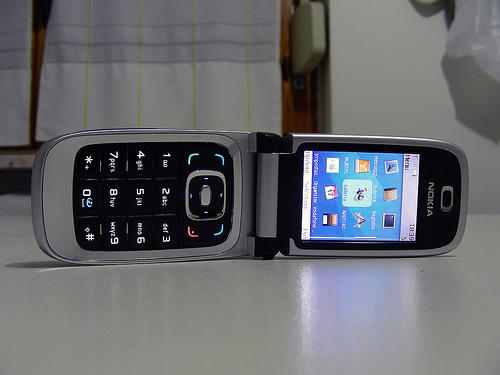
Can’t afford an iPhone? Me neither. That’s why I was so excited to see this photo of a Nokia phone dressed up as a Mac on Flickr. My old phone could use some panache.
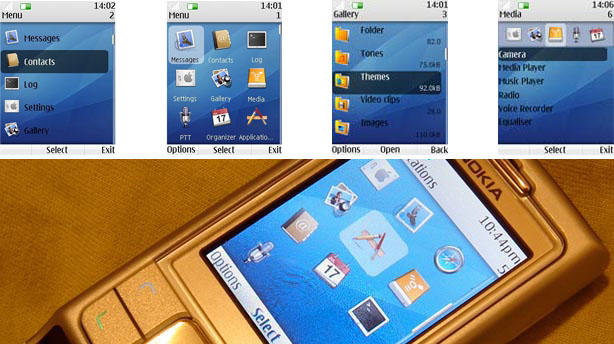
A quick search through the comments shows that this is a theme from Dan Schwartz, and it’s compatible on quite a few different phones. It’s hard to find on his website, tucked into the About pages, but you can get the theme for your Nokia phone here.
Source: Dan Schwartz
The theme imitates the Mac without interfering with the phone’s functions. Dan used the application icons from Mac OS X’s system and one of the gorgeous Apple default backgrounds to give you the full experience. The theme even goes so far as to closely imitate the fonts used in the Mac system. All in all, these themes are an excellent escape for those of us who want to keep a little Apple with us all the time.
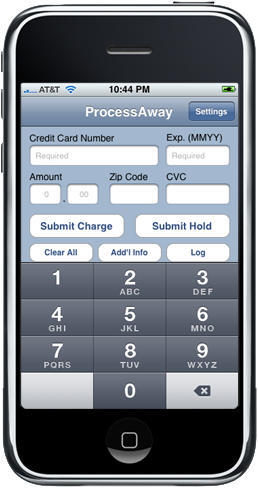
Turns out, while the iPhone and iPod Touch are just about the awesomest fart-generating devices ever, the considerable power of Apple’s mobile devices can also be marshaled to more productive uses, such as processing credit card sales.
ProcessAway, a Tustin, CA-based company has submitted to Apple software that will allow busiiness owners to process credit card transactions over any available network connection. The app is designed for use in places such as conventions, street fairs, antique shows, and by business owners performing mobile detailing, on-site consultation or construction, but certainly the list of scenarios is virtually endless where on-the-spot transaction processing could be useful.
ProcessAway software utilizes the Authorize.net gateway (one of the very first Internet payment gateways) with one of the largest customer bases in the card processing industry. “The Authorize.net API fueled development of ProcessAway,” according to spokesman Randy Palermo, allowing “millions of iPhone (and iTouch) users to turn their device into a credit card terminal.”
Authorize.net merchant accounts used with ProcessAway include an option to download transactions into Quickbooks and also a comprehensive Virtual Terminal. This will give business owners the benefit of processing transactions out of the office with ProcessAway as well as in the office through the web-based Virtual Terminal, all with a single account. Even though the Virtual Terminal is available, ProcessAway was designed as a stand-alone comprehensive processing solution that can be used effectively in any environment.
ProcessAway software will be sold through the iTunes AppStore for $19.99. A fully functional free version, called ProcessLite, will also be available, identical to ProcessAway except the charge amount is limited.
The apps were submitted to Apple on January 26 and the developer offers a notification sign-up page should you want to hop on this one as soon as it’s available.
A city councilor in Dartmouth, England has sparked debate by wearing his iPod earbuds to drown out prayers traditionally said before town council meetings.
Brian Boughton, an atheist, put in his earbuds on during the short prayer in protest. His iPod wasn’t turned on but fellow councilors branded the move disrespectful.
Boughton told the BBC: ‘I accept that they want to continue with the tradition but that leaves the problem for those like myself who do not wish to participate.
“I was accused of being disrespectful which I never intended. Listening to the iPod was a way to get the debate going but I never had it switched on. I’ve asked the mayor to consider opening up the prayers to other people.”
Apple was granted a key patent covering many aspects of the iPhone interface as well as potentially other “multi-touch” handsets. CEO Steve Jobs was listed among the inventors in a 358-page filing awarded last week.
The patent covers the iPhone, gestures and the handset’s OS X operating software.
U.S. Patent No. 7479949 comes saber-rattling between Apple and other touch-screen handset makers. Last week, interim Apple CEO Tim Cook warned unnamed competitors that the Cupertino, Calif.-based company would protect its intellectual property.
Meet Rob Baca. He’s a serious vintage Mac collector, with a total of 75 machines in his possession. He’s also the man who co-directed the documentary Welcome to Macintosh, which counts among its interviewees our very own Leander Kahney.
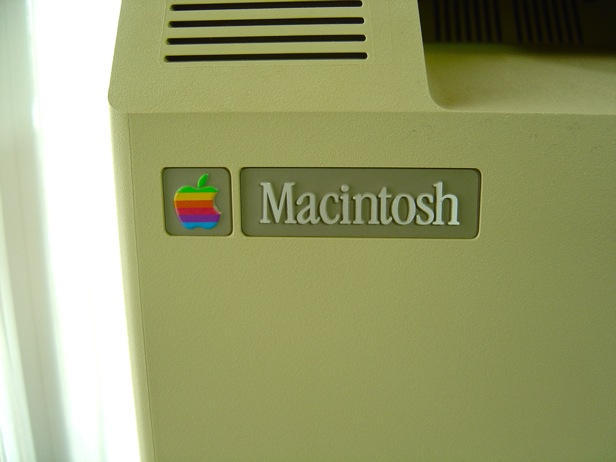
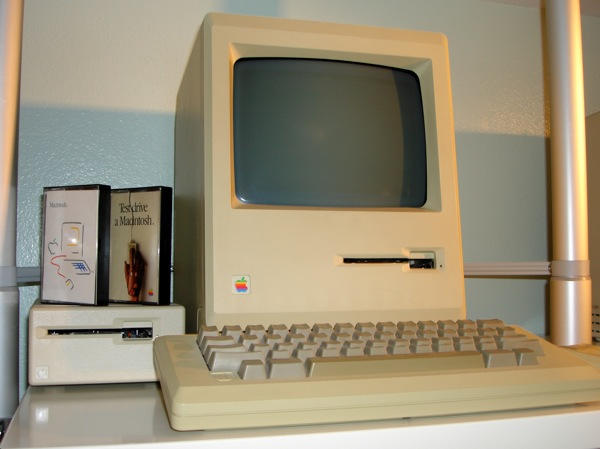
One of Rob’s computers – bought from a friend on the condition that Rob would give it a loving home – is this original 128k Mac.
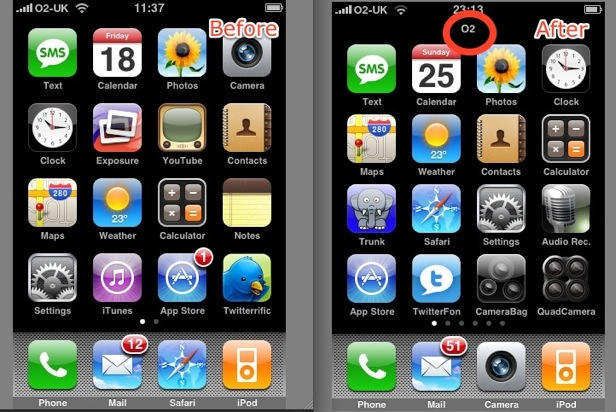
Here are two iPhone home screens. On the left, my iPhone home screen from a few months ago. Everything normal.
On the right, my iPhone home screen from yesterday. And something weird has happened.
An additional line has been added to the status bar at the top, pushing all the app icons closer together. It displays only the characters “O2” – the name of my British network provider. Which is already displayed, of course, in the main part of the status bar. What, as they say, the frak?
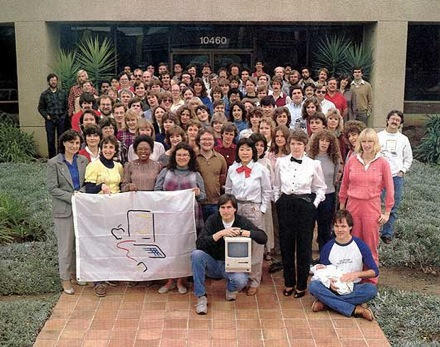
Apple’s Macintosh Division had a 25th Anniversary reunion at the home of Alain Rossman (software evangelist) and Joanna Hoffman (the division’s conscience and first marketing person) to celebrate the unveiling of the Macintosh on January 24, 1984 – and Guy Kawasaki has a bunch of pics up from the event, complete with interesting tidbits and backstory info on the people and events that drove the evolution of Apple’s groundbreaking invention.
He’s also got a couple of interesting videos up, one of which we’ve posted here, showing Steve Jobs unveiling the Mac for the first time.
Apple’s advertising for the iPhone is changing in interesting ways. When the product was brand new, all of the attention was on the interface, just introducing people to the idea of multitouch. Now, the focus has shifted to what you can do with an iPhone that you either can’t do or is too much harder to do on any other phone. The one above, “Fix,” is all about the little everyday problems the iPhone can solve, like finding a taxi, calculating your tip, or checking how level a shelf is. All of the featured applications (Rocket Taxi, Tipulator and Multilevel) are third-party, and each has a nice UI and a cool hook into signature iPhone 3G features, like GPS or the accelerometer.
Another new ad fits the same pattern, this one entitled “Read,” which goes into the many things you could read on the iPhone, including restaurant reviews (Yelp), an MRI (!) (OsiriX), or, well, a book (Classics). I’ve embedded it after the jump.
It’s a really smart way for Apple to make the App Store its own…killer app. How long until Apple makes the “Fart” commercial?
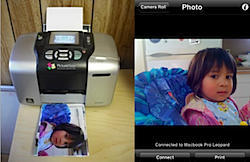
Very cool new iPhone app just out called Air Photo that allows printing directly from an iPhone to a printer connected to a computer. Basically, you download a Mac or Windows software program called Air Photo Server, then head to the iTunes store to pick up the Air Photo client, which is $2. Then you can just use WiFi to connect your computer and your iPhone, and away you can go.
For owners of HP InkJets, this technology already exists in a free app called HP iPrint Photo, but this is the chance for people with other kinds of printers to get in on the action. I think the scenario of use for this technology that I like best is treating the iPhone kind of like a Polaroid camera at a party. Walk around taking pictures, then have them start printing from across the room. Just get more of a keepsake feel to the whole process. More organic.
MacHEADS – The Movie, the recently-released documentary on the interesting, outspoken community of people who believe Mac is the Holy Grail of personal computing, went up on Amazon VOD Monday, where you can “rent” the film for a week for $2.99 or buy it outright for $9.99.
MacHEADS debuted at Macworld Expo 2009 with over 1000 people attending the premiere. In an interview for BBC director Kobi Shely added, “The movie explores everything from the early days to the current days. Central to the success of the Mac has been the community that has supported Apple through the good times and the bad. That included the years when the company was written off as having lost its way and the ink on one of its many obituaries was all but dry.”
The film also features footage and commentary from multiple Mac evangelists, including Apple Chief Evangelist and savior Guy Kawasaki; the first official employee of Apple inc., Daniel Kottke; publisher of the first Apple newsletter Adam Engst; Chicago Sun-Times tech columnist Andy Ihantko; and a special guest appearance by Apple co-founder Steve Wozniak.
MacHEADS is due to be available on the iTunes store next week.
Proof once again that it’s the *software* that makes the iPhone camera, QuadCamera is my latest favorite thing from the App Store.
It turns your iPhone into something like a Lomo Action Sampler, only one with much, much more flexibility than the its traditional film-loading counterpart.
You’ve seen this guy. Maybe, in an unguarded moment of early-adopter smugness, you’ve even seen a friend who acted like this guy, trying to impress with a cool playlist or two.
Enter the Hipster Pod, a new “device that tricks people into thinking you’re hip.”
How does it work? If your bad taste in music prevents you from getting dates, the Hipster Pod projects cool music outwards (Velvet Underground, Yo La Tengo and Sonic Youth are mentioned), while you get to listen to guilty pleasures, including bubble gum pop and Kenny Loggins.
The two-minute parody stars an everyguy named Mark who tries to impress but gets caught out listening to Celine Dion on the subway and then use the Hipster pod to rather surprising results…
It’s the first jab at tech from a team called Barely Digital, the same folks responsible for the viralicious bikini-clad “Obama girl.” Now that a Mac President is in the White House, they’ve turned to tech satire to give themselves something to do.
Funny? Yes. If there were a female version, it’d be a little too cringeworthy to laugh at, though.
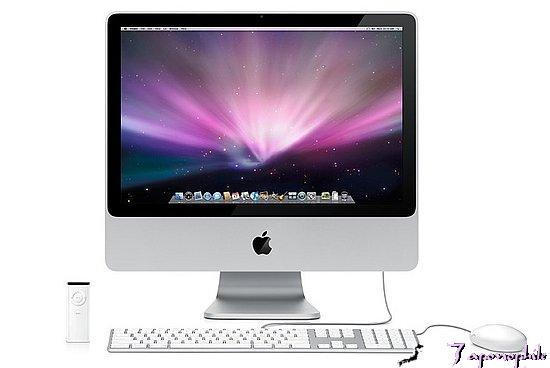
Delays in shipping Apple’s new iMacs are due mostly to “business reasons,” Kaufman Bros. analyst Shaw Wu told clients Monday.
Chief among the reasons are decisions on which chip to use in the iMacs and the timing of Apple’s release of its upcoming Snow Leopard operating system.
“Apple is in the midst of figuring out whether to power the new iMac line with Intel quad-core processors or more high-powered dual-core processors with larger caches,” Wu wrote in his report.
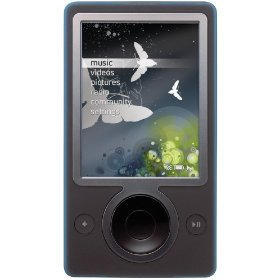
In a technological tale of two cities, Microsoft reported quarterly sales of its Zune media player fell by 54 percent as demand for Apple’s dominant iPod rose by 3 percent.
The $100 million drop in Zune sales came amid word Friday Microsoft would lay off up to 5,000 employees.
A number of factors are part of the contrasting sales picture. “It’s the category, it’s the business, it’s the economy,” Zune marketing director Adam Sohn told Macworld.
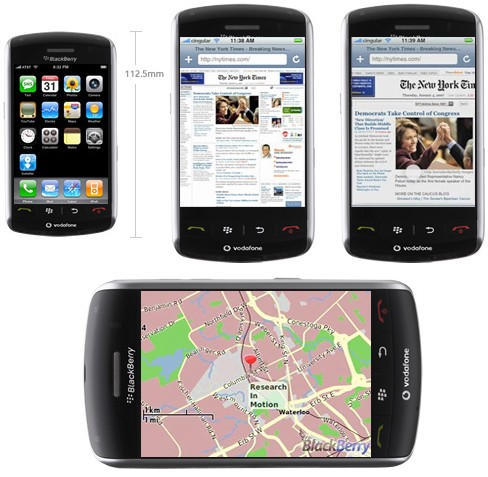
The BlackBerry Storm, RIM’s first touch-screen handset, has gotten off to a rough start in its bid to compete with Apple’s iPhone, according to a report Monday.
The phone, plagued by technical problems, sold 500,000 units a month after RIM unveiled the device Nov. 21, according to the Wall Street Journal. By contrast, Apple sold 2.4 million iPhone 3Gs in its first quarter.
Jim Balsillie, RIM’s co-chief executive, said swatting bugs after a product hits the shelves is now the “new reality” as cell phone makers attempt to duplicate Apple’s success with the iPhone.
A new trojan horse variant has been found in pirated versions of Adobe’s latest version of the Photoshop suite, security researchers warned Monday. The trojan horse is considered a “serious” security risk, opening Macs to malicious takeover by remote users.
The Trojan horse, OSX.Trojan.iServices.B, is included in Photoshop CS4 cracking software distributed on file-sharing networks such as BiTorrent, according to security software developer Intego.
“The actual Photoshop installer is clean, but the Trojan horse is found in a crack application,” Intego announced in a statement.
When a computer gives up the ghost, there are a lot of things you can do to keep it around the house.
Here are a few ways we’ve found, if you’ve found a new way to give new life to your dead Mac, let us know.
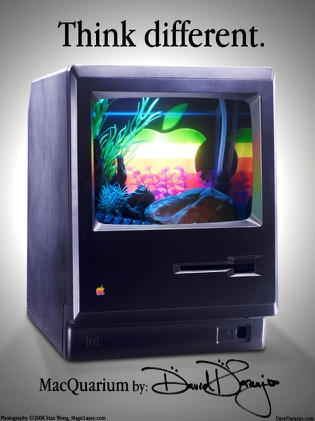
Macquarium: when your mac is swimming with the fishes.
There are a ton of these — flickr counts nearly 700 — but this slick black version was made by Dave D’aranjo who rescued a Mac from a Singapore sidewalk and turned it into an aquarium. He spent a couple of months fashioning the fish bowl, following the how-to in low end Mac, then adding his own touches and getting a custom logo to give it a screen-saver look.
This is a page from The Magazine, an ezine-in-an-app that’s now available on the App Store for a dollar.
By itself, it’s not much to write home about in my opinion. The presentation is amateurish and the content not terribly interesting. And there simply isn’t very much of it. Not my kind of magazine at all, frankly.
But what’s more interesting is the concept of a mag-as-an-app.
Canadian freestyle skier Sarah Burke started out on the wrong foot at the Women’s Superpipe Finals at the Winter X Games in Aspen, Colorado.
The tricks weren’t working, her rhythm was just a little bit off.
Then, according to the AP, the freestyle skier suddenly discovered her flaw – she wasn’t pumping Dr. Dre on her iPod. Burke cranked the hip-hop artist on her final run, dropped into the pipe and flawlessly hit all her stunts to win her third straight Winter X skiing superpipe title Friday night.
“Dr. Dre always pulls me through,” the 25-year-old told journalists.
With her alley-oop maneuvre slightly off, Burke decided to bag it, going with a nice, easy run on her final attempt. It was her third straight superpipe gold.
What do you put on the iPod to get you through?
White noise is getting me through the daily slalom of late…
Is there anything an iPhone app cannot be programmed to do?
CubeCheater is an amazing app for iPhone and iPod Touch that, given the current state of your Rubik’s Cube, will tell you how to solve the puzzle in just a few moves.
You can either input the cube’s state using the color palette and tapping in the colors, or you can just take a picture of each face of the cube and CubeCheater will use advanced computer-vision techniques to recognize the cube for you. (The camera feature is obviously not available on iPod Touch)
The app uses the famed Kociemba algorithm to find a solution quickly. It finds optimal or near-optimal cube solutions in only a few seconds. Even a really mixed-up cube will only take about 20 turns to solve, compared to hundreds of turns for a typical human algorithm.
By getting all Beatles Revolution #9 on it, you can also use CubeCheater to put your cube into pretty-looking patterns. Start with a solved cube, input the pattern you want, and solve it. Play the solution backwards to put your cube into that configuration.
The app’s most recent update adds support for different styles of cubes, such as the Blue-opposite-White cubes sold in Japan. You can also specify your own custom cube configuration if you have a non-standard cube.
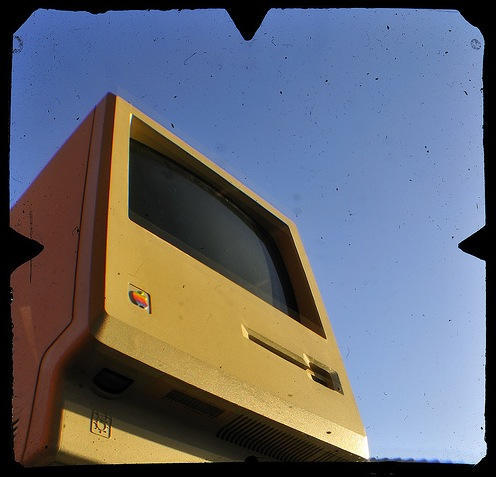
Australian Cult reader Dirk Spennemann is one of those lucky people who, on starting a new job where everyone’s on Windows boxes, can insist on a Mac. His fabulous photo set demonstrates just how much he admires these old Macs, but we wanted to know how he got his hands on that 128k.
Over the last 25 years, Apple has put out legions of Macs. In honor of the anniversary of the world’s greatest computer, I’ve taken the liberty of classifying all of Apple’s industrial design into six eras, starting with putty, and continuing to the current black and aluminum hey-day. Click through and come take a trip with us back to 1984!
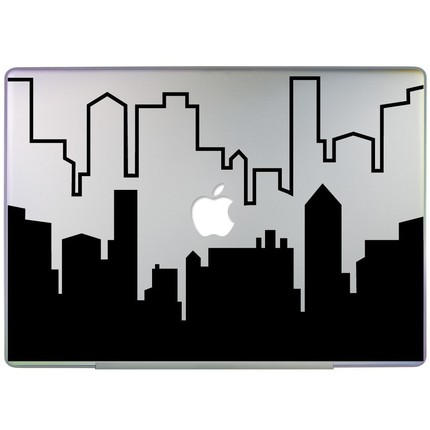
Walking the desolate streets of the Information Superhighway this morning, I thought I’d never find that slippery textured, geometric laptop modification of my dreams…
Lacking the network of preexisting business customers, and B2B distribution channels of it’s principal rival IBM, Apple’s success was midwife’d by a hodge-podge of independent resellers and enthusiasts.
It seems apropos, on this the 25th anniversary of the Macintosh, to celebrate one of the few that remain of this early band of crazy ones, misfits and rebels, without whom Apple Computer would be little more than a footnote.