Two men charged in federal court with planting credit card skimmers at gas stations used an iPhone to plan the crime.
The Hummer-driving, iPhone toting pair hit eight gas stations in central Utah before an attendant noticed the devices. He provided security cam footage of Robert Fichidzhyan, 27, and Levon Karamyan, 55, both of California, installing skimmers.
They were busted after police searched their car, a damaged white Hummer H2, and found keys to open the skimming devices and an iPhone with a map of Richfield with gas stations marked on it. Reports didn’t mention whether it was a map or a gas-station finder app.
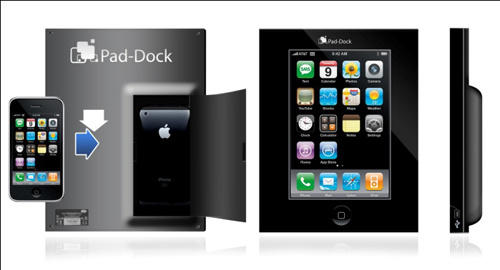
I may hate April Fool’s Day, but I can still appreciate a good gag product when I see one, like this iPhone-to-iPad Converter. It’s like a microfilm reader for your iPhone: Just slap your iPhone in, let the display upscaler do its thing and you’ve got an iPad for just a fraction of the price suckers like Leander are paying for it!
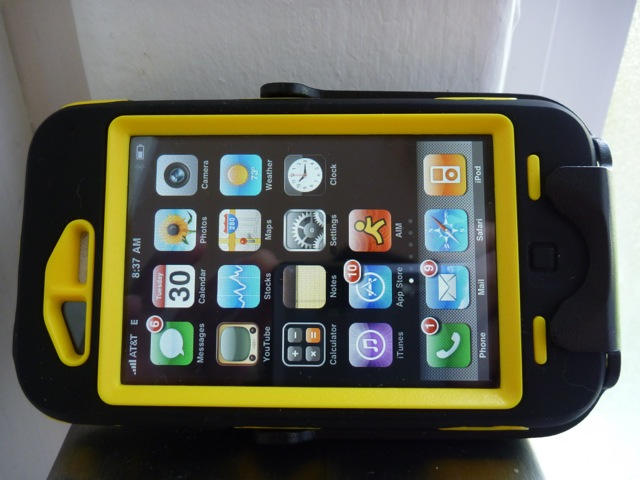
The Otterbox Defender iPhone Case is the Hummer of iPhone cases. Offering three layers of plastic armor, it protects the iPhone in any terrain.
The Defender case is chunky but offers serious protection for tough jobs. This is a case for construction workers, firefighters, and stunt skateboarders.
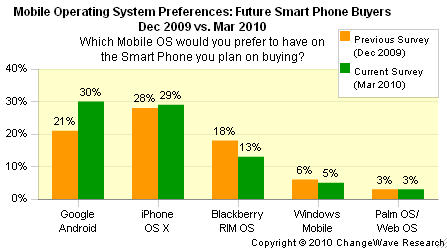
The number of people planning to buy an Android-based phone in the next 90 days jumped to 30 percent in March, nine points higher than the December survey conducted by ChangeWave. First-adopters interested in buying an iPhone over the next three months hit 29 percent, inching up just a single point since December. The researchers Wednesday described the results as a “monster wave of demand for Android OS phones.”
While a 9 point increase doesn’t seem like a “monster wave of demand,” compared to six months ago, it is a five-fold jump, the researchers said.
Remember this grossy? The greasy hair, the unshaped moustache adorned with old bits of scrambled egg and dollops of congealed bean juice, the belly as super-inflated as the abdominal cavity of some male pregnancy fetishist’s dream hunk? His name’s Greg Packer, and in 2007 he was the first guy in line outside of Apple’s Fifth Avenue Store, waiting for the iPhone.
Camping out then made a modicum of sense, since Apple needed to activate your iPhone in store back in 2007… but here he is again, camped out three days ahead of time to grab an iPad and first in line, despite the fact that you’ve been able to pre-order an iPad either for delivery or store since March 12th. In other words, there’s no real reason to stand in line three days ahead of time this time around if you had the foresight to pre-order.
We’re all for honest enthusiasm and anticipation of Apple products here at CoM, but on the other hand, we’re also proponents of hygeniene, common sense and a facsimile of a life. This guy was christened the “iLoser” back in 2007, and he really seems intent on defending the title three years later. Best of luck to him: my guess is there won’t be much competition.
Mostly because every oom in my house right down to the bathroom contains a pair of speakers hooked up to an Airport Express, the true killer app on the iPhone and iPod Touch is Apple’s official Remote app, which allows you to control and stream your iTunes library with painless ease.
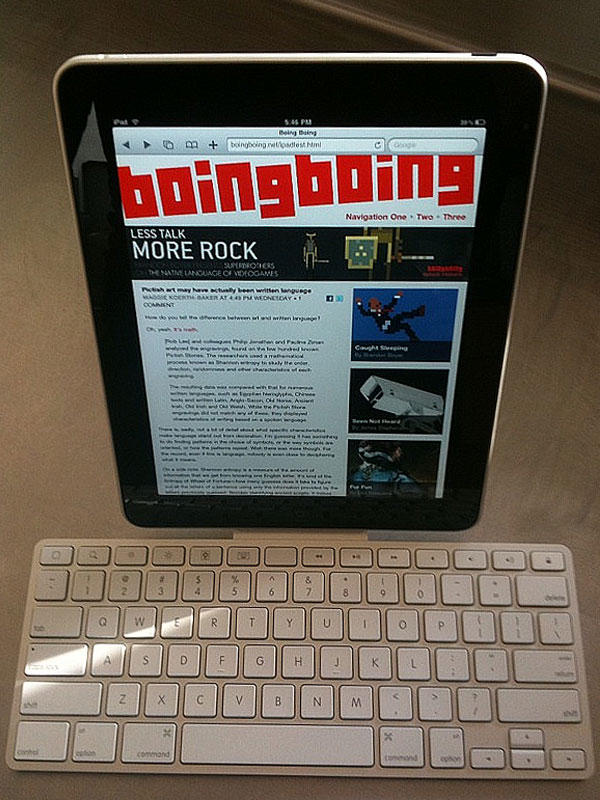
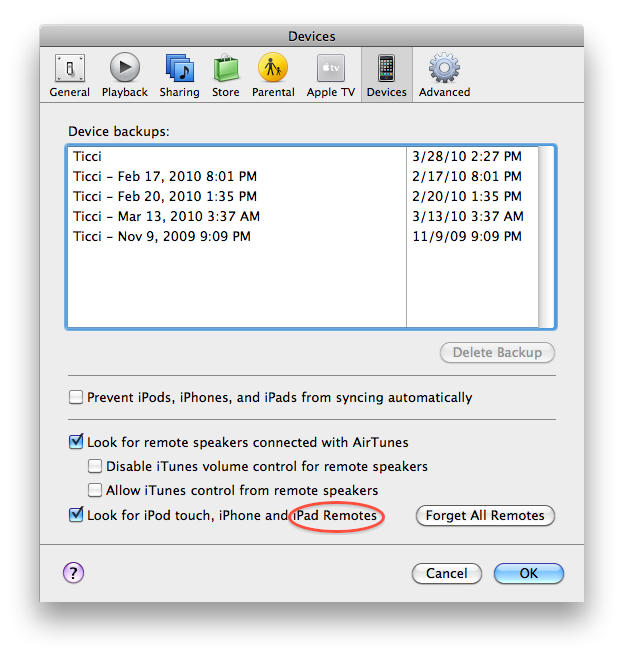
I always assumed that the Remote App would work perfectly well on the iPad, but just in case it was in doubt, iTunes 9.1’s preference panel spills Remote on the iPad as a fact. Whether Remote will be a universal app, or get an HD overhaul is still unknown, but since I expect my iPad to pretty much live on my coffee table as an e-reader, casual browsing machine and photo album, I’m still pretty excited.
Although only in the prototype phase right now, these wooden iPad cases Substrata look gorgeous.
Coming in flavors of dead tree flesh including walnut, zebrano, wenge, mahogany and maple, and shipping with both hinged and sliding lids, the Substrata iPad cases (replete with microsuede lining to prevent scratches) should be available in June for an unknown but probably fairly expensive price.
Before it even hits stores, several US colleges have pledged to give iPads to students along with their orientation kits.
iRush schools include Seton Hill in Pennslyvania, Northwest Tech in Kansas and George Fox University in Oregon, where freshmen have been handed personal computers along with class schedules for the last 20 years.
The iPod Touch has been making in roads in higher education since its 2007 release, but this is the first time a device has been promised to students before it is even on the market.
Not all iPad school programs are created equal. Students at George Fox can choose between the iPad and a MacBook Pro, students at Seton get both an iPad and a MacBook Pro, for those at Northwest Tech, iPads will replace the iPod Touch devices students were previously given.
“The trend in higher education computing is this concept of mobility, and this fits right in,” Greg Smith, the university’s chief information officer, said in a press release. “At the same time, we realize there are a number of uncertainties. Will students struggle with a virtual keyboard? Can the iPad do everything students need it to do when it comes to their college education? These are the kinds of questions we really won’t know the answer to until we get started.”
For about six months now, Starbucks has been testing a system in about a dozen Seattle and Silicon Valley stores that turns the iPhone into a virtual wallet, letting customers pay for lattes and the like with an app that displays a barcode read by a specialized reader at the counter.
But yesterday, Starbucks said the trick will expand to 1,000 Starbucks shops inside Target locations. Which is a little odd, considering Target’s demographic (yes, I’m suggesting a large chuck of Target shoppers may not even know what an iPhone is — despite the fact Target hawks Apple stuff — let alone be aware that, yes, there’s an app for that. In fact, the shift manager at my local Starbucks hadn’t even heard of the program).
To mark it two-year anniversary, the Apple-centered iFund doubled in size to $200 million. Highlighting the iFund’s addition of iPad investments, John Doerr, partner at Kleiner Perkins Caufield & Byers waxed poetically: The tablet device “feels like you’re touching the future.”
Seven iFunded game developers: ng:moco (makers of Flick Fishing, Castlecraft, NBA Hotshot, Charadium, We Rule, GoldFinger and WarpGate), Pinger (Star Smash and Doodle Buddy), GOGII and Shazam will be avaailable when the iPad launches April 3.
Update: Picture me boring a hole through my throbbing temples with my fingertips. PC World has just confirmed Netflix for the iPad. The pictures of the app are even hosted on Apple’s servers and the app is listed on AppShopper, so short of a linkable announcement, this is as official as it gets. The Netflix app will be free to download, but you’ll need a Netflix subscription to stream video, which starts at $8.99 a month.
In other words, due to the web of lies and trickery bloggers weave on April Fool’s Day, I’ve been punk’d by real news. I hate this day so much. See the original (discredited) post positing this was in all probability a prank below.
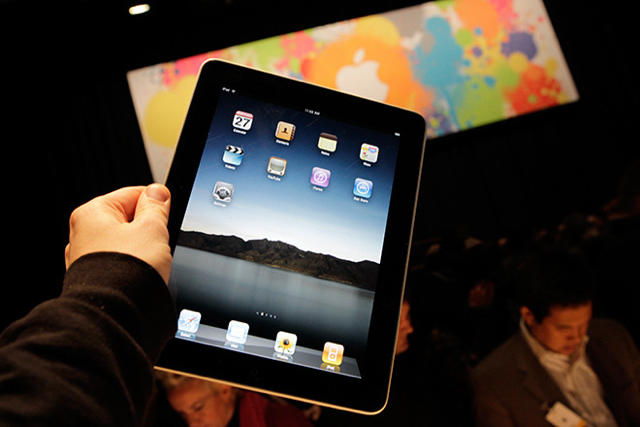
Apple could sell 200,000 to 300,000 iPads this weekend, a sign early sales estimates were too conservative, one analyst told investors Thursday. Such volume mirrors that of the iPhone’s launch, when the Cupertino, Calif. company sold 270,000 of the first iPhones. Apple may sell every iPad on hand, the analyst suggests.
Piper Jaffray’s Gene Munster now predicts 900,000 of the tablet devices will be sold during the June quarter and 2.7 million iPads for 2010. Munster also pointed to Apple’s recent announcement that new iPad orders won’t ship until April 12 indicate that “initial demand for iPads was stronger than the company expected.”
As the iPad emerges, blinking, into the sunshine after its months of sequestration at 1 Infinite Loop, so the media machine grinds into action. We’ve seen dozens of iPad reviews published over the last 24 hours; now Time scoops them all with Stephen Fry interviewing Steve Jobs.
For those who don’t know, Stephen Fry is well qualified to do this. He’s been using Macs since the early days, and he’s a genuine geek. He just loves gadgets.
And of course, being a world-famous actor and writer, he’s pretty well connected. His people, it seems, know Jobs’ people, and arranged for the two to meet.
Fry doesn’t reveal much from his meeting with Jobs (everything from that encounter is on the final page of the four-page article).
He does have the nerve to ask Jobs if this is “the curtain dropping on your third act”, to which Jobs replies:
“I don’t think of my life as a career. I do stuff. I respond to stuff. That’s not a career — it’s a life!”
Something we should all consider before we think about making any more unboxing videos…
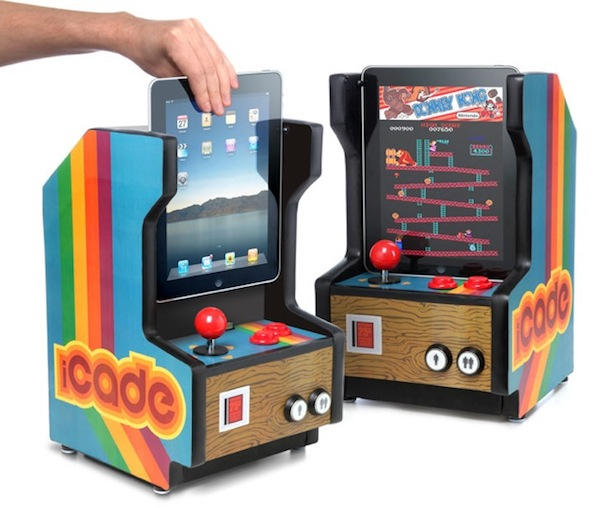
From Think Geek comes the one April Fools joke that I really wish was real: the iCade. Bringing all your 1970s and 80s gaming memories back to life. In theory anyway.
Seen any other good April 1st gags while browsing around this morning?
I didn’t see too many, I was too busy transferring all my files over to my new Windows 7 machine. It’s incredible!
Xeni asked Grey to put into words the magic of the iPad, and he said:
“The Elements on iPad is not a game, not an app, not a TV show. It’s a book. But it’s Harry Potter’s book. This is the version you check out from the Hogwarts library. Everything in it is alive in some way.”
Go read the rest of the review. It’s well worth it.
When the iPad was first unveiled, the single thing use for it that excited me most was reading — but comics, not books. Though various publishers have tried to make digital comics a going concern over the years, it’s never worked out. The problem was simple — no appropriate hardware. Doing a great digital comic just requires a large, portrait-oriented screen nearly the size of a comics page.
Fortunately, Apple’s on this wavelength. And both Xeni Jardin from Boing Boing and Andy Ihnatko from the Chicago Sun-Times report that review iPad units shipped with a brilliant comic book store and reading app from powerhouse publisher Marvel. You can see just a few seconds of the Marvel app in the PC Mag video (hat tip: Dante) we linked previously, but I like Ihnatko’s description, as well:
If you’re a purist who needs to see the whole page at once, you can hold the iPad in portrait mode and flip through the story as you would with a paper comic. You can zoom in and out as you wish, but though the iPad screen is smaller than a standard comic page (I measure it as 7.5”, compared to a comic’s 10”) it’s still crisp and readable when scaled down. Turn the iPad on its side, and a new viewing mode becomes available. In iBooks, tapping the left and right sides of the screen turns pages. In the Marvel app, it “moves the camera position” forward and backwards through the story, snappily zooming in and out through the “units” of the page, highlighting moments of dialogue or action.
The best new comedy of the year, Modern Family, has further cemented itself in my heart with tonight’s episode, which is basically a start-to-finish tribute to the powerful hold that new Apple products have over early adopters. Only watch the above YouTube clip if you’re comfortable with spoilers.
Otherwise, the full episode will appear here at 5 a.m. Eastern.
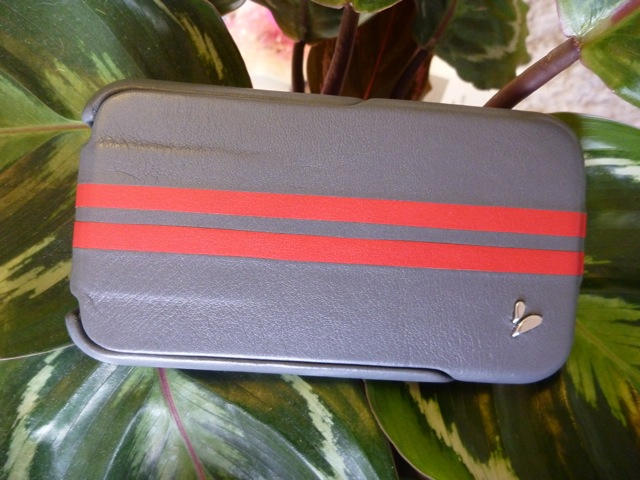
At first I thought this steel grey Ivolution GT case from Vaja was made from some new space-age material. It is textured but smooth, and has a luxurious silky feel. It took me an embarrassingly long time to realize it’s made from a pretty old material — leather.
Commanding a primo price ($100), the Ivolution GT is a primo case. The more I use it, the more I like it.
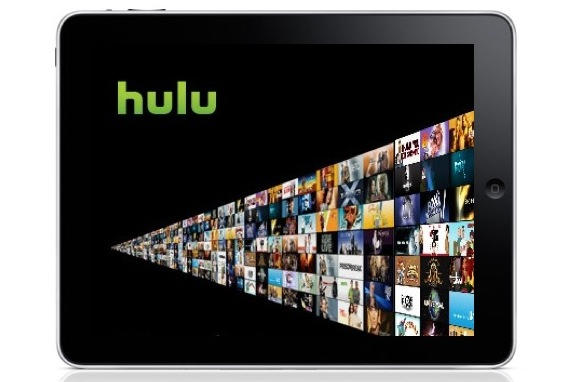
Hulu is coming to the iPad, and possibly as a subscription app, charging a monthly fee for watching popular TV shows, says the NYT.
Citing “four people briefed on its plans,” the NYT says Hulu’s 200-odd partners are pressuring the site to raise more revenue for online TV, and that a monthly subscription on devices like the iPad has obvious potential.
(Hulu’s CEO) declined to talk about any future Hulu products, but he waxed enthusiastic about the coming wave of ultra-portable tablet computers like the iPad.
“Typically media consumption in the house was confined to the living room or home office,” he said. Tablets, he added, “allow consumers to serendipitously discover and consume media in every room of the house.”
The news is no surprise, really. It’s obvious that Hulu, which has done more than any other company to mainstream online TV, would not pass up a major media-consumption device like the iPad.
Plus, Hulu’s videos are already encoded in H.264, so they should run on the iPad without a problem. The big issue is making sure Hulu’s ads — all of which are in Flash — are iPad ready.
PCMag’s iPad review is a must watch. It’s a quick, breezy tour through the iPad and what it can do (iWork, games and eBooks, etc.). The best I’ve seen so far, including Apple’s guided iPad tours.
The big three tech reviewers — Walt Mossberg, David Pogue and Ed Baig — have all given the iPad pretty enthusiastic reviews. Of course, being pro reviewers, they are obliged to remain cooly professional and criticize shortcomings like the lack of Flash, multitasking and camera. But read between the lines, and these are pretty much double-thumbs-up:
WSJ’s Walt Mossberg: iPad has better than 10 hours battery life, email and other writing is surprisingly easy and productive, and digital newspapers are “gorgeous and highly functional.”
As I got deeper into it, I found the iPad a pleasure to use, and had less and less interest in cracking open my heavier ThinkPad or MacBook.
NYT’s David Pogue: Thinks nerds will be unmoved but technophobes will love it. Says it’s not as good as a laptop for “creating stuff,” but miles better for consuming books, music, video, photos, Web and e-mail.
For most people, manipulating these digital materials directly by touching them is a completely new experience — and a deeply satisfying one.
USA Today’s Ed Baig: Says Apple is “rewriting the rulebook for mainstream computing.”
Apple has delivered another impressive product that largely lives up to the hype.
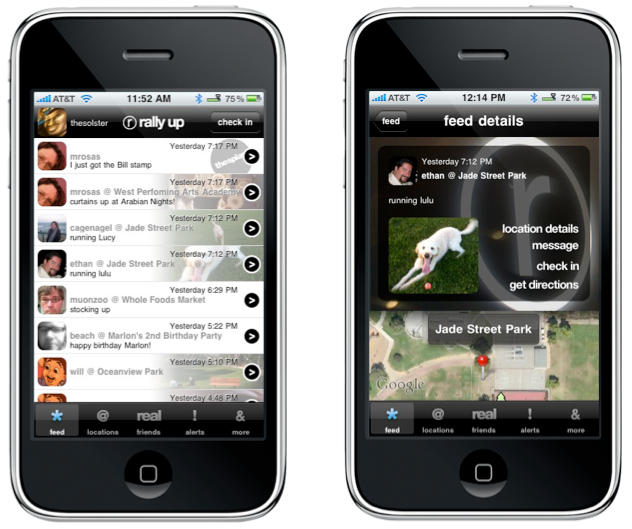
Rally Up promises to cut social network noise, emphasize privacy.
Rally Up, a new location-based iPhone and iPad app from the innovative Santa Cruz, CA team behind 12seconds apps, made its debut in the iTunes App Store Wednesday, hoping to capture the attention of a growing fanbase for apps that leverage mobile communication technology to let people connect with one another.
For the past year the social networking game has been dominated by two players: New York-based Foursquare and Gowalla, out of Austin, TX. With loyal adherents numbering in the hundreds of thousands each, both companies have raised millions in investment funding and explored media partnerships with the likes of Bravo TV, Zagat and the Travel Channel to position themselves for a future in which everyone owns a smartphone and GPS technology allows their location to be pinpointed on a mythical matrix of Coolness.
Enter now Rally Up, which looks to capitalize on privacy concerns that have led many to remain skeptics of social networking apps. Rally Up touts itself as a unique vehicle for letting “real” friends share their wisdom and discoveries about the places they live and visit. “Foursquare and Gowalla are mainly broadcast apps,” said Rally Up founder Sol Lipman. “You check in somewhere and tell the Facebook and Twitter universes about it and there’s very little interactivity or real communication about the experience.”
Rally Up’s focus is more on combining microblogging with location, providing its users a platform for sharing text, videos and direct messages with one another. With an emphasis on the quality of a user’s friends in the Rally Up network, the app doesn’t support mass ‘Friend’ imports from Twitter or Facebook, rather it draws from the phone’s contact list or address book to populate the app with people a user is more likely to be interested in sharing with.
Within the app, any Rally Up contact can be set with a profile providing that contact with more or less access to a user’s comings and goings with Rally Up. The app also allows a user to choose between broadcasting his or her current location or letting contacts know where they are headed next to facilitate greater interactivity and social planning than other social networking apps allow. With 1.7 million points of interest at launch through integration with Open Street Map, Rally Up also has a look and feel distinctly different from the stylized GUIs of Gowalla and Foursquare, while also supporting many of the features that have made those apps so popular, including push notification, leaderboards and stamp/badge collecting.
With an iPad optimized version of the app also ready to go when the highly anticipated Apple tablet device launches April 3rd, Rally Up may be poised to turn the Check-in Wars into a three-front battle.
Rally Up went live as a free download on the iTunes App Store Wednesday.
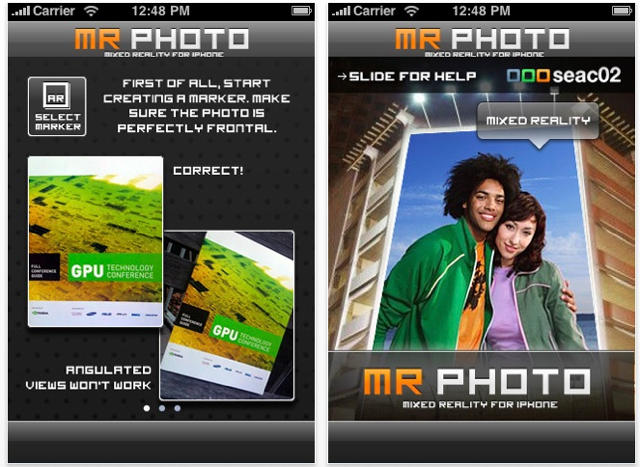
Ever wanted to make it look like it was your face on the massive billboard you pass every day on the way yo work? Sure. We all have — and now we can, sorta, thanks to a new app called Mr. Photo from Italian developer Seac02.
Have a look at the English-disadvantaged blurb from the app’s App Store page, and everything will become clear:
“MrPhoto 1.0 is the first genuine Augmented Reality focus with realtime hardness tracking and user generated hardness target. The focus allows to supplement any design from a fire done by a iphone camera, Augmented being algorithm will take caring of a viewpoint of a Augmented being content. Take a print of an outside promotion print and put your design with a single click, no photoediting during all MRphoto and his record will do anything for you. MRPhoto is a initial genuine step to visible tagging, user generated tags for user generated contents.”
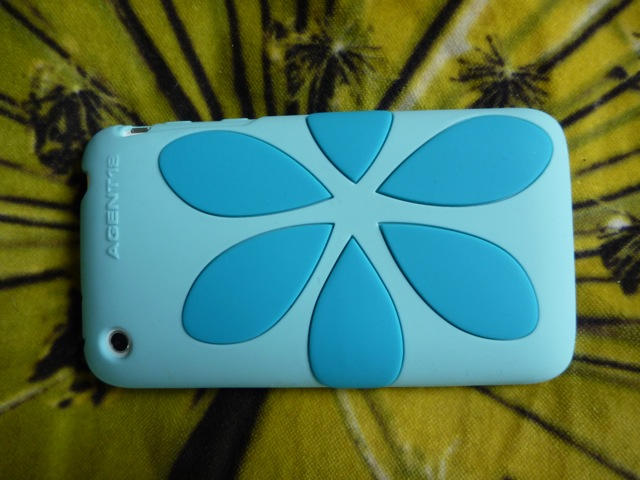
Guys, did you forget to call your girlfriend on her iPhone? If so, nothing says “sorry” better than flowers — a flower iPhone case that is, by Agent 18. She may love you — but she loves her iPhone more.
Note: It’s Case Week on CultofMac.com. We’re checking out some of the latest and greatest iPhone cases on the market. Read all the case reviews here.
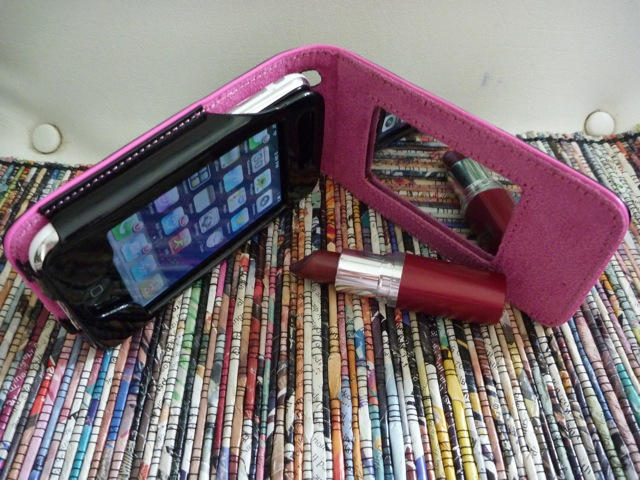
My sons are constantly stealing my iPhone to play their games, until I got the Pink Lady Mirror iPhone Case, which totally put them off. This iPhone case from USBfever screams girly!
Note: It’s Case Week on CultofMac.com. We’re checking out some of the latest and greatest iPhone cases on the market. Read all the case reviews here.






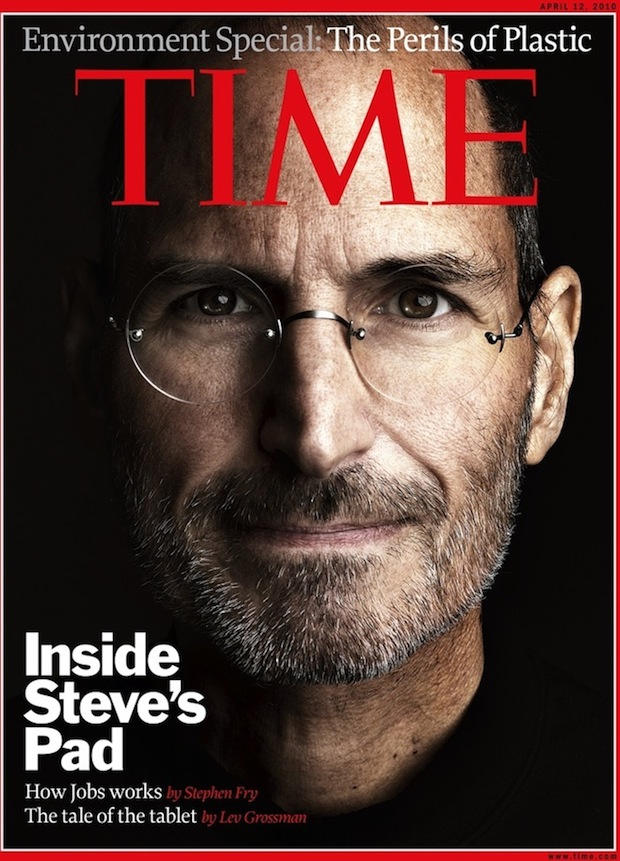
 As the iPad emerges, blinking, into the sunshine after its months of sequestration at 1 Infinite Loop, so the media machine grinds into action. We’ve seen dozens of iPad reviews published over the last 24 hours; now Time scoops them all with