Apple has just released iOS 4.1 Beta 2 to developers. We’re currently downloading it and will report what’s new ASAP.
The firmware is build 8B5091b. There’s also a new SDK, build 10M2305a. Both are available from the iPhone Developer Center.
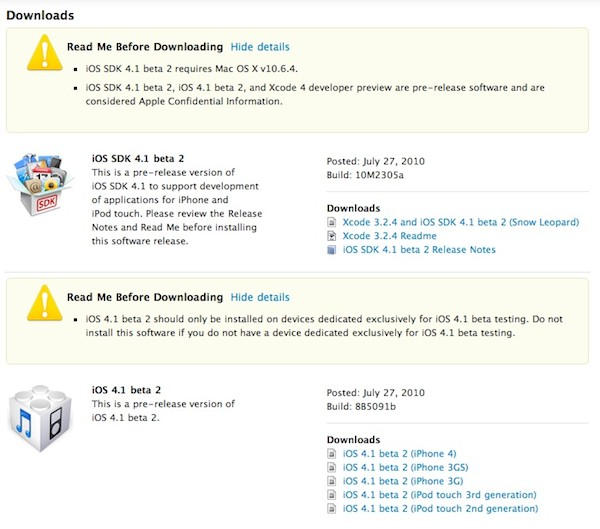
Apple has just released iOS 4.1 Beta 2 to developers. We’re currently downloading it and will report what’s new ASAP.
The firmware is build 8B5091b. There’s also a new SDK, build 10M2305a. Both are available from the iPhone Developer Center.

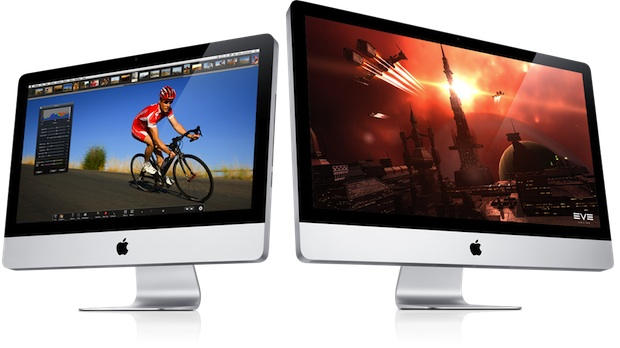
The new 27-inch iMac launched today has room for two internal hard drives, including a solid state drive (SSD) that could halve boot times.
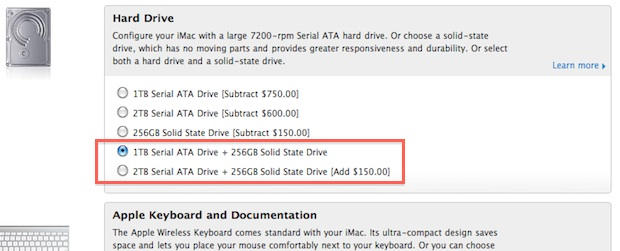
Apple suggests putting the operating system and key applications on the SSD, and everything else on a traditional Serial ATA drive, which come in 1 TB or 2 TB capacities.
The iMac’s product page says:
To give your iMac a real performance boost, configure your 27-inch iMac on the Apple Online Store with an optional 256GB solid-state drive. You can choose it as your only drive or have it installed in addition to the built-in hard drive, allowing you to store the operating system, critical applications, and important files on the solid-state drive and your other files on the hard drive. Because solid-state drives have no moving parts, the computer can access data at over twice the speed of hard drives. Which makes starting up your iMac and launching applications faster than you ever thought possible.
This is the first time the iMac has been offered with dual drives. It’s not cheap, however: A top-of-the-line 27-inch iMac with a 2 TB traditional drive and a 256 GB SSD costs $2,899 — a $900 premium over the base $1,999 price.

[polldaddy poll=3531556]
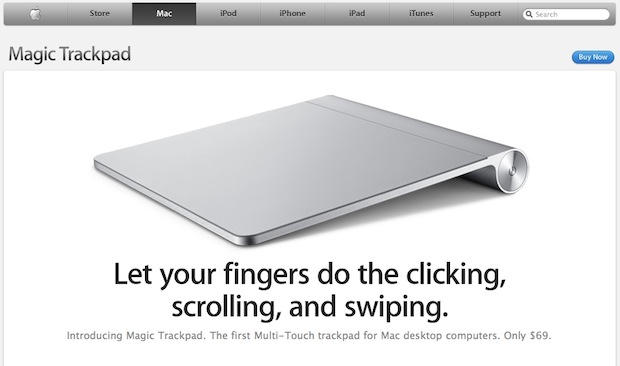
Apple’s Magic Trackpad looks like an optional peripheral for now, but it’s much more than that. It’s several nails in the mouse’s coffin. It may even be a stake through its heart.
Apple’s intent for the Magic Trackpad is clear: it’s a replacement for the mouse that brings multitouch gestures to the desktop. As more and more people use multitouch on their mobile devices, it’ll become more natural to use them on the desktop also.
Doug Engelbart invented the mouse, but Apple’s first Macintosh brought it to market and popularized it. And now, after more than 26 years as the primary UI device for desktops, Apple is beginning to phase it out. The success of Apple’s iOS platform, which uses multitouch as its primary interface, shows the path of Apple’s trajectory — it’s multitouch all the way.
Apple today unleashed a number of goodies, including giving iMacs and Mac Pros more oomph with new processors and increased storage options. We have those deals today, along with many more items for the Mac lover. Along with the refreshed line of iMacs and Mac Pros, we’ll also look at a number of software deals for you iPod, iPhone and Mac.
As always, details on these and many other items are available at CoM’s “Daily Deals” page right after the jump.
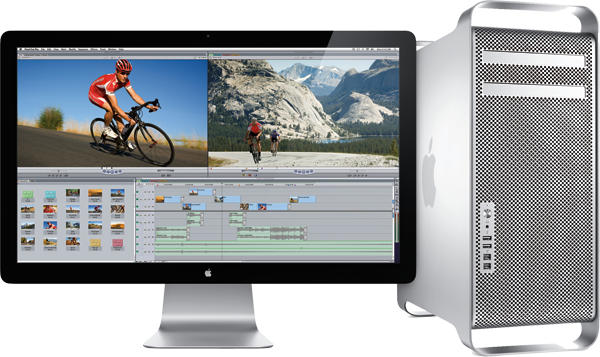
Apple has refreshed its Mac Pro, giving the desktop workhorse up to 12 processing cores for a top speed of 3.33GHz, boosting performance by up to 50 percent. The refresh also provides users the option of four 512GB solid state drives.
“The new Mac Pro is the most powerful and configurable Mac we’ve ever made,” said Phil Schiller, Apple’s senior vice president of Worldwide Product Marketing. “With up to 12 cores, the new Mac Pro outperforms our previous top-of-the-line system by up to 50 percent, and with over a billion possible configurations, our customers can create exactly the system they want.”
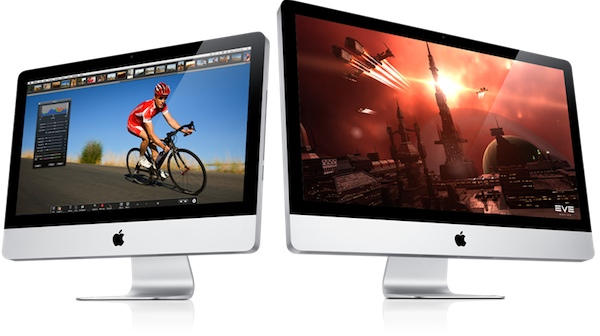
Apple Tuesday updated its all-in-one iMacs with Intel’s Core i3, Core i5 and Core i7 processors, confirming rumors that the Cupertino, Calif. company would completely replace the Intel Core Duo line of chips powering the desktop machines. The low-end 21.5-inch iMac now sports a 3.06GHz i3 processor for $1,199.
The mid-range 21.5-inch iMac is powered by a 3.2GHz i3 chip for $1,499, while the high-end 27-inch iMac includes a 2.93GHz Quad-Core i7 processor for $1,999.
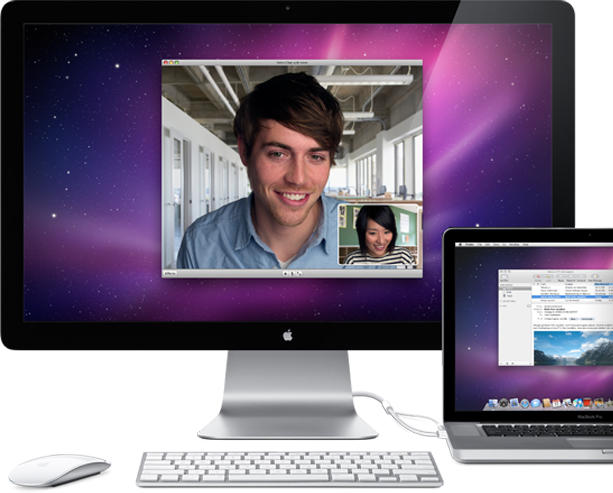
Have you lusted after those new iMacs with the 27-inch LED screens, but already have a MacBook – or even Mac mini? Well, Apple must have heard your pleas, because Tuesday the Cupertino, Calif. company unveiled a 27-inch LED display compatible with all Macs — for just $999.
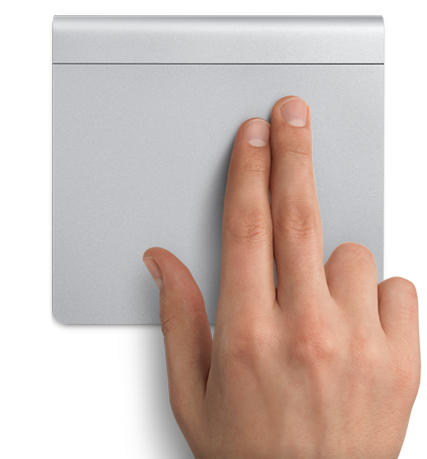
The Apple Store is back up following some downtime this morning and the Magic Trackpad is now available.
At just $69, the Magic Trackpad provides your desktop Mac with all of the multi-touch functionality and gestures you’ll find on your Mac notebook. It looks fantastic and uses the same sculpted aluminum design as Apple’s wireless keyboard, so it will blend in perfectly on your desk.

Maybe it was the recent high temps which struck the U.S. East Coast, but a lawsuit now claims Apple’s wildly-popular iPad tablet device just can’t stand the heat. In a complaint filed July 23, lawyers claim the iPad “overheats so quickly under common weather conditions” and “does not live up to the reasonable consumer’s expectations created by Apple.”
The lawsuit also claims when placed in direct sunlight, the iPad “turns off, sometimes after just a few minutes of use.” Filed in a federal court in Oakland, California, the lawsuit seeks class-action status, as well as unspecified damages.

This morning the Apple Store is down and backs up rumours that product updates and introductions could be imminent.
Rumors have circulated recently about updates to the iMac and the Mac Pro, as well as the introduction of a 27-inch Cinema Display and a “Magic Trackpad“.
We’re not sure yet whether new products will appear, but this is a good sign. It’s also typical of Apple to release/update products on a Tuesday.
We’ll keep our eye on the Apple Store and be sure to inform you when it’s back up and if there’s new goodies to check out!

Now shipping for the Mac, the Warpia Easy Dock promises to divorce your MacBook from the myriad cables usually deployed at your working station.
Simply slap the Warpia wireless dongle into your Mac and it’ll wirelessly connect you to a keyboard and mouse. Better, it’ll also bridge you to your external speakers and even an external monitor, as long as it ranges between fifteen and twenty one inches and maxes out at a resolution of 1440 x 1040. In fact, the wireless monitor latency is good enough to stream 720p HD video from your MacBook to an external monitor.
Interested? You can purchase the Warpia Easy Dock online for just online. About the only thing it won’t do wirelessly is the power.
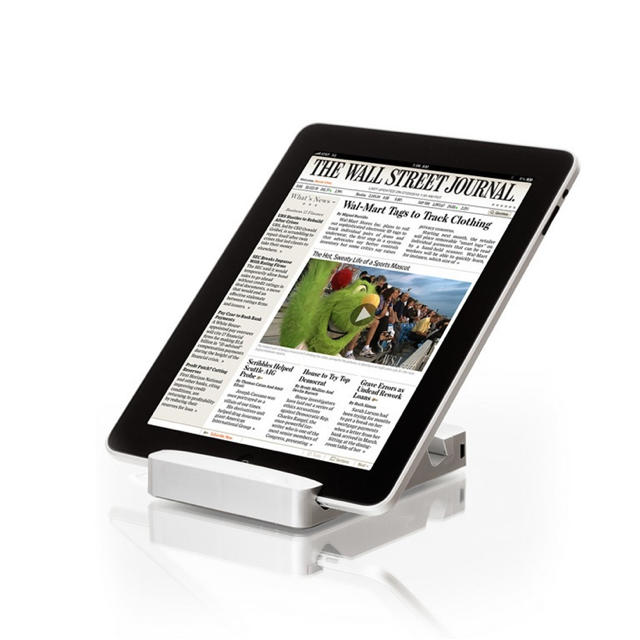
Bringing your iPad on the road and want more juice than its 10 hour spec? Battery maker Sanho have you covered: their new HyperMac Stand for iPad will add an additional 16 hours to your mobile time.
The HyperMac Stand is a rectangular block in which your iPad can be slotted at an 18 degree angle, perfect for typing. It contains an 1100mAH, 40Wh battery that will charge your iPad even when it’s away from an AC outlet, as well as pass-through charging and syncing.
The price? $130. That sounds a bit steep at first, but given the combined price of both a stand and an external battery, a moment’s reflection makes it a loss less hard to swallow.

Although seventeen more countries will be getting the iPhone 4 at the end of this week, South Korea’s not one of them… and it’s getting a lot of airplay in Seoul, with Steve Jobs being explicitly called a liar by the South Korean press.
The issue isn’t really the delay, so much, but a comment by Steve Jobs saying: “It’s going to take us a little longer to get government approval [for the iPhone 4 in South Korea].”
In actuality, government approval doesn’t seem to be the issue. In fact, the Korean government says that the iPhone 4 has yet to be submitted for approval to the proper channels, either by Apple or their local carrier partner, KT Corp.
The government statement has sparked some confrontational headlines. “Jobs lied, didn’t he?” one local newspaper wrote.

Are you one of the millions of AT&T customers afflicted by terrible 3G upload speeds brought about by buggy Alcatel-Lucent HSUPA hardware? AT&T has announced that they have begun working on a fix.
Good news, but of course, this is AT&T, and after taking several weeks to examine the problem, they will be proceeding with the fix at their usual glacial pace: it will take an additional two to three weeks to fully resolve.
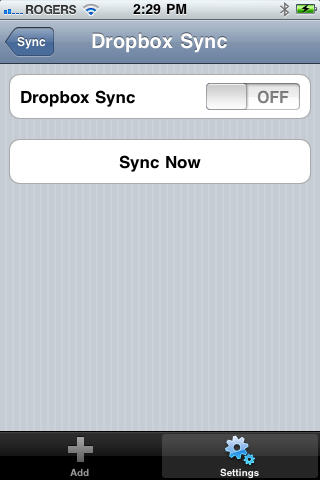
The fantastic Mac and iOS password managing application 1Password has just gotten a fantastic little upgrade, finally bringing cloud synchronization between 1Password for Mac and 1Password Pro for iOS.
While 1Password has long been able to sync your passwords between your Mac and your iPhone, the process was a bit convoluted: you needed to use WiFi, and you needed to make sure the 1Password app was open while near your computer to suck down your data.
However, the new 3.3 update to 1Password for Mac and the 3.5 update to 1Password Pro for iOS brought Dropbox support to the mix, and the syncing process has become a lot more straight forward.
It’s a fantastic update. It’s just too bad that 1Password Pro is so expensive. 1Password is one of the easiest ways to keep your various online accounts secure, but the $14.99 price on the Dropbox syncable “Pro” version is probably a pretty big barrier to entry for most.

If you bank through Citibank on your iPhone, you might want to update it now: the Wall Street Journal is reporting that there is a security vulnerability in the last version of the Citi Mobile app that saves personal account information in a hidden file.
This hidden file contains information about account numbers, security access codes and bill payment information. While it can’t be accessed remotely, it could conceivably be accessed through a Mac or PC upon being connected by USB cable… particularly if the device is jailbroken.
“We have no reason to believe that our customers’ personal information has been accessed or used inappropriately by anyone,” Citi has said, while simultaneously releasing an updated version of the app that fixes the problem.

Shares of DVR-manufacturer TiVo jumped about 5% yesterday after rumors swirled that the company’s next tech revision might get included on the next Apple TV.
It’s a pretty silly rumor. Apple has made it clear time and time again that they want to own the core technology of their devices. Unless Apple sees fit to buy TiVo, then, I don’t see it happening. In fact, why would Apple allow television recording on the AppleTV to begin with? If the AppleTV ever makes the leap from hobby device to serious initiative, it’ll be because Apple wants to give consumers a cheap, set-top box to conduct iTunes purchases.
I just don’t see it. The most compelling rumor right now is that the next AppleTV will run iOS and stream through the cloud. I don’t think TiVo is going to become an Apple partner with the next AppleTV: I think they’ll become even more of a competitor than they are now.

Your life is on your iPhone, so if you want to share it with friends, family and co-workers, what’s better than capturing what’s on your iPhone screen? ScreenRecorder for iPhone is a Cydia application that captures your iPhone screen — be it a tutorial, demo or demonstration — with the tap of a finger. Here’s Cult of Mac’s step-by-step guide of how this paid app works.
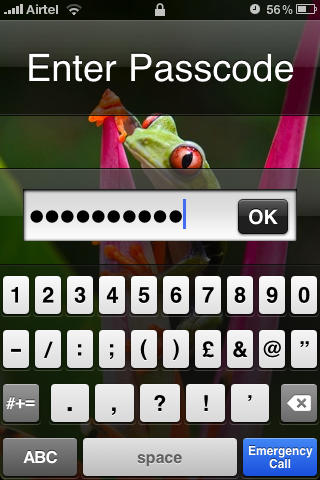
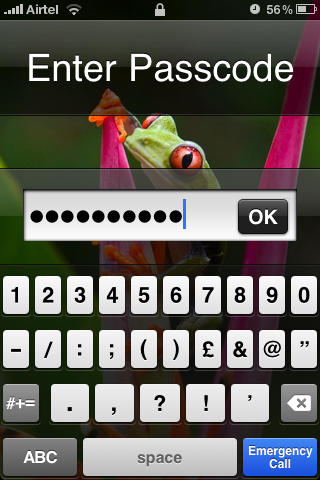
Although the iPhone does allow you to setup a lockscreen passcode, it doesn’t give much flexibility in choosing one, allowing you to set only a four-digit passcode. If that doesn’t pass your security test, here’s how to set passcode your ex won’t be able to guess. NB: If you haven’t upgraded to iOS4, this tutorial on setting up a lockscreen passcode is for you.
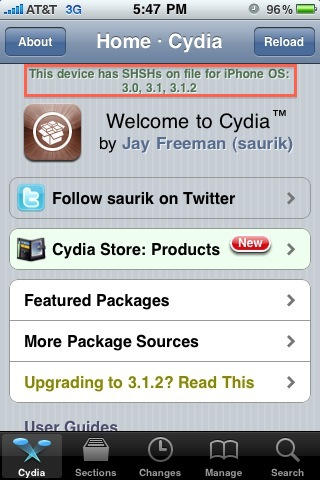
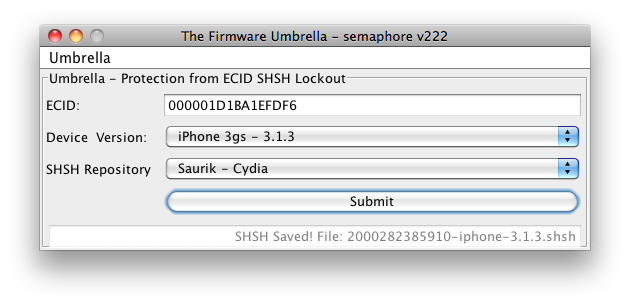
If you accidentally updated your jailbroken iPhone 3GS, you cannot simply downgrade it by restoring to an older version of the firmware (even in DFU mode) because of an added layer of security by Apple.
However, if you have a previously jailbroken iPhone 3GS, there’s a possibility that Cydia saved some files called SHSHs to help you bypass this added security. Cult of Mac’s how-to guide will help you do it.
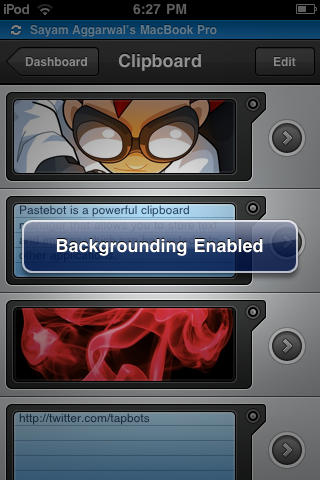
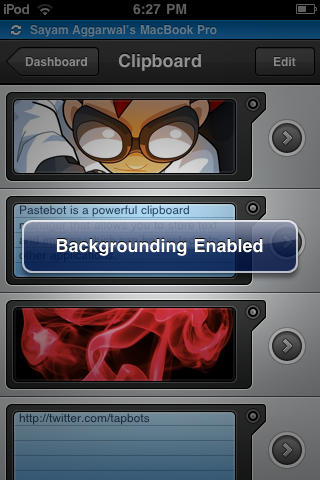
The Backgrounder app makes running multiple apps on your iPhone easier than juggling your daily schedule. Do keep in mind that running too many apps will slow down your device and suck the life out of its battery a lot quicker.
Still, Backgrounder is a great gratis app we’re glad to have handy. Here’s Cult of Mac’s guide to how it works.
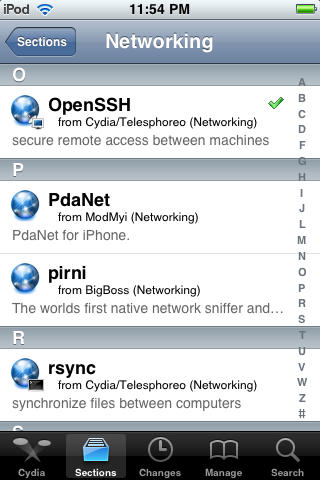
Unless you jailbreak your iPhone, the file system will remain off limits as Apple intended. Even so, many people who jailbreak their phones stop with Cydia. There are, however, a few reasons you might want access to the file system on your device. SSH allows you to do just that using a Wi-Fi connection and a suitable Mac or PC client.
It can come in handy should you need to install something that’s not directly available on Cydia, think beta apps, etc.
Here’s Cult of Mac’s how-to guide to get you started.
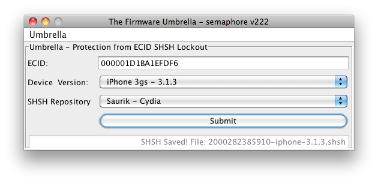
If you’re going to jailbreak your iPhone or iPad, before you get started, we highly recommend you backup your device’s SHSH blobs.
With the release of iPhone 3GS and iPod Touch G3, Apple added an extra layer of security to prevent hacking, jailbreaking and unlocking. Apple is constantly closing the exploits used by jailbreak hackers by updating the firmware of its iPhone/iPt and iPad. If you accidentally upgrade your jailbroken device to Apple’s latest firmware, you can’t re-jailbreak it until hackers release new jailbreak software.
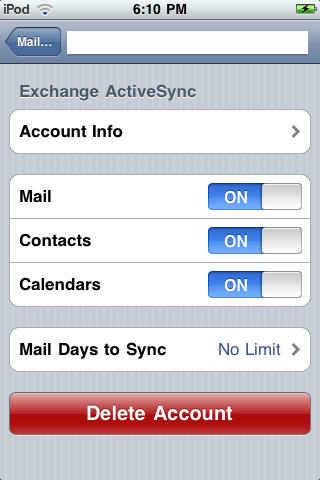
If you haven’t upgraded to iOS4, this app will allow you to access multiple Microsoft Exchange accounts on your iPhone, keeping your work and personal email and calendar info etc. always at hand. Here’s Cult of Mac’s how-to guide to getting started using the AddExchange application which allows you to add multiple Exchange accounts available from Cydia.