Does this data released by Pageonce seem nuts to anyone else? It claims that the average iPhone owner’s average monthly credit card expense is a shocking $6,872 a month.

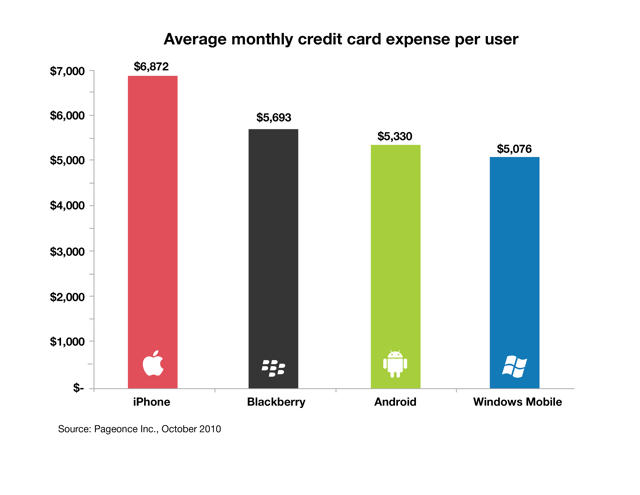
Does this data released by Pageonce seem nuts to anyone else? It claims that the average iPhone owner’s average monthly credit card expense is a shocking $6,872 a month.

The iPhone 3G’s sluggishness under iOS 4.0 is so legendary that it has sparked an entire class action lawsuit, but does iOS 4.2 improve things any? Yes, according to TipB: they say that Apple has greatly improved the iPhone 3G’s performance when typing, scrolling, pinching, zooming and browsing under iOS 4.2.
Is that enough to end Bianca Wofford’s class action lawsuit? Probably not… but it certainly makes her claims of an Apple conspiracy to force obsolescence of the iPhone 3G a lot harder to believe than it was already.

Back in August, Doom creators id software promised to blew us all away with a demonstration of their next generation Rage engine running on the iPhone 4 at sixty frames per second. It was just a proof-of-concept, but don’t worry, there’s a game in there… and it’s going to be called Mutant Bash TV.

Syncing your iPhone or iPod Touch all too often takes the device entirely out of commission, but it doesn’t have to be that way: Omnio’s WOWKeys transforms your iPhone 3GS, iPod Touch or iPhone 4 into an extension of your keyboard for both the Mac and PC.
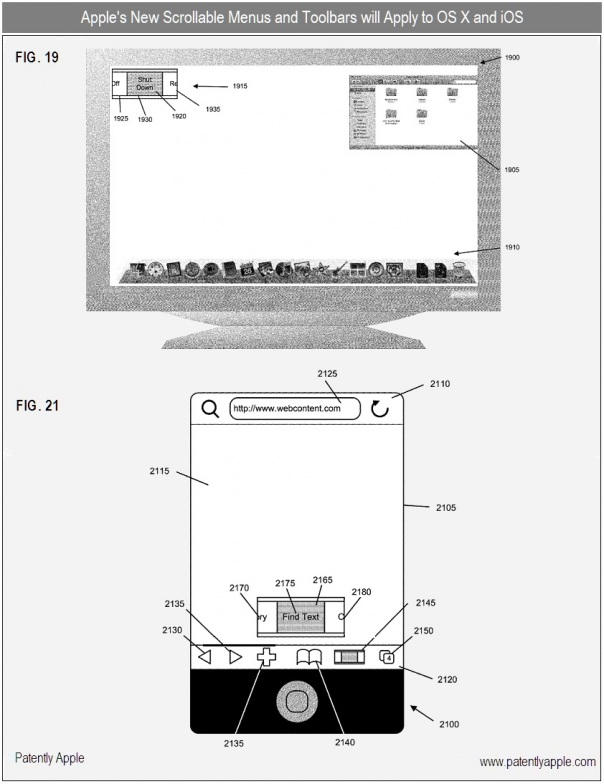
If a new patent spotted by the USPTO archeologists over at Patently Apple is believed, Lion might boasts a new way to navigate menus that would make Mac OS X more suitable to touch input than ever before.
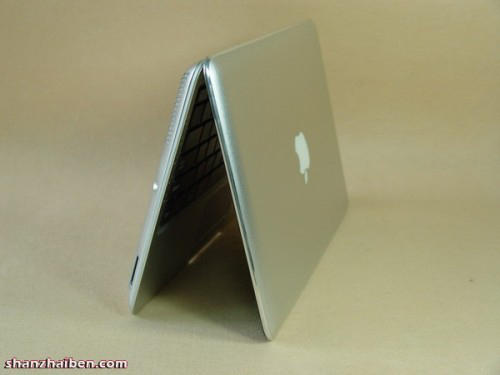
The new 11.6-inch MacBook Air is extremely netbook-like in dimensions, if not in specs or price, but if that $999 tag doesn’t do it for you, the gadget sweatshops of China would be happy to sell you a Hackintoshable MacBook Air clone for just $260, right down to the official Apple logo.
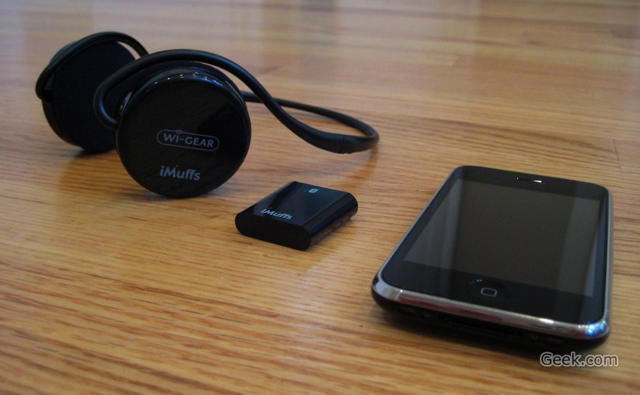
Apple’s official line of headphones and earbuds have always been pretty lackluster in my eyes, but a secret acquisition might mean that Cupertino is planning on changing all of that: according to reports, Apple might have quietly purchased a small Bluetooth wireless headphone designer a couple of months ago, and are hard at work in their labs on a new pair of totally wireless cans.
I don’t many people who have disputed Adobe Flash Player’s impact on battery life — especially since Ars Technica discovered that merely having Flash installed on the new MacBook Air took two hours off the battery life — but nonetheless, Adobe CTO Kevin Lynch thinks it’s somehow indicative of a coordinated Apple plot to put them out of the business of interactive web content.
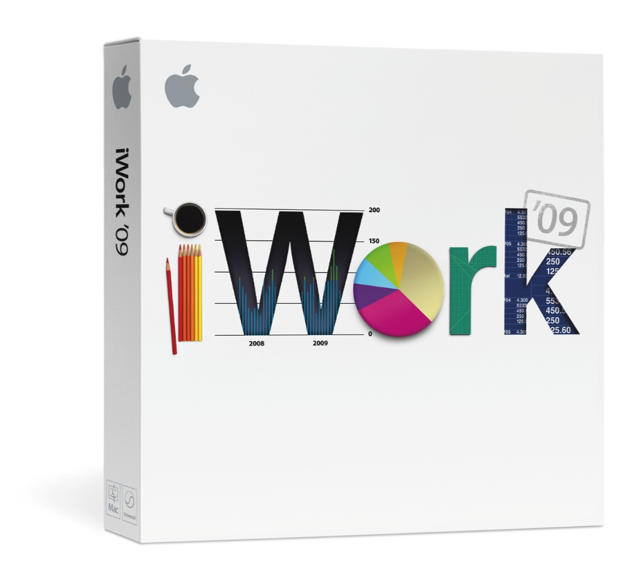
Lately, updates to Apple’s official Mac software suites have tended to be first rumored by the strange source of pages for the idiot’s guides seeded on foreign Amazon dot whatever bookstore pages… and sure enough, that oh-so-reputable source is already touting iWork ’11 as coming out sometime in the near future.
But when exactly? Probably shot down the tube along with the splintered iLife ’11 apps when the Mac App Store launches, according to reports.

Toy manufacturer Hasbro is set to unveil a pair of $30 goggles called ‘My3D’ that will attach to an iPhone or iPod Touch and allow users to enjoy 3D content, according to a report from the Associated Press on Monday.
It promises three-dimensional content that offers a 360-degree experience in gaming, virtual travel experiences and entertainment content. It’s aimed at both children and adults.
The device, which resembles a pair of binoculars with a slot in which users insert their iPod or iPhone, will be priced at $30. It will be available starting next spring at stores where Apple’s iPhones and iPod Touches are available.
Hasbro, which is the nation’s second-largest toy maker, has teamed up with Dreamworks Animations, Discovery, Sony, and IMAX to provide 3D content which will be delivered through specialized apps for the devices. The A.P. report also claims Hasbro worked closely with Apple to develop the My3D device.
I’ve been looking forward to 3D content on iOS for a long while now, and Hasbro’s My3D looks set to be incredibly popular. With a list of reputable companies helping to develop content to accompany the device, it should certainly be top-notch, and that price-tag isn’t too bad either.
[via Associated Press]
https://www.youtube.com/watch?v=CzsMSijofvc
Verizon has released its first iPad ad: “All the magic of iPad. All the nationwide power and reliability of Verizon.”
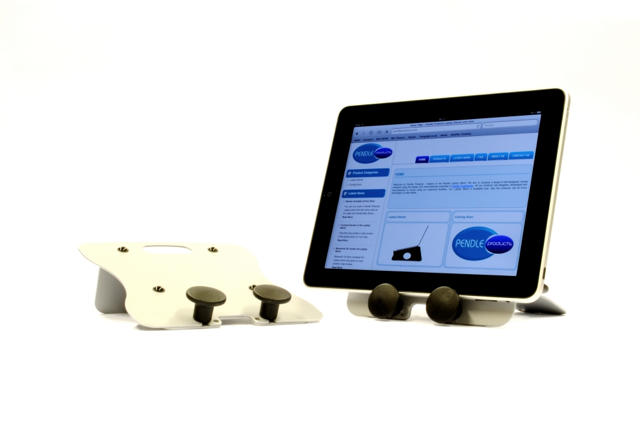
After the success of its stunning, minimalist laptop stands, U.K.-based Pendle Products has turned its talents to the iPad, and has produced a stand that boasts a functional, stylish design, that helps you to make the most of your tablet device.
Whether you’re watching a film, typing up a document, or you’d just like to show off your holiday snaps on your coffee table, the iPad stand from Pendle will let you do it all.
[polldaddy poll=”4054982″]
Friday we wrote about how to avoid getting your alarms messed up by the iPhone daylight savings bug when daylight savings changed over the weekend.
If you were affected by the bug, let us know what happened in the comments.
Late for work? Early to the gym? Missed your flight?
We start off the week with several deals on Xserve servers from Apple. Although the Cupertino, Calif. company announced Friday it would discontinue the hardware line January 31, 2011, The Apple Store is offering a selection of refurbished units, starting at $2,499 for a quad-core 2.26GHz unit. Also on tap is a 16GB Wi-Fi iPad for $449 and a new crop of price cuts on apps for your iPhone or iPod touch, including “Prince of Persia” for just 99 cents.
Along the way, we’ll also check out add-ons for your iPad, screen protectors for your iPhone and mind mapping software for your Mac. As always, details on these and many more products can be found at CoM’s “Daily Deals” page right after the jump.

TextExpander turns short text snippets into longer ones, saving you a great deal of time if you spend a lot of time in front of a keyboard.
You define your own snippets, and the shortcuts you’ll use to trigger them. Every time you type the trigger, the snippet takes its place instantly.
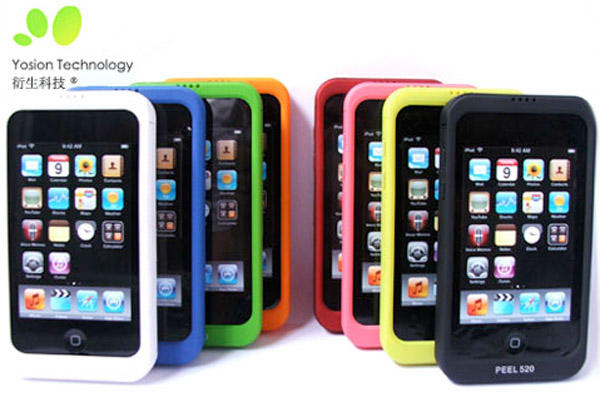
Remember the ApplePeel 520? It was basically an iPod Touch case that contained a cellular radio: plug it into your jailbroken iPod Touch and you could transform it into an iPhone… or at least make or receive phone calls and text messages with it. Right.
Well, Yosion — the company who made the device — is now preparing a version of the ApplePeel 520 for the iPad. They don’t seem to want to turn the iPad into a big phone with it, though, but rather to bring 3G capabilities to WiFi-only iPads.
iOS 4.2 is likely to be released sometime this week, unifying the iPhone and iPad into one operating system while simultaneously bringing AirPrint, AirPlay and more to all devices. For iPad owners, it’s a particularly exciting update, since it brings many of the features (most obviously multitasking) that iPhone owners have been taking for granted since iOS 4.0.
The Gold Master Seed has gone out to developers, so it’s imminent, but when exactly is iOS 4.2 coming to us regular joes and janes? It’s unknown, but there’s a couple of good guesses: either November 9th or November 12th.
The November 9th date comes via Inside-Handy, which says that Apple told Deutsche Telekom (aka T-Mobile in Germany) of the release date.
On the other hand, the November 12th release comes from reports that Apple will be pushing some carrier updates in Europe on November 12th.
In all honesty, both these dates are pretty suspect, but considering the fact that Apple is probably going to release iOS 4.2 and iTunes 10.1 this week, there’s a good chance one of them will be right… at least as a fluke.

Last week, the Skyfire browser made headlines for two separate “firsts” on the iOS platform.
First up, Skyfire finally did what Adobe couldn’t and brought Flash to iOS, albeit non-natively. Instead, the Skyfire browser converts Flash videos to HTML5 on their own servers, then pumps the HTML5 to your iPhone or iPad instead.
Pretty neat, but I actually like Skyfire’s second accomplishment more: they managed to be the first iOS app to ever “sell out.”
Quite a trick with an infinitely copyable, digital good, but the Skyfire team had a good excuse: their app was selling like such gangbusters that the servers used to convert Flash to HTML5 on the fly couldn’t cope with demand. They’d sold out of bandwidth, not copies of the app itself.
Skyfire has spent the weekend beefing up its servers. The good news is that if you’re lucky, you should be able to buy Skyfire again soon. The bad? Skyfire’s selling the app in batches to make sure they servers don’t get overwhelmed: they’ll put the app back up on the App Store for a little while, pull it, then put it back up a few hours later.
An interesting approach to say the least. If you’re interested in giving Skyfire a spin, check out their Twitter feed for word when the next batch will go live.

Speculation and squatting on app names has been a going on in the App Store for a while. It eventually became so problematic that Apple initiated some serious new guidelines aimed at cracking down on App Store squatters who were sitting atop popular app names without any app to show for it. That policy change seems to have worked in cutting down on name squatting in the iOS app store…. but if early indications are to be believed, it appears that Apple’s forthcoming Mac App Store might have an even bigger squatting problem on its hands, and that problem could keep some of the Mac’s best loved software frozen out of the Mac App Store indefinitely.
Without a front facing camera, there’s not much an iPhone 3GS can do with FaceTime, even if it could be be enabled… but when has the mere logistics of a hack gotten in the way of the jailbreak community? Here it is: FaceTime on the iPhone 3GS, courtesy of iPhoneIslam.
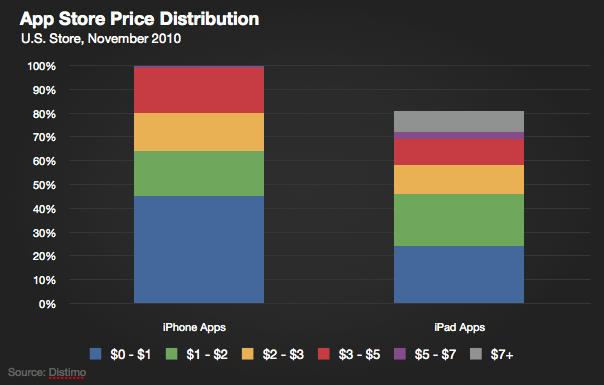
How much is a good iPad app worth? According to a new report, quite a bit more than a decent iPhone app… and the margin between the two is growing every day.

How far in advance would Apple film a commercial for the second-generation iPad? Depending on the answer to that question, Apple might be readying the iPad 2 for release, getting an ad in the can for next April… or, well, not filming an ad for the iPad 2 at all.
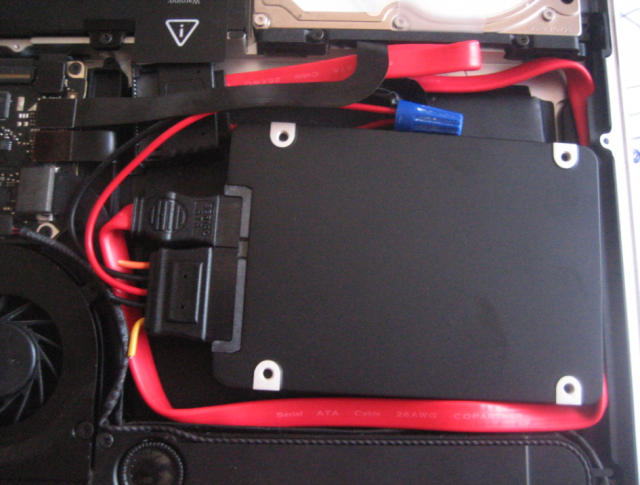
The Solid State Drive, or SSD, appears to be the future of Apple devices, including the recently updated MacBook Air. Toshiba, the maker of the SSD in the razor-thin MBA is making the Blade X-gale series more widely available. The drives – just around 2.2mm thick – are available in 64GB, 128GB and 256GB configurations to resellers and bulk purchasers.
“Delivering a product that enables superior user experience in a smaller footprint is the ultimate goal,” said Scott Nelson, vice president, Memory Business Unit, Toshiba America Electronic Components, Inc. A denser memory module permits the smaller size, Nelson explained.

On a Mac, the green “Maximise” button (found alongside the yellow “Minimise” button and the red “Close” button in the top-left corner of every window) doesn’t do what you’re used to its counterpart doing on a Windows PC.
In current versions of OS X, “Maximise” really means “display the contents of this window in the most efficient way possible,” – and different applications will interpret that in different ways, and in different circumstances. The results can be frustratingly unpredictable, especially for newcomers who aren’t used to a Mac.

Over the weekend, Apple CEO Steve Jobs provided a few (very few) reasons why the Cupertino, Calif. was shelving the Xserve: it wasn’t selling well. “Hardly anyone was buying them,” Jobs explained in an email to a French website.
In a related mini-mystery, an Apple executive publicly affirmed Apple will still support its server customers, but then mysteriously deleted the message.