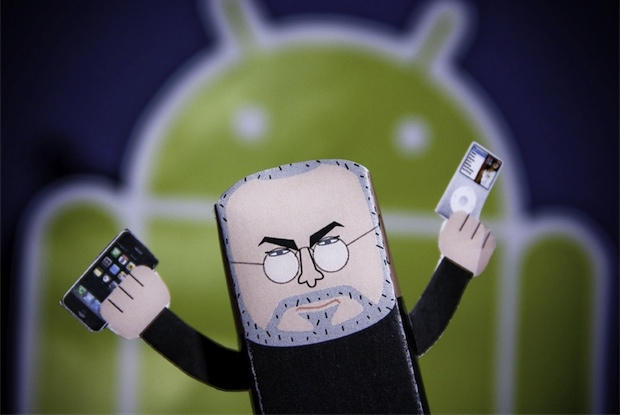
Two analyst houses are out Monday morning reporting similar findings: Android is more popular in the U.S. than Apple, and both are squeezing RIM out of the market. Android is on 44 percent of American phones – up 11 points since the previous quarter. Meanwhile, Apple’s iOS has relatively flat growth – up 1 point to 23 percent, according to consumer research firm NPD.
RIM, despite its Curve 8500 being the second most popular phone behind the iPhone 4, lost 6 points in the third quarter.
Now here’s a story that wins on many fronts: after a two year courtship, Frank proposed to his girlfriend Kasey on a bridge in New York City’s Central Park. What makes this particular proposal notable – besides its success – is that the Big Moment was assisted and captured by their friends using four synchronized iPhones, and managed by an ‘event director’ using a MacBook Pro.
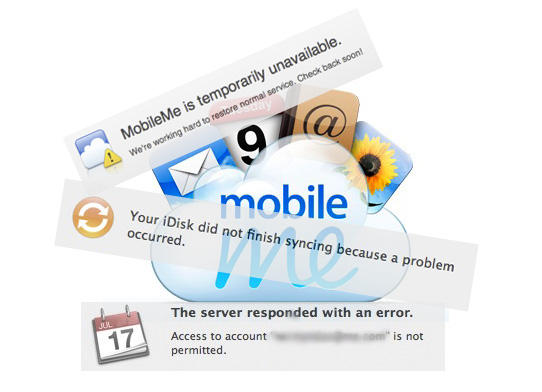
I want to like MobileMe. It’s the Apple-sanctioned slice of cloud computing, integrated with the Mac and iOS operating systems. The setup is simple, the price is reasonable, and despite the unprofessional name and lack of phone support, when all is humming along things just work.
Except MobileMe doesn’t keep working. It stops syncing. It loses data. And Apple provides little or no advance warning of potential problems, nor easy ways to fix issues that occur. Apple TV may have moved on to a professional product stage with the latest iteration, but from a business perspective MobileMe is still a “hobby” for Apple.
If you haven’t already downloaded VLC Media Player for your iPhone and iPad, now’s the time to grab it if you want it, as it may soon be pulled from the App Store.
One of the contributors to the VLC project, Rémi Denis-Courmont, has filed a formal copyright complaint against the app, which could see it pulled by Apple very soon.
VLC Media Playeris now available on the iPhone as a universal app, and firmly puts itself in to our must-have apps list for this week. Allowing you to play an impressively wide range of video codecs on your device, it’s very simple to use and it’s free!
Another must-have app this week is Task Pad. Available for both the iPhone and iPad, Task Pad is a powerful organizer and to-do list that syncs with your Mac or PC, helping you to remain productive and on top of your tasks.
Amazon’sWindowshopalso makes our list this week – a new way to shop Amazon’s millions of items – with a simple and intuitive interface that makes online shopping a pleasure on the iPad.
See our full list of must-have iOS app after the break!
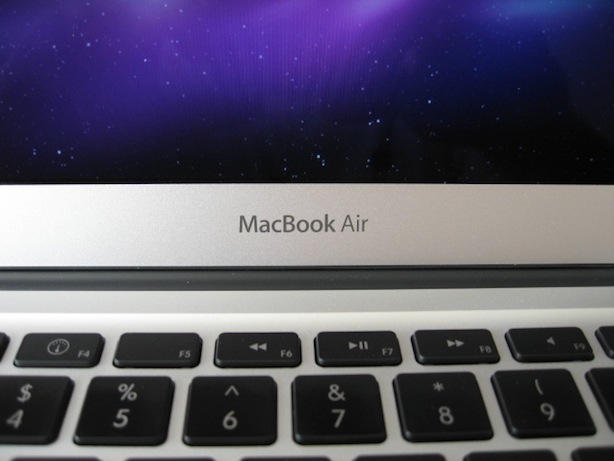
Some early Macbook Air adopters have reported seeing video anomalies and kernel panics on the new 11-inch and 13-inch models of the Macbook Air which may be related to sleep/wake issues.
Additional reports about the video problem have been posted to Apple’s discussion forums and for the people reporting it the symptoms can vary. I’ve even encountered the problem myself on my 13-inch MacBook Air.
The problem with kernel panics has been experienced by Cult of Mac staff that purchased 11-inch or 13-inch models. Users on Apple forums haven’t complained about this specifically yet, but they have been complaining about their new MacBook Airs crashing.
It was brought to my attention that the ability to make calendars in iPhoto ’11 has gone missing. I missed it too since that isn’t a feature that I’ve spent a lot of time with. I’m still buying my calendars at online or at a local store.
Apple is aware of this and in summary had this to say about it: “Ordering calendars with iPhoto ’11 is not currently available. ”
They then took it upon themselves to answer your questions in advance about this issue, which you can read by clicking the link below.
Apple has given themselves a deadline of “as soon as possible” so I’m unable to tell you to mark your calendars about when calendar creation will reappear in iPhoto ’11. So keep your eyes on Software Update.
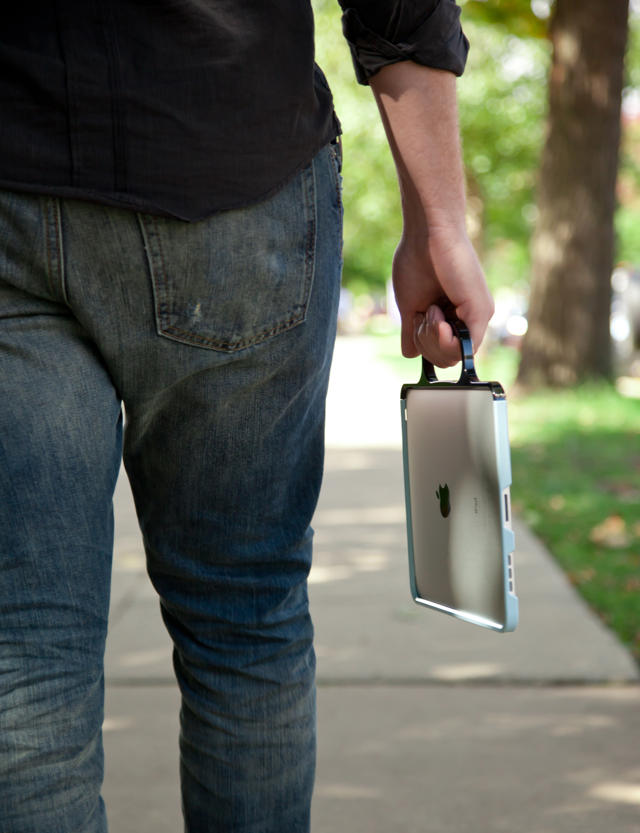
Colorware’s been doing a great job of painting the cool and latest gadgets for almost 10 years, but they’ve never actually released a product before. Colorware’s Grip for iPad is, in fact, their very first product. And props to them for it, as it’s possibly the most polished “case” for the iPad out there.
Featured in this week’s must-have iOS games is the much-anticipated Age of Zombies – the new game from Halfbrick Studios. The creators of Fruit Ninja and Monster Dash bring us their biggest adventure yet, which sees the return of Barry Steakfries – the tough-as-nails commando who loves nothing more than to shoot up zombies.
Also earning a place on our list of favorites this week is Gun Bros, another shoot ’em up from Glu that features non-stop 3D action as the ‘Bros’ attempt to protect the cosmos from the evil ‘T.O.O.L.’ organization, who are set out to enslave the universe.
Word Solitaire: Aurora is a unique word puzzler that puts an interesting, intellectual twist on the classic Solitaire card game, and another of our favorites this week. Instead of cards that feature numbers, you play with cards that feature letters, and you must drag and drop to arrange them in to words.
Celebrate this Halloween weekend by grabbing some of the greatest iOS games available for your iPhone & iPad with some awesome reductions.
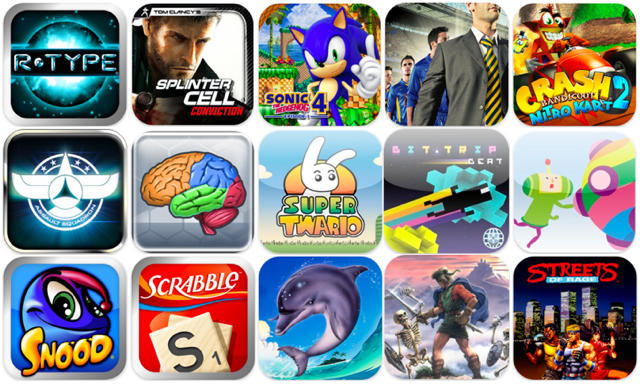
Developers have gone crazy, with some reducing their games by over 50%, like Crash Bandicoot Nitro Kart 2, Splinter Cell Conviction, and R-Type for just $0.99! But with so many games in the App Store, it’s not always easy to discover the best reductions out there.
Many will shoot to the top of the ‘Top Paid’ chart as iOS gamers snap them up quickly while they’re reduced, and this makes them a little easier to find. But to help us find the best deals, AppAdvice have compiled a list to highlight the unmissable.
This is a guest editorial by Mark Reschke of Three Guys And A Podcast, a show about all things Apple. It was originally published here.
When Steve Jobs said the MacBook air was the computer of the future he wasn’t just talking about its hardware. Lacking both an optical and hard drive is nice and allows for a slim design, but that’s just the beginning.
If anyone paid close attention to Apple’s October Special Event, the OS X Lion presentation subtly showed us how the future of OS X computing would become largely Finder irrelevant for most tasks. But how exactly will this work? Enter the cloud.
Halloween isn’t very far off — it’s tomorrow. So here’s a last-minute Halloween themed iOS app that runs on the iPhone, iPod touch, or iPad. It can turn your next scary party into a real spooktacular or you can use it to enhance the fun while passing out loads of candy to all the little ghosts and goblins that visit.
The app offers 50 sounds that you can use to startle just about anyone on Halloween or realistically anytime you feel like it. All you have to do is plug your iOS device into your stereo or some other amplified speakers, turn up the volume (important for the best scare), and start playing with the buttons on the apps sound board.
The apps sounds can be played manually, via auto-play, or just give your iOS device a good shake and you’ll hear some pretty scary stuff right away.
The iPad version of this app costs only $1.99 (iTunes link) and the iPhone and iPod touch version is free (iTunes link).
I’m happy to report to you that I spent some time with both of these applications and I have some good news — they not only work, but in my opinion they work pretty damn good if you ask me.
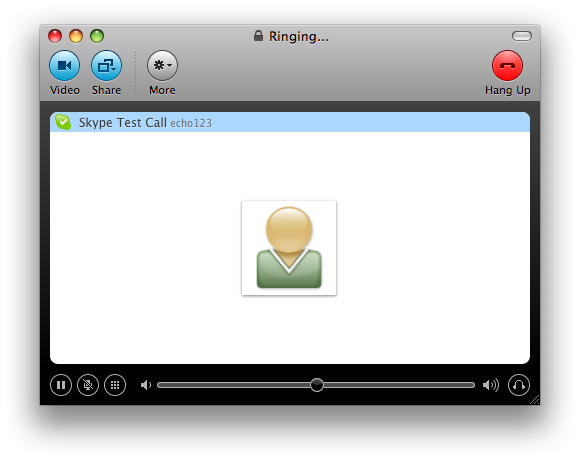
Remember that issue with Skype for Mac 2.8.x that prevented you from logging on to your new MacBook Air? Seems like that issue actually applied to all new Skype for Mac installs, but not to worry: a very insistent member of Skype’s PR team has just sent us an email, clarifying that Skupe for Mac 2.8.0.863 fixes the issue once and for all. You can download it here. All is well in the world.
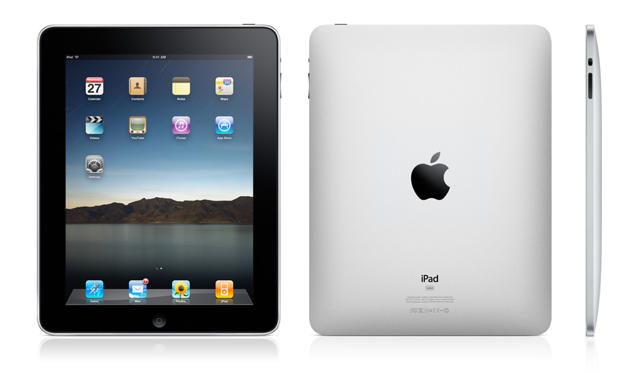
Even when it debuted at the time, the iPad was conspicuous for its lack of forward-facing camera. Apple had obviously considered it: the iPad’s frame actually contains a hollow in which a standard iSight camera fits perfectly. Why didn’t they pull the trigger? Hindsight being 20/20, it’s pretty obvious now that Apple did not choose to install a camera in the first iPad because they hadn’t yet readied their FaceTime video chat standard: it would be stupid to supply hardware in the iPad that only Apple’s competitors were ready, at the time, to capitalize upon.
Now that FaceTime is out for the iPhone, iPod Touch and Mac, the iPad is obviously the next in line. Now a new report suggests that existing iPhone camera supplier Omnivision will also be tasked with creating the iPad’s camera.
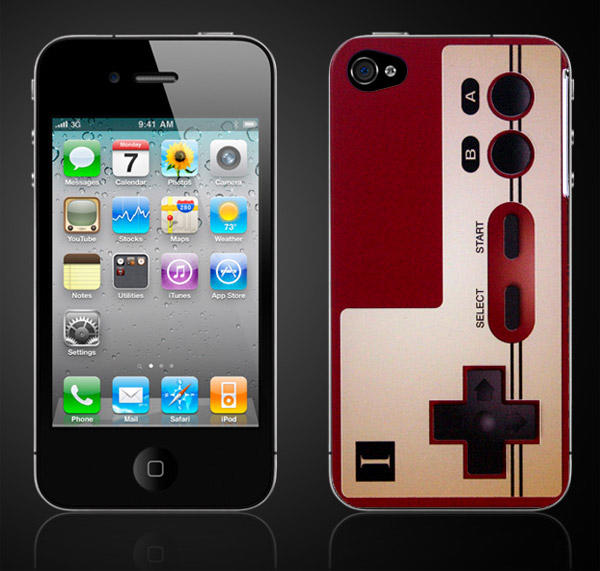
I always thought the original Nintendo Famicom controller lost its allure when it made its way to the United States in 1986 as the joypad for the NES, so I’m glad to see the Famicom controller’s classic design live again, this time as a polycarbonate case for the iPhone 4. Gorgeous.
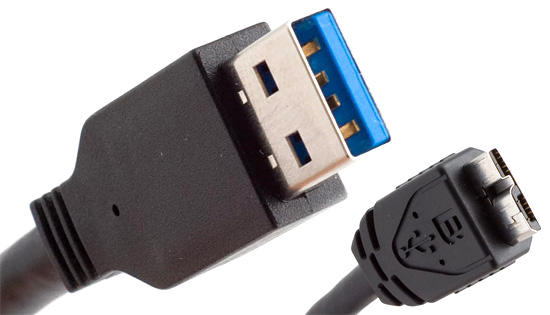
If you’re expecting an imminent refresh of Apple’s MacBook, Mac Pro and iMac lines supporting the blistering fast USB 3.0 standard, don’t hold your breath: Steve Jobs says they don’t care about USB 3.0 right now.
Apple has released an updated version of iPhoto ’11 version 9.0.1. The update, which is currently available within Software Update on your Mac, will fix data loss issues that users have been reporting after updating from iPhoto ’09 or earlier. According to Apple:
This update addresses issues that, in extremely rare cases, could result in data loss when upgrading a library from an earlier version of iPhoto.
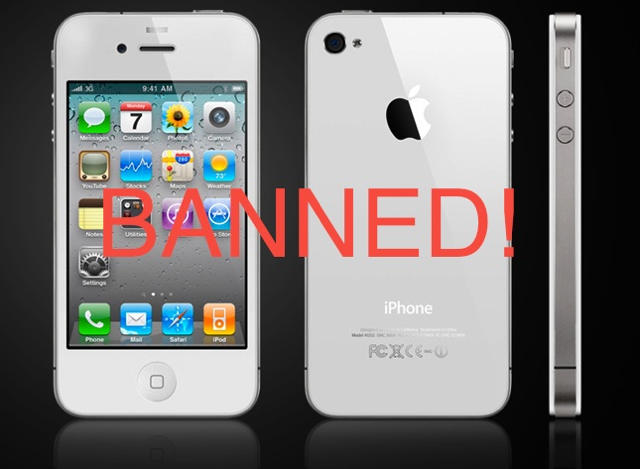
By now, everyone that wants a white iPhone 4 knows that you aren’t going to get one any time soon. So in the meantime, while you are waiting for the white iPhone 5, check out the banned white iPhone 4 video (warning: NSFW) by clicking the read link below.
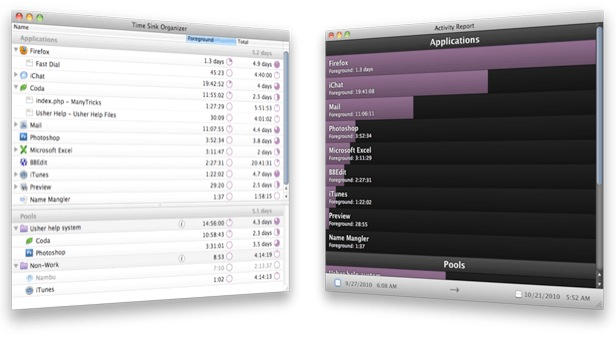
Time Sink monitors how you use your Mac – which applications you use, and how long you use them for. It collates and aggregates this data over time, displaying it an attractive chart.
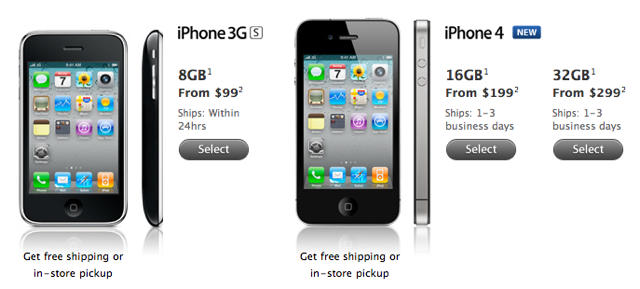
The screenshot above was just taken from the iPhone page of the Apple Online Store. Notice something missing? The elusive white iPhone that Apple keeps promising us has now been removed, fuelling rumors that the device has been canceled entirely.
The white iPhone was delayed for the third time earlier this week, with its released date being pushed back until next spring. The exact reason we’re yet to get our hands on the white device is still yet to be confirmed from Cupertino, with the company simply explaining it’s “more challenging to manufacture than we originally expected.”
Several reasons have been speculated, however, including a color mismatch between the device’s glass and home button, light leakage out of the iPhone, and – as Cult of Mac discovered – light leakage in to the device that causes problems when taking pictures.
So, has the time come for Apple to finally throw in the towel and admit that its white iPhone 4 will never hit the shelves? Are there even customers still waiting for the device, or have they just given up and just purchased its black counterpart?
We’d be interested to know if you’ve been holding out for the white iPhone 4, and how you’d feel about Apple cancelling the device – let us know it the comments!
We close out the week with a couple deals for the MacBook Pro and price drops on several iPad applications, including the venerable Pac-Man. Along the way, we’ll also take a look at other price cuts for iPhone apps, as well as accessories for your favorite handset.
As always, details on these and many other items can be found at CoM’s “Daily Deals” page right after the jump.
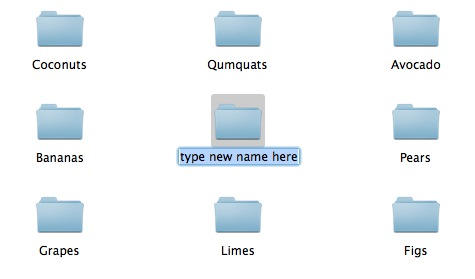
This is one of those simple little things that’s so obvious, and so simple, that it’s easy for newcomers to miss.
How do you rename a file on a Mac? If you’re coming from Windows, you’ll be accustomed to right-clicking on it and choosing the “Rename” menu item, but it’s not there on OS X.
This little lot (22 Macs, 2 PCs) belongs to London-based 21-year-old student Brent (who declined to give us his surname). It’s one of the latest pics in his Mactastic Flickr stream which is jam packed with Macs, iPods and iPads. Only some of them are pictured in use as doorstops.
Brent says: “You can put it down to just not having time to sell the older models every time I upgrade. As a result of this, I’ve gained a collection.”
His current working machines are a 27″ iMac and a MacBook Pro. He’s not got one of the new Airs yet but I’m pretty sure he’ll have one soon…
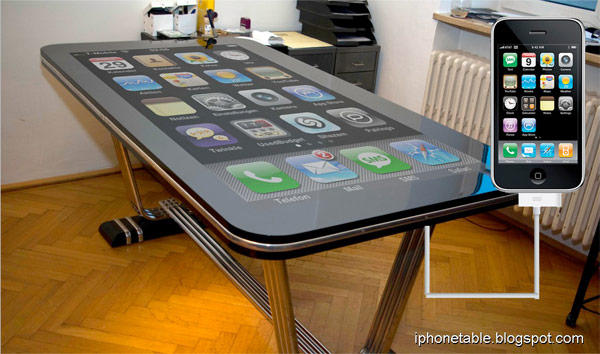
Steve Jobs says that multitouch must be horizontal, but for some reason, I don’t think this is quite what he had in mind: the Table Connect for iPhone is a close-to-complete project that marries a 58-inch multitouch surface with your jailbroken iPhone 4 through a 30-inch Dock Connector… not only charging your iPhone but turning your desk into your iPhone.
I’d want one to perch my iMac, but seeing as how I’ve never once seen the surface of my desk underneath its perpetual detritus of tobacco ash, beer bottles and discarded Starbucks cups, it might be money ill spent.