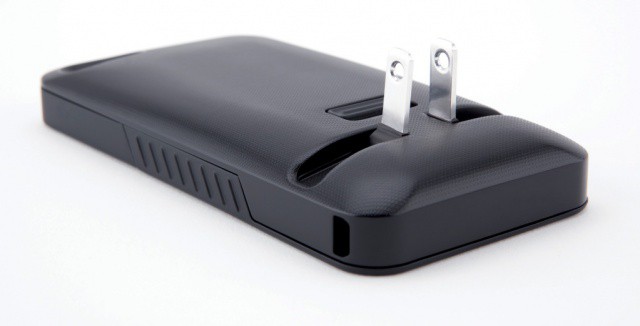
JuiceTank eliminates wires by allowing your to plug your iPhone right into the wall.
No one enjoys frantically searching for their iPhone charger when they get that dreaded low battery warning. But with the JuiceTank case, you needn’t worry about ever losing your charger, because you can plug your iPhone directly into the mains socket.
Did you just get a new iPad today? Is your excitement erupting like a nuclear bomb? We want to see it. Send us a picture of YOU and your iPad. Get creative. Be funny. Do something random. Whatever. We’ll be collecting pictures throughout the day to create a mega gallery of all our readers with their new iPad, so if you want to be included, send us your funny pictures of you and your iPad.
You can email your pictures to cultofmac (at) yahoo.com, or tweet them to @CultofMac. Hell, you can even post it on Instagram and tag it with #CultofMac and we’ll find it.
Can’t wait to see your smiling faces. Now get to snappin’.
Last week, we showed you how to prepare your old iPad for today’s upgrade to the new one. Now you have your new device, you’ll want to ensure that all of your data from your old one gets transferred over during the setup process. Here’s how to do it — the right way.
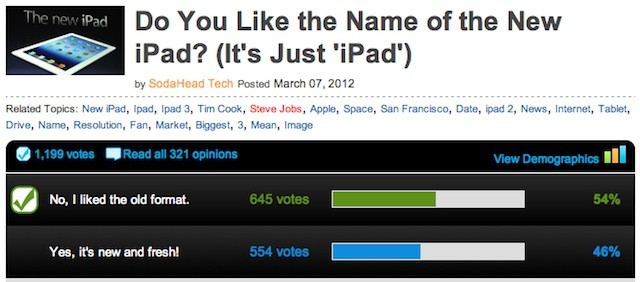
People may love the new iPad, but it seems that not everyone loves the name “new iPad.” A recent poll found that more half of consumers don’t like it and would rather see Apple go back to specific model names like the iPad 2 or iPhone 4S.
According the poll, run by opinion and survey site SodaHead.com, 54% of users liked the old naming format better with 46% approving of the simpler designation of the device as simply “the new iPad.”
After unboxing your new iPad and getting it setup, the first thing you should do is open up the App Store and download some essential games. We’ve compiled a list of 9 of the App Store’s greatest offerings, which we think should be installed on every iPad. These are games you certainly won’t want to miss.
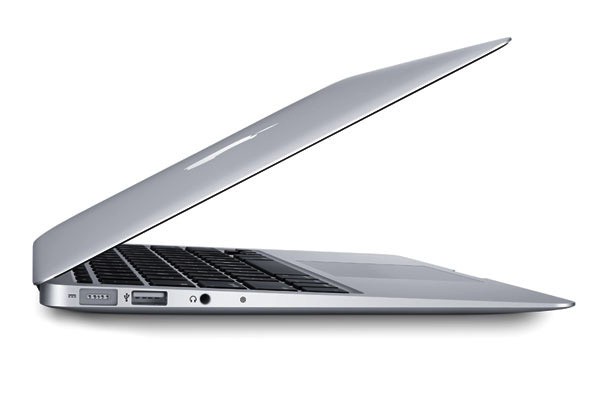
New MacBook Pros will look more like the current Airs
Apple apparently already has slimmed-down 13 and 15-inch MacBook Pros in production. The redesigned cases drop the optical drive, but storage will still be plentiful and CPUs will be more powerful than those in the current MacBook Air lineup, say the rumors.
Easy to use, and lots of great features. What's not to like?
There is, you may be aware, a new iPad launching today, along with its fancy new camera. That’s great and all, but what if you a) don’t want one b) live outside the first wave of launch countries or c) just don’t care?
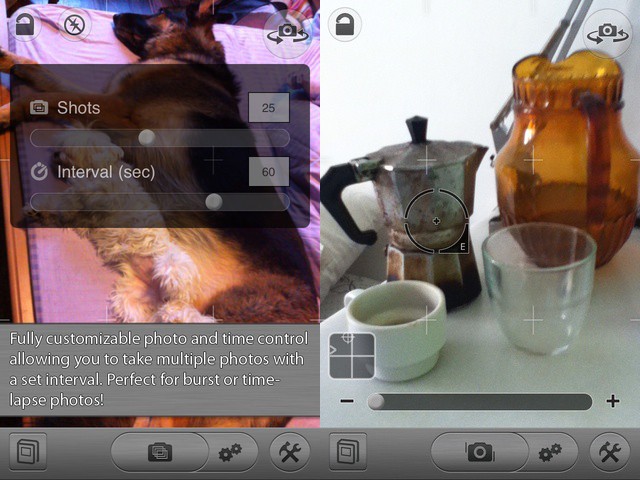
Then why not make a little improvement to the camera already in your iPhone or iPod Touch, with a little app called CameraSharp which, today at least, is free? CameraSharp is an app with a single purpose: to make taking photos easier.
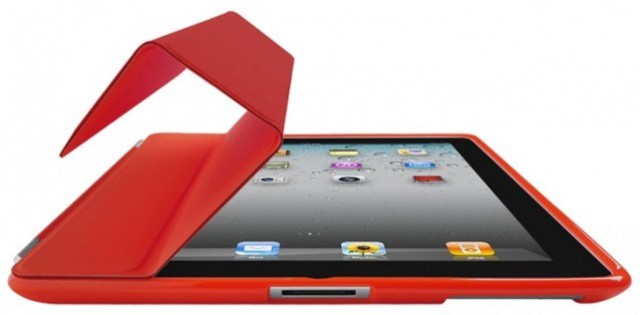
Apple says that all iPad 2 cases will fit the new iPad.
If you’re waiting for your new iPad to arrive, you might be wondering about cases. The difference in the thickness between an iPad 2 and an iPad 3 is only about half a millimeter: is that enough to mean you need to buy a new case?
After putting our new iPad through its paces, we’re happy to say that it will probably be a very rare thing indeed for a case to be incompatible with the new iPad.
As with many Apple product launches, today’s release of the new iPad is mostly a consumer event. But that doesn’t mean that the launch won’t have an impact on businesses. In fact, on Monday morning a number of new iPads may be walking into workplaces around the world. And users may be lobbying their employers to purchase the new iPad – if they haven’t stared doing so already.
So, what questions should businesses or IT professionals be asking about the new iPad? More importantly, what are the answers to those questions?
Want a new iPad today? Head to your local Apple Store. There's probably plenty still there
Just 15 minutes after the in-store launch of the new iPad, lines in many Apple Stores have dwindled to nothing. And it’s not a case of Apple’s excellent employees being so efficient that they managed to move all the opening day stock in a quarter of an hour. It just seems there’s not so much demand for it.
Ever plug your laptop into an LCD projector and have to switch to a much lower resolution than you’re used to? Do you use a lot of menubar apps? Have a hard time seeing all those menubar apps when you’re using a lower resolution display setting? If so, today’s tip is for you.
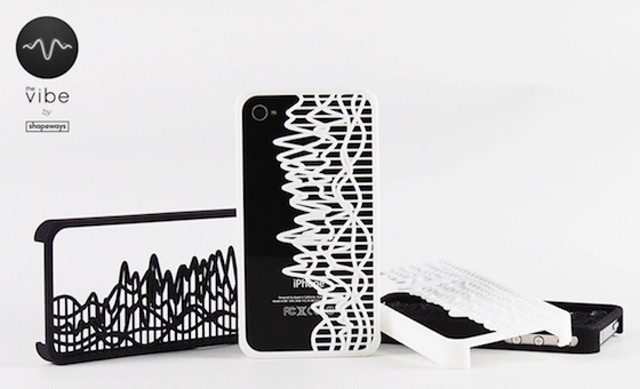
Make a custom iPhone case showing any sound wave you like, frozen in time
Until now, most of the 3-D printed items I have seen have been slightly scratchy, brittle-feeling plastic prototypes sent to me by Kickstarter pitch-men.
But now Shapeways has teamed up with SoundCloud to bring us this cool-looking iPhone case which really shows the potential of 3-D printing. Using a custom app, you can freeze the sound-wave of your favorite piece of music and have it immortalized in a plastic case.
Boxcar notifies you of almost anything, including email
Sparrow for iPhone is great. And I mean hands-down, why-the-hell-isn’t-Apple’s-mail-app-this-good? kind of way. I like it so much, in fact, that I am even using it pixel-doubled on my iPad.
But there’s just one problem: no push, and no notifications. To enable local notifications, Sparrow would have to store your e-mail login details on its servers, and deal with all the responsibility that that brings.
The first version of Sparrow for iPhone included a clever workaround to let it poll for mail in the background, but Apple crashed its ban-hammer down on this wrongful use of the network event APIs.
But there’s a workaround, using the excellent BoxCar app and some simple setting up of your Gmail account.
Have you heard horror stories about Sally May Blankenship who lives in Randomtown, U.S. State and got sued by the RIAA for like $17 million because she downloaded a Spice Girls album off of Shazamm? Better yet, remember SOPA, PIPA and the absurd laws being championed by Congress because they claimed piracy was costing us “$58 Billion” in lost annual income? It gets stupider: the RIAA actually claims an iPod contains $8 Billion dollars worth of intellectual property.
Just how ridiculous is that number? Rob Reid – founder of Rapsody – just gave this hilariously insightful TED Talk that reveals just how preposterous the RIAA’s claim are about piracy hurting the U.S. economy. Prepare to giggle your pants off at the RIAA and MPAA.
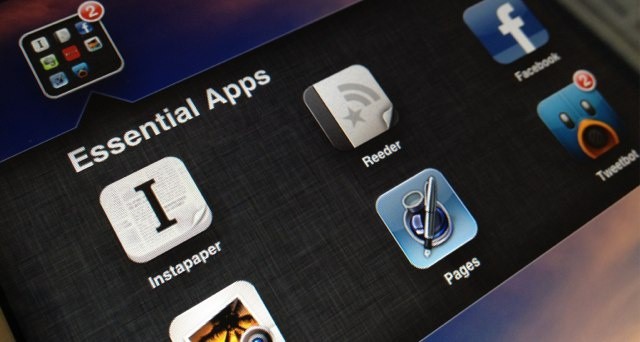
After unboxing your new iPad and getting it setup, the first thing you should do is open up the App Store and download some essential apps. We’ve compiled a list of 12 of the App Store’s greatest offerings, which we think should be installed on every iPad. These are apps you certainly won’t want to miss.
You just bought the new iPad. Whether this is your first iPad or an upgrade, setting up a new device can take some time. Luckily, Apple has made it easy to set up a new iPad for the first time with iCloud — you don’t even need a desktop computer!
There are also resources like Cult of Mac to help you get the most out of your new iPad. We’ll show you how to get your iPad ready for prime time with this handy setup guide.
Apple co-founder Steve Wozniak waits in line for the new iPad.
Just because he co-founded frickin’ Apple doesn’t mean that Steve Wozniak is some sort of wooly, barrel-chested, twinkle-toes GOD. He puts his pants on one leg at a time, just like us. Sure, he does it while balancing precariously on a Segway, but still. He’s definitely a man, and not, in fact, an immortal.
As if to prove it, every time a new iPhone or iPad is released, Woz goes on down and waits in line to pick up the latest Apple product just like the rest of us plebs, and this year is no different, except for one thing: instead of being first in line, Woz is second.
The new iPad’s Retina Display is perfect for reading, so some of the most highly-sought after app updates are going to be the ones that make the best iPad e-reading apps compatible with the doubled resolution. And, in fact, many such apps, like Kindle, Evernote and Readability have already updated.
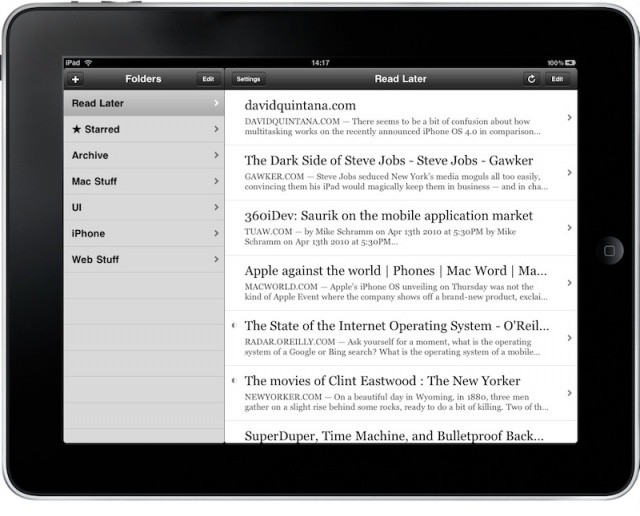
Unfortunately, when you get your new iPad today, you’ll have to slog through Marco Arment’s best-selling e-reading app Instapaper in fuzzy old SD. But don’t despair, Retina Display support is coming soon.
Apple has updated its RAW renderer to pamper your fancy new camera
Apple has updated its RAW image engine for the Mac to add compatibility for a swathe of new cameras. As ever with these updates, the cameras are all pretty high end — they shoot RAW after all. So if you have managed to get your hands on Nikon’s $6,000 D4 already and are itching to try it out in iPhoto or Aperture, then hit software update now.
Despite strong demand, the iPad continues its international rollout next week.
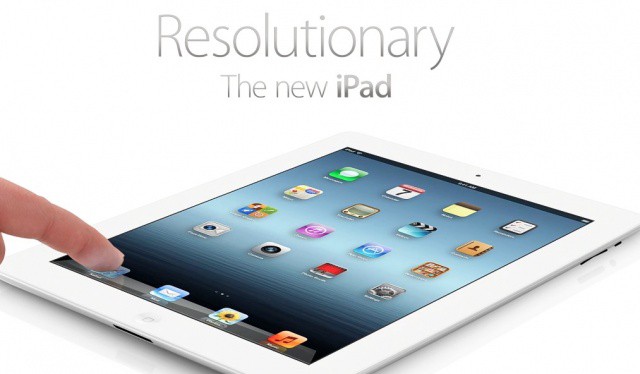
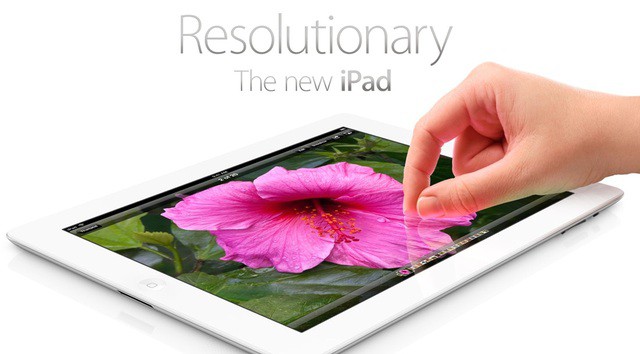
If you’ve just upgraded from an iPad 2 to an iPad 3 a new iPad, no doubt you’ll be wanting to put the new device’s super powers – Retina screen, LTE wireless data, improved camera, and A5X processor – to the test.
Here’s a short list of apps that’ll help you do that.
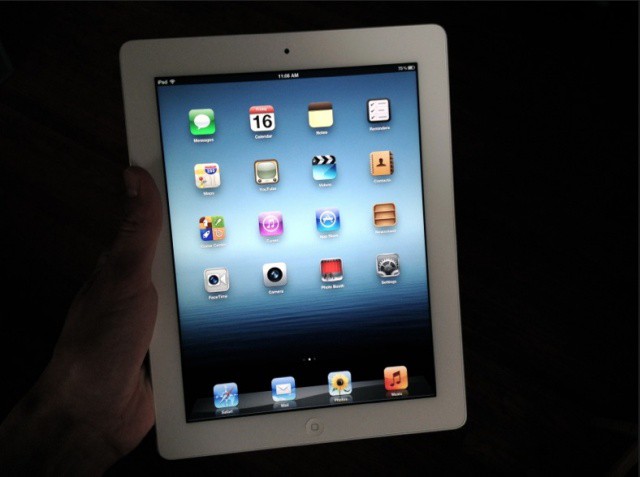
I was fortunate to get my hands on a new iPad a little earlier than expected, and I’ve been playing around with it and comparing it to my iPad 2. I’ve read all the early reviews from the likes of Walt Mossberg and Joshua Topolsky, and I’m sure you have to, so I won’t waste your time rehashing what you’ve already read.
The new iPad is great. It really is. If you’ve never owned an iPad before, this third-gen iteration will blow your mind. It’s by far the best tablet on the market in every way. Nothing compares. It’s not perfect, but it’s about as close as you can get right now.
Here are some of the highlights I’ve gleaned from spending a little time with the new iPad:
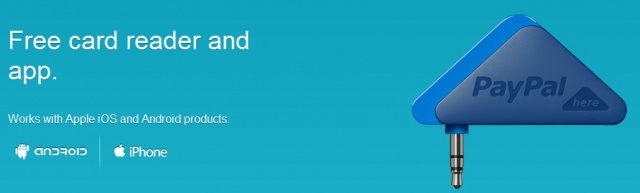
Paypal has finally made it into the mobile payment market after being beat to the punch by the likes of Square and Intuit. PayPal may be late to the party but they have a more recognizable name in the world of payment systems and that may just be enough to push them to the front of the line. Besides their name, they’re also offering merchants a 2.7% flat rate on transactions versus the 2.75% offered by Square. PayPal didn’t stop there either, launching a full on geometrical attack by choosing a triangle as the shape of choice for their card reader dongle.
Last night the web was assaulted with a slew of new iPad reviews. Sure, some of the reviewers remarked on a few silly things that they didn’t like, but the early reviews were overwhelmingly positive. Did Apple’s handpicked early reviewers really really like the new iPad? Or were they holding back criticism because they wanted to stay in Apple’s good graces? Maybe it was both. One thing’s for certain, this latest video review from Funny or Die is hilariously honest in its assessment of Apple’s newest tablet
The Retina-ready iPad game Namco demoed onstage at Apple’s media event last week has gone live in the App Store. Sky Gamblers: Air Supremacy costs $5 as a universal download for the iPhone and iPad.
Like Skies of Glory and other 3D flight simulators, Sky Gamblers uses your iOS device’s accelerometer and gyroscopes to control your fighter jet in the air. The graphics looked stunning onstage last week, so we can’t wait to try this game on our new iPads this weekend!