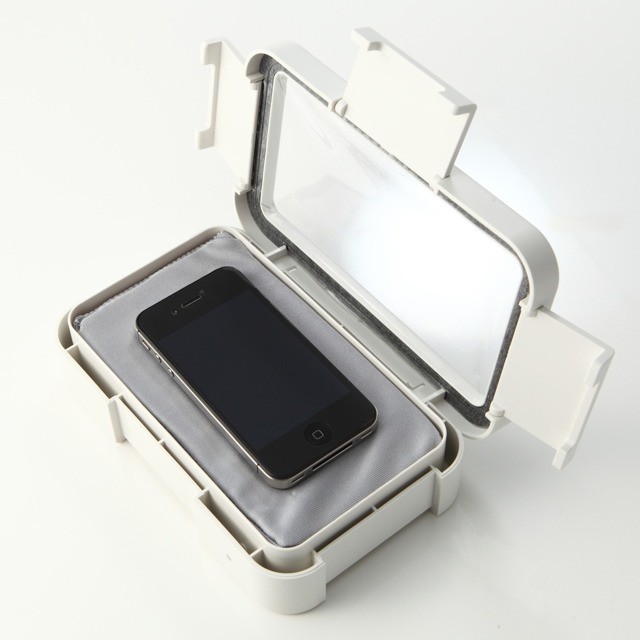
I’m a big fan of waterproof speakers. Not just for in-shower podcast listening, so I can get all excited about CultCast host Erfon Elijah’s sweet vocal tones as I froth myself into a soapy lather. No, I also like to listen to Erfon in the kitchen as I cook, perhaps kneading a soft and supple bread dough by hand, or washing the dirty dishes with my rough hands plunged into the hot suds…
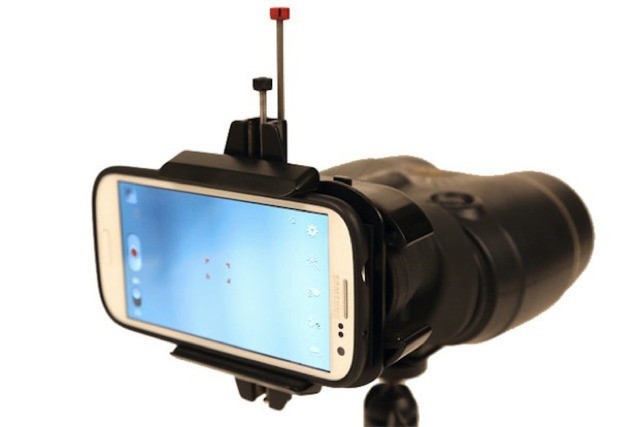
Why buy some dumb iPhone telephoto lens when you could just drop $70 on an adapter that weds your iPhone with a pair of binoculars. That’s what Daniel Fujikake and Mac Nguyen were thinking when they came up with the SnapZoom, a universal mount to do just that.
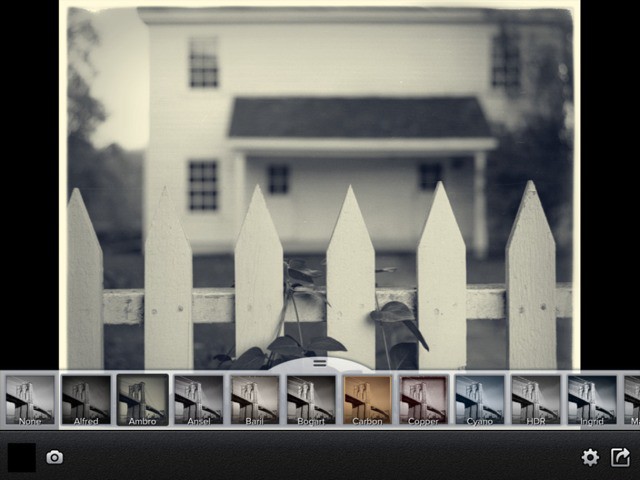
Perfect B&W is a pretty great black and white photo app for the iPhone and the iPad (it’s universal). It’s built by OnOne Software, the folks behind high-end (and high-priced) desktop photo apps and plugins, and the results show it: Perfect B&W will let you make a great black and white conversion with one tap, or dig in and tweak almost every aspect of the picture.
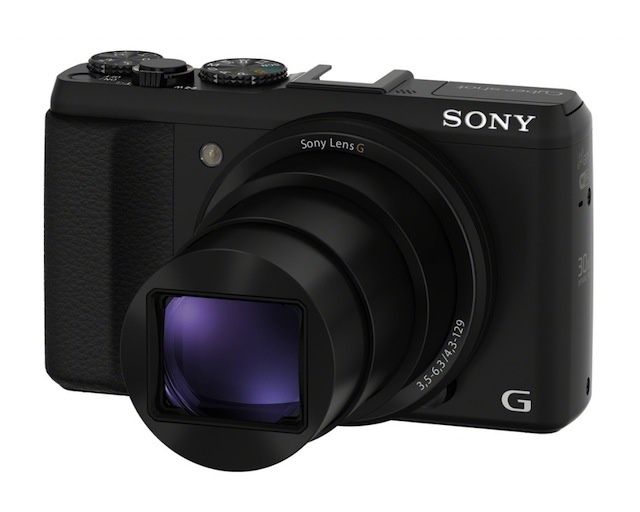
Sony is saying that their new Cybershot HX50V camera is the lightest, smallest 30x optical zoom-equipped camera in the world.
Seems like optical zoom is the new megapixels, at least as far as high-end point-n-shoots are concerned; it’s amazing to see the increasing zoom range camera makers are scrambling to pack into their pocketable shooters these days. For now, looks like Sony might just be the race leader.
Apple submitted a new proposal, dubbed Submittal 6, for it’s super futuristic circular spaceship campus in Cupertino. The revision includes new details like bike and pedestrian paths, enhancements to street areas, and parking spaces for the huge project, which is behind schedule and $2 billion over budget. The current move-in estimate is in the summer of 2016, a date that continues to show up in the lastest revision.
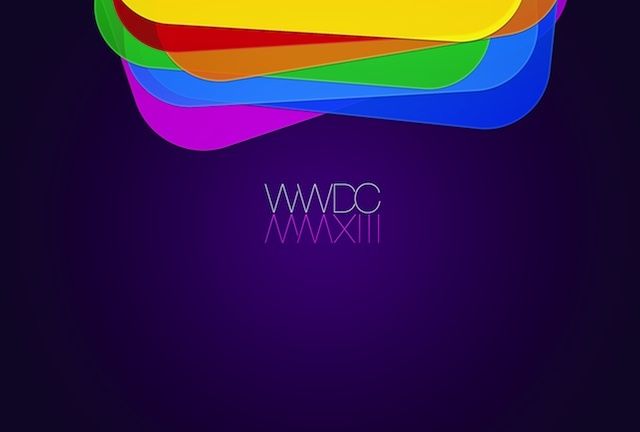
The countdown for WWDC 2013 has begun. Tickets don’t go on sale until tomorrow morning, but if you’re already wanting to get into the WWDC spirit, here are two great wallpapers for iPhone and Mac, courtesy of Christian Dalonzo.
Alzheimer’s disease affects over five million people in the US, making it the sixth leading cause of death in the country. One in three seniors die with Alzheimer’s or another dementia, and almost 15 percent of the folks caring for these seniors are long-distance caregivers, according to the Alzheimer’s Association.
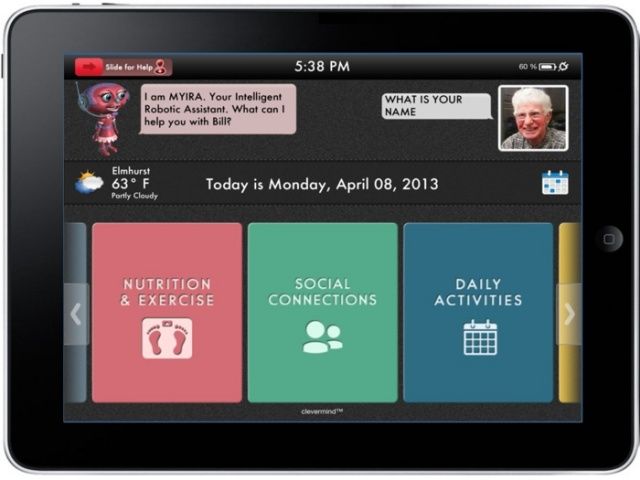
Clevermind, LLC, led by the son of an elderly father who experiences Alzheimer’s, CEO Glenn Palumbo, has created an iPad app to help people with varying cognitive abilities maintain or improve their neurological function. He hopes to help many people who may not yet see symptoms of Alzeheimer’s or other dementia maintain their own social awareness as well as aid their independence over time.
That statement up there in the headline, that Flowboard will be “the most important free app you download this month” — that’s kind of a bold thing to say.
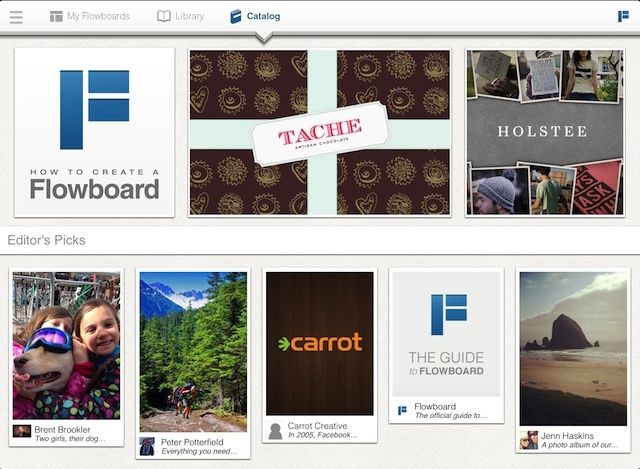
But it’s not hyperbole; Flowboard’s publishing tools are super-easy to use, letting you easily create electronic portfolios and presentations — heck, even magazines and eBooks — and the finished products, published on Flowboard’s site, are just as easy to share and view.
And if you rarely download anything, well, this may be the most important free app you download all year.
Apple’s iOS isn’t customizable like Android. To get to the core of the operating system, very talented hackers have to create what is called a jailbreak. One of the brightest and most prolific minds in the jailbreak scene has been Nicholas Allegra, better known as “comex.” Allegra created JailbreakMe, a web-based jailbreak tool that was used to crack multiple version of iOS throughout the years.
But for the past couple of years, Allegra has been quiet in the hacking community. The reason for his code of silence is the company he’s been working for. Apple hired him as an intern last year, and he left in October after failing to reply to a company email.
Now Allegra is going to bat for the other team. Yesterday he announced plans to intern at Google. He’ll start in a few weeks. One would assume he’ll be working on beefing up security for Android, but he ruled out the possibility on his Twitter. ” I don’t like it enough to ever want to hack it,” he said.
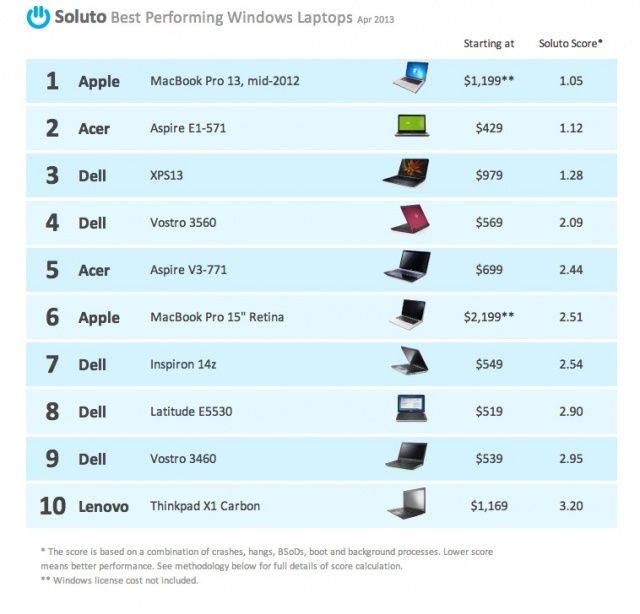
How crappy are Windows PCs these days? The most reliable, best performing, highly rated laptop for running Windows on is a frickin’ Mac: specifically, a mid-2012 MacBook Pro 13. That’s the conclusion of a new report released by Soluto, purveyors of a cloud-based PC monitoring and management software suite, sampling data gathered for the first three months of 2013 from 150,000 portable PCs, and awarding them a score according to how many times programs on average crashed or hung, how long it took to boot up, how many background processes were running, and how many times it BSODed (or completely crashed).
As ZDNet’s Ed Bott points out, the laptops that were determined to be most reliable were the ones that ran clean installs of Windows, instead of bloatware-infected OEM installs. And surprise, every Mac running Boot Camp must use a clean install of Windows, making it the king.
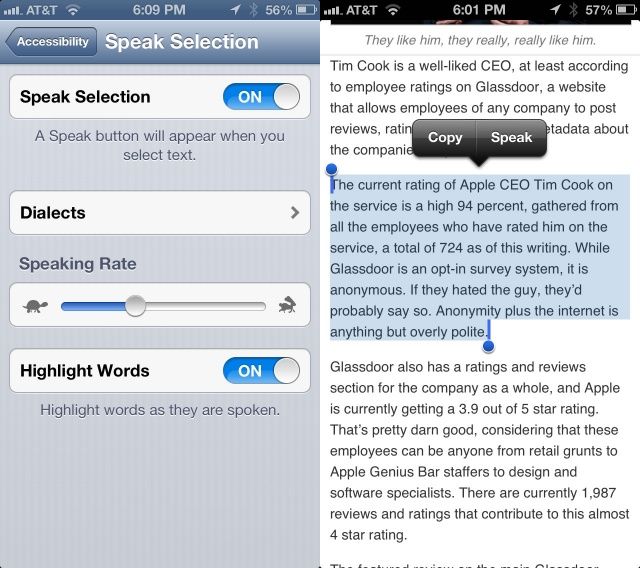
Another accessibility option like VoiceOver and Zoom, originally created for those with visual impairments, is Speak Selection. There are times when you may not want to turn the entire VoiceOver system on, having Siri read every button and icon on the screen, but would prefer to just have your iOS device speak text you’ve highlighted on the screen.
As an added bonus for those with print or learning disabilities, you can have your iPhone or iPad highlight the words as it speaks them for true bi-modal output (seeing and hearing the words at the same time).
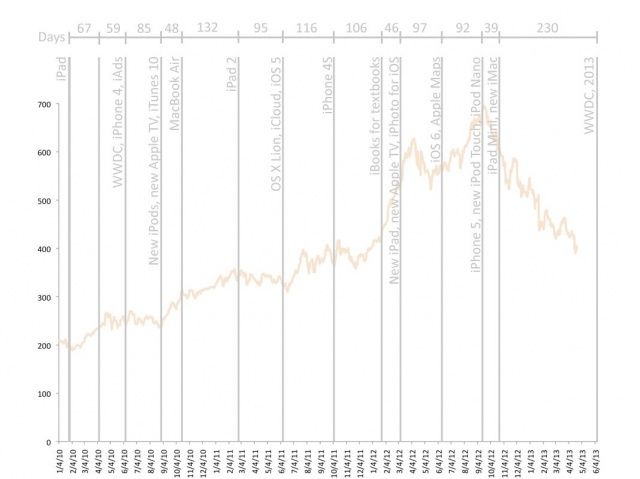
In a pessimistic note on Silicon Alley Insider, Jay Yarrow points out the obvious: we’re in an unprecedented drought since the debut of the original iPad when it comes to major Apple hardware releases and keynotes. When WWDC finally rolls around, it will have been 230 days since the last Apple event, the launch of the iPad mini, fourth-gen iPad and new iMac. That’s pretty much unprecedented, almost double the previous delay between the MacBook Air and iPad 2 (132 days). And, as you can see, the extreme delay in releasing a new event pretty much directly corresponds to Apple’s share price.
Not good, and as Tim Cook basically said explicitly during yesterday’s earnings meeting, it’s unlikely that we’ll see any new products at WWDC either.
Aspira by Ballistic Category: Cases Works With: iPhone 5 Price: $35
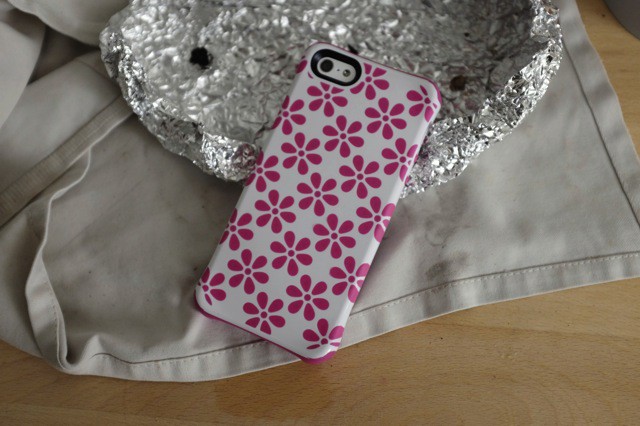
Ballistic’s new Aspira iPhone cases are a little different from your usual ruggedized case. First, they’re not ugly. Second, they’re pretty slim. And third, you can keep them in your pocket.
I have been testing out a box of the things for a little while now and I kinda like them. My friends’ opinions might differ, though.
If you dream of chilling with your homie Tim Cook in the morning and grabbing coffee but never had the chance to meet Silicon Valley’s most powerful CEO, then here’s your chance.
Tim Cook is auctioning off 30min-1hour of his time for CharityBuzz.com. Proceeds go to support the RFK Center for Justice and Human Rights, and you’ll get to hangout with Tim at Apple’s headquarters in Cupertino. Who knows. Maybe if you woo him he’ll show you the latest iWatch prototype.
The current bid is set at $5,250 but the estimated value of the prize is $50,000. The winner will get to bring themselves and 1 guest to coffee-time with Tim, but don’t expect to get too cozy with Tim as the auction details explain you’ll have to undergo a security screening before you get close to him, and he’s not going to pay for your hotel and airplane either.
WWDC 2013 was just announced. Finally, Apple’s going to end this year’s drought, and show off some new stuff after going the entire first four months of the year without a single keynote or product announcement.
But now that WWDC is in our sights, what are people most excited about? There are tons of hardware rumors about the iPad, iPhone and even the iWatch but we doubt we’ll see either of those three. We’ve also heard that iOS 7 is going to have some huge changes, and we should see some of the next version of OS X. What are you guys most excited to see at WWDC 2013? Software or hardware?
WWDC is getting closer, which means we’re probably going to see Jony Ive’s vision for iOS 7 really soon. We know Jony’s not a big fan of skeuomorphism, so we expect to see a lot of flat UI design in iOS 7.
Rafael Justino just published his concept for what iOS 7 might look like, and while there’s still a great deal of skeuomorphism in Justino’s concept, his vision adds a lot more functionality to some of the basic apps of iOS.
The full video is ready for your examination below:
WWDC is the best place in the world to go and learn how to become a better iOS or OS X programmer. Only problem is it’s really freaking expensive, and it’s hard as hell to buy tickets before the thing sells out.
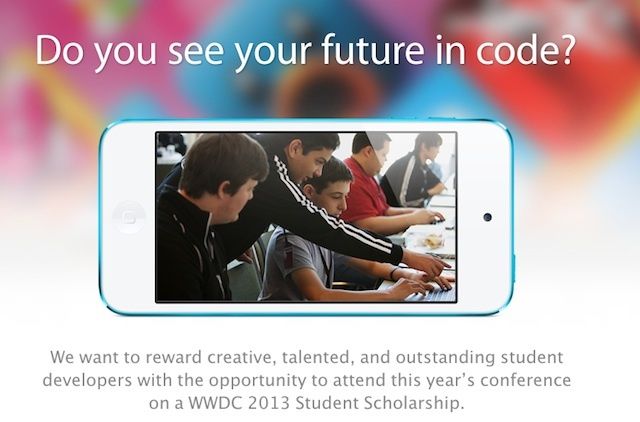
To help students out with the $1599 price tag for one ticket to WWDC, Apple announced that it will award 150 WWDC 2013 Student Scholarships. All you have to do to get the scholarship is be a full-time registered student, and make a killer iOS app.
There are a number of tweaks for jailbroken iOS devices that add alternative security measures to your lock screen, but Piano Passcode is possibly one of the craziest. Rather than typing a code or drawing a pattern, you have to play it a tune on a set of virtual keys.
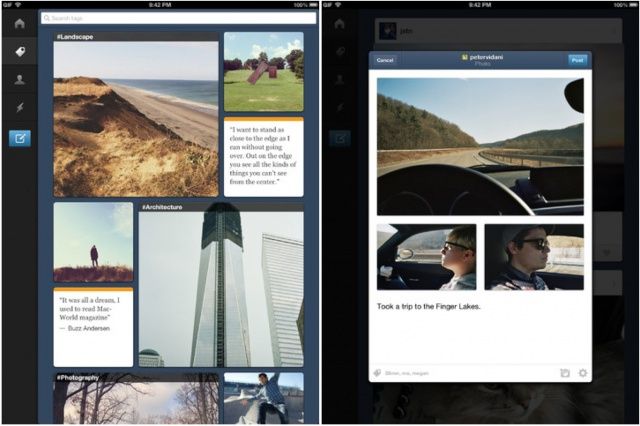
Tumblr’s official iOS app has been updated today with a number of new sharing features, in addition to Instapaper and Pocket integration, that let you “do more than just reblog when you find something you love.” The update also makes some improvements to the photo viewer and the way the app displays GIF images.
Tickets to Apple’s Worldwide Developer Conference have sold out quickly in recent years — last year it took less than two hours — and this year is likely to be no different. With that being the case, a lot of developers are going to miss out. But they’ll still be able to catch up on WWDC sessions, but Apple is posting all of the videos online.
The iTunes Store celebrates its tenth anniversary this month, and Apple is marking the occasion with a new promotion called “A Decade of iTunes.” iTunes users can enjoy a timeline that recognizes key moments throughout the store’s history, as well as a look back at ten year’s worth of chart-topping tracks and albums.
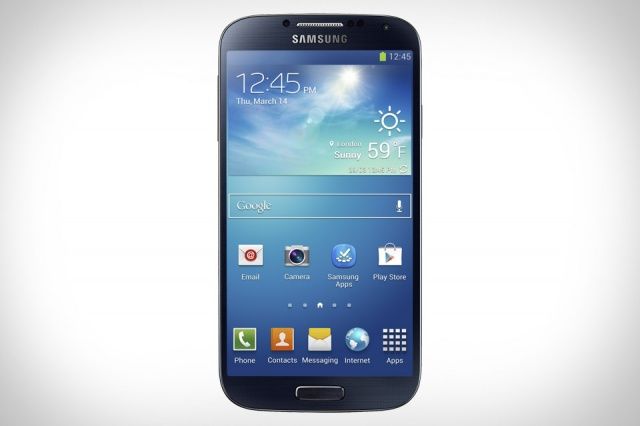
As you may have noticed already, the embargo on the new Samsung Galaxy S4 was lifted today, and reviewers from all corners of the web are weighing in on the latest Android flagship. Given that the handset succeeds one of the most successful Android phones of all time, many of you are likely to be itching to find out what it’s like.
We’ve put together a review roundup to give you a snapshot of what those early reviews are saying about the Galaxy S4, and to help you decide whether the handset will be worth your hard-earned cash when it goes on sale in the coming weeks.
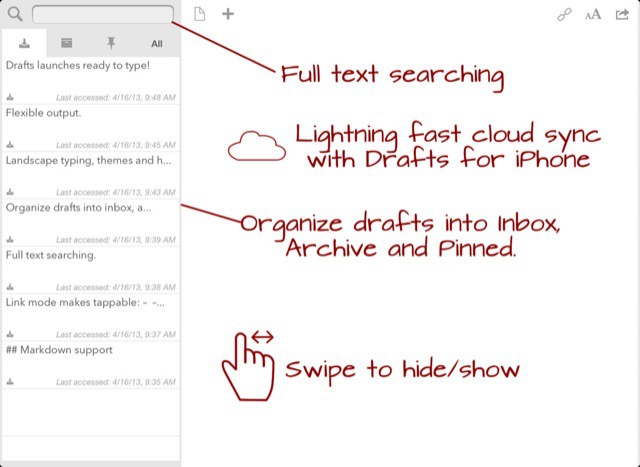
Drafts 3.0 for iPad and iPhone launches today, and it turns an already useful text-wrangling app into a note-taking powerhouse. Added are organization tools for your old drafts, way better Evernote integration, great compatibility with iOS native Reminders app plus an all-new Actions Directory. Let’s take a look:
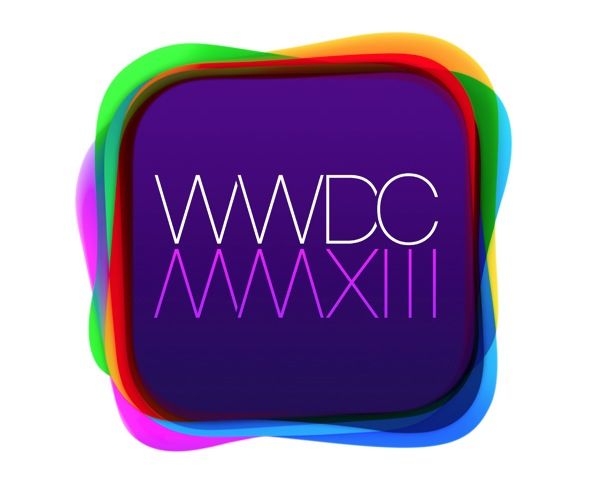
This is the new logo for this year’s WWDC, which is scheduled to kick off on June 10th. WWDC logos tend to forecast in a round-about way what Apple thinks is the “kicker” of the conference: last year, it was the debut of the MacBook Pro with Retina Display.
So what does this WWDC 2013 logo mean? It features a bunch of rounded rectangles of varying colors, stacked a top each other, with a flat font reflecting WWDC into the year in Roman numerals. Here are our guesses: