Just like we said yesterday, remember that any of the iOS 7 beta features and tips we share with you could change before the latest mobile operating system from Apple hits the streets this coming fall.
Also? Be sure that you’re not using a beta iOS 7 on an iPhone you need to get work done on–Apple has provided it without guarantee for developers to start working with, not for you to use on any mission critical tasks.
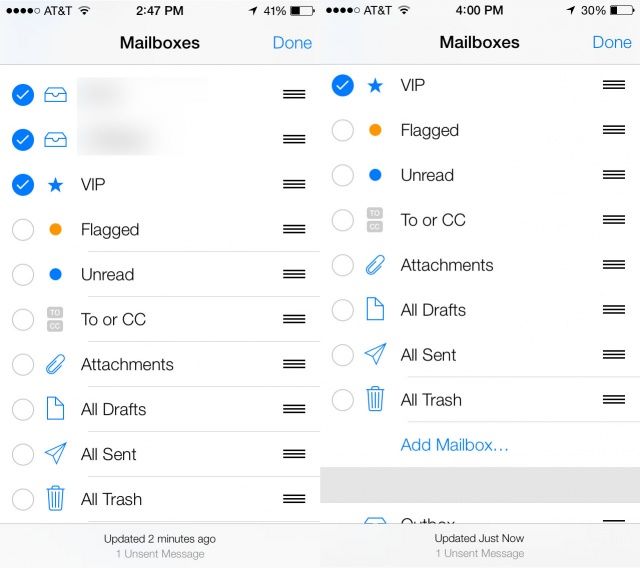
That said, let’s take a look at a new feature in iOS 7: Smart Mailboxes. In OS X, you can create a mailbox with a bunch of filtering rules to help you gather together just email you’re interested in into one place.
iOS 7 beta doesn’t let you create your own smart mailbox, though. Rather, it has four or five new “mailboxes” that filter your incoming email into new categories, like Flagged email, email with attachments, or others. Here’s where to find, and ultimately enable, these new mailboxes in iOS 7 beta.