Uber is a popular car service that is on a mission to make taxis obsolete. It pioneered the idea of using your smartphone to summon and pay for a car, and now Uber has expanded to 35 cities and 14 countries.
Today Uber added a long-awaited feature. You can now split fares between multiple passengers with the app.
Following up on the release of the first full trailer for the new Jobs movie starring Ashton Kutcher, Open Roads Studios has released a new Instagram trailer. It’s only 15 seconds long of course, but it’s packed with scenes of Ashton doing his best Steve Jobs death stare while reciting parts of Apple’s famous “The Crazy Ones” ad.
The movie was originally supposed to hit theaters in April, but the premiere has been pushed back to August 16th due to a need more more marketing. Early reviews were mixed for Jobs, but most seem to agree that the movie isn’t going to be that great. What do you think of the Instagram trailer?
Source: Instagram
IMDB released a new update for it’s iOS and Android apps today that includes a new feature that will allow iOS users to purchase movie tickets via the app. The free update also comes with a tie-in to the Amazon Mobile app that allows you to choose to buy a movie in IMDB and then order it through Amazon.
Ticket purchasing in the IMDB update is powered by Fandango. Once a user purchases a ticket it can be added to your Passbook and then scanned by theater staff for admittance just like in the Fandango iOS app. The app also has a new “Coming Soon” feature that lets you add movie release dates to your iOS calendar.
Apple is helping look into how the iPhone 5 played a role in the death of Ma Ailun, a 23-year-old woman from the Xinjiang region in western China. Ma, a flight attendant for China Southern Airlines, was electrocuted to death after taking a call on her iPhone while it was charging.
Image editing software can be mysterious and clunky. Not PhotoZoom Classic 5. It’s preloaded with sweet presets specifically designed for different types of photos and graphics, and even lets you create resize profiles – so if you have a preferred resize method you can select it with a single click. Even our non-artistic types (cough developers cough) enjoy using it.
Jefferies analyst Peter Misek has today claimed that Apple’s iPhone 5S will enter mass production this month ahead of its release in late September or early October. Misek also claims that Apple has already begun producing its low-cost iPhone, which he believes will cost $300-$400 without a carrier subsidy.
Apple has issued a software update for those running the third developer preview of OS X Mavericks. The release promises to patch a major graphics bug that could cause machines to “reboot without warning.”
Rovio announced this morning that the next game in its blockbuster Angry Birds franchise will be Angry Birds Star Wars II. Following up on the success of the original Angry Birds Star Wars, the new game will be based off the events in Star Wars episodes I-III.
So far, details on the new game are fairly light, but we do know that it will feature new characters such as young Anakin Skywalker, Mace Windu, Darth Maul, General Grievous and even Jar Jar Binks. Players will finally get to join the dark side and play as one of the villainous pigs too.
Rovio also announced that it’s creating a line of toys called Telepods that interact with the game and teleport characters into the map.
Update: Looks like the account wasn’t Apple’s after all, and the videos have been pulled.
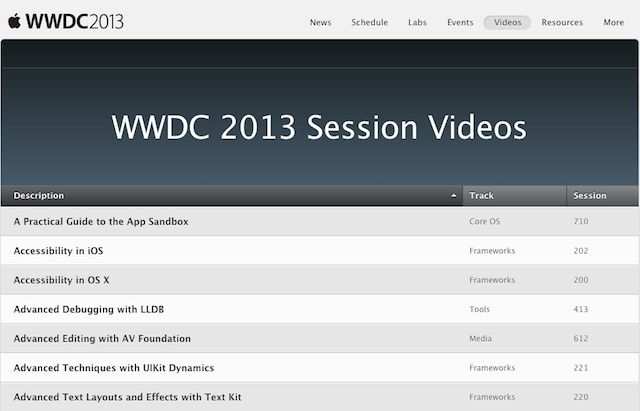
Didn’t get a chance to go to WWDC to learn all the new stuff about iOS 7 and OS X Mavericks? Developers have been able to watch all of the WWDC session videos for nearly a month now, but Apple just uploaded them to YouTube as well so even unregistered developers can get in on the action.
Rather than uploading all the videos to Apple’s regular YouTube channel, they’ve been uploaded to a new channel called WWDCVideos channel. Apple hasn’t confirmed that it’s an official channel, but the videos are legit, so head over for a heavy dose of iOS 7 knowledge.
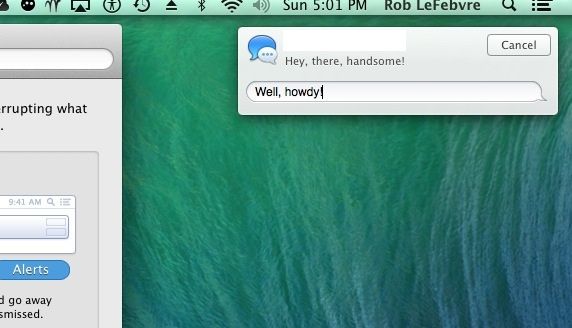
Of course you know already that you can send iMessages to your iOS or OS X using friends and family via the Notification Center, because we told you that a while ago.
Did you know, however, that you can reply to iMessages sent to you in that very same Notification Center? If not, read on and learn how to do so, and how to make sure that your Mac is set up correctly to allow it to happen.
Samsung Electronics has reached a deal with Apple to supply A9 processors for the iPhone 7 from 2015, The Korea Economic Daily reports. Samsung has been producing Apple’s mobile processors since the iPhone first launched in 2007, but recent rumors have claimed the Cupertino company has been looking to take its business elsewhere.
We’re expecting Apple to refresh almost all of its iOS devices this fall — including the incredibly popular iPad mini. But a new rumor claims we won’t see it equipped with a Retina display until 2014, when it’ll also get a new design with an “almost bezel-free look.”
Lenstag is hoping to give evil camera thieves second thoughts before they steal your gear. It’s a brand-new database by Google engineer Trevor Sehrer which aims to make it harder for thieves to sell their ill-gotten wares.
I Kakaru peeling layer of red rust is cracking. split.
It becomes the two works realistic that utilizes the transparent cover.
This incredible piece of poetry is not in fact a finely-honed chunk of verse, but just a clumsy machine translation from Google. Or is it? Perhaps Google’s vast and distributed computer brain has attained consciousness and turned itself into a soft, wooly-brained artist? If so, the nerds at Google are gonna be pissed.
The text above is also the description of a set of rusty cases for the iPad Mini, straight from the Bird Online Shop.
They say that the kids these days don’t listen to vinyl records, nor CDs. And apparently they don’t even use Rdio or Spotify. They use – get this – YouTube.
Which is presumably why Eltima software has made Airy, an app for downloading YouTube videos and extracting the audio to an MP3 file.
The Saidoka is both ingenious and utterly superfluous, both at the same time. It’s an iPhone dock designed to let your iPhone lay almost face-up, letting you charge it and use it when you’re sitting at your desk. It comes in 30-pin and Lightning flavors, and hooks up to a charger or computer via micro-USB.
You know what else keeps your iPhone say on your desk and facing upwards as it charges? Nothing? That is, you can put nothing under your iPhone and it’ll do the exact same thing. And neither will it cost you €50/$50.
The new A4000i electric scooter from Japan’s Terra Motors can hit 65km/h (40mph) and do 65km on a full charge (or “gallon”) of electricity. Used to travel 20km per day. The scooter will cost just $29 per year to run. That’s even less than my bike, which I fuel with a combination of delicious pizza and chocolate.
But the real reason I’m writing about the A4000i Is that it’s a giant, mobile iPhone dock.
Remember how simple Skitch used to be before Evernote bought it and ran it through its UI-mangling machine? So does Instapaper’s Marco Arment, which is why he made Bugshot, an app whose “sole purpose is dealing with screenshots better.”
Business to consumer e-commerce is now a trillion-dollar industry, and growing every year. If you own a brick and mortar store, have an idea for a business, or make your own products, and you’re not selling online – you’re leaving money on the table. You could hire a developer or a third-party to create a site for you, but – thanks to Cult of Mac Deals – for a fraction of the cost you can learn to do it yourself.
Learn to create a fully functional e-commerce website ready to sell products and accept payments with PayPal with this 211 lecture video course. And pay only $49.99 – a savings 80% of off the regular price – in the process.
Your company and hundreds of others are engaged in an epic battle for the smartphone handset market, which within a year or two will exceed a billion customers and $150 billion a year in revenue.
Don’t you want a big piece of that? Because if you do, you’re not acting like it.
Samsung gets most of the market share and some of the profits. Apple gets most of the profits and some of the market share. But Samsung fears with justification that its lead is slipping away to lower-cost and more aggressive vendors. Apple’s momentum has slowed horribly with the onslaught of Android phones.
The rest of you handset makers — let’s face it — are scrambling for crumbs on the floor.
Instead of taking one of the known-bad losing strategies, why don’t you try the obvious winning strategy?
I’m going to describe the losing strategies, then spell out the winning one.
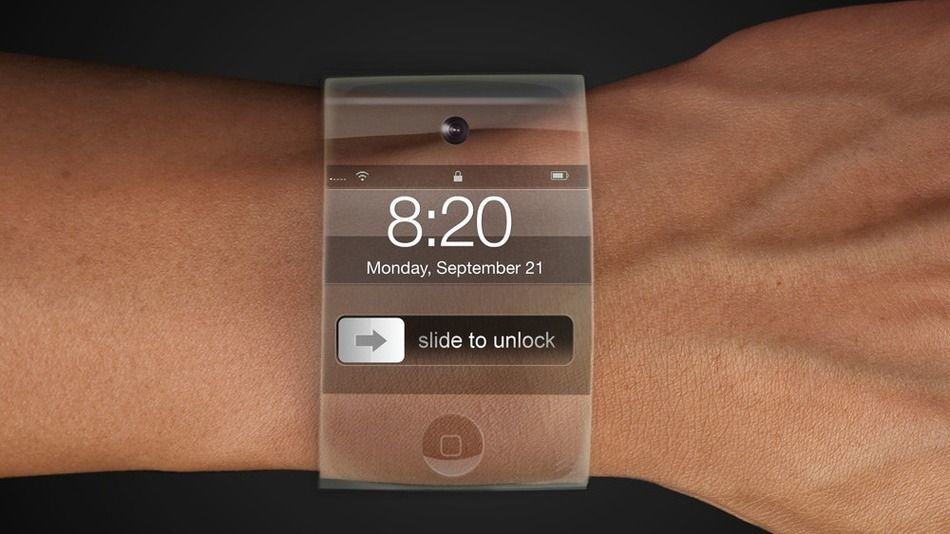
Apple is “aggressively” hiring new talent to make the rumored ‘iWatch’ a reality, according to a report today from the Financial Times. The last specific claim we heard regarding the iWatch was when Bloomberg said Apple wanted to launch the product this year after placing a team of around 100 product designers on the project. Engineering issues have caused Apple to seek outside help, and now the Financial Times believes that we won’t see the iWatch until late 2014.
OS X Mavericks beta, while not quite an overhaul as iOS 7, still carries quite a few new enhancements and features that you might not necessarily see at first glance. There are plenty of hidden features, which we’ve already detailed here on Cult of Mac, but more continue to be found. Lucky you, we’re here to help put them all together in one place.
Here are five of those hidden features for OS X Mavericks beta, each perhaps surprising in their own, special way.
Amazon is beating Apple in the eBooks racket by using Apple’s own pricing strategy for music.
But Apple can still clobber Amazon by out-Appling not the iTunes pricing strategy, but the Apple marketing strategy: Create a vastly better user experience for both content creators and content consumers! Oh, and focus on audio.
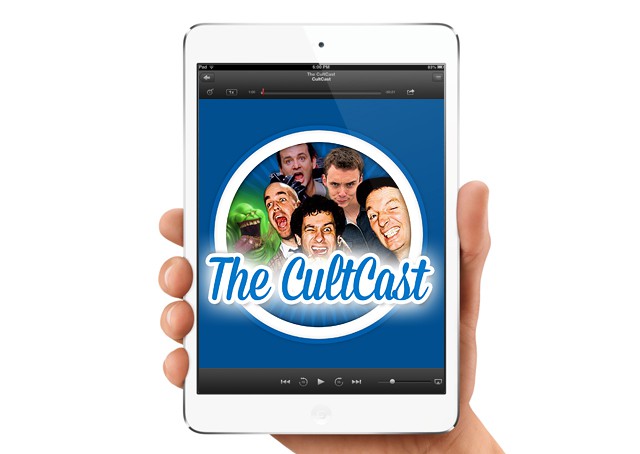
This time on The CultCast: great apps go free for Apple’s 5th Appaversary; an updated Retina Macbook Pro is close at hand; iPad Mini COULD go retina; our favorite new iOS 7 beta 3 features; researchers know where you’ll take your iPhone next; Alex E. Heath loves Daughters; mini Kahney gets a birthday surprise; and guests hosts GWAR stop by! That last part’s a lie.
Have a few laughs and get caught up on this week’s best Apple stories. Stream or download new and past episodes of The CultCast now on your Mac or iDevice by subscribing on iTunes, or hit play below and let the audio adventure begin.