
Auto Text Correction
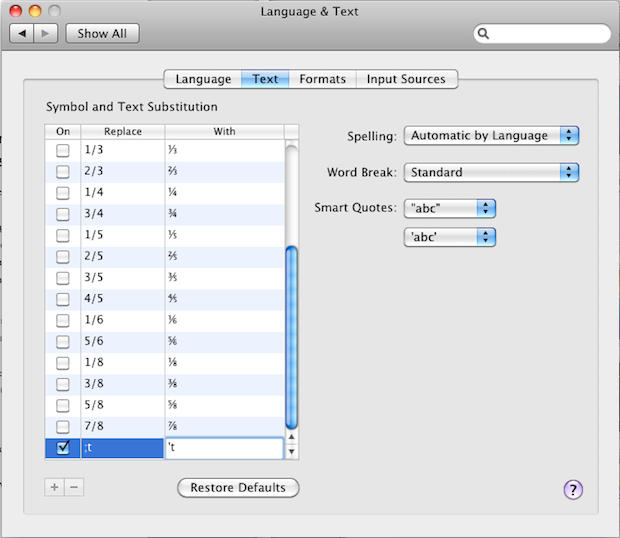
If you always make habitual typing mistakes like “don;t” instead of “don’t,” go to System Preferences>Language & Text. Under the Text tab you’ll find a list of text substitutions. Hit the + sign at the bottom, add your most annoying mistakes, and Snow Leopard will automatically correct them. Only works in certain apps like Mail, iChat and TextEdit. Unfortunately it corrects fun mistakes like “teh” for “the.”
You can also add shortcuts like “tyl” which will type out “Thank you for your letter but this isn’t my department. I refer you to my esteemed colleague, cc’ed here,” and so on. It will also fix curly quotes, which don’t play nice when cutting/pasting text into a webpage.

Leander Kahney is the editor and publisher of Cult of Mac. Leander is a longtime technology reporter and the author of six acclaimed books about Apple, including two New York Times bestsellers: Jony Ive: The Genius Behind Apple’s Greatest Products and Inside Steve’s Brain, a biography of Steve Jobs.
Leander has written for Wired magazine, Scientific American, The Guardian, The Observer, The San Francisco Chronicle, MacWeek and many other publications.

