
Change Audio Input and Output
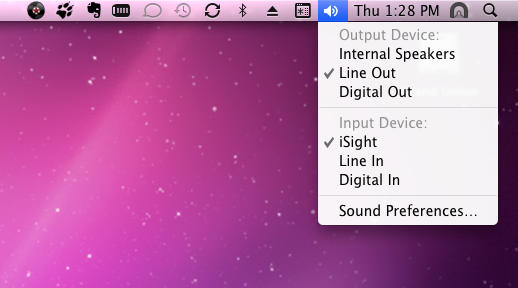
Instead of firing up System Preferences to switch from speakers to headphones, hold down the Option key and click the volume control icon in the menu bar. A menu will pop down showing the available inputs and outputs.

Leander Kahney is the editor and publisher of Cult of Mac. Leander is a longtime technology reporter and the author of six acclaimed books about Apple, including two New York Times bestsellers: Jony Ive: The Genius Behind Apple’s Greatest Products and Inside Steve’s Brain, a biography of Steve Jobs.
Leander has written for Wired magazine, Scientific American, The Guardian, The Observer, The San Francisco Chronicle, MacWeek and many other publications.

