There might be certain situations where you need a snapshot of what your computer is doing. For example, if you spot a bug in a program, the developer might need to know what your computer is doing when the bug occurs. Here’s how to send the developer everything they could possibly need to know.
Here’s another tip from Mac Kung Fu, which contains over 300 tips, tricks, hints and hacks for OS X. It’s available from Amazon as well as other bookstores, and also as an eBook for all eReaders.
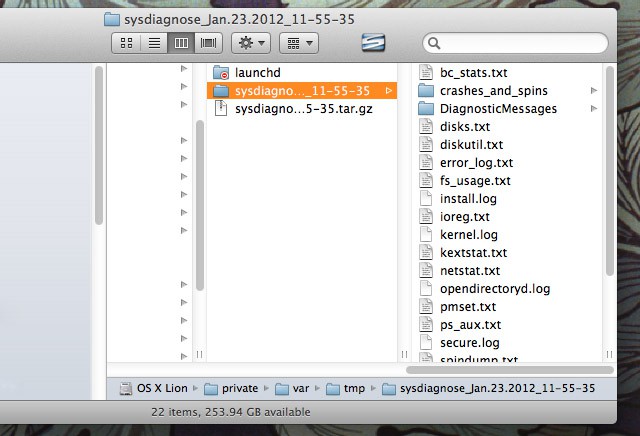
Your Mac includes a tool that can snapshot your system. sysdiagnose will dump all technical information about your computer’s state and configuration into a series of files. You can use it at the command line by simply typing it, or run it at any time by holding down Shift + Control + Option + Command + . (period).
If you choose to use the key combination, it’ll take about a minute to complete, although there will be no sign of its progress. Eventually a Finder window will open that shows the data that’s been gathered. This is stored in /private/var/tmp. It will be in a compressed archive that you can double-click to unpack.
Be aware that some personal data is included in the dump, including the serial number of your computer, the computer name, and your username. Don’t hand over the sysdiagnose data to somebody you don’t trust.

Keir Thomas (http://keirthomas.com) is the author of Mac Kung Fu, which contains over 300 tips, tricks, hints and hacks for Mac OS X Lion. He’s also the author of over 10 other computing titles.

