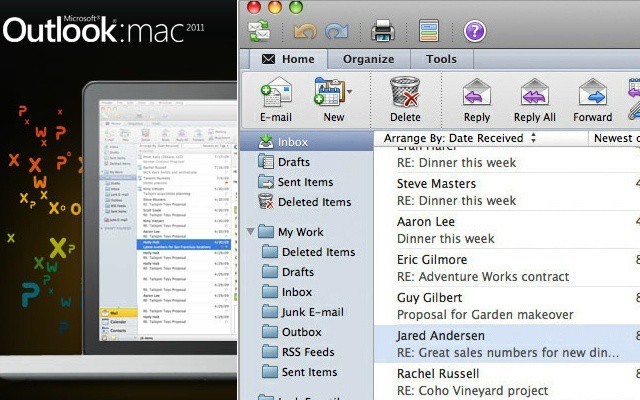
With Office 2011, Microsoft killed off Entourage—and I don’t think anyone shed tears over that—and brought in Outlook for Mac. Outlook 2011 for Mac brings a lot of the power of Outlook for Windows to the Mac for the first time, but the question is—can you master it?
In this special course you’ll learn Outlook for Mac 2011 for only $24! That’s over half off for three and a half hours of hands-on instruction on Outlook. This is an in-depth course that will make you an Outlook Jedi in no time.
What do you get for your $24? Well, a lot, actually…
What You’ll Learn:
- How to create professional quality emails, professional notes and boardroom-ready events and invitations with one of the world’s leading office communications tools.
- How to manipulate and implement contact and organizational data data across a wide range of projects and accounts.
- How to create fully compatible meetings, contact cards and messages that can be accessed by users working with Office for Mac products as well as Windows counterparts.
What People Are Saying About the Course:
“Email was one of the first things I learned as a computer user but it turns out I had been some simple mistakes for years…these videos make it easy to see how smart email policies can streamline a busy person’s work life. Kudos.” – Kelly McNessa
“Finally Microsoft has decided to create a REAL email client for Mac users. This was a great, simple way to get started with the application more quickly.” – Deval Gupta
Who Should Take This Course?
- Anyone who has used Microsoft Outlook in the past but wanted a better understanding of its full range of features.
- Anyone who has high demands for email organization, task management and communications requirements.
- Anyone who needs an understanding of Microsoft Office software as it applies to a professional work or academic environment.
- Anyone Mac user new to MS Outlook wanting a user-friendly guide that introduces the program from the ground up.
If you’re bringing your Mac to work in an PC-dominated office, you probably have to use Outlook. So, why not become the office power user for good measure?
Pick up the Outlook 2011 for Mac course now for only $24.

Tris Hussey is a technologist, best-selling author, teacher, Canada’s first professional blogger, and general Internet Rogue. He has written several books on social media and technology including Create Your Own Blog (1st and 2nd editions), Using WordPress, Sam’s Teach Yourself Foursquare in 10 Minutes, WordPress Essentials (video lessons), and Sam’s Teach Yourself WordPress Themes in 24 Hours (forthcoming in late 2012 with Catherine Winters). You can read Tris’ posts on TrisHussey.com and other sites around the Internet.


2 responses to “Learn Outlook 2011 For Mac [Deals]”
start calling your advertisements “Advertisements” and not “Deals”. Seriously!
Outlook 2011 has a much nicer interface, and it’s certainly more stable than Entourage ever was. It’s still CRAP though. There are two major problems that I have with it.