Mobile menu toggle

David Snow - page 112

Designer’s MacBook Pro-driven office swims in Apple collectibles [Setups]

By

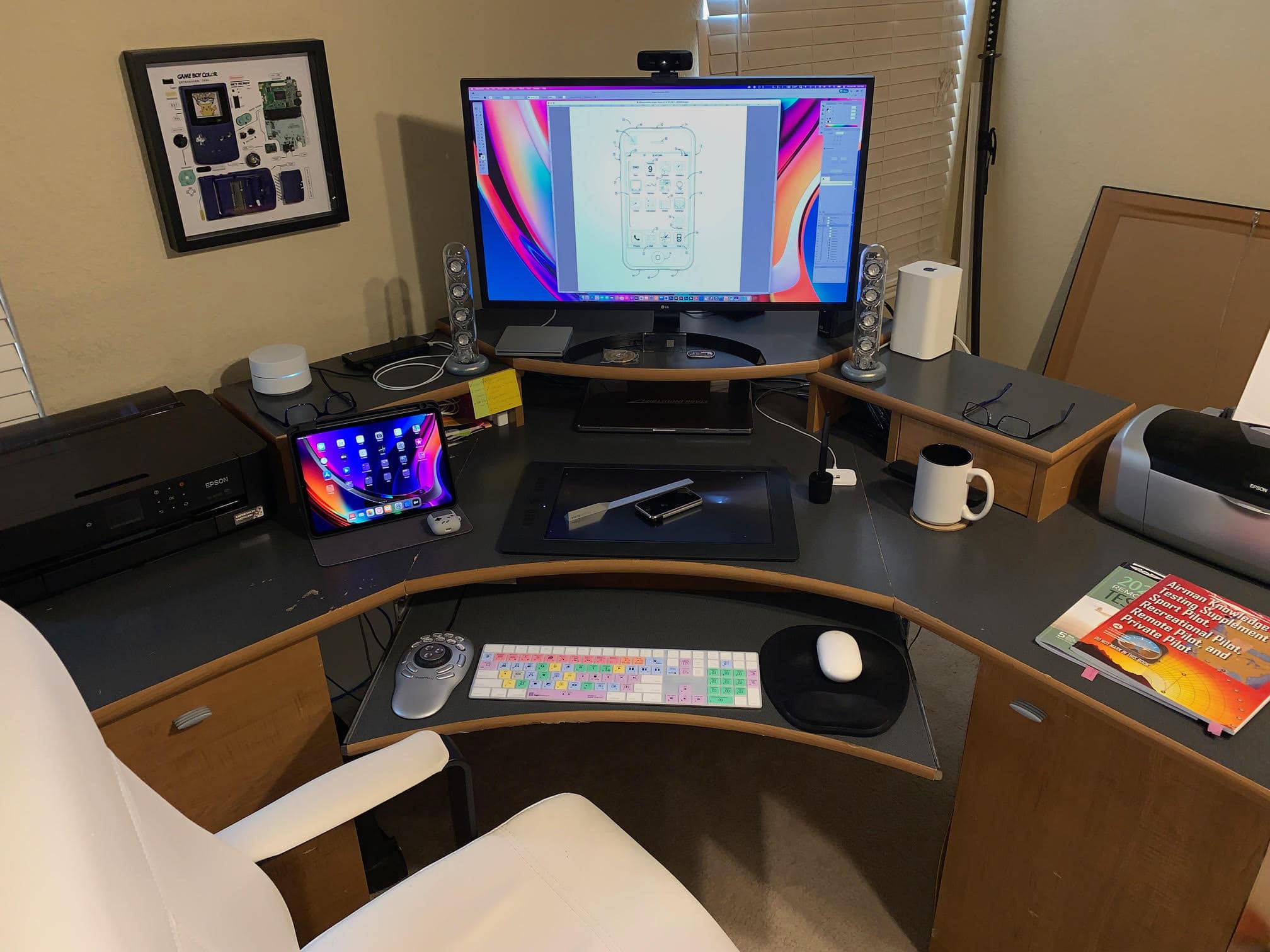
A MacBook Pro and a 4K LG display anchor Smelker's setup.
Photo: Terry Smelker

Graphic designer and illustrator Terry Smelker’s workstation includes many interesting elements, like a specialized drawing tablet and a multimedia controller he uses along with his tricked-out MacBook Pro. But even if you’re not curious about his setup proper, get a load of that Apple gear collection! Fortunately, he provided plenty of photographs.

“I’ve always been a huge fan of Apple’s design aesthetic,” he told Cult of Mac. And that started him on his collection of vintage Apple products, which complements the rest of his gear.

Apple streamlines Subscriptions interface on iPhone and iPad

By

Click on your Apple ID in Settings to get to your Subscriptions.
Photo: Apple

Apple streamlined the subscription-management interfaces on iPhone and iPad Friday.

The new look adds spacing between separate subscriptions. And it makes telling which subscriptions are active and inactive a little more clear at a glance.

Mounts make the most of a home videoconferencing center [Setups]

By

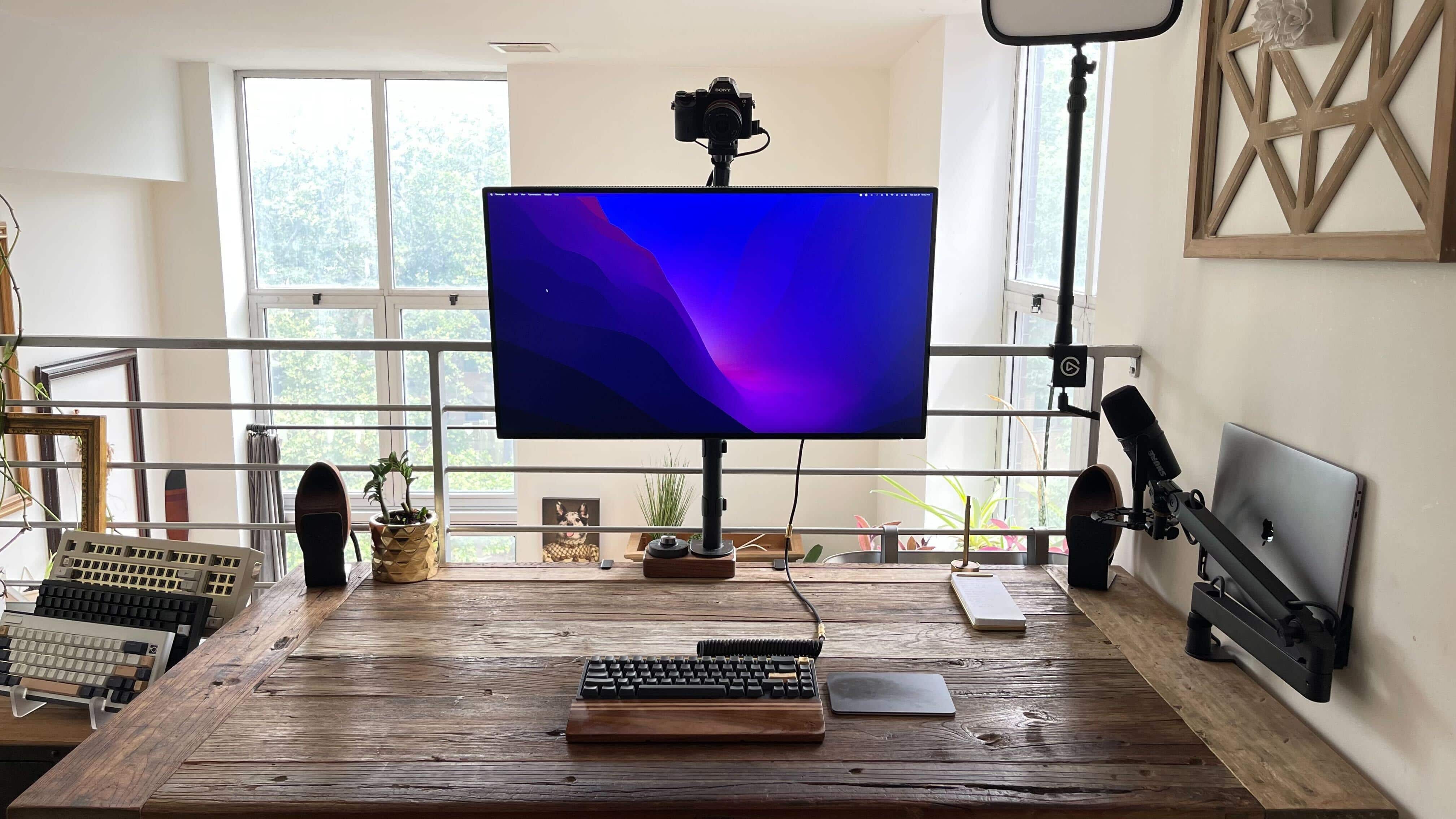
Everything is mounted just so.
Photo: [email protected]

Mounts can make the most of a computer setup. They can mobilize so much of your gear — computers, displays, microphones — so you can use them when you need them and push them out of the way when you don’t, opening up desk space. And you can minutely adjust their positioning, too.

Today’s featured MacBook Pro and Mac Studio computer setup takes advantage of mounts for the computers, display, video camera and microphone.

Chris Evans, aka Captain America, finally bids farewell to his iPhone 6s

By

Looks like the
Looks like the "Defending Jacob" star is switching to an iPhone 13.
Photo: chrisevans@Instagram

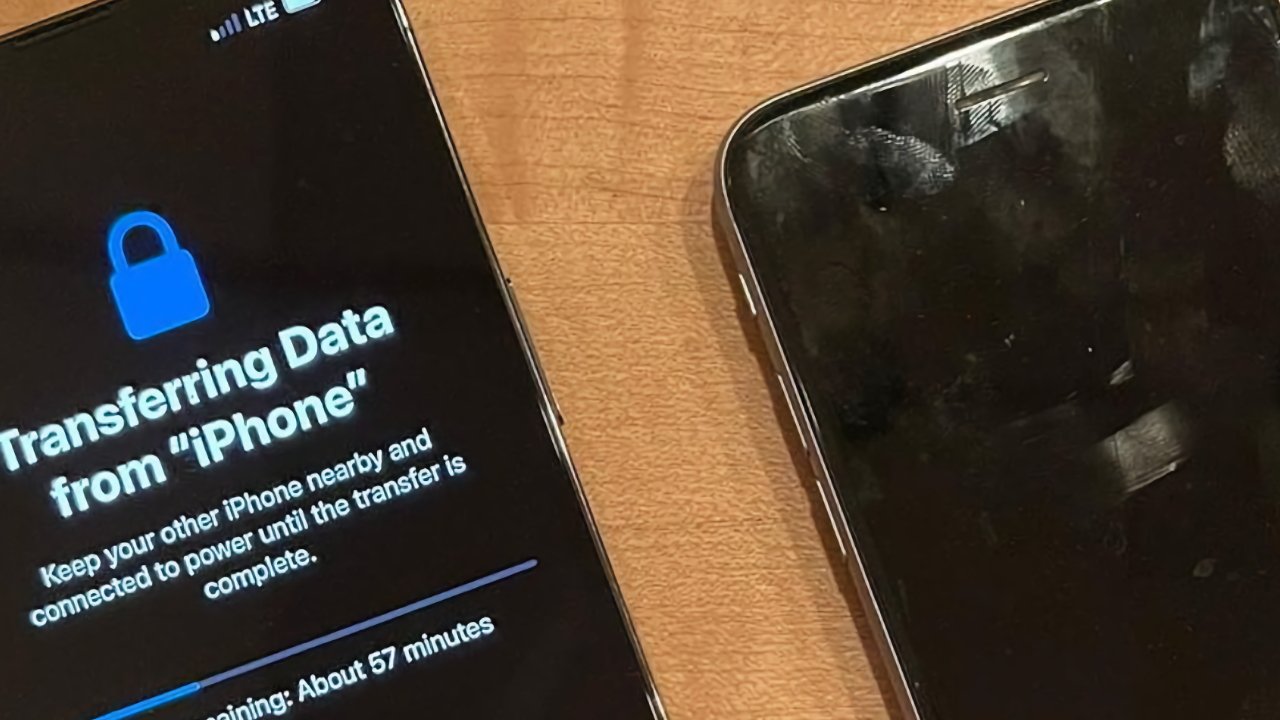
Chris Evans, star of Marvel Studios’ Captain America movie series, gave the internet a bit of a thrill when he finally said goodbye to his trusty iPhone 6s with a lovely little eulogy Thursday.

The iPhone 6s came out in 2015 and ceased new sales in 2018. Now it’s 2022, and it looks like Cap has, at long last, woken up to the iPhone 13.

Take selfies and much more with this clever iPhone accessory

By

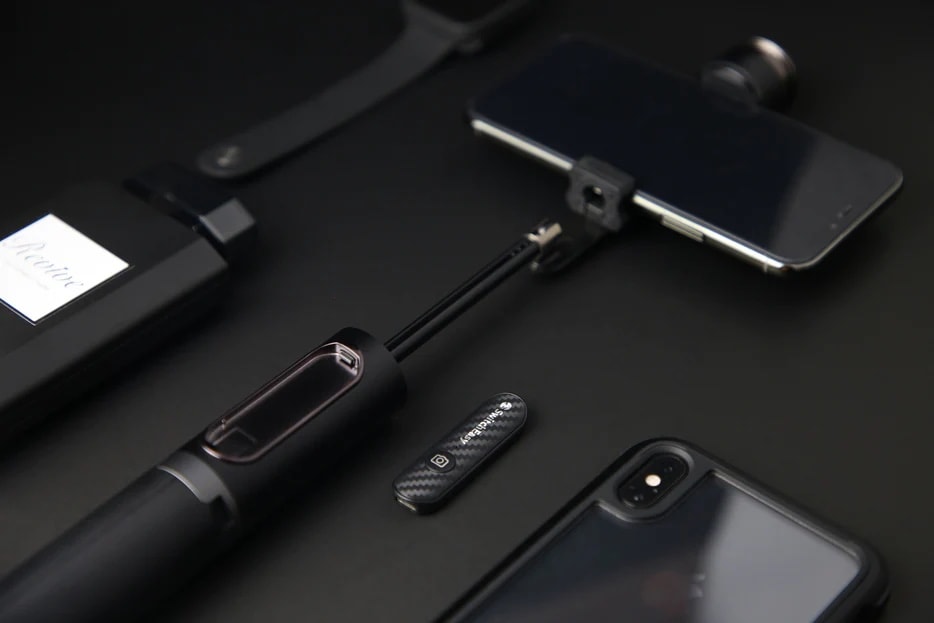
It's a selfie stick, but it's also much more.
Photo: SwitchEasy

If you’d like to take your selfie game up a notch, you can’t do much better than SwitchEasy’s EasySelfie Selfie Stick. The highly portable devices doubles as a tripod and works with your iPhone or a variety of cameras.

And right now you can get a good deal on EasySelfie in the Cult of Mac Store.

iOS 16 betas hint at new Siri Remote for Apple TV

By

The current Siri Remote was an improvement on its predecessor.
Photo: Apple

Watchful eyes have spotted code in the first two iOS 16 beta versions that appears to refer to an unreleased Siri Remote for Apple TV.

Information is scant, but chances are this is the new remote for a 4K Apple TV system with a updated price structure that could come out this year.

Apple TV+ Five Days at Memorial trailer grapples with Hurricane Katrina’s ravages

By

Vera Farmiga stars in
Vera Farmiga stars in "Five Days at Memorial" on Apple TV+.
Photo: Apple TV+

The new Apple TV+ trailer for the drama series Five Days at Memorial is just a one-minute preview. But it’s a powerful 60 seconds.

It depicts the desperate struggle in a New Orleans hospital in the aftermath of Hurricane Katrina, one of the deadliest storms to ever hit the United States.

Gain one-touch control of HomeKit scenes with Leviton’s updated switch

By

Leviton's updated switch gives you one-touch control over HomeKit scenes.
Photo: Leviton

Following related May releases, Leviton said Wednesday orders will open soon on a new version of a popular accessory in its No-Neutral HomeKit Switch and Dimmer stable of products.

The Decora Smart Wi-Fi 2nd Gen Scene Controller Switch features four buttons that give you one-touch control over HomeKit scenes as well as smart devices.

Elago’s protective AirPods covers will make your ears happy

By

Elago's AirPods Pro covers, made of protective silicone, have precise cutouts.
Photo: Elago

Even little earbuds can get scratched up, so a product like Elago’s covers for AirPods Pro and AirPods 3 can come in handy. And the covers’ thin but protective layer of silicone can also help with fit, helping ensure your earbuds don’t fall out too easily.

You can find Elago’s AirPods covers for the Pro and 3 series in the Cult of Mac Store at great prices. See more information and direct links below.

Apple Watch video app gives new meaning to ‘small screen’ viewing

By

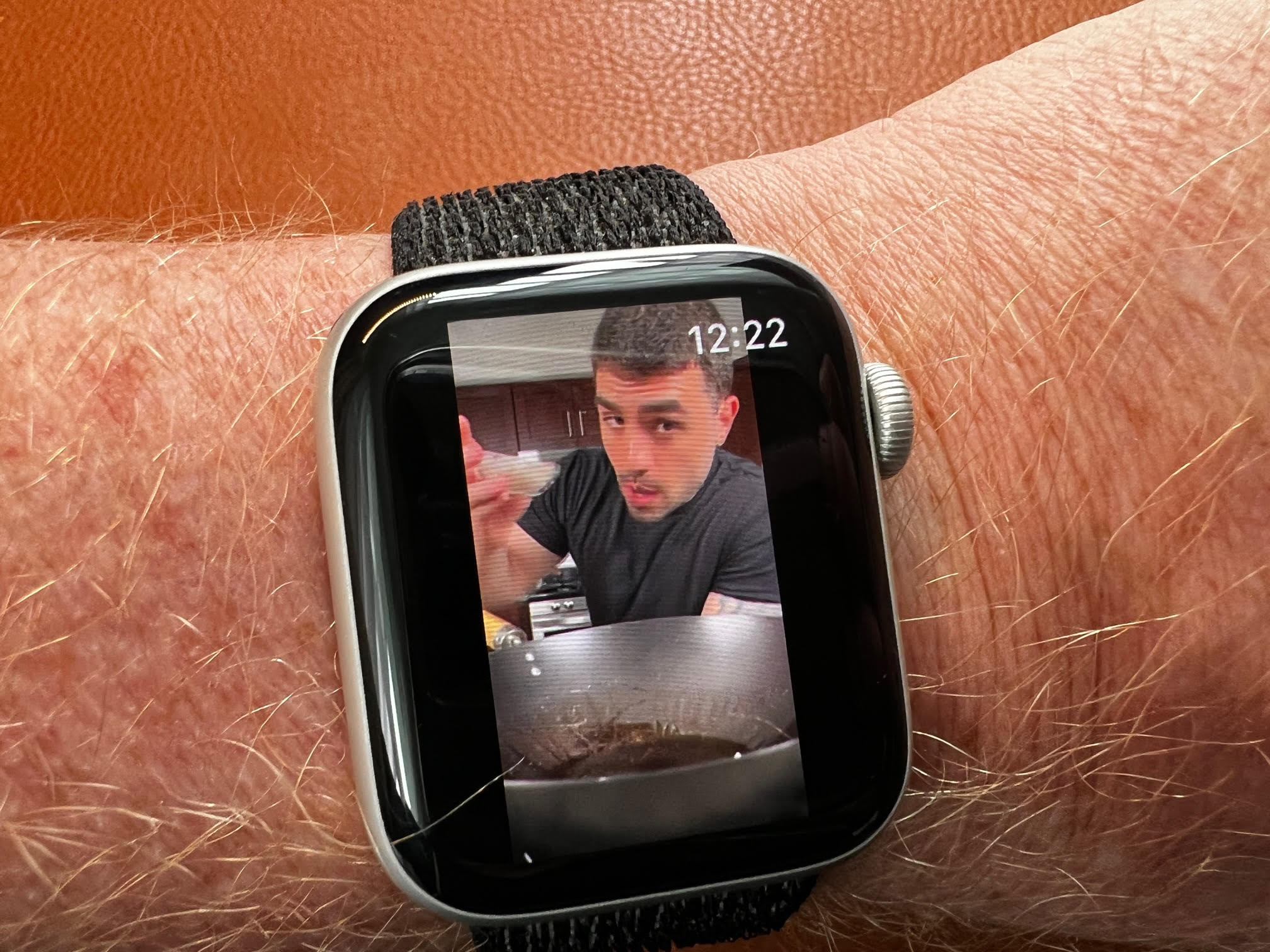
That YouTube guy is showing me how to make Pad Thai.
Photo: David Snow/Cult of Mac

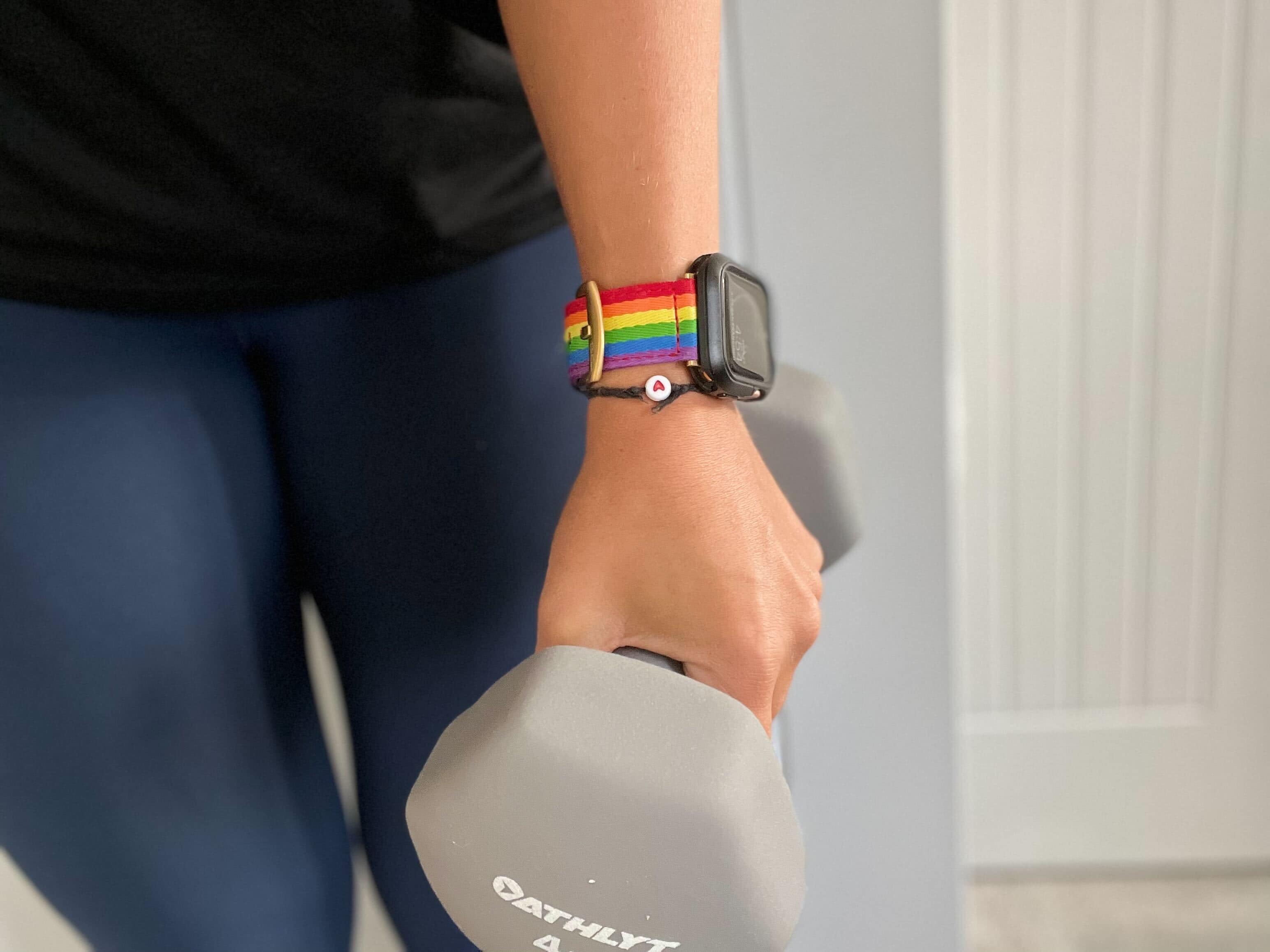
Thanks to a new app called WatchTube, you can now play YouTube videos directly on your Apple Watch. A 2-inch OLED screen may not be your idea of a night at the cinema, but it’s not impossible to imagine the app being useful.

Another set of top-shelf ANC cans takes on AirPods Max

By

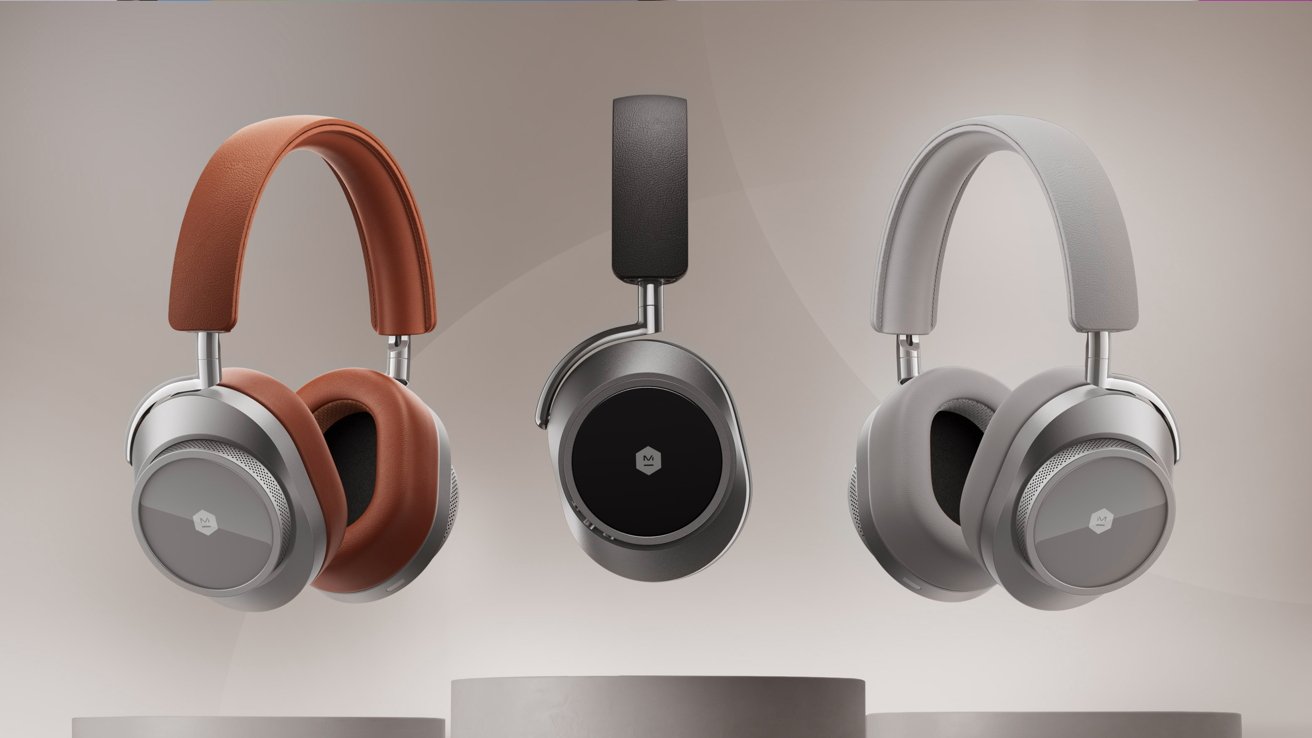
Could these be the ones? At $599, they better be.
Photo: Master & Dynamic

The new Master & Dynamic MW75 over-ear headphones will undoubtedly compete with top cans from Apple, Sony, Sennheiser and others. They boast up to 28 hours of battery life and adaptive, environmentally aware active noise cancellation.

But the premium Master & Dynamic headphones actually make AirPods Max look somewhat affordable. They cost an eye-popping $599.

Last chance: Clear clutter with 4-in-1 iPhone charging stand [20% off]

By

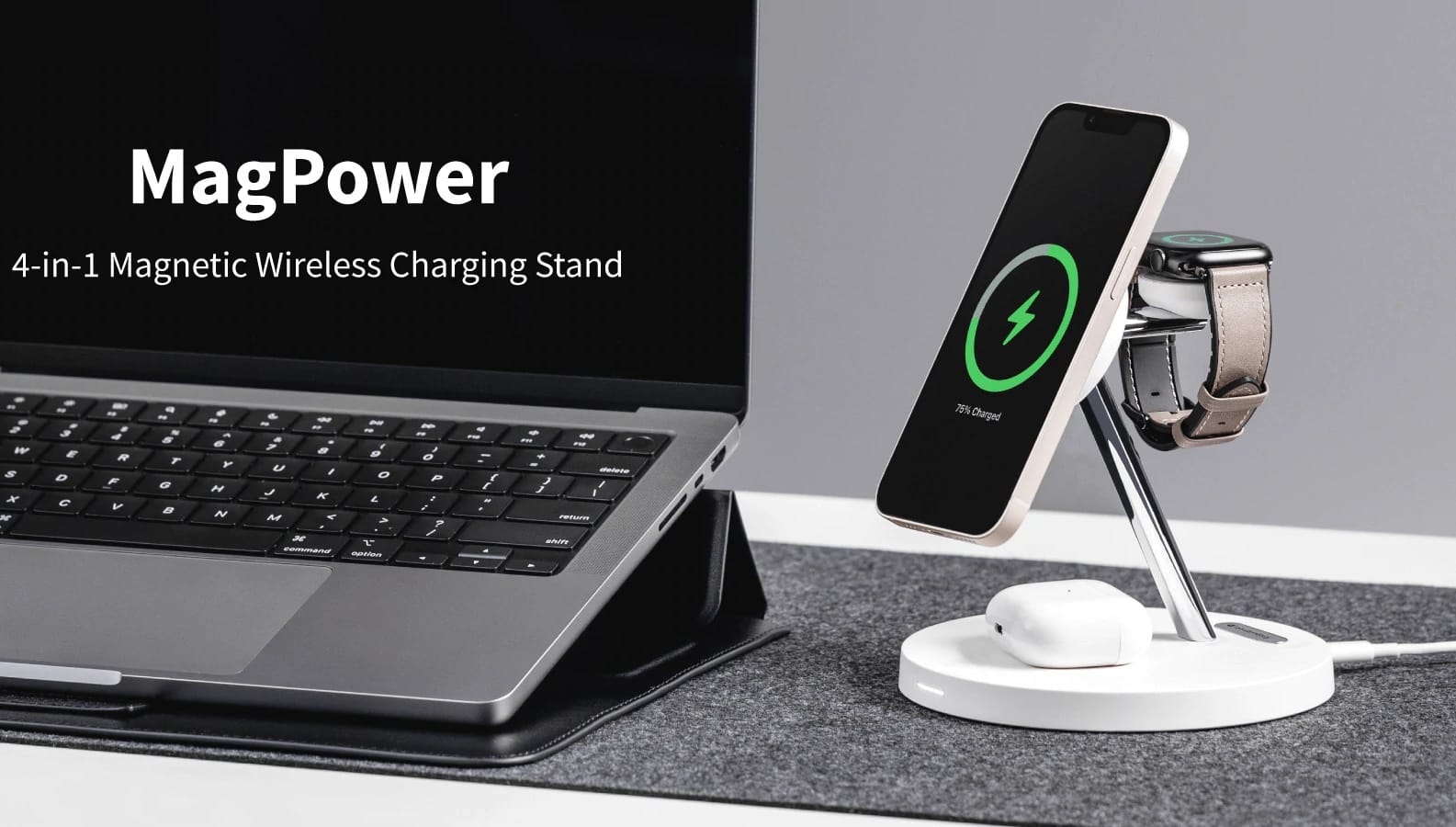
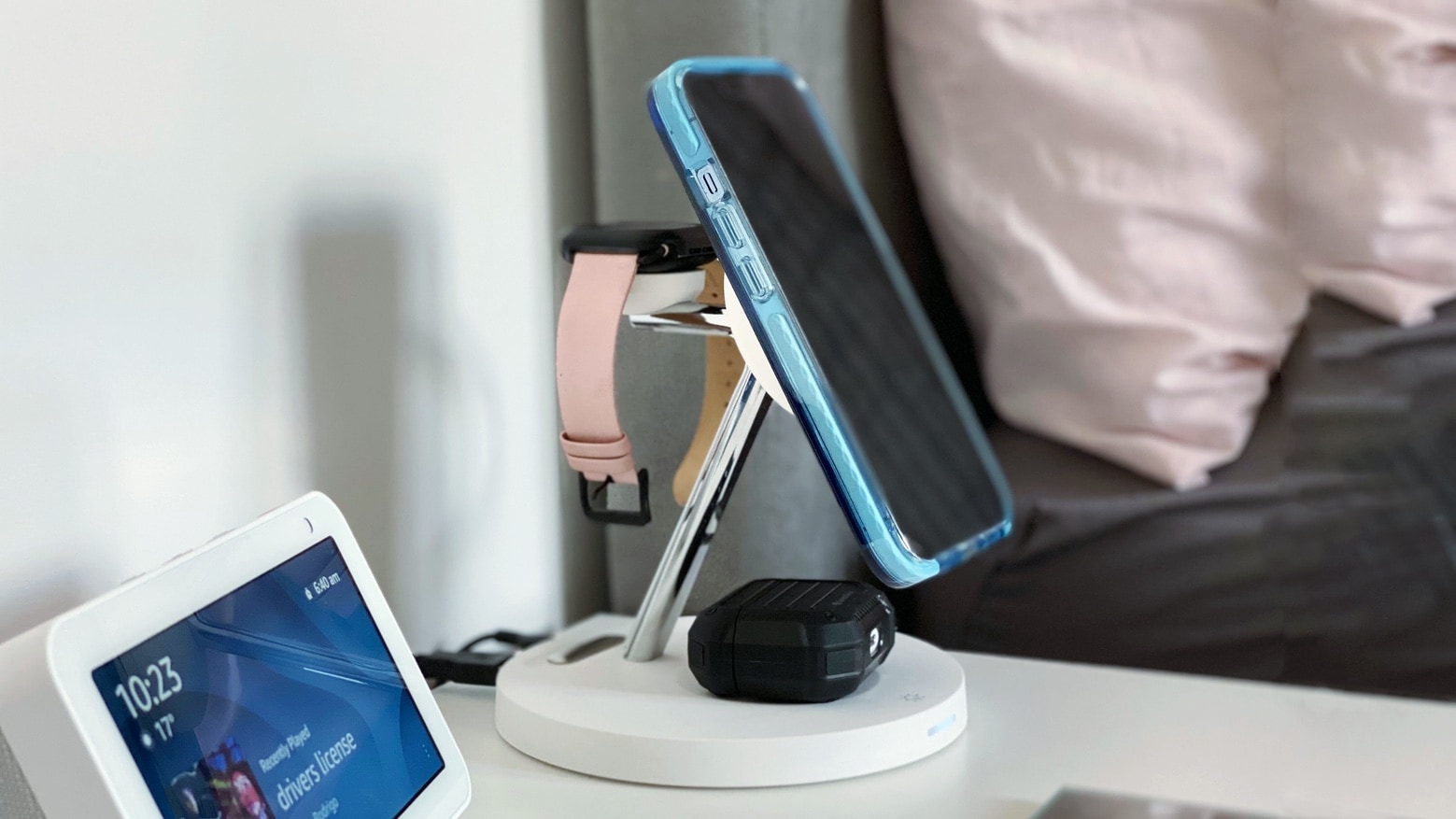
SwitchEasy's charger lets you juice up four devices at once.
Photo: SwitchEasy

The more gadgets we buy, the more separate chargers we end up with. If you’re sick of plugging in your stuff all over the place, try a multi-device charger like the SwitchEasy MagPower 4-in-1 Charging Stand.

The compact stand’s ingenious design lets you easily charge four devices at once. You can power up your iPhone or other smartphone, Apple Watch,  AirPods and another device all at the same time. Three out of those four gadgets power up wirelessly, too, so you can cut some cords.

And through tonight, you can get 20% off the stand in the Cult of Mac Store. That’s a savings of $17 off the regular price.

New Soundcore sport ANC earbuds: Good fit for fit people [Review] ★★★★☆

By

It's not difficult to get used to those rotating ear hooks.★★★★☆
It's not difficult to get used to those rotating ear hooks.
Photo: David Snow/Cult of Mac

Ever have an earbud fall out of your sweaty ear at the gym? I lost a somewhat pricey product that way once. And if you lose one of them, you’re probably not going to use the other one, even if it’s designed for occasional solo use.

The new Soundcore Sport X10 True-Wireless Earbuds, released Tuesday, aim to put an end to wayward earbuds.

Anker sent me a pair of the earbuds to try, along with instructions for using the Soundcore app for them in beta. Below, I’ll get into why I found the new product to be an excellent value at $79.99.

Philips Hue expands smart-lighting lineup for HomeKit

By

The new track-lighting system opens up many customization options.
Photo: Philips Hue

Signify said Tuesday it plans to expand its Philips Hue smart lighting range with the addition of track lighting, a new dimmer and scene-selection switch, and its first portable indoor-outdoor rechargeable lamp, among other items.

Philips Hue products support HomeKit via the Hue Bridge. The new options will launch during the summer, the company said.

Last chance: Buy one, get one free on all Laut Apple accessories

By

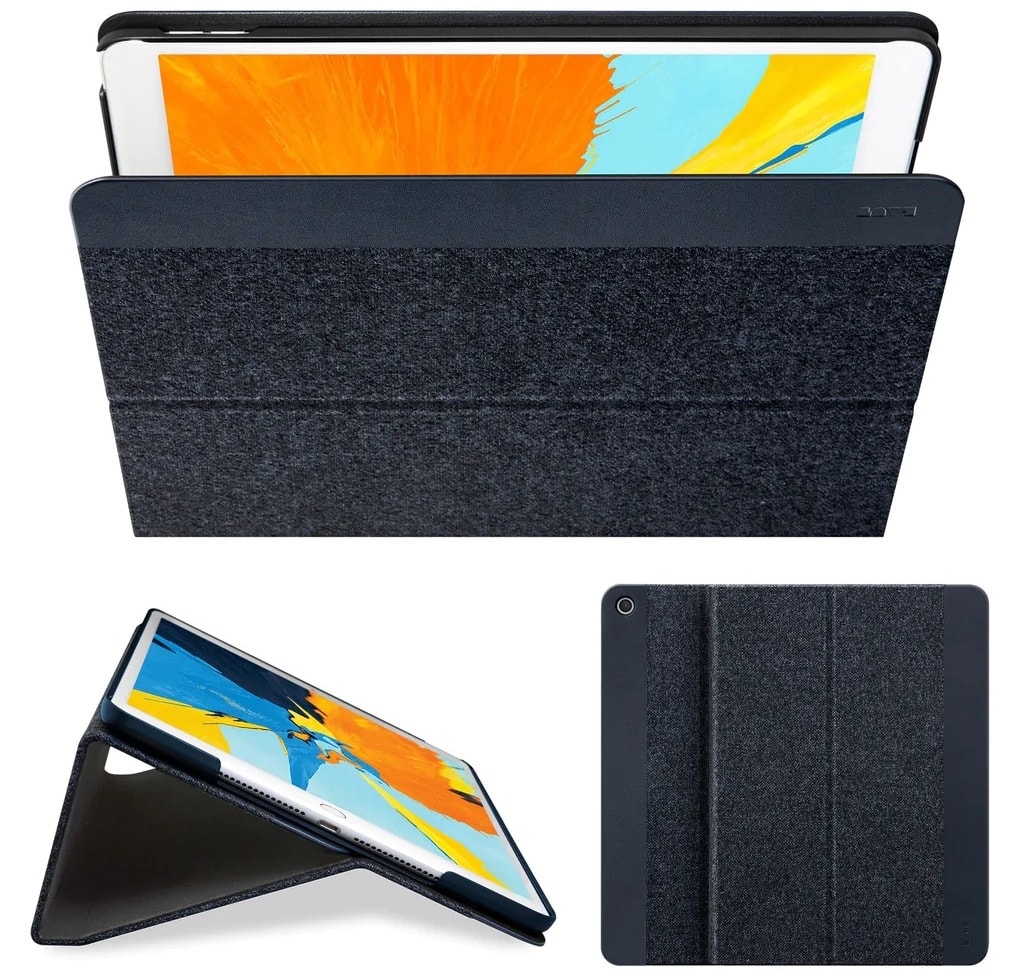
Laut's iPad Pro folio is a handsome case and stand.
Photo: Laut

Father’s Day sales are drawing to a close, but one of the Cult of Mac Store’s promotions extends to the end of Monday. There’s still time to enjoy a buy-one-get-one-free offer from Laut on all of its Apple accessories. They have many kinds of cases, stands for iPads and MacBooks, Apple Watch bands and more, including plenty of fun stuff.

So Laut’s buy-one-get-one-free promotion on 79 Apple accessories in the Cult of Mac Store runs through the end of Monday. There’s just several hours to go, so shop away!

You can see some prime choices below.

Get busy with 4 great apps on World Productivity Day

By

Setapp has great productivity apps for macOS and iOS.
Photo: [email protected]

A subscription service might not sound like a great way to get your apps, but don’t sell it short. Many folks find subscribing to Setapp is an easy and worthwhile way to get more than 200 apps that help with a variety of tasks — and that someone else has already curated.

After all, the main alternative is diving into the vast app ocean of the App Store. Good luck finding just what you need in there before you drown.

In honor of World Productivity Day — that’s right, at least try to look busy on June 20 — we take a look at some of Setapp’s great tools.

Epic OLED smart TV and pro audio gear distract from wrong-color keyboard [Setups]

By

Would you have gone with a darker-colored keyboard? Which one?
Photo: [email protected]

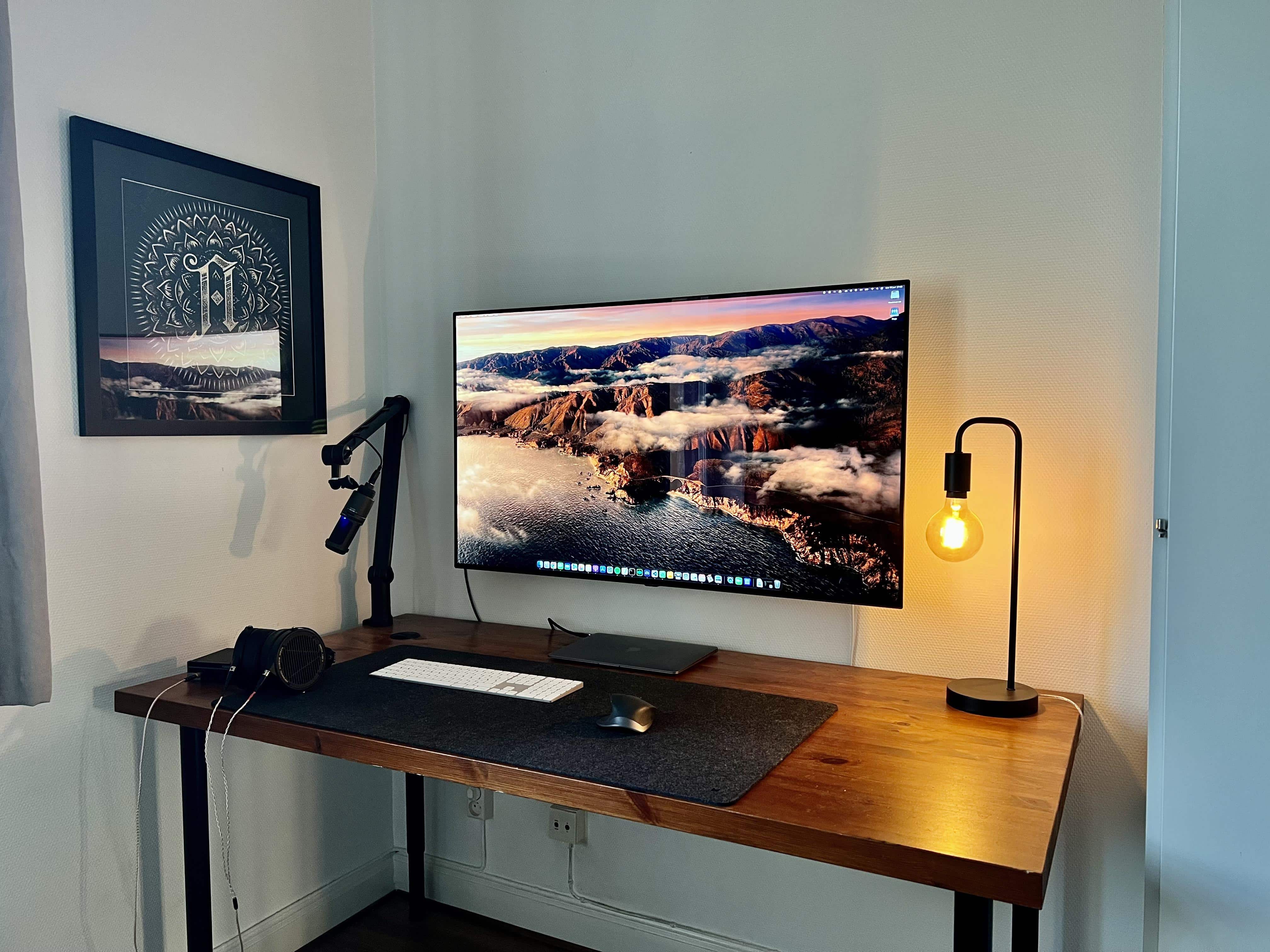
Will you rue the day you choose the wrong color peripherals? Will you ask strangers on social media to help you fix the problem? The owner of today’s striking M1 MacBook Air-based computer setup did just that.

But if you ask us, they could just take solace in the setup’s strengths. Those include an epic OLED smart TV and some top-shelf, professional-level audio gear, plus a cool Edison desk lamp.

But we’ll share some good advice we saw about the keyboard issue. Read more below.

Try these 6 great utility and productivity apps for Mac

By

Many apps can make using your MacBook or iMac even easier, as well as more productive.
Photo: Apple

Want more out of your Mac? These six suggestions for solid software are presented by our friends at SaaSGenius.

Though many of us associate the wide world of apps with our iPhones and iPads, they’re crucial for making the most of your MacBook or iMac, too. The best Mac apps can help you expand on your Mac’s capabilities in fun and interesting ways.

Macs are famously easy to use, but great apps make them even easier. And the right apps can jack up your productivity, too. Sometimes the only trouble is finding the best ones.

The list below covers some of our favorite apps to install on a new Mac. Some are free in the App Store (available in your Mac’s Dock or under the Apple menu at top left of your screen). Others you can download from developers’ websites.

Father’s Day Sale: Get 20% off and other deals on Apple accessories

By

SwitchEasy MagPower 4-in-1 Magnetic Wireless Charging Stand with devices
Wireless charging is easier than plugging in a bunch of cables every day.
Photo: Adel Neal/Cult of Mac

Father’s Day is the time to show your appreciation for dear old dad — or hip young dad, as the case may be. Maybe he’d appreciate accessories for his beloved Apple products. The Father’s Day Sale in the Cult of Mac Store features a great selection of deals!

For starters, Laut is offering a buy-one-get-one-free deal on its wide array of accessories, including iPhone and AirTag cases, Apple Watch bands, laptop stands and much more.

See below for many more discounts on great gifts. You can get 20% off a huge number of items.

Apple marks Juneteenth with artist’s iPad Pro illustrations

By

To celebrate Juneteenth, artist Ajuan Mance is revisiting “The Ancestors’ Juneteenth,” a series that depicts historical Black figures in present-day settings.
Photo: Apple

In the run-up to Juneteenth, which takes place on Sunday, Apple showcased an artist Friday who created a series of digital drawings with iPad Pro and Apple Pencil.

The series, by Juan Mance, celebrates and chronicles Black figures throughout U.S. history, putting them in modern contexts.

New 5-in-1 USB-C hub brings ports to the front of your iMac

By

The new Anker 535 puts five ports on the front of your iMac.
Photo: Anker

Anker targeted a pet peeve of some iMac users Friday when it introduced a USB-C hub that puts useful ports on the front of the machine. The desktop’s own hubs are on the back, which not everybody likes.

The company designed the new 535 model, a 5-in-1 USB-C hub made of metal, specifically for the 24-inch M1 iMac, though it also works with other iMacs.

And you can get it at a launch discount. See below.

Got vinyl? New turntable streams high-quality sound over Bluetooth.

By

Great record-player sound over Bluetooth? Yes, according to Cambridge Audio.
Photo: Cambridge Audio

Cambridge Audio just released a new turntable that can play vinyl records the old-fashioned way or over Bluetooth, streaming audio wirelessly to speakers, headphones or amplifiers.

The new Alva ST follows the company’s Alva TT, which the world’s first aptX HD Bluetooth turntable.

And the Alva ST uses the same codec technology for high-quality sound — the kind that until recently could only be had through wires.

Mac mini rig’s monster monitor pushes standing desk to limit [Setups]

By

That 38-inch monitor is almost too much for the standing desk to handle.
Photo: [email protected]

In a world of ever-increasing monitor sizes (and weights), you need a pretty tough, supportive desk — especially if it’s a motorized one for sitting or standing. Otherwise, the whole thing might wobble all over the place under the combined, imbalanced weight of your fabulous gear.

Today’s featured Mac mini computer setup copes with an electric desk that struggles under the weight of a behemoth of a curved ultra-wide monitor.