Mobile menu toggle

Charlie Sorrel - page 155

Leather Ouija-Board iPad Case

By

ouija.jpg

Hello? Hello? Is there anybody there?

True story: When my mother was pregnant with me, she and her friends got together to do a Ouija board. The story goes that the glass moved around, and then smashed. My mother told everyone that they should finish things up properly, and “put the spirit away,” or some such thing.

They laughed, and ignored her. Over the next few weeks, everybody present at the séance had an accident. My mother fell out of her car while leaning out the door to reverse. Luckily, her hair was styled in a bun, which cushioned the impact.

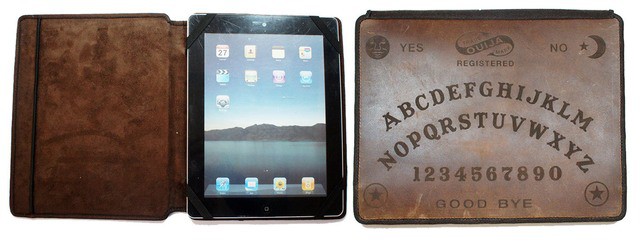
Did this make me superstitious? Nope. In fact, the first thing I thought when I saw this Ouija Book Cover Case (€66 or $87) from Etsy maker Joe V was “if you’re able to look into the future and communicate with the other side, Mr.V, then why the hell is the screen of your iPad so scratched up? Surely you should have seen that coming?”

Skepticism aside, the leather book cover looks like the perfect Christmas gift for Cult of Mac’s own resident mysticist John Brownlee aka. Dr.Crypt. Or should I say “pagan midwinter fertility-festival gift”? The hefty tome is etched with the alphabet, numbers from one to zero and — of course — the words “yes” and “no.” Thus equipped, our hard-working editor will be able to check up on us minions without even entering our Cult of Mac chatroom.

“Will Charlie finally write a serious post?” he will chant in monotone, as the empty diet Coke can moves all by itself over to “no,” yet again.

“Whose post will get the most page views next week?” he will continue, and the can will scrape drily across the leather towards the letter “B.” Then, as it slides down and right towards the “U,” Dr. Crypt will hurl the can aside in petulant frustration. “Damn you, Buster Heine,” he’ll shout, “Damn you and your interesting, reader-friendly posts!”

Then, as Mr. Brownlee’s harsh words float down onto the aging cowskin, something happens on the other side of the country. As Buster picks up his morning beverage and relaxes with his iPad to read the news, the air suddenly grows chill, and the screen doors start to flap and slam in the rising breeze. Buster looks up to see the livid, contorted face of his editor swirling in the mists now whipping in through the open windows. He starts, and the iPad slips from his hands, cracking the screen in one corner.

If only he’d had it in a sturdy, witchcraft-proof case.

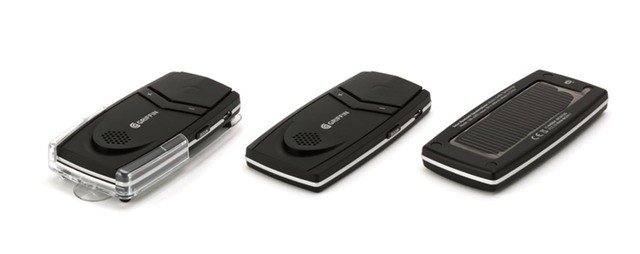
Solar-Powered In-Car Hands-Free Bluetooth Speakerphone

By

griffin-smarttalk-solar.jpg

Some combinations are so obviously good when you see/hear/taste them that you wonder why they haven’t existed forever. Of course, some *have* been around for that long.

Just 6,000 years ago, when the universe winked into existence, the Lord blessed us with such holy wonders as apple pie (or apple crumble in the King James bible) and vanilla ice-cream; Dungeons *and* dragons; and of course hurtling, death-dealing two-ton automobiles and chronically distracted drivers.

Now we can add another devine device to that list: the solar-powered hands-free speakerphone.

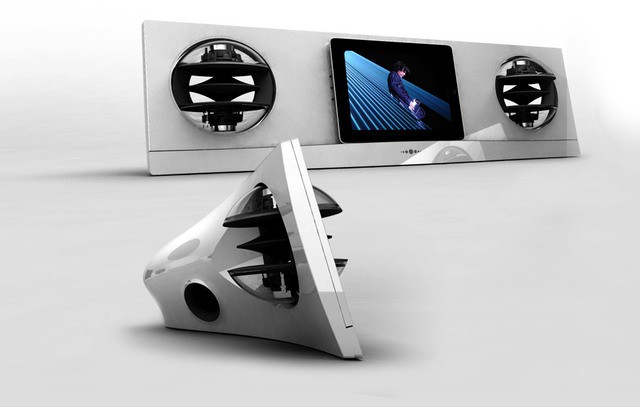
Jean Michel Jarre’s iPad Speaker Dock Is More Spectacular Than His Light Shows

By

jarre-ing.jpg

Jarre-ing

Jean Michel Jarre might be laying off the lasers, the lightshows and the spectacular outdoor concerts, but he’s not letting his 63 years catch up with him: he has simply switched his ostentatious attentions to high-end iPhone and iPad docks.

The latest is the AeroPad Two, a 30-pin dock connector-equipped behemoth of a home stereo which could probably shake your house to pieces.

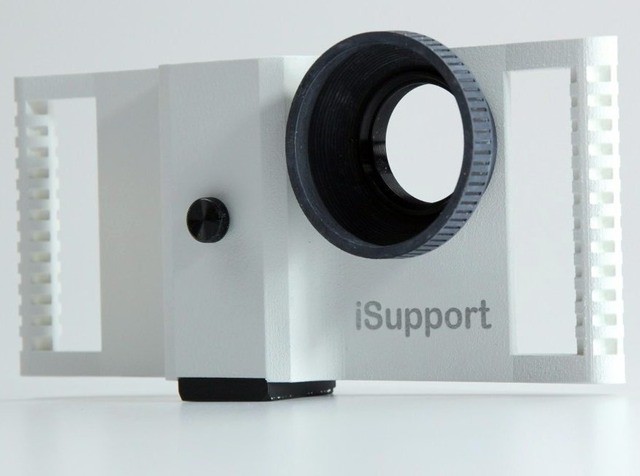
iSupport iPhone Filmmaking Rig

By

isupport.jpg

The iSupport is yet another way to connect you iPhone to a mountain of movie gear

Warning. I’m about to write about yet another iPhone camera rig adapter. I will continue to do this, over and over, until somebody makes a case which makes it easy for me to shoot photos with the iPad 3. If you want me to stop, then all you need to do is whip something up on Kickstarter.

Today’s adapter is the iSupport, a heavy-duty (yet light at 6 ounces) case which covers the iPhone 4/S and makes it a whole lot easier to use for shooting video.

How Large Format Cameras Are Made [Video]

By

cult_logo_featured_image_missing_default1920x1080

Let’s play a quick game of word association. I’ll write a word, and you say whatever pops into your head (feel free to put on a Bluetooth headset and yell out your answers if you are in a public place — everyone will be totally impressed):

iPhone.

Curtain.

Wood.

Tripod.

iPad.

If your response to the last word — iPad — was “large-format camera,” then what we have ourselves here, ladies and gentlemen, is a segue. An awkward, forced segue that leads us right to this video showing just how a large format camera is made.

Screeshot Journal Is Like iPhoto For Your iOS Screenshots

By

IMG_1705.jpg

The world's greatest screenshot

Screenshot Journal was created “with iOS designers and developers in mind,” but it is useful for anyone who takes a lot of screenshots. For instance — and I’ll pick a completely random example here — tech bloggers.

The (universal) app does one thing: gather all the screenshots from your camera roll and organize them for your viewing pleasure.

Skech’s Slim And Stylish Custom Jacket For The New iPad [Review]

By

skech-cj-1.jpg

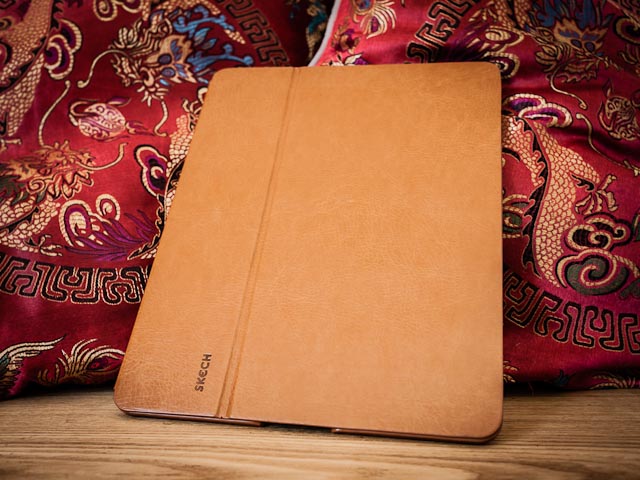
It might look like leather, but no animals were harmed in its production. Photo Charlie Sorrel (CC BY-NC-SA 3.0)

Until I took delivery of the Don’t Panic iPad case this week, this Custom Jacket from Skech has been my new favorite iPad case. It looks like leather, but is in fact artfully textured (and fully vegan) plastic, it holds the iPad tight and safe, and it weighs next to nothing. It also look pretty damn good.

Let’s take a closer look.

Brydge, The $200+ Keyboard Case For Your iPad

By

cult_logo_featured_image_missing_default1920x1080

Oh, man. Today is totally turning into Kickstarter day here on Cult of Mac. The latest accessory from everybody’s favorite crowd-funded idea factory is the Brydge, another keyboard case which will turn your iPad into a miniature MacBook Air-a-like.

This case has a little twist, though. Instead of offering an entire laptop-shaped shell into which you can drop the tablet, it has a clever hinge which holds the iPad and uses it as the entire lid of the clamshell case.

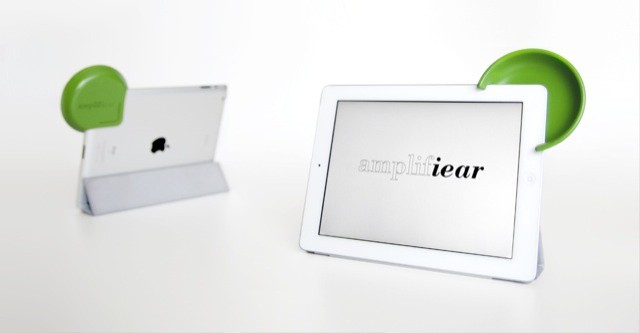
Amplifiear Might Just Fix The iPad’s Awful Speaker

By

I'm all ears
I'm all ears

I don’t hate the iPad’s speaker as much as I used to. The rear-firing grille on the iPads 2 and 3 doesn’t sound that bad if you lay the iPad face down and let it blast its vibrations straight at you. But as most of us use the iPad to watch movies, or to listen to music while reading, this adequate-sounding speaker simply sends its sound off into the nothingness, hoping that a nearby wall might reflect a little of it back to your ears.

My current answer is a battery-powered Bluetooth speaker, but that’s battery powered. And heavy. The Amplifiear, on the other hand, is lightweight and requires no power.

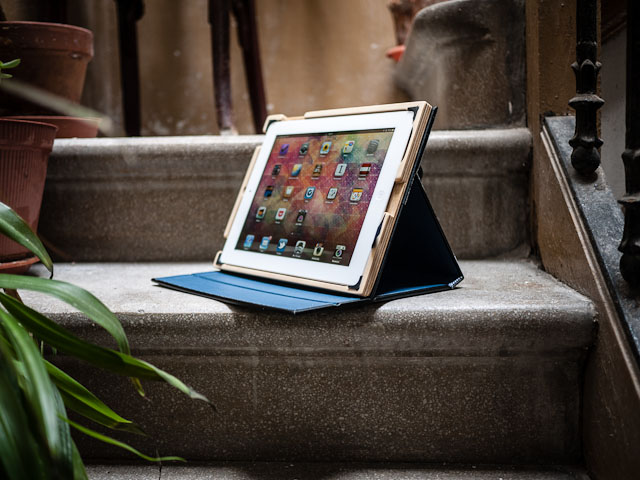
Tough, Lightweight iPad Cases For the Minimalist Hipster

By

The Bowden and Sheffield cases are tough and stylish

Imagine the scene: You are a student in England, living in a broken-down house further broken down into noisy, thin-walled apartments (or “flats,” to use the local term). One of your junkie friends has sold you a (totally legit, honest) iPad for just £50, and you need somewhere to stash it for both security and protection.

You look around your decrepit kitchen and see a chipboard door hanging from one of the cupboards. You rip it off and attack it with a saw, screwing and glueing until you have a sturdy box for your non-stolen tablet. To close the hole in the top you pull the artists beret you’ve recently taken to wearing from under a pile of dirty laundry and cut it to fit over the gap. Behold! An iPad case.

But what to do next? If your name is Eric Rea, you quickly form a company called Fine Grain, open up a Kickstarter project and start hawking your new invention under the name “BOWDEN + SHEFFIELD Minimalist iPad Cases.”

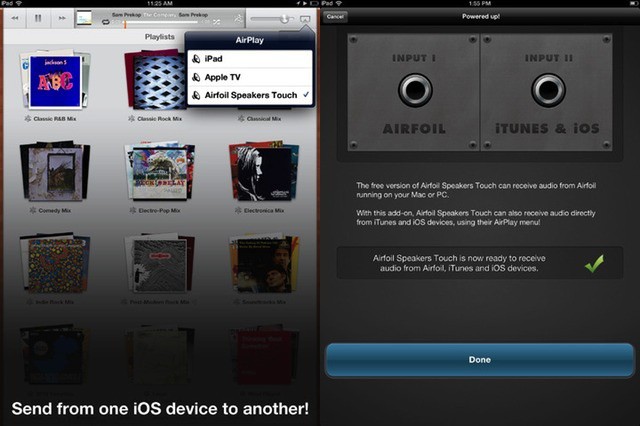
AirFoil Speakers Touch 3 Adds Native AirPlay Streaming

By

AirFoil now has full iPad Retina support along with AirPlay streaming

Rogue Amoeba’s AirFoil started out as a way to stream any non-iTunes audio to your AirPort Express mini-router, back when AirPlay was still called AirTunes. Then it was expanded with a free iOS app which would let you stream music from AirFoil on the Mac to AirFoil on your iPod or iPhone, handy for hooking up to a stereo.

Now we have AirFoil Speakers Touch 3 for iOS, and it adds in proper AirPlay support, letting you send music from pretty much any iDevice you own.

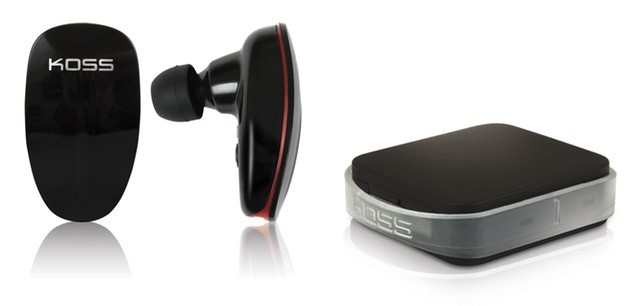
Koss’s Striva Headphones Stream Internet Radio Direct

By

No matter how hard I try, I can't get enthusiastic about these white elephants

You know how many tech companies strive to make our experience of their products easier and more transparent so that — in the case of things like the iPad — the product disappears and lets us enjoy whatever it is that it does?

Koss didn’t get that memo, and has launched Striva, an “initiative” which takes something as simple as a headphone and makes it as complicated as an old-school router.

Pad&Quill’s Moleskine-Style iPad Cases Keep Getting Better [Review]

By

pad-and-quill-contega-octavo-5.jpg

The Contega adds some real flexibility to the bookbindery case design. Photo Charlie Sorrel (CC BY-NC-SA 3.0)

In theory, there are two players in the bookbindery iPad case market: Pad&Quill and Dodocase. But that’s a little like saying that there are two players in the tablet market itself: iPad and (snicker) Android. Technically it’s true, but the difference in real life is huge.

Sure, Dodocase makes a nice lightweight case, but it is pretty much the same one it launched a couple years ago. Pad&Quill’s cases, on the other hand, have just gotten better, iteration by iteration. Just like Apple’s products.

The latest are the Contega and Octavo cases for the iPad 3, and they pack a surprising amount of tech into such a traditional design.

‘Props’ Turns Earbuds Into A Redundant Technical Necklace

By

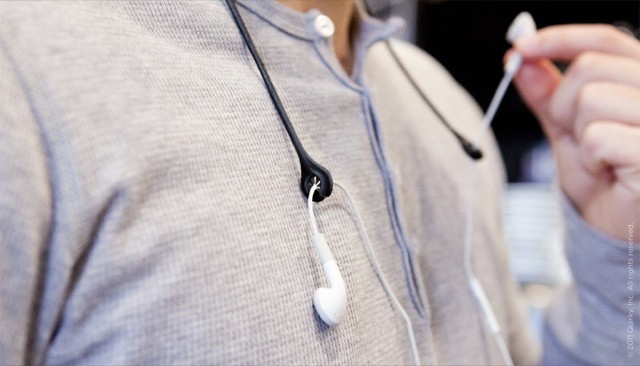
Man-jewelry that's as useless as real jewelry

There appear to be a few ways to stop your earbuds from dropping to the floor when you unplug them from your waxy canals. One is to just run the cable from the iPhone/iPod in your front pants pocket up through your shirt/t-shirt/muscle-vest and out through the neck hole. Pop out the earbuds and there they dangle. This is so easy and well-known that even clueless teenagers can manage it.

The second method, I have just discovered, is to use the Props from Quirky.

What’s The Worst Place You Could Stash A Stylus? This iPhone Case Has The Answer

By

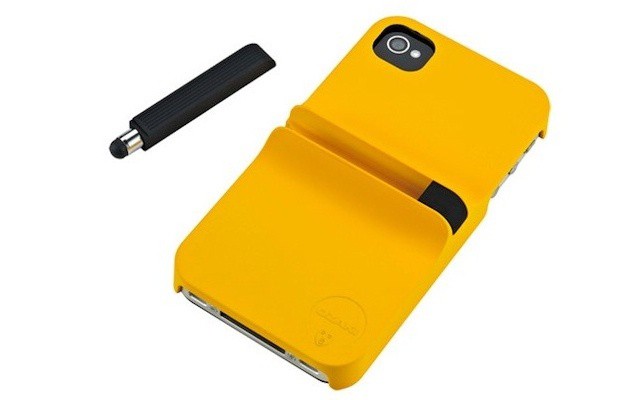
This might be the least practical iPhone case I have ever seen

The Ozaki iCoat Finger Case turns your iPhone 4/S into a see-saw, or teeter-totter. Kidding! While it *does* do that, it also protects your phone whilst storing a tiny, stubby stylus on its back. This design not only makes it awkward to hold the phone while in the case, it also stops it from fitting into pretty much any pants pocket or sleeve designed to accommodate even an iPhone already inside a case.

We Want This Cardboard IKEA Camera

By

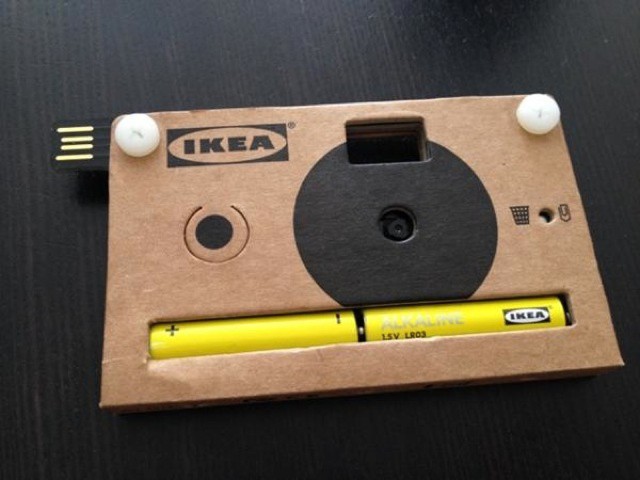
The instructions on this camera look easier to follow that the usual IKEA manuals
The instructions on this camera look easier to follow than the usual IKEA manuals

Is IKEA getting into the camera market? After all, it already announced that it’s going to sell TVs. Or is this cardboard camera just another piece of set dressing, like the fake books, fake computers and fake meatballs found in the Swedish giant’s labyrinthine stores?

Google Drive Terms Of Service Let Google Do Whatever It Likes With Your Files

By

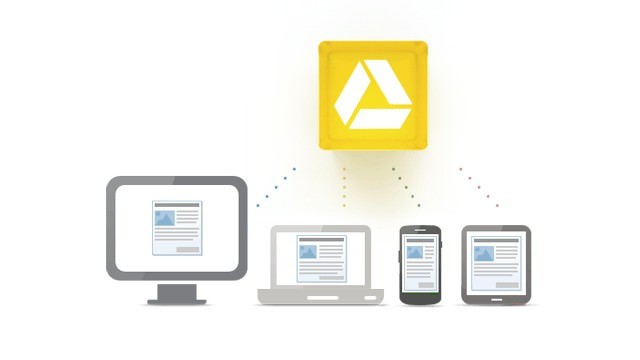
Store a file in your Google Drive and you grant Google a license to do anything with it
Store a file in your Google Drive and you grant Google a license to do anything with it.

Yesterday, Google launched the near-mythical Google Drive, a 5GB Dropbox alternative with some impressive features: OCR and searching of the text in even scanned documents, (searchable) image recognition in photos, and integration with most of Google’s other services.

But there’s something else hidden in Google Drive which may make you think twice about using all these wonderful new toys: The rather scary terms of service (TOS), which gives Google a license to use all of your stored documents and photos for pretty much whatever it likes.

DIY Grid Spot For All You Flash Photographers Out There

By

3369934532_c628f6456b_z.jpg
This DIY grid spot looks as professional as a store bought one. Photo Jeff Vier (CC BY-SA 2.0)

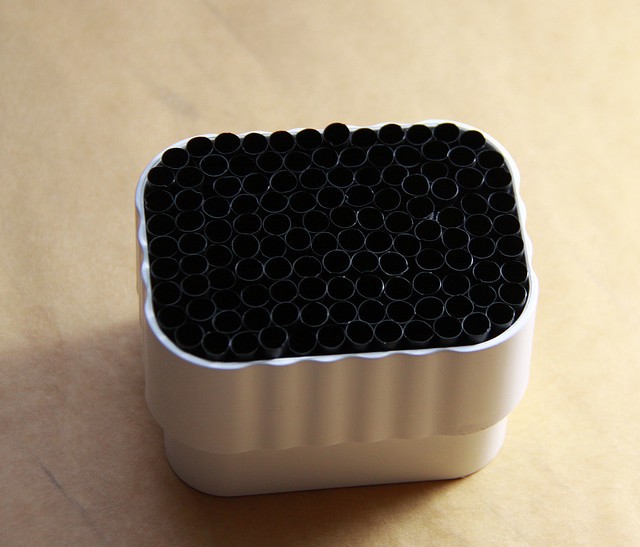
On of the funnest* things you can do with off-camera flash is to modify the light. This might mean squirting it through a “snoot” (some kind of tube or cone which focuses the light into a tight beam), reflecting it from a colored, uh, reflector, or firing it through a giant soft-box.

Or you can use a grid spot, an excellent tool for pointing your light at one single spot, far away, with a sharp fall-off into shadows at the edges. Sound expensive? It can be, unless you steal some drinking straws from your local fast food emporium and follow along with this how-to.

BeatBlaster Turns Your iPad Into A 1980s Stereo System

By

cult_logo_featured_image_missing_default1920x1080

Do you yearn for the time when your music required a hulking great box to play it? When that music came not in convenient playlists but separated out onto various discs and mechanical cartridges (aka “tapes”)? Do you wish to relive those wonderful days of the Midi System, the Mini System and even, back in the depths of the 1970s, the Music Center?

Then you’re in luck. By applying the latest in touch-screen technology and cutting edge software design, you can now have all the inconvenience of old-school recorded music rendered with the convenience of multi-touch. Behold: The BeatBlaster.

Dark Sky, A Gorgeous Weather App Predicts The Next Hour’s Rain

By

dark-sky-ipone-weather-app.jpeg
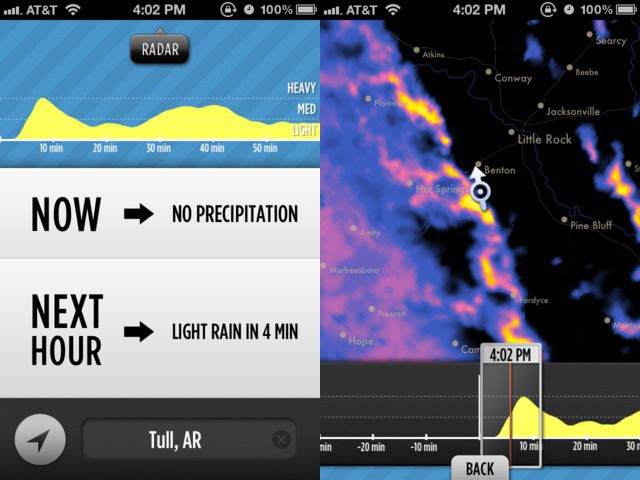
For a few people, Dark Sky is going to be the most useful weather app ever

As an Englishman, I know all about rain. I’m intimate with sleet, drizzle, and driving rain both horizontal and vertical. I know about rain that slowly soaks you even though it seems that none is falling, about freezing rain that stings as hard as hail, about the rain that seems to ignore your umbrella and creep into even the best-sealed seams of your clothes.

Other countries might have spectacular monsoons, or driving rainstorms that flow for days, but for variety and ubiquity of precipitation, it’s hard to beat the British Isles. Which is why I’m sad that Dark Sky — an app that predicts the rain forecast for the next hour only — currently only works in the continental United States.

Huge 11-Pound Nikon 6mm ƒ2.8 Fisheye Lens Goes On Sale

By

Fisheye-6mm-28-001.jpeg

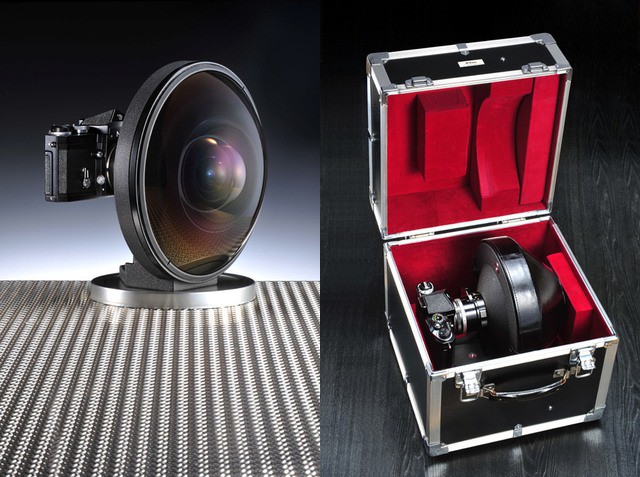
This is probably the least practical lens the world has ever known

FOR SALE>£100,000 ($161,000): 6mm ƒ2.8 Fisheye-Nikkor

That’s what you’ll see at the top of Grays of Westminster’s used Nikon manual-focus lens listings. The London dealer has gotten its hands on this incredible chunk of glass, a 5.2-kilo (11.5-pound) mountain of a lens that makes the camera behind it look like a vestigial tail.

See Nikon’s WU-1a Wireless Adapter Beam Images To A Phone [Video]

By

post-162645-image-2504682a69e0570e8ee2c345f08465c5-jpg

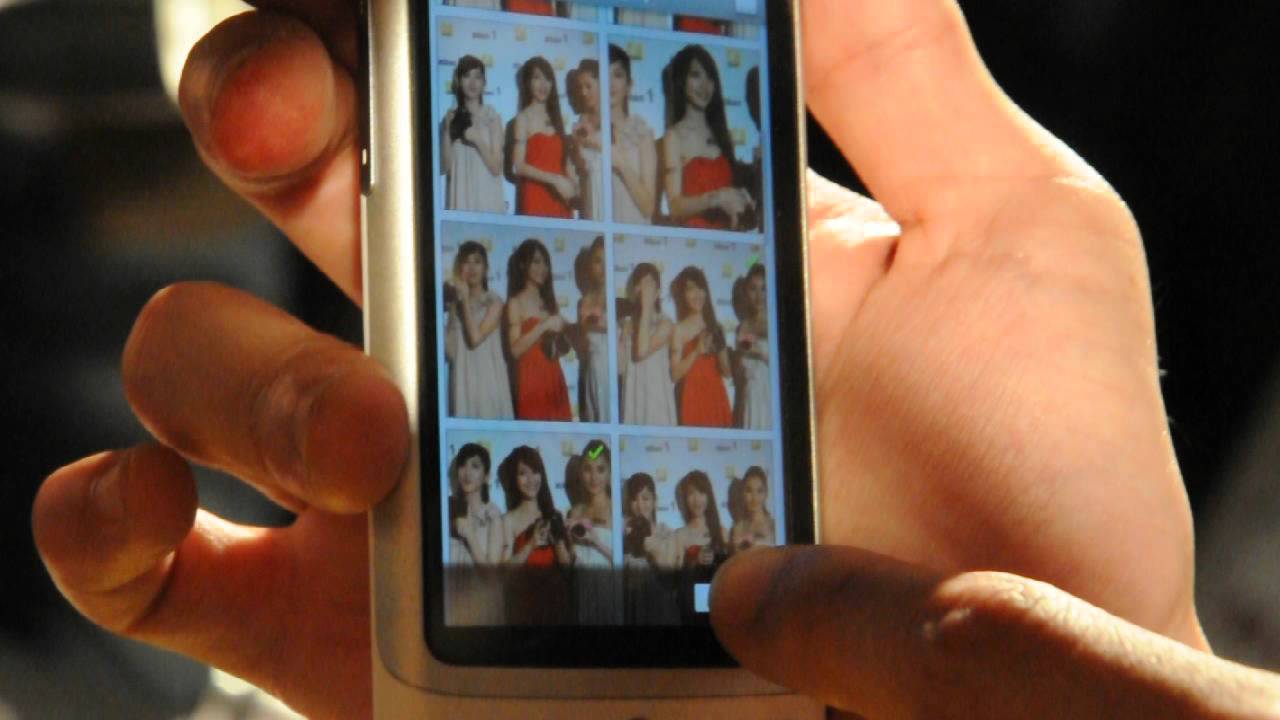
The most exciting part of Nikon’s [D3200 announcement](https://www.cultofmac.com/161700/new-nikon-d3200-slr-connects-to-ipad-over-wi-fi/) was the WU-1a (Woo-la!) Wi-Fi adapter, a dongle which hangs annoyingly out of the open side hatch of the SLR’s body and allows for wireless communication with a smartphone. An iOS app is promised later this year, but above you can see a demo of the Woo-la in action with an Android handset.

Photogene For iPad Adds Retina Support, New Filters

By

20120423-130924.jpg
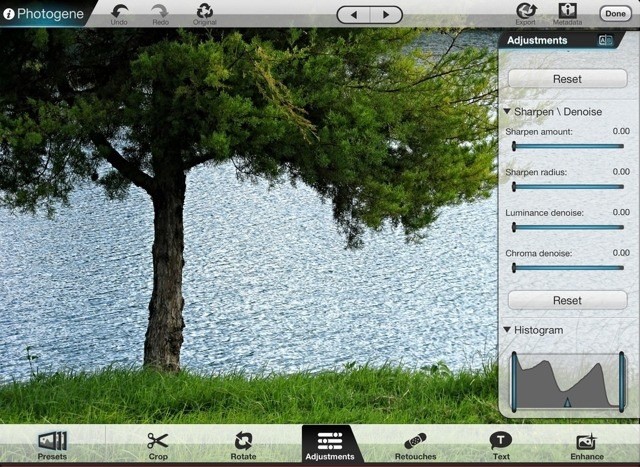
Photogene is like Lightroom and Photoshop rolled into one. Now with Retina support

Photoshop Touch is a great iPad app, but it’s tightly focused on quickly gussying up your images and sharing them to the Facebook. To replicate the desktop Photoshop experience on your iPad you need to go somewhere else, and for me that “somewhere else” is Photogene, which this weekend was updated to v3.4. There are a few other additions, but the main new feature is compatibility with the new iPad’s Retina Display.