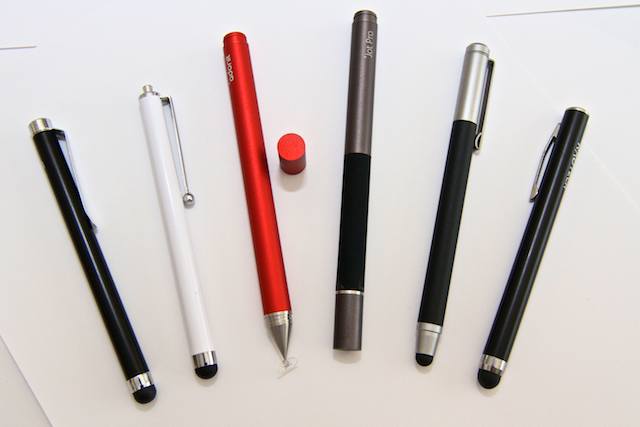
Kosella think they have a slick new way to make stylus tips: Instead of using the rubbery tips of most styli, they’ve figured out a way to use a fabric tip that has tiny metal filaments woven into it in order to make it conductive.
From left to right: Griffin Stylus, Targus Stylus, Adonit Jot, Adonit Jot Pro, Wacom Bamboo Stylus, RadTech Styloid Plus+
The iPad’s screen apparently wasn’t designed to be sullied with anything other than human fingers. there’s an oft-refferred to quote from Steve Jobs saying as much: “If you see a stylus, they blew it,” referring to other touch-screen designs that rely on the stylus.
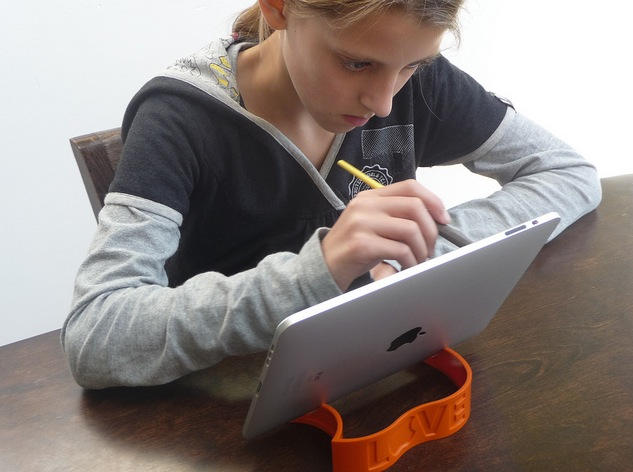
But we don’t always use Apple’s gadgets the way Apple intends. Most of the time, sure, we stick to the script, because the damn things are so well designed that any deviance ends up as a fool’s adventure. Using an iPad with a stylus, however, isn’t foolish. Whether or not you use one — to scrawl notes, draw, paint, as a way of circumventing long fingernails or just ’cause you like it that way — styli (or styluses, depending on your preference) are here to stay. Here’s a by-no-means-exhaustive showdown between a few picked off from the herd. All these styli are, of course, capacitive, which means they conduct bio-electricity from your hand, down the shaft and onto the screen.
"Il Pensatore," by Matthew Watkins, one of the MobileCon organizers, with Brushes app on iPad.
The iAMDA (International Association of Mobile Digital Artists) is gearing up for the second MobileArtCon taking place at the New York University’s Interactive Telecommunications Program (ITP) and other big apple locations, September 30 – October 2.
Lost in the hoopla of Apple’s WWDC software revelations this week — from iMessage, to iCloud, to iTunes Match — has been coverage of what may prove to be the company’s most enduring revolutionary influence, which is the one it’s having on the Art world.
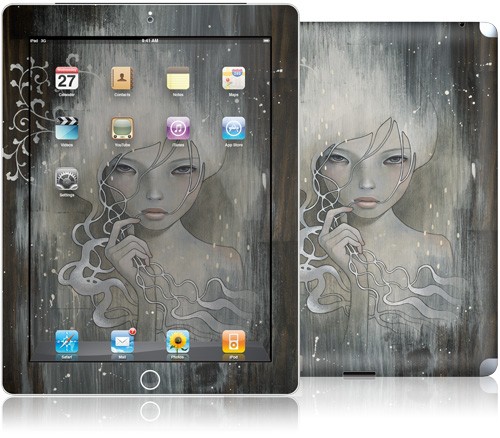
Leave it to Gelaskins, makers of some of the best looking protective “covers” for electronic gear on the market today, to have nearly 300 choices for personalizing your iPad2 already in stock.
Much of the artwork available for these striking gear condoms (printed on feather-light, flexible space-age material invented by 3M) is intricate, busy and wild — taking away, in some eyes, from the elegance of Apple’s iPad design.
Here, for readers’ consideration, then, are a dozen creations of a more subtle bent, which tend to both command one’s attention as artwork, while supporting a showcase for the latest iteration of Apple’s post-PC mobile communication platform.
Each iPad2 skin sells for $29.95 through the Gelaskins website, where you can see the whole mind-blowing collection — along with their vast inventory of skins for other devices.
SAN FRANCISCO, MACWORLD 2011 — Given the explosion of visual art inspired by mobile devices running Mac iOS and apps developed to help artists create work on them, it came as a bit of a surprise to see the way Macworld organizers chose to display digital art at the 2011 Conference and Expo.
The Expo’s art was placed in “digital art galleries” displayed on 27″ Samsung wide-screen TVs housed in unobtrusive kiosks, dispersed in the cavernous hallways of the 2nd and 3rd floors, where only a portion of the conference’s attendees — media personnel and those who purchased something other than Expo Only tickets — was likely to see it.
This is curious in the light of recent attention given to the digital creations of artists producing work on the Mac platform, which in years past could be seen framed, on brightly-lit wall space, in the middle of well-trafficked concourses.
Click on images in the gallery above to see artist and title information, as well as the curious distortion effects rendered in iPhone photographs of art (made, in many cases, ON iPhones) displayed in a digital TV slideshow.
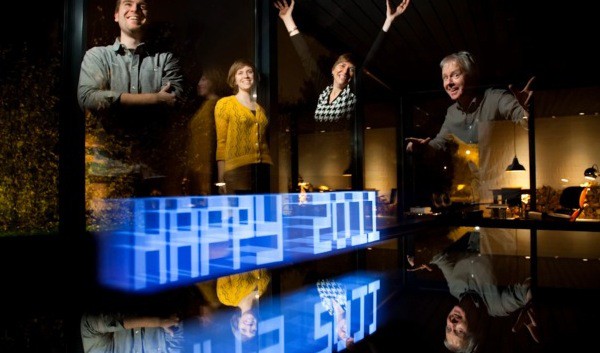
If you saw our previous posts about light painting using an iPhone or iPad, you’ll enjoy this brief video demonstration of how to make a very cool New Year greeting.
The lightpainting was done using Penki, an app developed by the people who sparked off this idea in the first place, Dentsu London/BERG.
All that’s needed in addition is a ruler, a camera with a flash (for the portraits), and a shiny table. And perhaps a few rehearsals to get the timing right. There’s a pile more lightpainting images in the Penki Flickr pool, if you feel the need for some further inspiration.
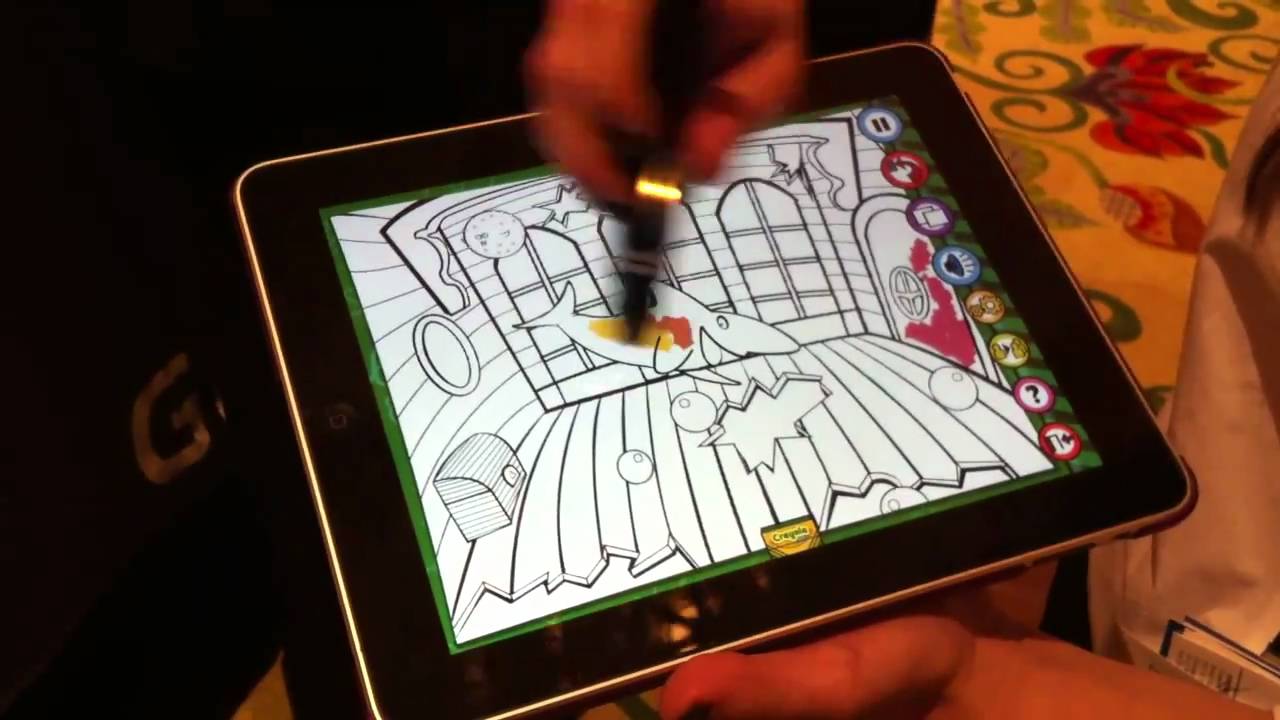
LAS VEGAS, CES 2011 — Griffin Technology‘s new Crayola ColorStudio HD ($30) evoked so many bubbly noises while it was being demo’ed you’d think CES had become a popular 3rd-grade field trip destination. And if the fun little gadgapp (yeah, I know, see below) can make a bunch of jaded tech journos grin, you know it’s going to be a huge hit with the kids.
The app works with what’s essentially a jumbo stylus that paints color on the screen in a selected color. Parts of the page are animated, and those animated pieces can be colored in without the color bleeding over the lines. Finished pages can be emailed, uploaded to Facebook or printed.
Oh, about the “gadgapp” thing: So, this year’s CES seems indeed to be the year of the app-enhanced accessory; problem is — as my lamentably lame attempt demonstrates — we can’t seem to come up with a not-dorky term to concisely encapsulate this rapidly emerging new category of gadget. But we think our readers are sharp bunch, and we’re certain one of you can come up with something better. We”ll be announcing some sort of competition with prizes next week, be on the lookout.
No word on whether Jobs plans to attend the three-month show. “I am not sure whether he’s even aware of the show opening in Palo Alto,” said Tompert. “But who knows.”
The flocks of kids I always see clustered around iPads whenever I walk into an Apple Store suggest that kid + iPad = best new toy ever. Only problem is, really young kid + iPad also = anxious parent.
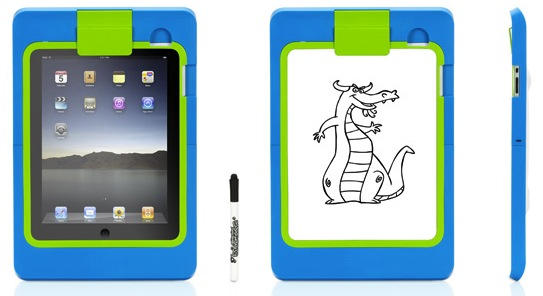
Griffin thinks it has a case + app combo to fix that. LightBoard is a shatter-resistant polycarbonate case that fully encloses the iPad (Including the screen, but with cutouts for the speaker and headphone jack) and doubles as a table. Then the free LightBoard Trace app superimposes traceable drawings through a piece of paper laid over the screen and held in place by a clip on the case.
Check out this awesome video of Kinect hacker Robert Hodgin manipulating the Kinect feed in realtime with Cinder, a C++ programming environment for creative projects. (Hodgin posted the source + OSX project here: https://code.google.com/p/ruisource/downloads/list)
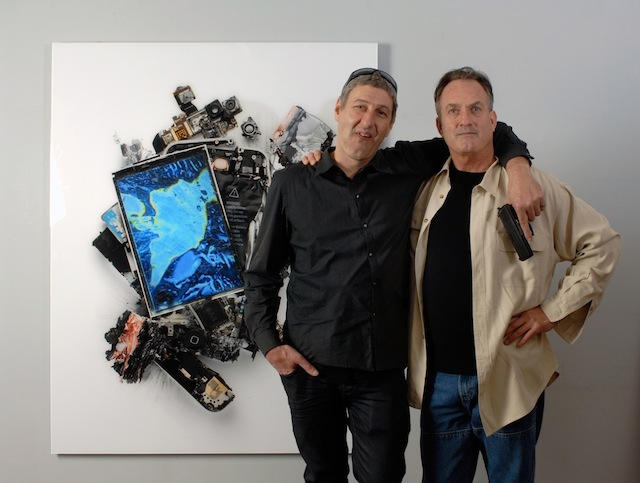
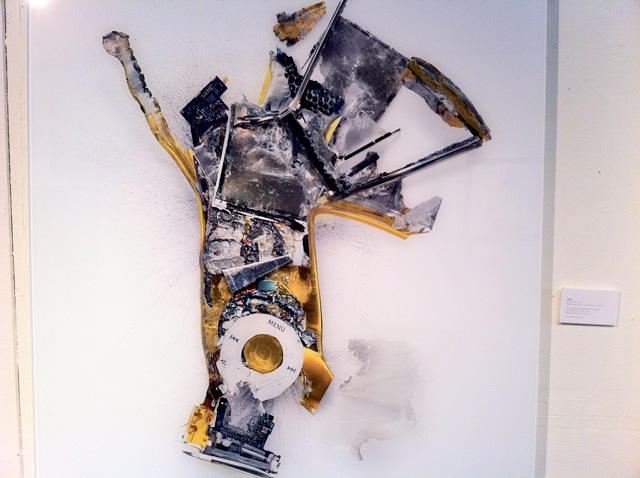
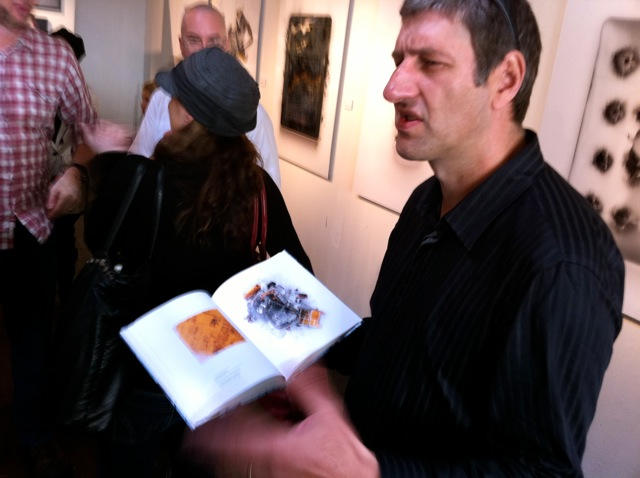
Artist Michael Tompert takes Apple’s products and wrecks them with blowtorches, sledgehammers, handsaws and handguns. His large-scale prints of the detritus are surprisingly colorful and beautiful.
“It’s an alternate viewpoint,” explained Tompert at a preview of his first gallery show, which opens in San Francisco today. “They’re beautiful inside. They’re beautiful when you open them up.”
At a preview last weekend, Tompert’s three kids sat on the floor playing with iPhones and iPod touches underneath their father’s artwork. The irony was lost on no one. In fact, it’s our obsession with Apple’s products that Tompert is commenting on.
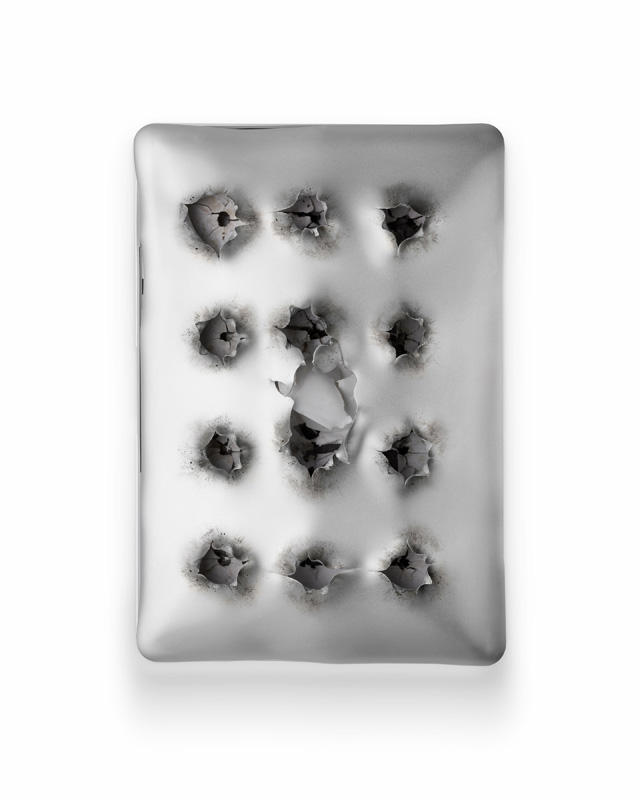
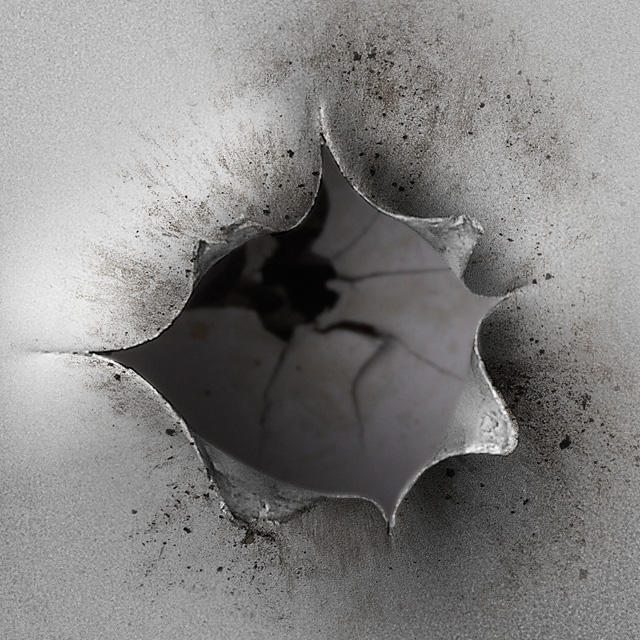
Feast your eyes on this beautiful gallery of Apple products destroyed in the name of art. The work is by artist Michael Tompert, whose show opens tonight in San Francisco. But you don’t have to be in California to enjoy the pictures. We have all 12 prints — plus detail shots — in the gallery below.
The photo above, called “Breathe,” shows a 2008 MacBook Air shot with a 9mm Heckler & Koch handgun.
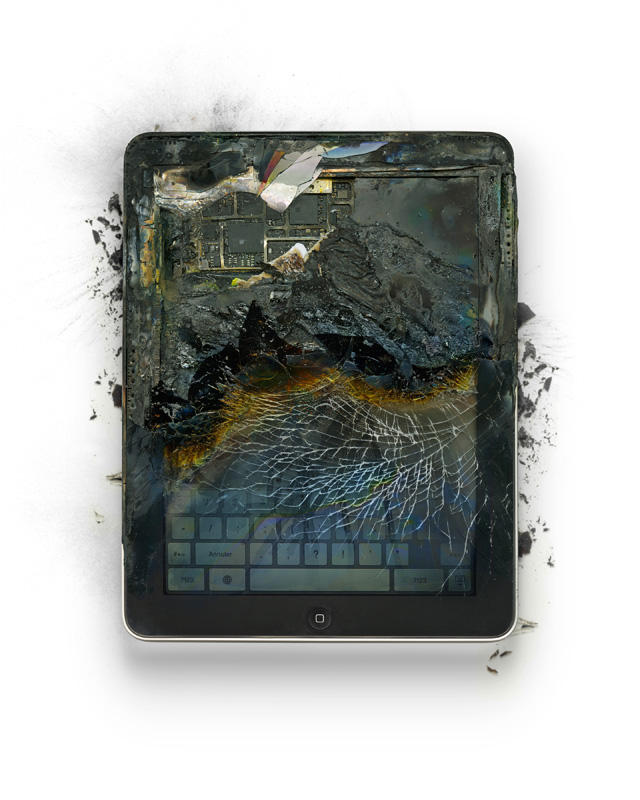
Artist Michael Tompert, who’s first exhibit of Apple-inspired artwork opens today, tried to destroy an iPad by hitting it with a sledgehammer.
“I hit it with a sledgehammer about 10 times,” said Tompert at a preview of his art show, which opens today. “It did nothing. It’s incredible. It was really, really hard to destroy.”
Instead, Tompert took a blowtorch to the iPad.
“I had to blowtorch it for 15 minutes until the inside boiled and it exploded from inside,” said Tompert.
This might be the ultimate nightmare Halloween mask in Redmond, Wa. Regular Cult visitors will no doubt have seen it alongside ads for CultofMac Editor Leander Kahney’s book, Inside Steve’s Brain. The illustration was crafted by graphic designer Dan Draper, who also rendered the uncannily close image of the new MacBook Air for our scoop on the MBA’s details.
A life-size image suitable for plastering over an actual face can be found at Draper’s flickr page. Heads up! Trick or iPod Shuffle!
If you fancy yourself as a bit of an iPad artist, you might like to grab yourself one or two of these Stylus Socks, now on sale for five dollars a pop on etsy.
Slip one of these socks over any pen or stylus-shaped object, and you’ll be able to use it to paint directly on your iDevice screen as if it were a paint brush.
Seller Ivo Beckers told me: “When the material arrived last week, I gave it to my daughter Esmée (10) who likes to sew clothes and bears with her aunt Esther. I gave them a Koh-i-noor pen holder as well for the fitting and they did a great job. It fits perfectly around the pen holder’s top and works amazingly smooth as a stylus for the iPad.”
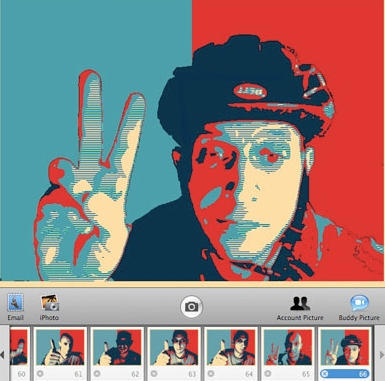
If you liked the red-white-and-blue look of the Barack Obama “Hope” poster designed by street artist gone viral Shepard Fairey, Dubi Kaufmann has made a plug-in for Photo Booth that allows you to “Obamafy” your photos.
With over 4,450 downloads and counting, just about any photo you pop into it will take on iconic status. Still, Obamafying yourself won’t get you elected. As Kaufmann says, the free app is “an exercise in pop culture and is not part of any campaign nor it is an endorsement for either candidate.”
Download zip file here, then expand it. Copy the file Obamafy.qtz to /Library/Compositions, then launch Photo Booth and enjoy the Obamafy plugin.
Artist Catherine Forster began examining the world through a microscope as a biologist, now she uses technology to talk about the world.
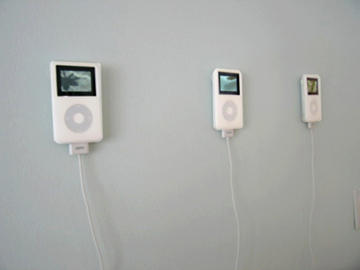
Her installation “Golden Oldies” features four silent videos inspired by pop songs (“Karaoke classics” she says) played on iPods.
These visual landscapes are inspired by “Tiny Bubbles” (Don Ho, 1966), ‘Under the Boardwalk” (Drifters, 1964), “Spinning Wheel” (Blood Sweat and Tears, 1969), and “Starry Starry Night” (Don McLean, 1971).
“Golden Oldies” was meant to be a humorous take on how people cut themselves off from the world by creating iPod retreats.
Right now, it’s part of a Biennial show in Kentucky, but Forster says the ongoing project include new videos from the 1960s to the 1990s. You can check out the videos up close from her site.
Aptly named “wowPod,” this giant interactive sculpture of an iPod was created by Russian artists Aristarkh Chernyshev and Alexei Shulgin. The working iPod (inspired by this model?) with the fun-house mirror effect must especially good for those Grateful Dead tunes.