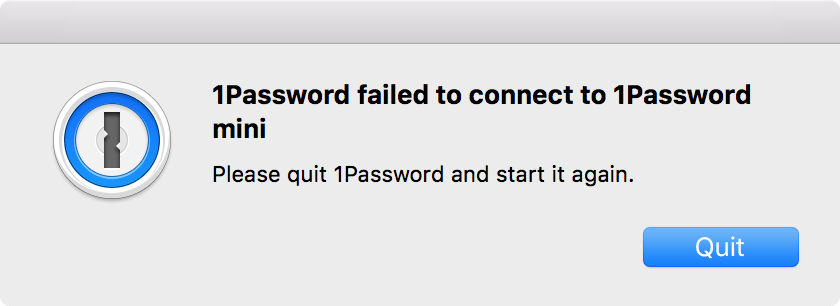
Several popular Mac apps began crashing over the weekend after their developer certificates expired.
The apps suddenly refused to open due to a change Apple made to its signing policy last year. Apple now requires that all apps from the Mac App Store have a valid provisioning profile that must be updated periodically.
Apple has always required apps to be certified so users can trust they come from a reputable source and won’t cause problems on their computers. In recent years, Cupertino has taken steps to prevent uncertified apps from running on Macs without permission from the user.
To bolster security even further, macOS apps now require a valid provisioning profile — like those on iOS. This tells your system the software has been approved by Apple and is safe to run, but it becomes invalid when a certificate expires.
Some developers found this out the hard way when their apps stopped working over the weekend as their certificates expired. Users found that affected software wouldn’t even open; it immediately crashed on launch.
“We knew our developer certificate was going to expire on Saturday, but thought nothing of it because we believed those were only necessary when publishing a new version,” explained AgileBits, creator of 1Password, one of the apps that suddenly stopped working. “Apparently that’s not the case. In reality it had the unexpected side effect of causing macOS to refuse to launch 1Password properly.”
Other developers that have been affected by this include Smile, creator of PDFpen, and Acqualia, creator of Soulver. Both have issued updates with new certificates that users will need to install manually to fix the issue.
“As the above suggests, the immediate solution for developers with potentially affected apps is to renew their code signing certificates before they expire,” reports MacRumors, which first spotted the issue.
“As you might imagine, we have a whole new level of understanding of the importance of expiring provisioning profiles and certificates,” said AgileBits. “Our new certificate expires in 2022 but I can guarantee you we will be renewing it far before then.”
Here’s hoping other macOS developers take note.

Killian Bell is a freelance writer based in the U.K. He has an interest in all things tech and also covers Android over at CultofAndroid.com. You can follow him on Twitter via @killianbell.


7 responses to “Some popular Mac apps fail as developer certificates expire”
I got paid 104,000 bucks in last twelve months by working from my home and I did that by working part time for 3+ hrs each day. I followed work opportunity I came across from company that i found online and I am amazed that i made so much extra income. It’s really beginner-friendly and I’m so thankful that I found out about this. Here is what i do… STATICTAB.COM/6x2fxzv
umm, so. If I bough an app in the Mac App Store, and the developer forgets or doesn’t renew his certificate, I end up with a broken app? Really? This is not iOS Apple, My App should work forever more until it stop, not because of a certificate
With this method, Apple can “guarantee” that there won’t be any type of malware app or junk app in the iOS store. Minor inconvenience for extra security.
Perhaps it’s a minor inconvenience for developers, but as a user I find this to be a significant and unacceptable disruption of my ability to use apps on my devices. When an app crashes on opening, it doesn’t occur to most users to obtain updated certificates. Even if it did, how many have any idea how to do so, and are they comfortable doing so?
well….I guess you are right about that…………but it shouldn’t occur again right? This issue only happened because the developers did not know about the side affect of not updating certificate.
I have made 104,000 thousand dollars in 2016 by working from my house and I did it by working part time for several hours each day. I used work opportunity I stumbled upon online and I am so thrilled that i made so much extra income. It’s really user-friendly and I’m so grateful that i learned about it. Here’s what I do… STATICTAB.COM/iyxniid
“Several popular Mac apps began crashing over the weekend after their developer certificates expired.”
Would have been nice if you’d identified some of the other apps, Killian. Yes, I know those who encounter the problem described above for 1Password will know soon enough, but why focus on just app in your article to the exclusion of all others?