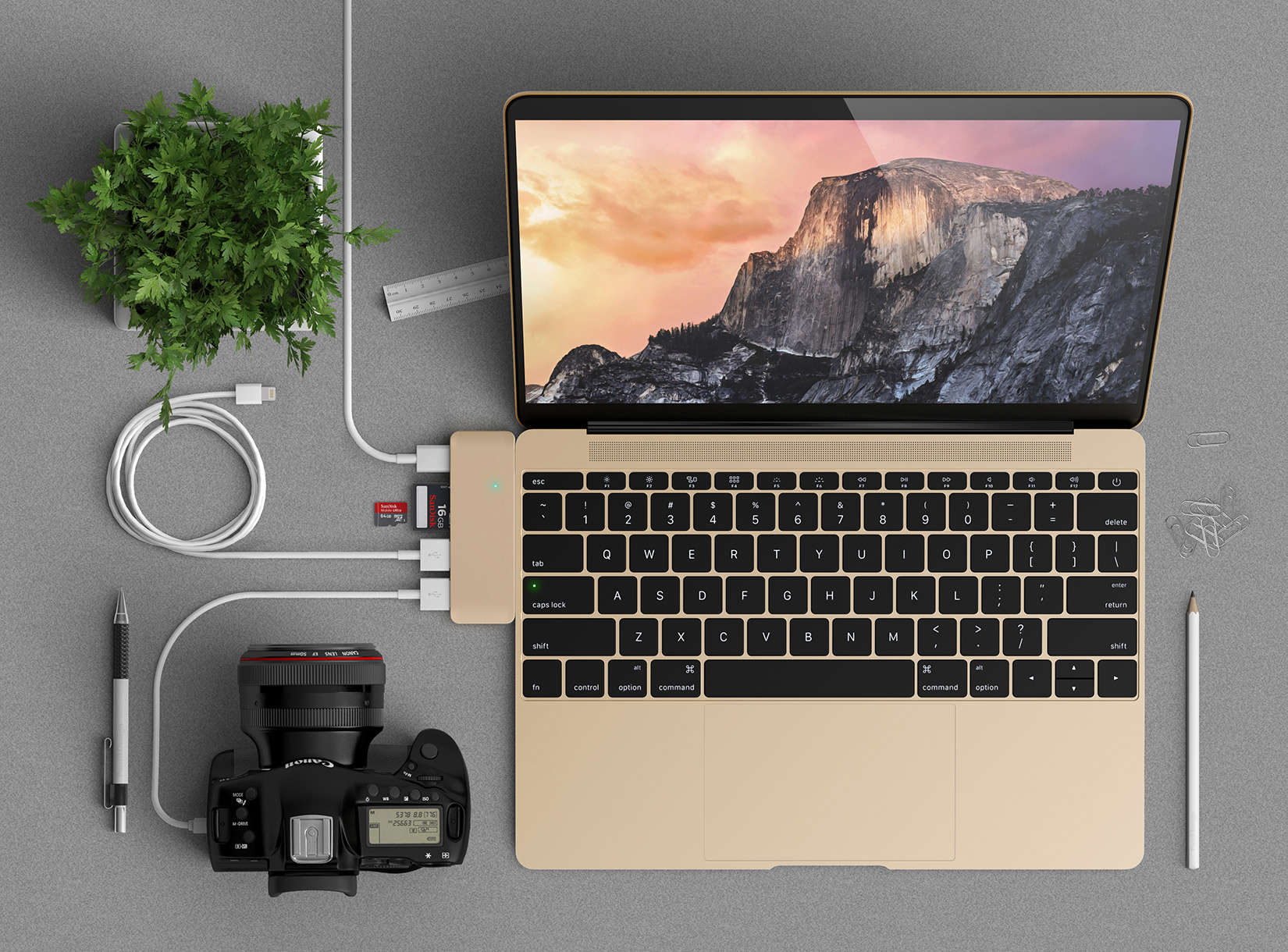
Allow yourself to bask in the glow of a brighter screen and the multifunction Touch Bar. But when the high subsides and you’re ready to order the new MacBook Pro, you will need to deal with a slight inconvenience: all those USB-C ports.
But because Apple prepared us for the new industry standard last year when it introduced a single USB-C port on the 12-inch MacBook, accessories companies responded with loads of affordable adapters that allow users to plug in peripheral devices.
USB-C allows for bi-directional power. The smaller ports mean devices can be designed to record degrees of thinness, like the new MacBook Pros Apple rolled out Thursday.
More and more devices across all brands are switching to USB-C, but because this chapter in technology is just now being written, users are going to have to put up with adapters to plug in media card readers, external hard drives, and HD video monitors. Or upgrade to wireless peripherals that sync to your computer.
[contextly_auto_sidebar]
USB-C adapters: Hubs, docks and dongles
The USB-C docks and dongles below are listed only to show the variety of possibilities and are not meant to be read as a review of the products. There are plenty of online resources to help you shop. Because they were produced after the 12-inch MacBook was released last year, the colors may not reflect those of the new MacBook Pro. Fitting finishes for the new MacBook Pros are no doubt in the works.
A dongle can be used to define a number of small pieces of light hardware that plug into a computer port. We have listed these USB-C adapters into categories. For the purposes of this post, we will narrowly define a “dongle” as a device that dangles from a small cord.
A dock will be any adapter that fits flush with the machine or is meant to remain on a desk. You will also notice companies will call their devices “hubs.”
Just go down the list and pick one that covers all your plug-ins. Don’t let the format add to your USB-C anxiety.
You can do this. You will adjust.
Dongles
Apple sells a variety of accessories, from dongles that run around $20 to a handy digital AV multiport adapter that runs $79. The three-in-one USB-C dongle includes ports for HDMI, standard USB and USB-C.
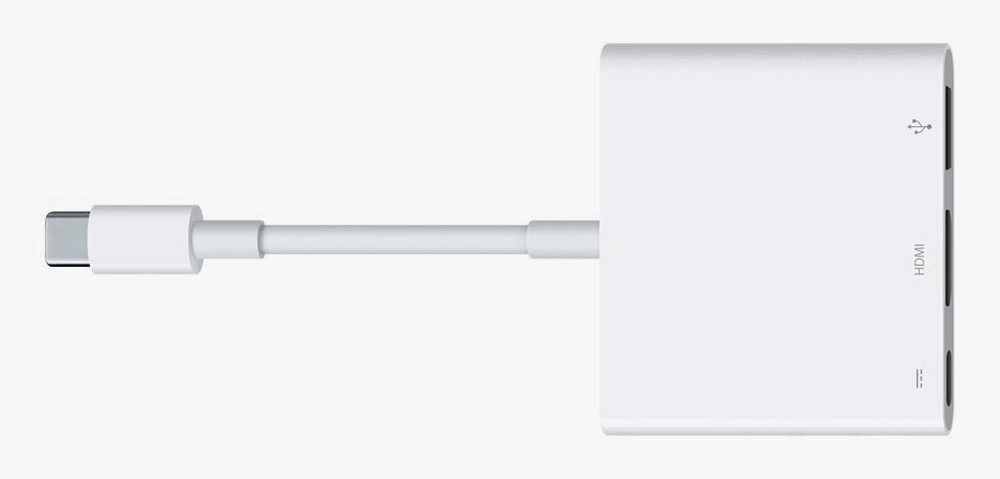
Photo: Apple
Another company, Moshi, offers five different adapters (all that can be ordered here): a dongle-style device that offers a standard USB port for $24.95; a VGA adapter that plugs into projectors or monitors for class and conference room presentations for $34.95; a Gigabit Ethernet Adapter for $39.95; an HDMI adapter with a 60Hz refresh rate for $49.95; and a 3-in-1 hub that includes an HDMI port for $79.95.
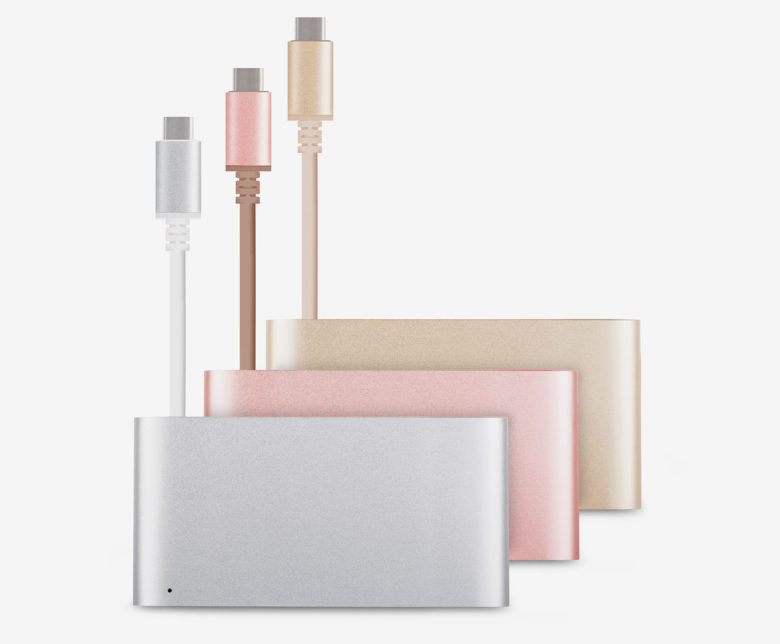
Photo: Moshi
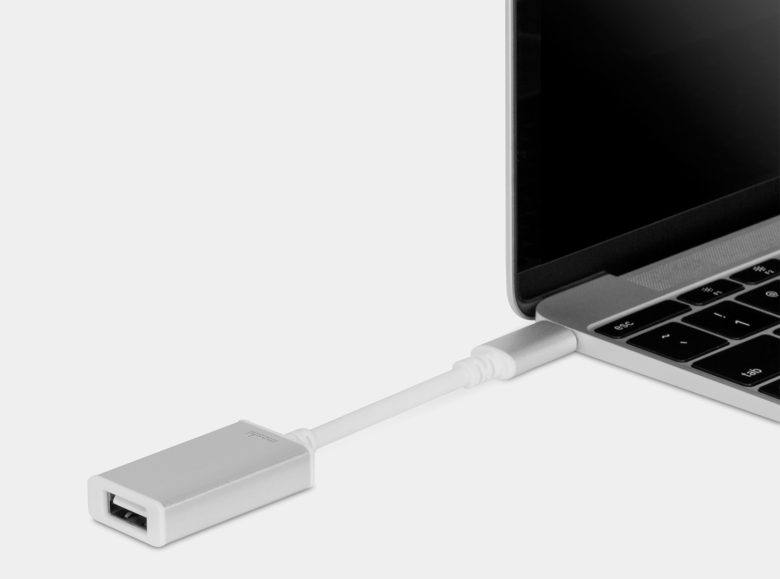
Photo: Moshi
If you need more than one standard USB port, Belinda makes an adapter with three plugs for $21.98.
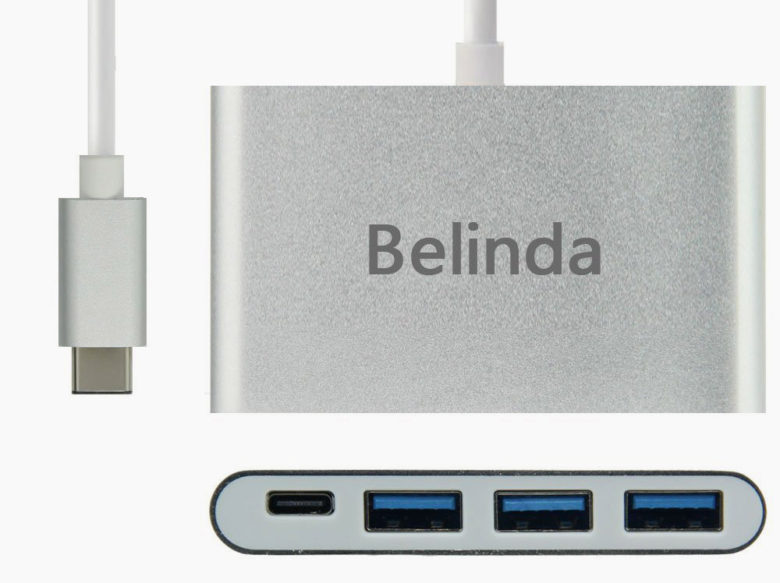
Photo: Belinda
Cable Matters offers a handy hub in black with a cool-blue checkerboard on it that features a USB-C port, Ethernet, HDMI and VGA video for $44.99.
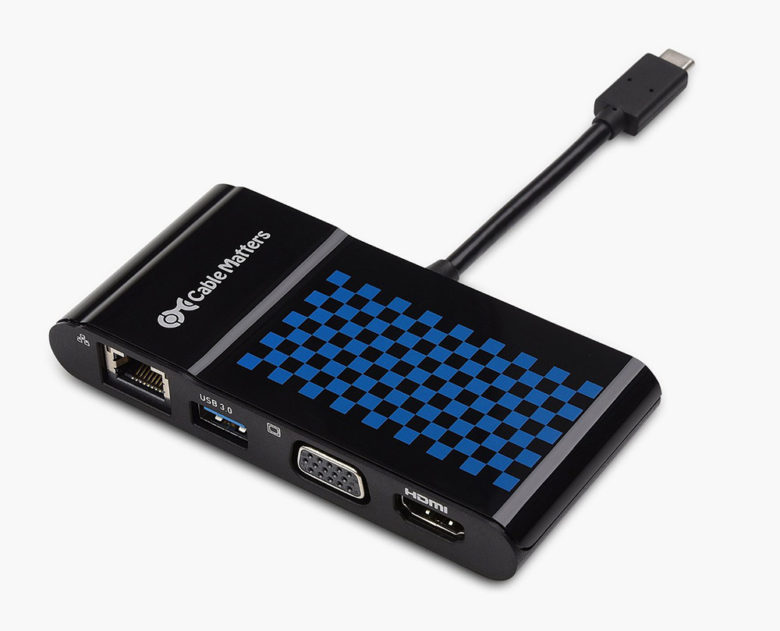
Photo: Cable Matters
SCOSCHE Industries started making hubs and adapters since USB-C was announced as the coming new standard. They were among the first companies to offer adapters when Apple, in 2015, introduced the 12-inch MacBook with a single USB-C port. Last month, SCOSCHE debuted a new USB-C AV multiport adapter with three ports — HDMI, standard USB and USB-C — for $59.99.
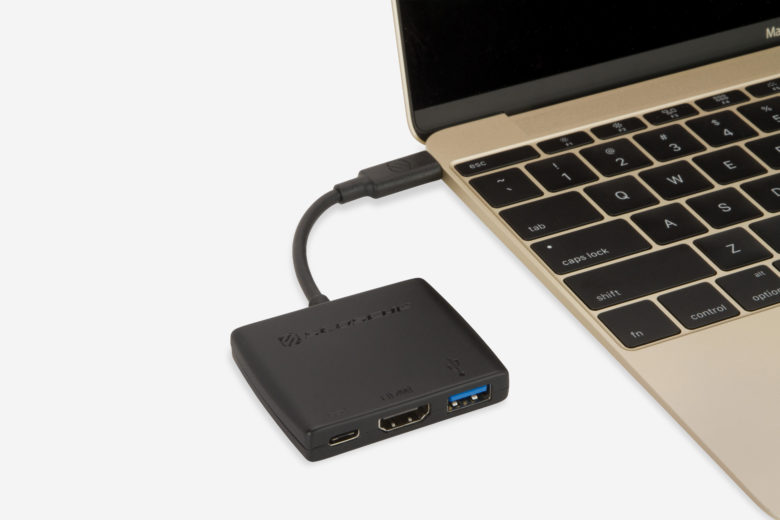
Photo: SCOSCHE
The brand Hyper has three adapters to bring you into the USB-C era. One turns a single USB-C port into four ports: two standard USB 3.0, USB-C and HDMI, all for $59.95.
Another is a HyperDrive 3-in-1 Connection Kit for $14.95 that offers a USB 3.0 port plus slots for SD and microSD cards. It is compatible with MacBook and MacBook Pro and a number of Android phones, but not the iPhone.
Hyper is also taking sign-ups for a 5-in-1 hub that will be available in March 2017. It will offer pass through charging, two USB 3.0 ports and slots for SD and microSD media cards. No price available but click here to sign up for an email notification.
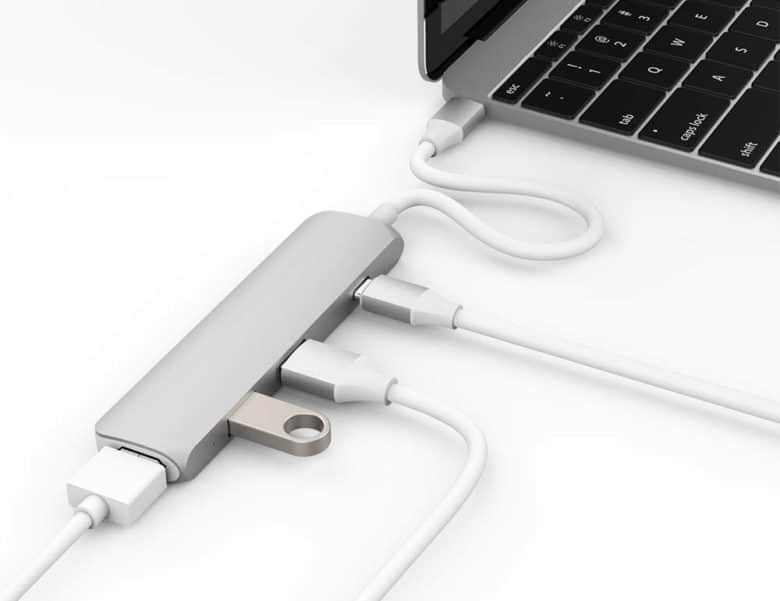
Photo: Hyper
Docks
One of the most discreet and affordable adapters on the list is a little one-port dock nonda that bills itself the world’s smallest. It offers a single standard USB port that only sets the buyer back $9.99.
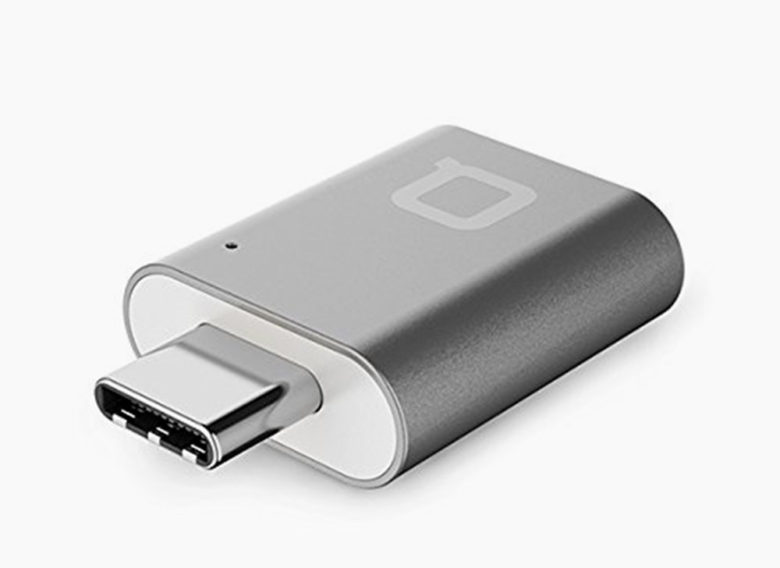
Photo: nonda
With hours after Apple’s big announcement, Belkin announced the Thunderbolt 3 Express Dock HD. One dock, one cable and 85 watts of power that has two Thunderbolt/USB-C ports, three stand USB slots, a 1 Gigabyte Ethernet port, a display port, one audio in/out port and a second audio out port.
This dock will let you daisy-chain up to five Thunderbolt devices. The dock is still in production and no price is available. It will eventually be in Apple Stores or at on Belkin’s website.
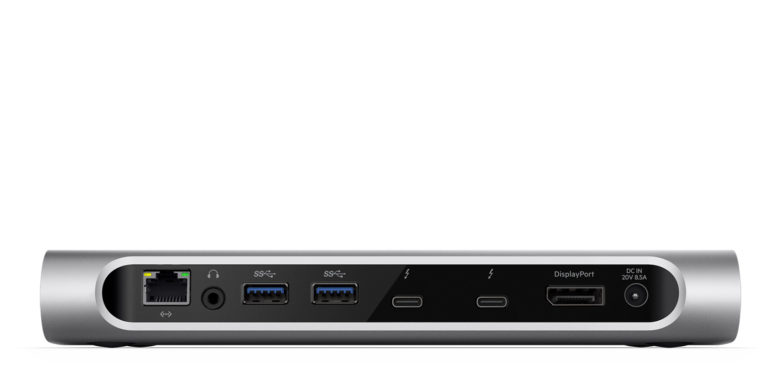
Photo: Belkin
OWC Digital is trying to make a play for the title of One-Stop-Dock with its Thunderbolt 3 Dock. The device has 13 ports, including two USB-C ports, five for standard USB, an SD card slot, FireWire, Ethernet, expanded audio in/out, S/PDIF and a mini-display port.
All those ports will cost you $279 on pre-order here.
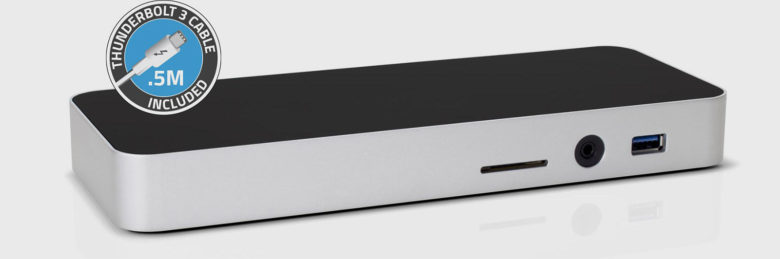
Photo: OWC Digital
Satechi makes a variety of aluminum adapters that blend with the colors and textures of Mac computers, including a slim 4K multi-port adapter that includes two standard USB ports, one for HDMI and a fourth for a USB-C plug. This runs $59.99 on the Satechi website.
The accessories company also has nifty USB-C Pass-through Hub that includes two standard ports, a USB-C port and slots for SD and Micro SD media cards. The hub costs $44.99 and will fit on any device, Mac or PC, with a USB-C port.
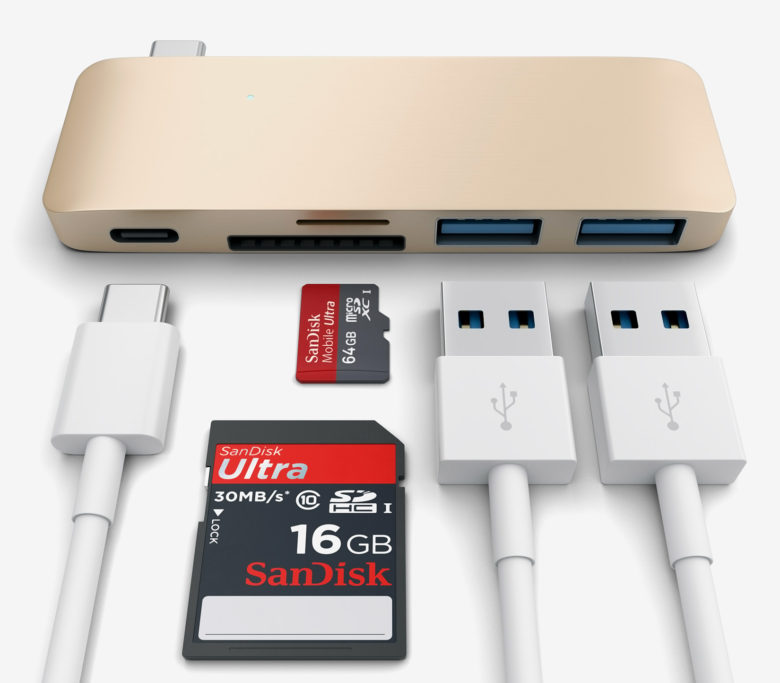
Photo: Satechi
If all you need is to plug in a media card reader, Satechi makes one for SD and Micro SD cards that plug right into the USB-C port for $19.99.

David Pierini is a former newspaper writer and long-time photographer. Considered a luddite by most of his friends, they did not believe him when he broke the news that he would be writing for a technology website. He is fascinated by human nature and would love to cultivate stories about the people driving the tech bus. Reach out to him at [email protected].


11 responses to “Adapt to the MacBook Pro with these USB-C docks and dongles”
All those adaptors and not a single one that will let me plug my damn lightning headphones in.
Acquire 90 dollars each day for working online from your home for few hours everyday… Get regular payment once a week… All you need is a personal computer, net connection, along with some spare time… OW.LY/n1nP303oO1A
That first photo of the MacBook with all the stuff coming out of it is ridiculous. I know why it looks like that, but, did it occur to the user that perhaps they are using the wrong hardware for the job? It’s painfully apparent Apple went too far on the minimalism spectrum for at least the MacBook.
MBP 2016, what a joke. A statement. The first MacBook Air was also a bold statement, but at that time there where alternatives available. But this time. Non. Steve Jobs would never had accept this. First trying to be modern and removing the 3,5mm headphone jack on iPhones and now only USB-C and a headphone jack on their top of the line portable computer.
It’s very likely that USB-C becomes the standard of tomorrow, but almost no one owns a single device with a USB-C connector. I’ve actually never seen one in the wild. Have you seen the prices for the adapter cables? Holy smoke.
Apple should at least supply the new MBP with adapter cables, just as they did with iPhone 7.
And removing the SDXC was beyond words stupid. That has nothing to do with being modern and jumping on the USB-C train. Pure vanity, looking good in symmetric minimalism. SDXC has conveniently become the standard among digital cameras and several smart phones manufacturers etc.
DCI-P3 and the new CPU architecture was in practice the only real good news.
MBP was the best laptop on the market. I’ve already read a lot of comments from people looking for alternatives.
I agree ny_tid. Steve Jobs may have been more user-centric and far less eccentric than commonly thought. Design values seem more obtuse, errors and omissions at Apple seem to be growing while common sense and the average consumer are abandoned. Maybe it’s time to be wary.
You have no clue what Steve Jobs would have or would have not done or what vision he left with Tim Cook and team. Most of Apple’s senior executives all worked with Steve Jobs and know him far better than the casual keyboard warrior.
I’m a typical Apple consumer and I was happy with this update.
Pleased you’re happy. Many are worried. I think my comment is written well and makes my point fairly.
Your stridently rude response is off the mark.
It’s not rude, it’s the truth. You have 0 clue what vision Steve left with the leadership team and what long term plans were made. My post makes my point pretty clearly as well. Just because someone disagrees doesn’t make their point rude.
Progress?
Apple would have been wise to toss in a gift card for the buyers choice of a couple dongles or cables with the new mac, at least for the first six months as a “bonus” and they wouldn’t be getting all this flak… would they?
So, that Cable Matters dongle will do everything I want including the USB to my hub / monitor I tilt all the rest of the peripherals manufacturers catch up – perfect
Sorry if everyone else isn’t equally happy, maybe you should buy something else!