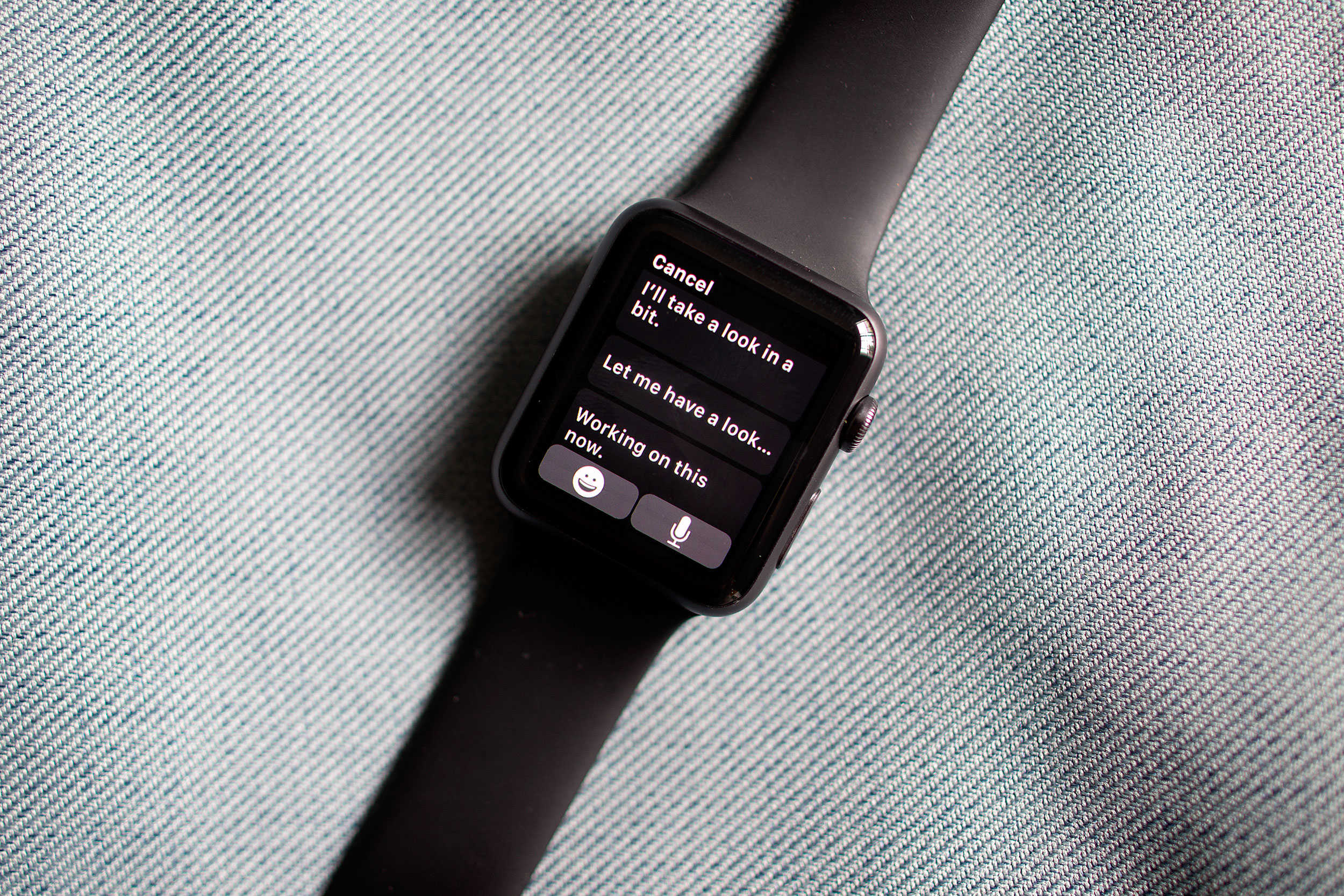
Here’s another tip that’s snuck into watchOS 2: Did you know that you can keep your Apple Watch awake longer now while you’re using it?
Apple hasn’t mentioned this feature much, if at all; we couldn’t even find it on the details screen when we upgraded. But it’s a great addition to the firmware that will save you a little frustration and a lot of wrist-flipping.
Here’s how to do it.
The first thing you need to do is find your Settings app among all of those tiny bubbles. Maybe you were smart and put it someplace that you knew you’d always be able to find it, but I sure didn’t. Oh, there it is.
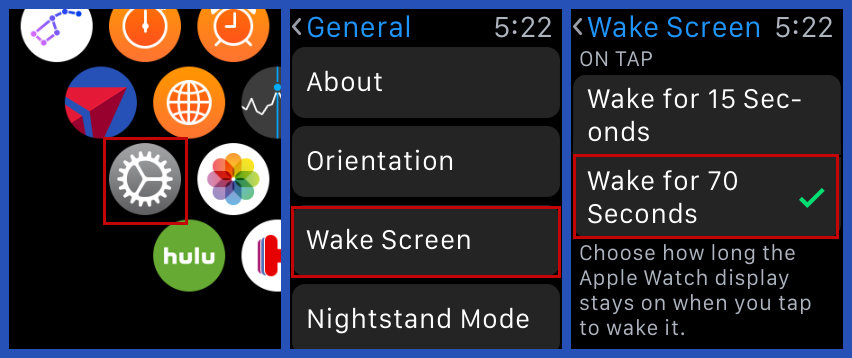
Photo: Evan Killham/Cult of Mac
Once you’re done looking, open it up and go to “Wake Screen.” This is where you tell your watch whether to activate when you raise your wrist and what it should display as a default. But if you go all the way to the bottom of that area, you’ll see a new set of options under the heading “On Tap.” Here, you can tell your Apple Watch how long to keep the display on when you wake it up with a tap, and you can choose either 15 and 70 seconds.
This is a pretty great feature, even though it seems like it will just eat into your Apple Watch’s already short battery life. I get pretty annoyed at how often I have to keep flipping my wrist back and forth to wake it up, which makes me look like a crazy person. It also makes it easier to show people things on your screen without them having to peer over your shoulder like a creep.
You can use this feature along with the wrist-raise option so that you don’t always have to tap your screen to wake up the watch, so it offers some nice versatility to how you can use your wearable.

Evan Killham is a freelance writer who lives in Nebraska and isn’t interested in football, so he has plenty of time to play and think about video games. He has written for Bitmob and GamesBeat and sometimes, he even goes outside. But not too often because he’s heard there are bees out there. Occasionally, companies send free units for review. Evan subscribes to Cult of Mac’s Reviews Policy and also does not keep the items he receives for possible coverage.


3 responses to “How to keep your Apple Watch display on longer in watchOS 2”
Allow me to show you a fantastic ways to earn~ a lot of extra money by finishing basic tasks from your house for few short hours a day — See more info by visiting >MY___{DISQUS}___ID::
what Jack answered I’m shocked that individuals ready to get paid $20684 in four weeks on the web…………Afterearning an average of 19952 Dollars monthly,I’m finally getting 97 Dollars an hour,just working 4-5 hours daily online.….. Weekly paycheck… Bonus opportunities…earn upto $16k to $19k /a month…Only a few hour required to understand and start working…….HERE I STARTED…look over here …nr..d.
➤➤➤➤ www.WorkPost30.Com
Allow me to show you a~ suberb way to earn a lot of extra money by finishing basic tasks from your house for few short hours a day — See more info by visiting >MY____$DISQUS$____ID;}