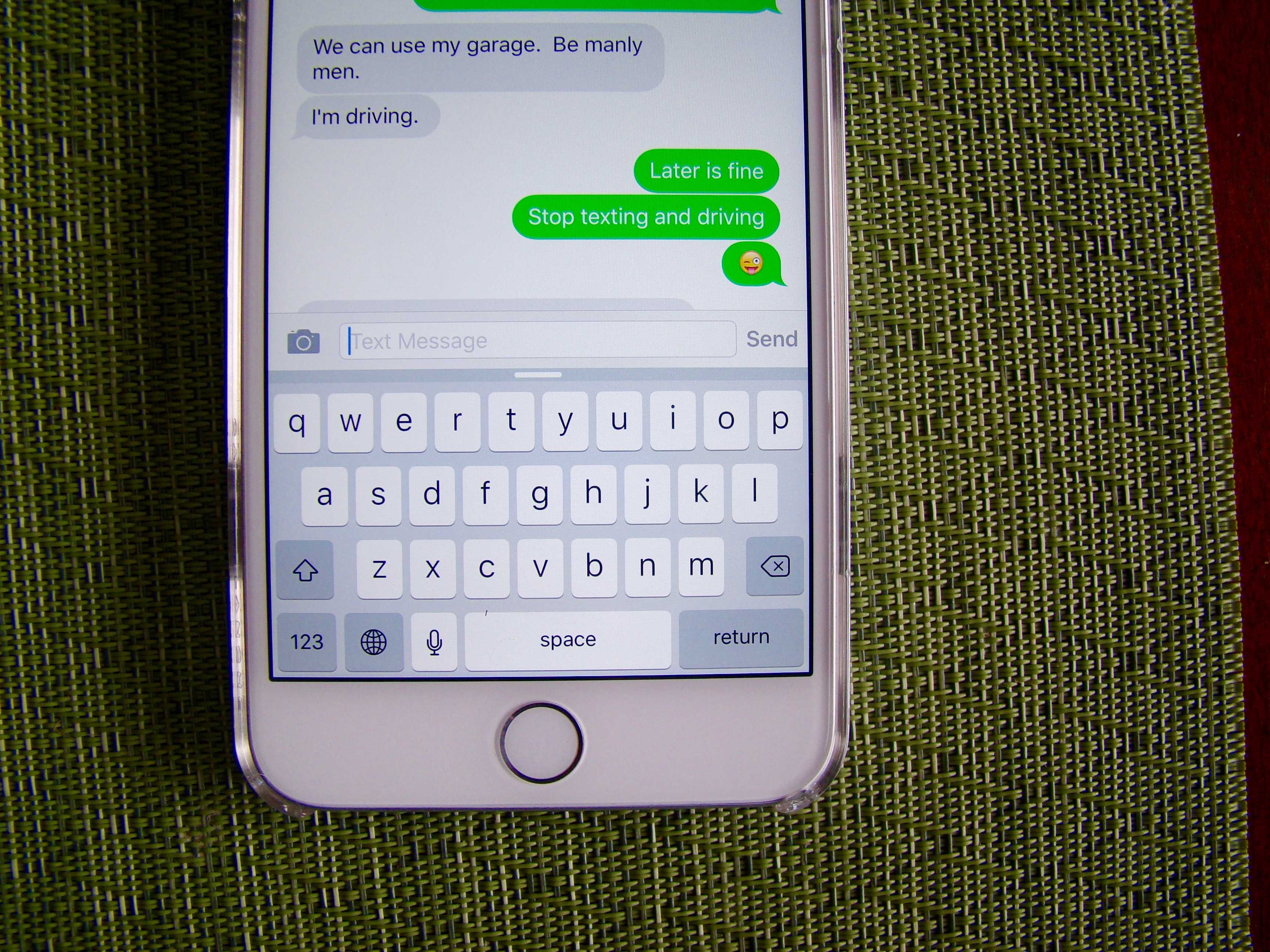
 I can’t stand the new lowercase keyboard in iOS 9. It’s a fairly useless change to begin with, as it doesn’t make anything easier.
Sure, it shows whether you’ve pressed the Shift key or not, but the new Shift key is also improved, making the lower-case option aesthetic rather than functional.
So, if you’re like me, here’s how to put that keyboard back to the way it “should” be.
Screen: Rob LeFebvre/Cult of Mac
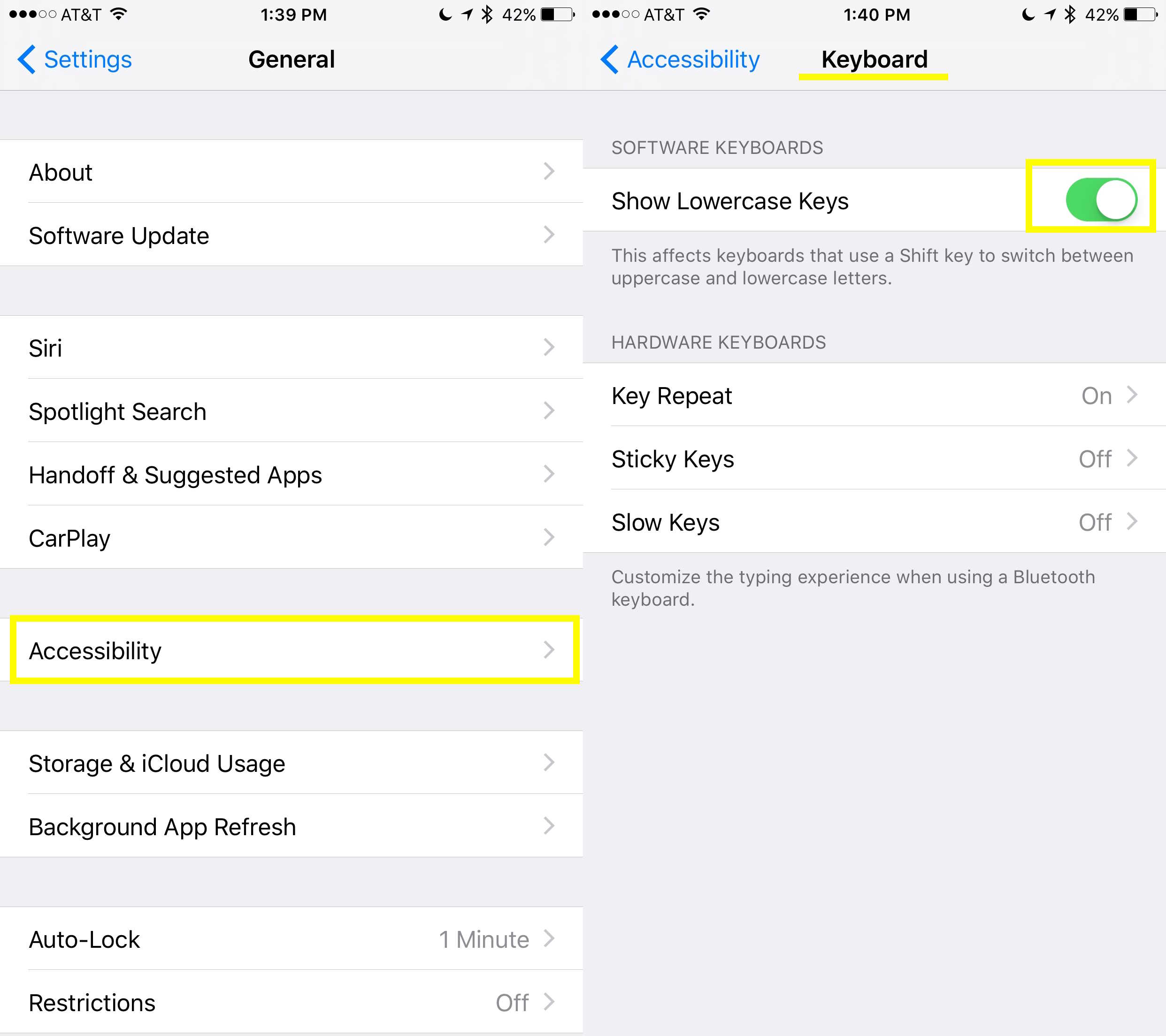
First of all, drop into your Settings app with a tap and then go to General.
Don’t tap on Keyboard, yet, because this is (oddly) in the Accessibility section. Tap on Accessibility, then tap on Keyboard, which is in the fourth section down.
Once you’re there, you’ll see a toggle under Software Keyboards. Toggle that puppy to OFF and you’ll never have to deal with the goofy lowercase stuff again. Your Shift key will still work fine.
At least now you have the iOS keyboard you want, rather than the one Apple defaults.
Via: Daring Fireball

Rob LeFebvre is an Anchorage, Alaska-based writer and editor who has contributed to various tech, gaming and iOS sites, including 148Apps, Creative Screenwriting, Shelf-Awareness, VentureBeat, and Paste Magazine. Feel free to find Rob on Twitter @roblef, and send him a cookie once in a while; he’ll really appreciate it.


22 responses to “Pro Tip: Make iOS 9 keyboard all caps again”
“So, if you’re like me, here’s how to put that keyboard back to the way it “should” be.”
Did you get confused by seeing the letters in the way that they would appear when they would be typed?
I can hear the discussion at Apple. “Ok enough of people complaining about the screwed up keyboard functionality we’ve had in iOS since day one. We’re going to correct it in iOS 9. Oh and make sure you put a selection somewhere to allow revert to screwed up because there will absolutely be some screwballs that’ll complain about that if we don’t.”
Fucking idiot.
Great TIP!!! i was trying to figure out how to do this. You are the man
Took a couple of days to get used to….now I prefer the new way, been testing preview version for a while
Thanks Rob.
When you’re seeking the ‘A’ on a keyboard, your eyes are seeking ONE thing: ‘A’. But if your keyboard can change czses while typing, your must remember to look either for an ‘A’ or an ‘a’ when you want to type either an ‘a’ or an ‘A’.
Another way to put this is when was the last time you were looking at a solid real keyboard and getting frustrated because it only had large caps? Never.
Who has to look for the A? Pretty sure everyone knows where the A is. And it’s not a real keyboard so you can’t compare them. On a real keyboard, you know if your holding the shift key or not. The new way makes sense
I’ve been waiting for this change for years. Now give me a back button please.
The new change makes complete sense to me and I’ve been waiting for it a long time. But this really helpful for those that don’t like it. Thanks!
“It’s a fairly useless change to begin with, as it doesn’t make anything easier.”
That’s just like, your opinion man. I like it and find it makes typing easier. Especially in the recognition of when caps is on when you don’t want it to be. With predictive typing this happens a lot.
Agreed. Way better. That old keyboard has passed me off soo many times. The indicator on the shift key sucks
“passed me off”
It’s one of the best improvements brought with iOS 9. I can’t understand why someone would get anoyed with this.
I preferred the way the keyboard used to be so I’m so glad this is an option.
Apple has finally fixed the Shift-key problem and you disable it? The shift key does not indicate clearly if you’re in caps mode or not.
awesome
thanks!
Why would you want to change it. It’s way better now
As a recent iOS convert from Android, this was something that absolutely drove me nuts. I’m happy apple made the change. In most instances it didn’t matter, but when entering passwords, this feature is something that’s hard to not have.
Thank you so much. This was driving my wife crazy. She’s happy now! So I’m happy too
OMG. It’s like the Jonestown crowd asking for the spiked Kool Aid. (Jim Jones, Guyana 1978) On what planet do people actually like the ALLCAPS keyboard other than the typewriter crowd? At least you hear the “thunk” when you press the shift key on the typewriter so you know without looking that it is going to type a capital letter. I am so happy that the iPad FINALLY has a usable keyboard. Let me guess, there must be a lot of people on this discussion board pining for Apple to bring back the 3.5 inch screens…
Thank you! This is a preference thing and I am glad the ability to accommodate my preference is there. (This is not true of all things Apple). As to why it is my preference? – The keys on my physical keyboard don’t change and it is a matter of the software mimicking reality.