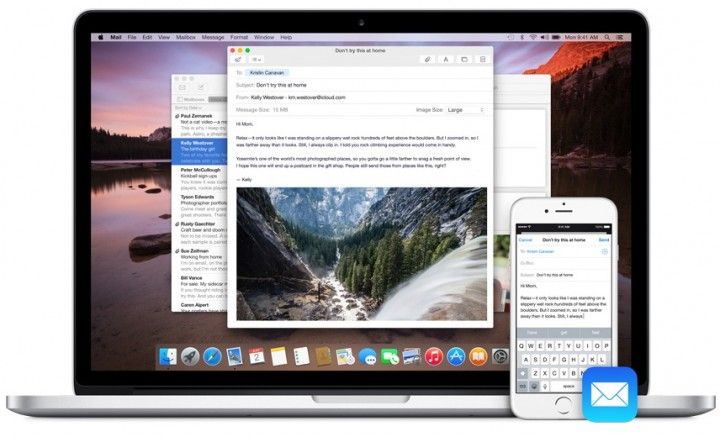
Have you been plagued with intermittent Wi-Fi dropping issues ever since you upgraded to OS X Yosemite? Have no fear, Apple’s fix is finally here to get your Mac back on track, with the official OS X 10.10.1 update.
Apple released OS X 10.10.1 to the public today with a couple of bug fixes, one of which will hopefully cure the Wi-Fi connectivity woes many users have reported on Apple’s support forums.
The Yosemite update comes after Apple also released iOS 8.1.1 today, to fix bugs on the iPhone 4s and iPad 2. Apple’s OS X 10.10.1 release also improves Microsoft Exchange server reliability, as well as Back to My Mac connections between two remove computers. The free update is available now in the Mac App Store.

Buster Hein is a freelance writer who lives in Phoenix, Arizona. Twitter: @bst3r.


20 responses to “Apple fixes major Wi-Fi glitch with OS X Yosemite update”
Download link : http://support.apple.com/kb/DL1779
Nope, doesn’t fix the wifi issues. Claims it does, but it actually doesn’t. Didn’t work for me, doesn’t seem to be working for lots of other users. Sucks.
What issues have you been having?
The router drops the signal from the DSL line, at least for me. Sometimes five or six times a day, necessitating a cold restart of the router. When my son visits with his Dell, he NEVER has an issue. I have issues with my phone, iPad and three computers. So its not just OS X it is IOS as well. I have a separate line in a separate building and I’m running MBA with 10.10 pushing a Apple monitor and I have issues up there as well. Both places have different routers but running the same OS’s. I don’t have issues with my iPhone or my iPad up there though, that may be due to the fact that the MBA is not always connected to the internet like they are in the main domicile.
Wifi issues. It always says I’m connected, but it normally stops working after some time, especially on pages such as Facebook or Twitter, where the pages won’t load at all. When they do load, it never does it fully (missing pictures, doesn’t loas feed, etc.), same with YouTube.
Takes several tries at loading the page to finally fix it.
Hey this sounds more like an issue with your DNS. Give OpenDNS or Google DNS server a try :)
Idk. I never had this issue before. It only happened once I updated to Yosemite.
Next time when you have trouble with these websites, try to open them in Chrome. It might be a known issue of Safari 8, but not the WiFi problem.
I use Chrome and I manually set a Google DNS server a month ago. Wifi has been a nightmare since installing 10.10 and it’s been exactly the same since “upgrading” to 10.10.1. So, no, neither the browser, nor the DNS settings have made any difference whatsoever.
Years ago I’ve experienced identical problem on my iPad 2. I solved that problem by changing my WiFi router to two different SSID, one for 2.4GHz and one for 5GHz. iPad will still drop connection after idling for a period, but it will eventually pickup one of the channel and automatically reconnect.
Last year I’ve similar problem again. But this time it’s not iDevice; it’s the B&W Zeppelin Air. That cool, stylish, overpriced, WiFi enabled speaker will drop WiFi connections randomly, both 2.4GHz and 5GHz. And this time, I decided I have had enough with that WiFi router. So I tossed it and rushed to buy an Apple AirPort Express, and lived happily ever after.
Yeah, I have two different connections (one 2.4 and one 5 GHz) on the router, too. With Yosemite, I have had more success with 2.4 GHz. It’s just all kinds of messed up. :/
I take it this means they have not fixed the DNS issues either. NSLOOKUP can resolve a name where PING can not. Gets the browser nice and lost when this happens as well.
Does this fix the annoying 5GHz WiFi problems?
…and the 100 or so other problems with this bad clown of an update? This is one nasty OS.
Can confirm: still having random wifi drops after updating…
I’ve had so many Wifi issues, I bought a new router hoping that it would solve the problem. It did, until I loaded 10.10. In other words, this has been going on for a long time for me, ever since Mountain Lion. Since I have my sound system, HVAC hooked to the router, everytime I change routers I have to reprogram the whole lot, and that is a pain in the arse.
Wifi is still busted. This is pretty pathetic. I’m digging out old laptops to install windows on so I can get school work accomplished. @#$*@
Sorry, doesn’t fix at all
Please read for etanolu conpuerworld and other Articles
Problems with WiFi as ther were before
http://www.computerworld.com/article/2848835/os-x-yosemite-update-fails-to-solve-mac-wi-fi-mess.html
Worked fine for a couple of hours after the update, but now it’s back to it’s old ways of dropping wifi all the time and slow speeds when it is working. Had no problems before updating to Yosemite, this sucks.