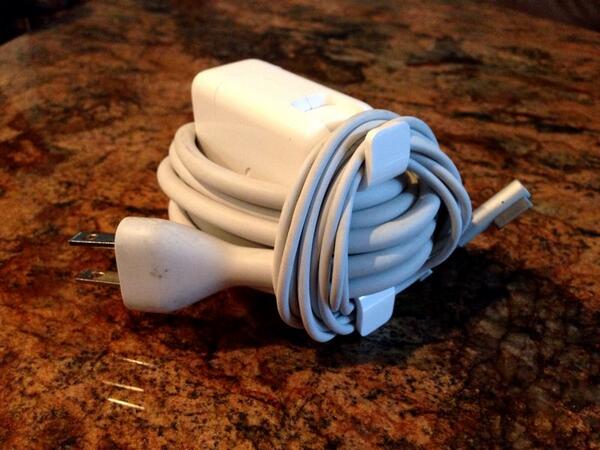
Ok, sure, this is more of a tip for those with a Macbook Pro or Air, or any other Apple laptop in the last few years with the fantastic tiny power brick design to it.
I know that I’ve struggled for years on the best way to tuck the two pieces of the power cable away. I’ve generally settled on wrapping the thin part of the cord around the included flip-out handles and then wrapping the larger cord around my hand. Sometimes I separate the two cables and do the same thing, so they fit better in a flatter bag or backpack.
This new tip, though, from Twitter user J Cornelius, just plain astonished me when I saw it. Why didn’t I think of that?
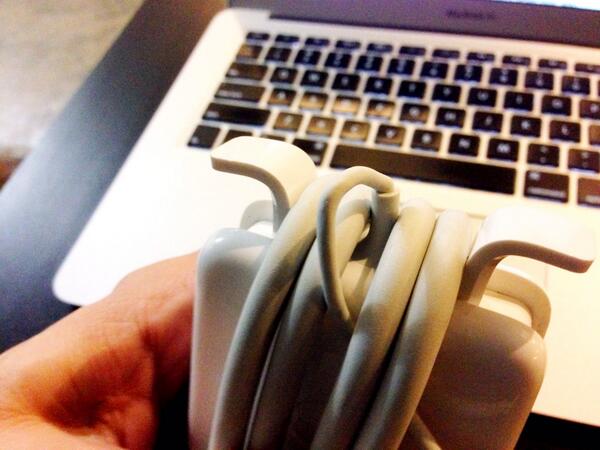
To start, string a little bit of the thinner cable down the center as in the image above, making sure there’s enough slack that there won’t be any stress or wear on the cable. Then, wrap the larger cable around the center of the power brick, vertically between the two flip out wrap handles.
Next, wrap the thinner portion of the cable around the flip handles as per usual, making sure that you’re catching the larger cable behind it, like a little bungee cord. Voilà! You’ve got a self-contained way to keep your cords together.
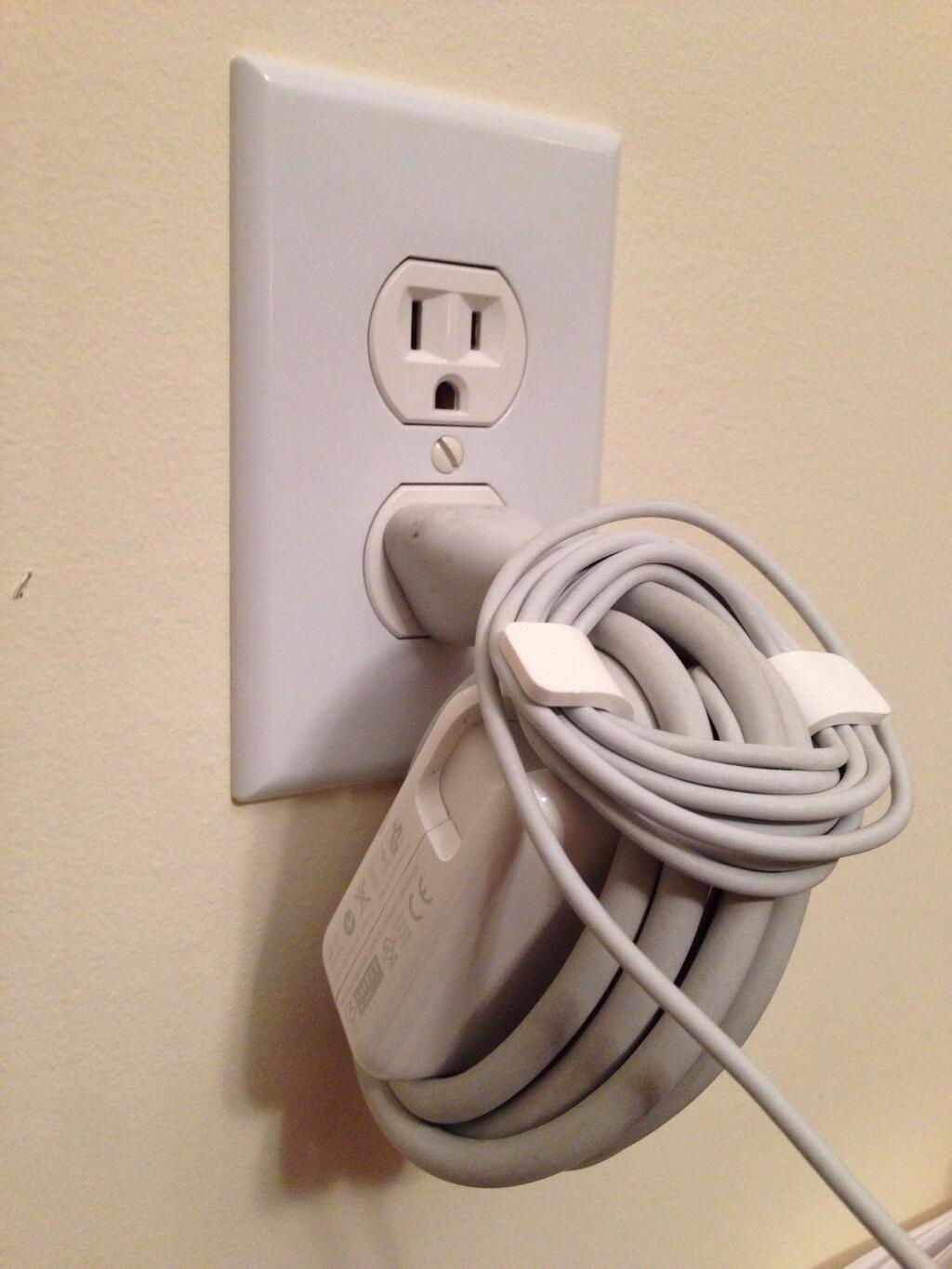
Heck, you can even plug this bad boy into a wall socket in situ, as it were, and not worry about dragging the cords all over a dirty coffee shop floor again.
Via: J Cornelius
Image: J Cornelius

Rob LeFebvre is an Anchorage, Alaska-based writer and editor who has contributed to various tech, gaming and iOS sites, including 148Apps, Creative Screenwriting, Shelf-Awareness, VentureBeat, and Paste Magazine. Feel free to find Rob on Twitter @roblef, and send him a cookie once in a while; he’ll really appreciate it.

