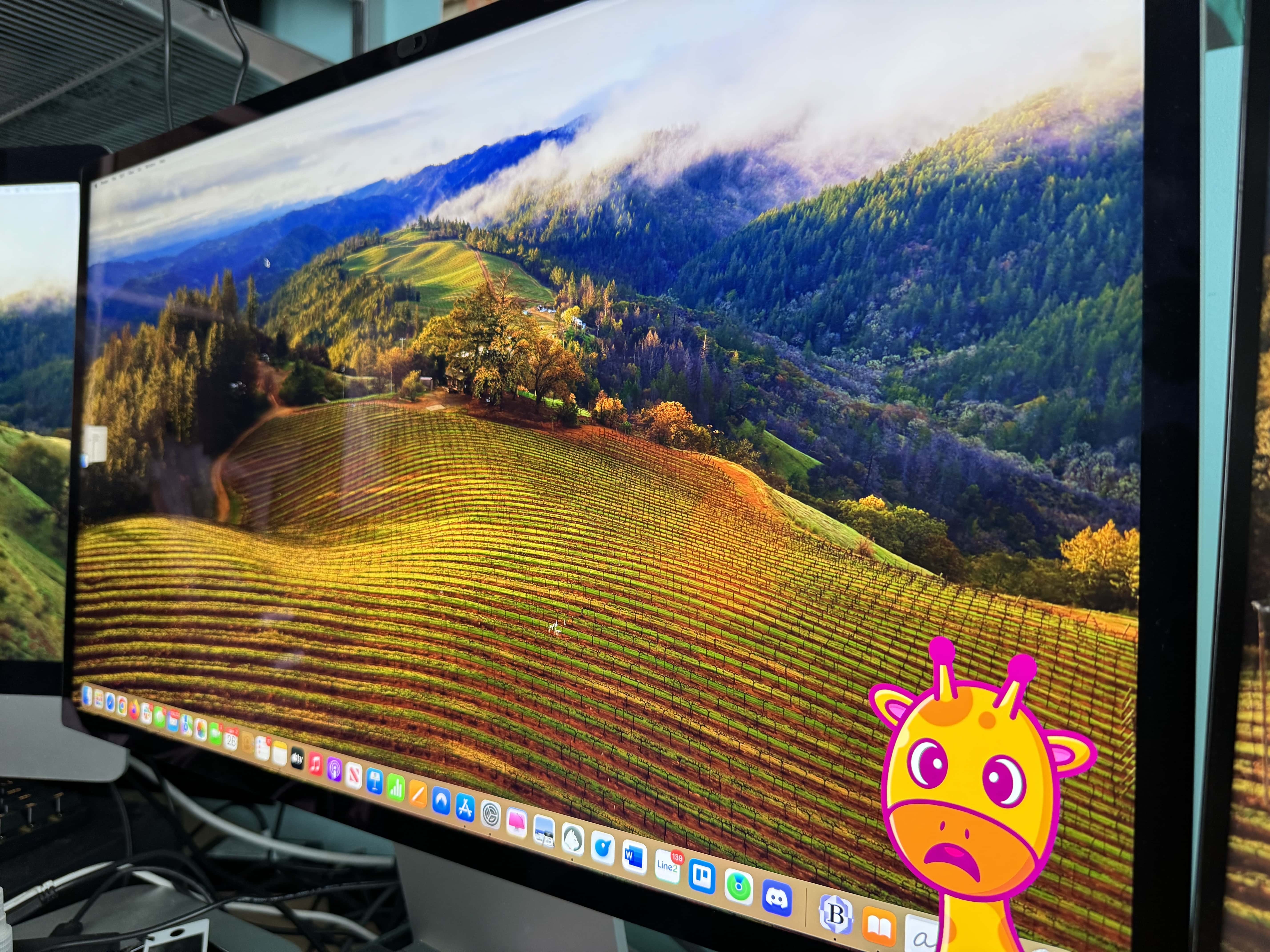

I’ve spent most of my working life slumped in an office chair. Don’t get me wrong: I move around quite a lot. I start upright, and by the end of the day, I’m almost horizontal.
We all know this is very bad, but luckily help is at hand … from my AirPods!
Posture Pal uses AirPods to correct slouching
Posture Pal is a simple Mac app that uses the motion detectors in your AirPods to determine your posture. When slumping is detected, a cartoon giraffe pops up on your screen to alert you to your bad posture.
It’s very simple and quite effective. I use it with my AirPods Max. The app helps me stay upright in my chair, and be more mindful of the awkward, unergonomic positions I oftentimes find myself in.
Posture Pal runs in the background and can be tweaked for sensitivity. At first, I found the cartoon graffe (named Rafi), was constantly popping up whenever I moved my head. A quick tweak of the settings fixed that, and now it alerts me only when I shift into a serious slouch.
The app offers a choice of cartoon characters (giraffe, monkey or alpaca), screen locations (left, right and middle) and three different sensitivity levels. You also can turn off alert sounds, which can become very annoying very quickly.
Available on Mac for the first time in macOS Sonoma
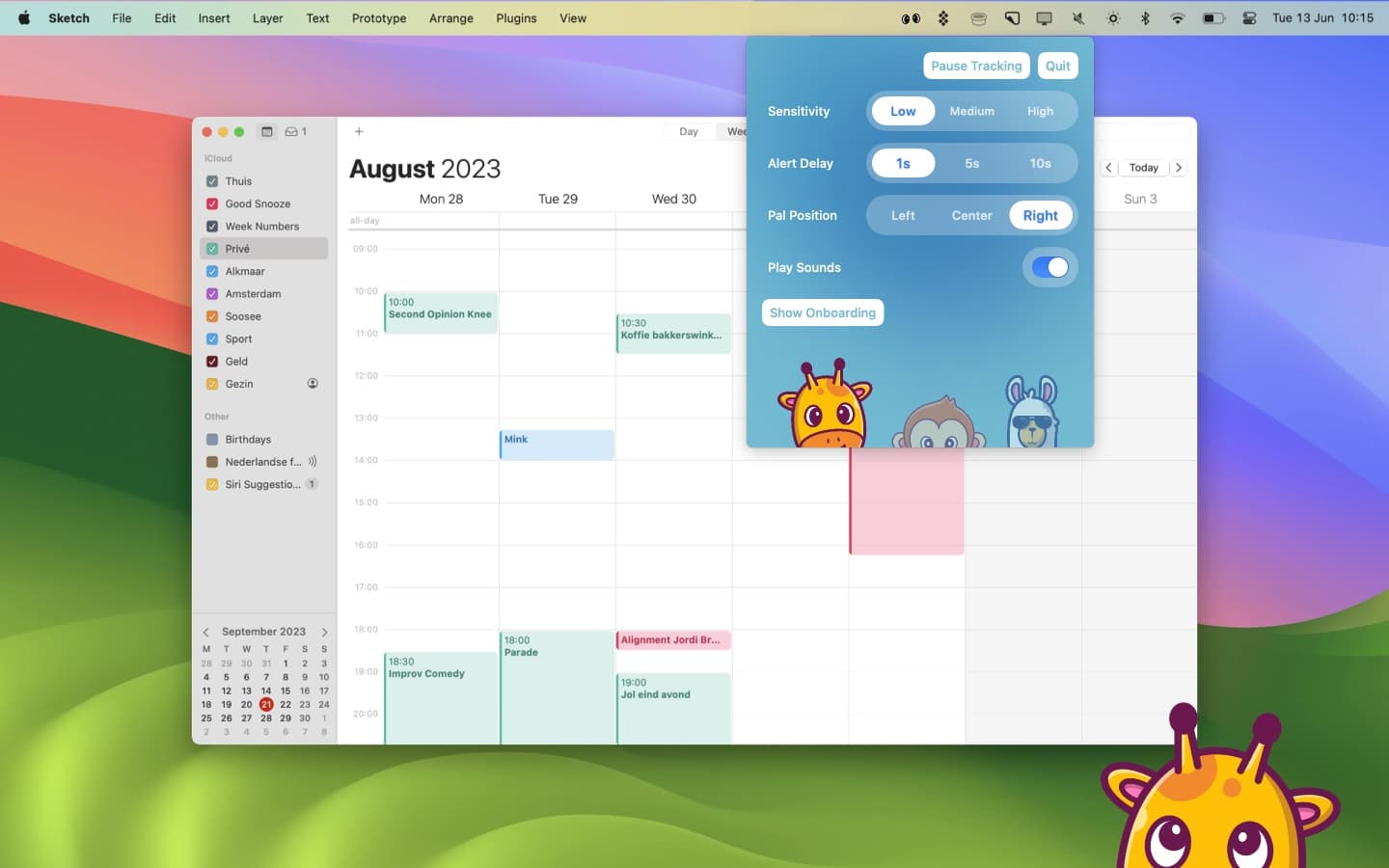
Screenshot: Posture Pal
The app was first released on iOS in April 2022 and quickly became a big hit in China. From the beginning, the No. 1 feature request was for a macOS version, said developer Jordi Bruin.
Apple just made the necessary motion-tracking APIs available in macOS Sonoma, released Tuesday. The Posture Pal app uses the same motion data used for Spatial Audio.
“A lot of people have their AirPods in their ears the entire day, so they won’t have to adjust their lifestyle as much,” Bruin said in a statement.
Posture Pal AirPods compatibility
Posture Pal is compatible with the following AirPods and Beats earbuds:
- AirPods (third generation)
- AirPods Pro
- AirPods Max
- Beats Fit Pro
All you have to do is connect your AirPods to your Mac before launching Posture Pal for the first time. Make sure that your Mac is the active device for your AirPods.
Posture Pal pricing and availability
Posture Pal is a free download from the Mac App Store. The free version can be used for 10 minutes at a time. A one-time App Store payment of $4.99 removes the time restriction, and adds better posture-tracking sensitivity and extra app customization.
Posture Pal can improve your back, neck and shoulder posture without buying a separate tracking device — just use the AirPods you already own.

Leander Kahney is the editor and publisher of Cult of Mac.
Leander is a longtime technology reporter and the author of six acclaimed books about Apple, including two New York Times bestsellers: Jony Ive: The Genius Behind Apple’s Greatest Products and Inside Steve’s Brain, a biography of Steve Jobs.
He’s also written a top-selling biography of Apple CEO Tim Cook and authored Cult of Mac and Cult of iPod, which both won prestigious design awards. Most recently, he was co-author of Cult of Mac, 2nd Edition.
Leander has been reporting about Apple and technology for nearly 30 years.
Before founding Cult of Mac as an independent publication, Leander was news editor at Wired.com, where he was responsible for the day-to-day running of the Wired.com website. He headed up a team of six section editors, a dozen reporters and a large pool of freelancers. Together the team produced a daily digest of stories about the impact of science and technology, and won several awards, including several Webby Awards, 2X Knight-Batten Awards for Innovation in Journalism and the 2010 MIN (Magazine Industry Newsletter) award for best blog, among others.
Before being promoted to news editor, Leander was Wired.com’s senior reporter, primarily covering Apple. During that time, Leander published a ton of scoops, including the first in-depth report about the development of the iPod. Leander attended almost every keynote speech and special product launch presented by Steve Jobs, including the historic launches of the iPhone and iPad. He also reported from almost every Macworld Expo in the late ’90s and early ‘2000s, including, sadly, the last shows in Boston, San Francisco and Tokyo. His reporting for Wired.com formed the basis of the first Cult of Mac book, and subsequently this website.
Before joining Wired, Leander was a senior reporter at the legendary MacWeek, the storied and long-running weekly that documented Apple and its community in the 1980s and ’90s.
Leander has written for Wired magazine (including the Issue 16.04 cover story about Steve Jobs’ leadership at Apple, entitled Evil/Genius), Scientific American, The Guardian, The Observer, The San Francisco Chronicle and many other publications.
Leander has a postgrad diploma in artificial intelligence from the University of Aberdeen, and a BSc (Hons) in experimental psychology from the University of Sussex.
He has a diploma in journalism from the UK’s National Council for the Training of Journalists.
Leander lives in San Francisco, California, and is married with four children. He’s an avid biker and has ridden in many long-distance bike events, including California’s legendary Death Ride.
You can find out more about Leander on LinkedIn and Facebook. You can follow him on X at @lkahney or Instagram.

