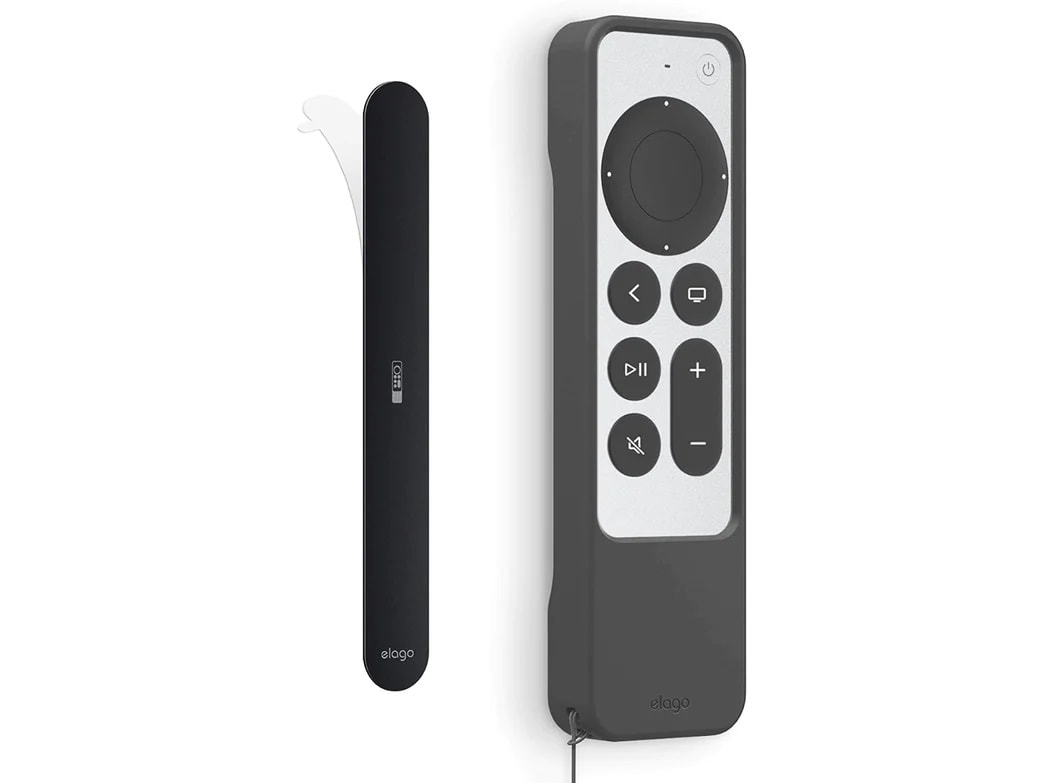
Always wondering where you left the Apple TV remote? Maybe you should always put it in the same place when you’re done with it. And Elago makes that easy with its updated magnetic Metal Plate R1.
Just stick it to a surface on or near your TV and your R1 remote sticks to it. And viola, once you get in the habit of putting it back there, your remote is always where it’s supposed to be.
Elago Metal Plate R1 for 2022/2021 Apple TV Siri Remote 2nd, 3rd Gen Case
Elago describes Metal Place R1 as a “a simple solution to a simple problem.”
The problem is that people misplace their remotes all the time and can’t find them. The solution is a simple way to always keep the remote in a designated place so you can find it.
The updated R1 plate is meant to be used with Elago’s upgraded R1 remote-control case compatible with Apple TV Siri Remote 2nd Generation (2021) and 3rd Generation (2022).
Easy installation
To install the plate, simply remove the adhesive covering on it and stick the plate to any flat surface. This could be on the back or side of your TV or a wall near it.
Once installation is complete, simply hold the Elago R1 case close to the plate and the remote’s powerful magnets will attach it to the plate.
Note that Elago products ship to the U.S. only.
Price: $8.99
Where to buy: Cult of Mac Store

David Snow, an expert on Apple hardware and software, writes on a variety of technological and cultural topics for Cult of Mac. They include Apple news, technology buying guides, and features about computer setups and Apple TV shows and movies.
With 30 years of experience covering technology and other subjects, he has written and edited for numerous print and online publications, including CMP Media, TechTV.com, CNET, Wired News, Red Herring magazine, Law.com, The National Law Journal and Law Technology News magazine. Among other roles, he served as executive editor of the Law.com network of websites and editorial director, technology, for ALM Media.
Snow graduated with a B.A. from Syracuse University with majors in magazine journalism and psychology. While there, he worked as a reporter for The Daily Orange newspaper and associate editor of Equal Time magazine.
Founder of the blog At the Waterline, he can be reached on X (formerly Twitter) via @atthewaterline and on Mastodon via @dsnow.

