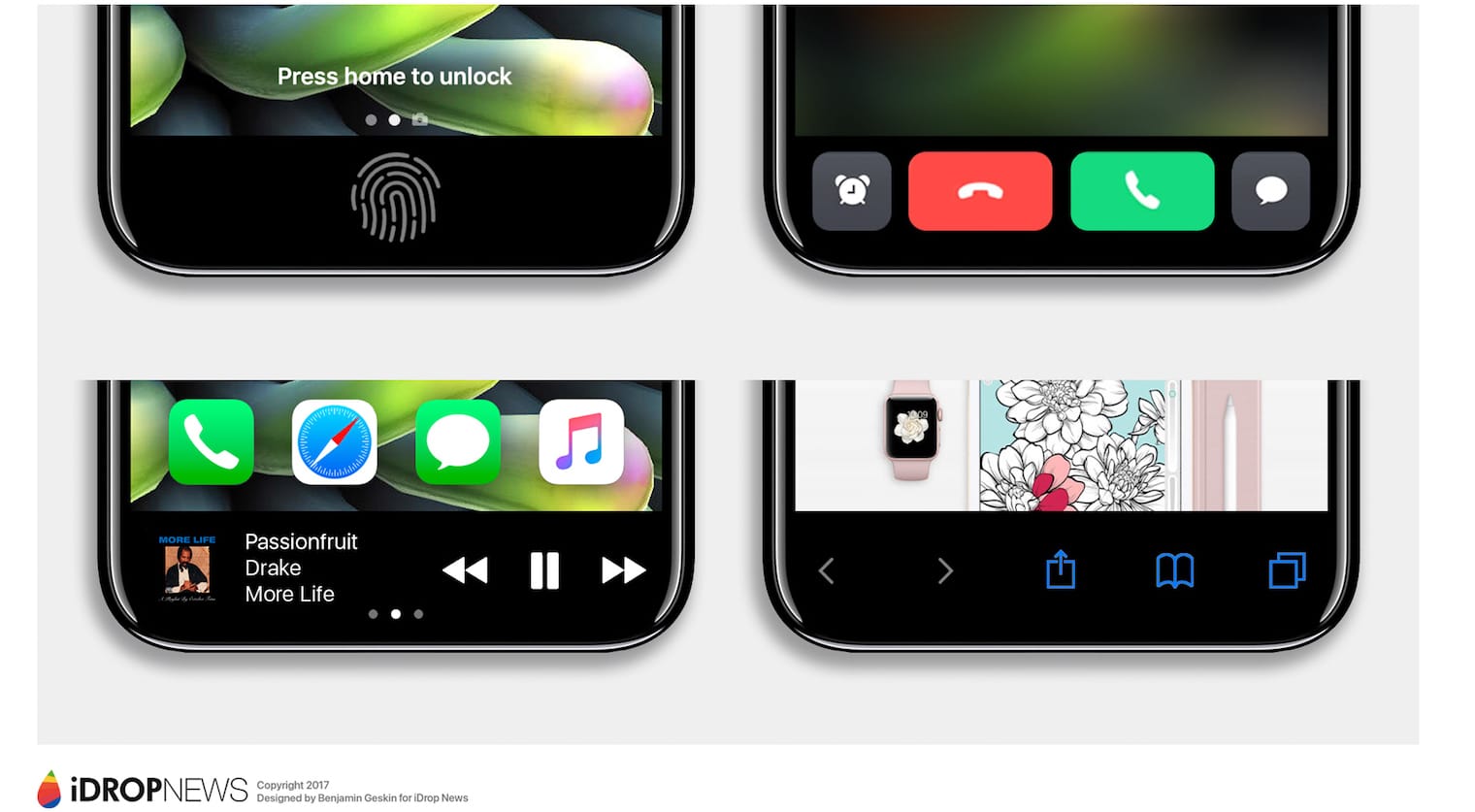
Bidding goodbye to the iPhone’s physical Home button won’t be easy, but there are some advantages to going virtual for iPhone 8.
Not only will it allow for a larger edge-to-edge display, but it also means you’ll be able customize the virtual button. Apple code suggests we’ll have the option to resize it and hide it away if we don’t want it to be displayed on screen at all times.
All kinds of iPhone 8 details have been discovered in Apple’s HomePod firmware ahead of the handset’s official unveiling. We now know what the device will look like, and that it will boast features like facial recognition and tap to wake.
After further digging, developer Steve Troughton-Smith has uncovered more information about the iPhone 8’s virtual Home button. As expected, it will sit at the bottom of its edge-to-edge display in the same area as a physical Home button, but it will be customizable.
Apple’s code suggests that the button indicator will be resizable, and that we’ll have the option to hide it. There is no API that would allow developers to change its color to match the theme of their apps (yet), and apps won’t be able to extend into the Home button area.
Sadly, that means developers won’t be able to put toolbars, shortcuts, and other items in this area. Apple’s plans could change later, but for now, the space is reserved exclusively for the Home button when it isn’t hidden away, which means navigation buttons will remain at the top of the screen.
We know some facts re iPhone 8 home button area:
• it resizes
• indicator can be hidden
• no API to change color
• tab bars extend under it— Steve Troughton-Smith (@stroughtonsmith) August 10, 2017
Fullscreen video will automatically hide the Home button indicator, but it’s not yet clear how videos will be adapted to the iPhone 8’s unique aspect ratio.
The mockup below from Matt Bonney provides a clearer depiction of how Apple will use areas of the iPhone 8’s display for different things. As you can see, when the Home button indicator is present, the amount of space available to apps isn’t that much bigger than before.
Red = New New iPhone “function area” and status bar.
Blue = Current iPhone 7 content area.
Yellow = Minuscule extra content space. pic.twitter.com/cppfZWTMwb— Matt Bonney (@Bonney) August 8, 2017
“All of these things are supported by API evidence, so this is the clearest picture of its functionality we have to work from,” tweeted Troughton-Smith. Again, Apple’s plans could change before iPhone 8 makes its official debut this September, but this is what we know for now.

Killian Bell is a freelance writer based in the U.K. He has an interest in all things tech and also covers Android over at CultofAndroid.com. You can follow him on Twitter via @killianbell.


13 responses to “Apple code reveals iPhone 8’s virtual Home button secrets”
It’s like giving key to a car with no engine inside it.
And you’ll gladly buy it anyway.
The phone, yes. That’s not a big enough reason not to buy a phone.
Buying a car with no engine in it isn’t enough reason to not buy it?
That makes absolutely no sense.
Depending on the car the engine could be cheap, so that makes perfect sense. The phone can still be used as a phone whether you can use the extra screen space or not so yes it still makes sense to buy the phone as well.
Apple is making so much extra work for itself. If they’d just put the home button (with touch id) on the back – like every other Android phone, none of this extra coding nonsense would be needed. Or better yet, put the touch id/home button in the apple logo on the back.
Apple likes to keep the feasibility of unlocking the device while its still on desk
that red zone at the bottom will be the most uncomfortable thing to deal with one hand.
thanks! even now the fingerprint read is a little awkward with one hand.
I ended up doing the trick where I scanned both my thumbs from every possible angle into touchid. That way I can unlock my phone with my thumb hitting even sideways, upside down.
“I ended up doing the trick where I scanned both my thumbs from every possible angle into touchid.” Not needed. Rotation doesn’t matter – my iPhone unlocks just fine if my thumb is sideways or completely upside down. Scan additional fingers on both hands instead of wasting slots on one thumb at different angles.
I’m not talking about capturing the same print rotated. I’m talking about capturing every part of your thumb and index that could conceivably hit the home button. It makes the unlock a lot less fiddly.
They got rid of the bezels except the bezels are now hard coded into the screen…
I’m due for an upgrade from iPhone 6. They have the “curse of the odd number”, so I hope their luck holds with 8.