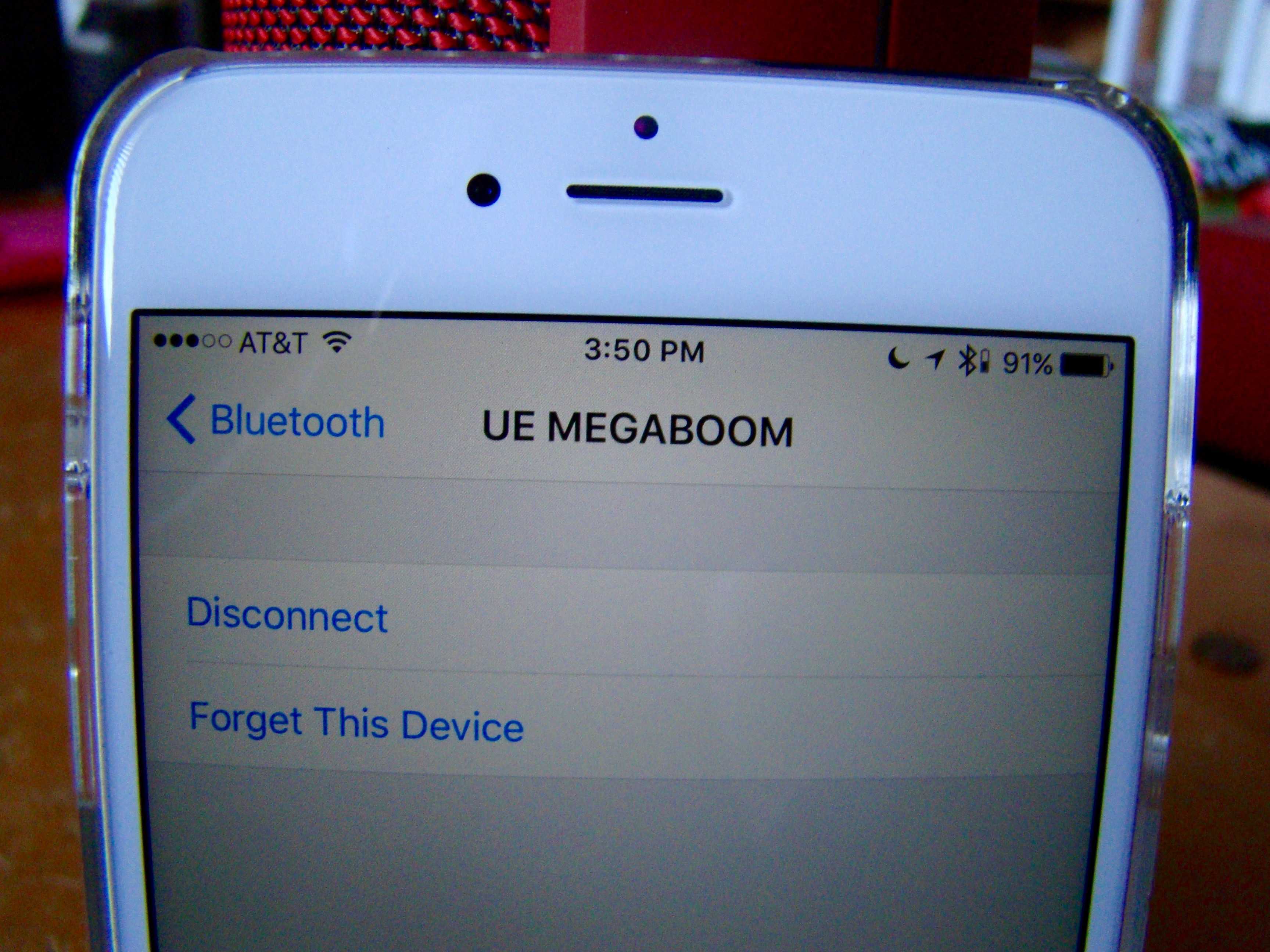
Finally! Apple has added a small yet incredibly useful feature to the way iOS 9 handles Bluetooth devices.
In the past, you’d have to drop into the Bluetooth settings, tap on an offending Bluetooth device, and tell your iPhone or iPad to Forget the device, just to re-pair it or use the built in speakers. I can’t tell you how much time I’ve spent doing that, especially when I get a call while connected to a speakerphone-capable audio device; I have a lot of Bluetooth speakers.
Now however, Apple’s added a little extra so you can disconnect from a Bluetooth device instead of Forget it entirely, making it much easier to, say, stop using a specific speaker and return to your iPhone’s built-in speaker.
Here’s how.
Launch your Settings app on your iPhone (or iPad) running the beta of iOS 9. Tap into the Bluetooth screen and then tap the little i icon to the right of a Bluetooth device you’d like to disconnect from. Make sure you’re actually already connected to the speaker in question, or you’ll just see the typical “Forget this Device” option.
If you’re connected to a Bluetooth speaker, when you hit the info icon, you’ll see a second button: “Disconnect.” Tap that to just stop sending audio to the speaker.
Now you can hit the Bluetooth button to go back to the main screen and choose a different speaker to send your audio to. It’s perfect when you want to disconnect from an external speaker and then listen through your wireless headphones as you head out the door. The old way, you’d need to forget the device to connect to a different one, which led to having to re-pair all the time. Yikes.
Excellent new feature, Apple; this should save us all some headache and worry in our first world lives.

Rob LeFebvre is an Anchorage, Alaska-based writer and editor who has contributed to various tech, gaming and iOS sites, including 148Apps, Creative Screenwriting, Shelf-Awareness, VentureBeat, and Paste Magazine. Feel free to find Rob on Twitter @roblef, and send him a cookie once in a while; he’ll really appreciate it.


7 responses to “Never forget: How to disconnect from Bluetooth in iOS 9”
Apple fixing a problem it created itself. Not so brilliant.
I’m confused. I use Bluetooth devices myself, but I never had to forget and re-pair anything. If I get a call on the wrong device, I just tap the icon that appears on screen when on the call, and select “Built-in speakers”.
So again, what issue is this solving again? Not trolling, I’m genuinely interested.
It just adds the ability to disconnect from a bluetooth device. It does have it’s uses. My bluetooth car stereo can have two phones connected to it, but only one active at a time. Before, when both my spouse and I are in the car I would have to turn off bluetooth so my spouse can play music through the stereo. Now I can just disconnect. But you are right, the writer just wasn’t aware that it could be done that way and was fixing it the hard way.
Isn’t switching off bluetooth temporarily, as you already do, a faster and easier solution for your specific issue? Compared to going into settings, looking for the car stereo, disconnecting. And reversing the process afterwards. Seems like more work.
I just use control center to change the speakers you want the sound to come out of. Swipe up, hit the AirPlay icon and then just check off the speakers you want to use. Or select iPhone to use the built in speaker. I guess I’m not quite understanding what this feature is used for based on the example you specified.
Maybe what they need to create is a shortcut icon for mobile data
If they can only fix that the bluetooth does not start auto playing itunes music when I get in the car, then I would say they fixed the problem.