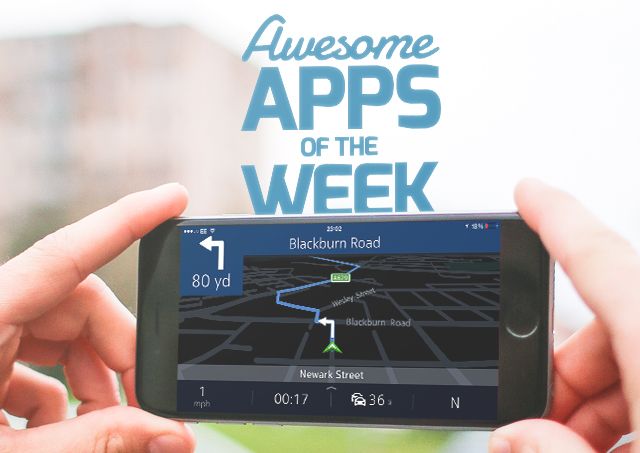
It’s the weekend again, and Cult of Mac is here to bring you all the app awesomeness you might have missed throughout the week.
Nokia has its own maps app for iPhone, a hot new photo editor has arrived, Google Calendar gets a sexy iOS app, and more.
Without further ado, here are this week’s awesome apps!
After disappearing from the App Store for over a year, Nokia has re-released its Here maps app for iPhone with an entirely native redesign.
The app is surprisingly good with a friendly interface and several features Apple Maps doesn’t have: like offline mode and public transit directions. It has all the expected bells and whistles, including live traffic info and photos of most locations.
If you’re looking for something besides Apple Maps or Google Maps, Here maps is worth checking out. It definitely has a better offline mode than Google Maps that includes turn-by-turn directions.
Available on: iPhone
Price: Free
Download: App Store
There are plenty of great photo editors for iOS, but a new one called Enlight is especially good.
Made by the creators of Facetune, Enlight is designed to be a one-stop-shop for editing pictures on the iPhone. Its simple interface is primarily controlled by swipe gestures, and while there are a lot of options to take in a first, a helpful walkthrough guide makes getting started relatively easy.
Enlight is a lot more powerful than most photo editors in the App Store, and if you love mobile photography, it’s worth checking out.
Available on: iPhone
Price: $3.99
Download: App Store
If you know anything about to-do apps, you’ve probably heard of Wunderlist. The popular task manager received a big update this week with redesigned iPhone and Mac apps.
Folders are finally supported for categorizing tasks, and the iPhone gets "Quick Add,” a new feature that uses natural language (meet John for lunch) to automatically add due dates and reminders.
Available on: iOS, OS X
Price: Free
Download: iOS App Store, Mac App Store
Google finally brought its Calendar app from Android to iPhone this week. It of course works with Gmail, but also iCloud and Exchange.
The plus of using Gmail is that the app can search your inbox and automatically turn stuff like flight or hotel bookings into events. Google’s Material Design feels slick and responsive, and the overall experience is much better than Apple’s stock Calendar app.
Available on: iPhone
Price: Free
Download: App Store
What if you could view your Google Analytics right in your Mac’s Notification Center? That’s the premise of GAget, a simple widget that displays page views, bounce rate, new visitors data, average time on site, and more.
The design is well thought out, and it’s a great example of a useful little indie app. The designer’s explanation of how he made GAget is worth a read too. If you like it on the Mac, there’s a great iPhone version as well.
Available on: Mac
Price: $2.99
Download: App Store
“In the dusty, undeveloped wastelands of Western Mudos, cantankerous townsfolk find their settlements besieged by belligerent outlaws. Along comes Stranger, a drifter turned bounty hunter, with a unique double-barreled critter-firing crossbow.”
Oddworld: Stranger's Wrath is a critically acclaimed mobile game that’s finally on the Mac. The artwork looks incredible and gameplay is solid. At only $10, it’s a steal.
Available on: Mac
Price: $9.99
Download: App Store

