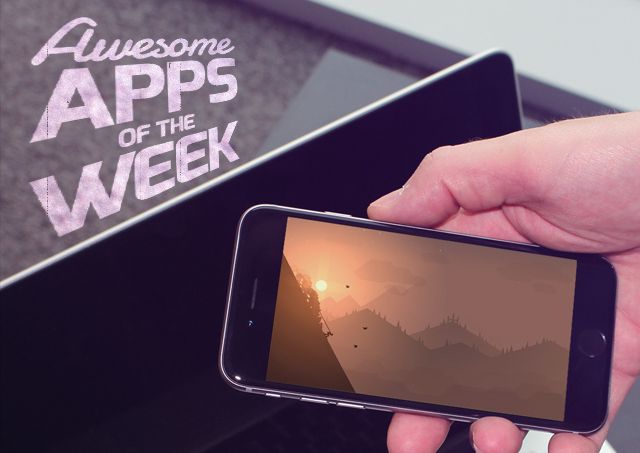
It’s the weekend, and Cult of Mac is here to bring you a roundup of all the app goodness you might have missed over the last seven days.
Apps for turning your iPad into a sketch board for your Mac, keeping records of all your stuff, and yes, even Microsoft Office made it into the roundup this time around. It’s a stellar lineup, so be sure to stay till the end.
Without further ado, here are this week’s awesome apps!
Designed by ex-Apple engineers, Astropad turns the iPad into a sketch board for any Mac app. So you can fire up Photoshop, connect an iPad, and use the tablet to draw with your favorite stylus.
Adonit, Wacom, and Hex3 styluses (styli?) are supported now, with FifyThree’s Pencil coming soon.
Performance really is the key here, and early reviews indicate that Astropad is the best in its class of mirroring apps. There shouldn’t be any noticeable lag connected over WiFi or USB.
Astropad isn’t an impulse buy. At $49.99 ($19.99 for students), it’s geared towards artists and creatives who would normally be buying a more expensive Wacom tablet.
Available on: iPad
Price: $49.99 (7-day trial)
Download: Astropad
Dropbox on iOS got a lot better this week. The official app finally got an action extension for iOS 8 that lets you save files to your account from just about anywhere, like the Camera Roll.
Another heavily requested feature was added: in-app viewing of shared links. When you click on a Dropbox link from your iPhone or iPad, you can open the attached file directly in a related app instead of viewing it in your browser.
Available on: iPhone/iPad
Price: Free
Download: App Store
If you’ve got a touch of OCD in your personality, you might appreciate an app like Records. You can create a database of your life, from the books you own to company inventory you want to track.
With a powerful visual editor and 14 fully-configurable form fields, the sky really is the limit.
Available on: Mac
Price: $29.99
Download: App Store
If you’re like me, your Pocket queue always overfloweth. There’s never enough time in my day to read everything on the internet I save, and there’s nothing I hate more than starting an article and realizing I don’t have time to finish it.
Short is a new iPhone app that gives you 5-10 minute long articles based on reading time from sources like Pocket and Instapaper. It’s got night and day reading modes, iOS 8 share features, and all the other bells and whistles. Check it out if you really want a nice reading app to complement your main reader service of choice.
Available on: iPhone
Price: Free
Download: App Store
Microsoft did something pretty cool for Apple users this week with Office in the App Store. You can now access and store documents using iCloud Drive with Word, Powerpoint and Excel on iOS. That means you don’t have to pay for an Office 365 or OneDrive subscription.
Available on: iPhone/iPad
Price: Free
Download: App Store
This week’s lost game is Alto’s Adventure, which we’ve already reviewed in full and interviewed its creators.
The basic gist is this: guide Alto down the hill and take in the breathtaking game design. It’s quite the trip.
Available on: iPhone/iPad
Price: $1.99
Download: App Store
You might of heard of IFTTT as the do-it-yourself internet automator of record, but the service is hoping to make itself a little more relatable to the masses with three new iOS apps.
Do Button, Do Camera, and Do Note all act as simplified command lines for their respective categories. With Button you can add recipes to quickly adjust your Nest thermostat, turn on your Philips Hue lights, etc. Camera works with services like Facebook and Dropbox to help you manage your photos. Note is for text-based actions like saving to Evernote, sharing on Twitter, and saving an event to Google Calendar.
Available on: iPhone
Price: Free
Download: Do Button — App Store, Do Camera — App Store, Do Note — App Store

