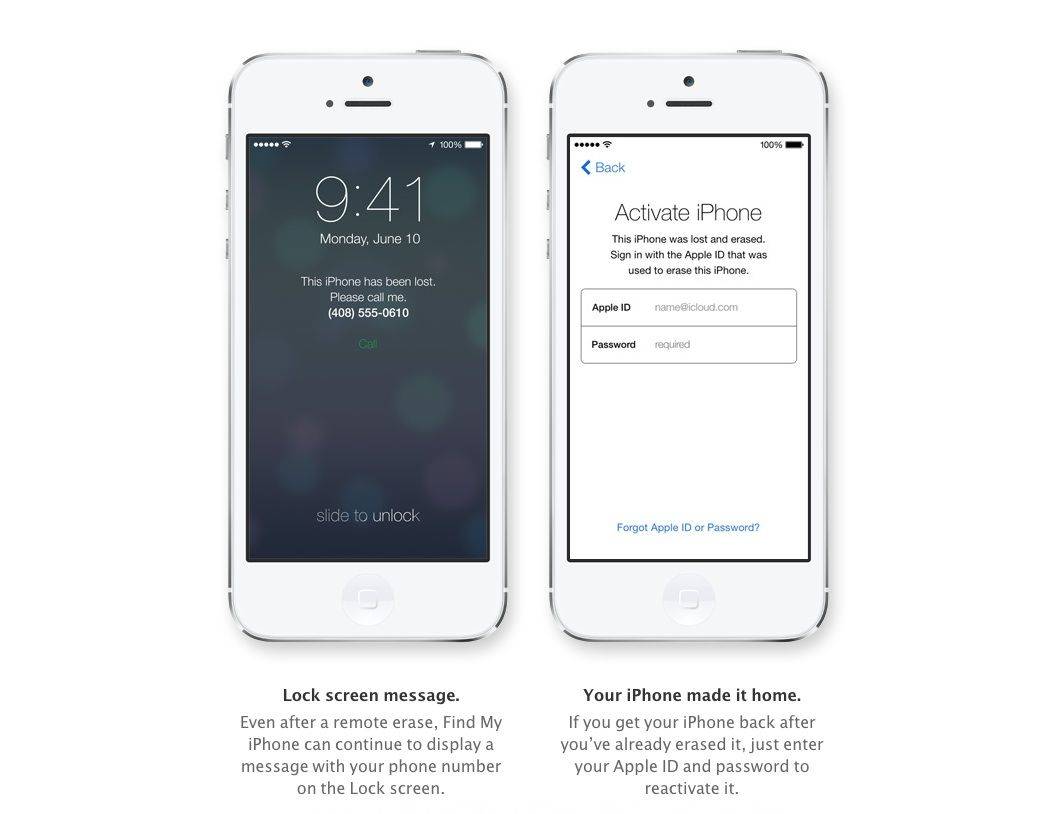
Activation Lock is a new feature in iOS 7 that allows you to remotely wipe all the data on your iPhone, iPad, or iPod touch in case it gets lost or stolen. It’s such a great idea that 78 percent of iPhone users have it enabled.
After Activation Lock is enabled remotely, your iPhone will display a message for you with details on how to return it to you. This is a great feature.
When you get the device back, all you need to do is enter your Apple ID (and password!), and your iPhone or iPad will reactivate, give you a fully functional iOS device again without letting anyone else use it in the meantime.
But where the hell do you enable this feature?
Turns out, you only need to make sure Find My iPhone (or Find My iPad) is toggled ON.
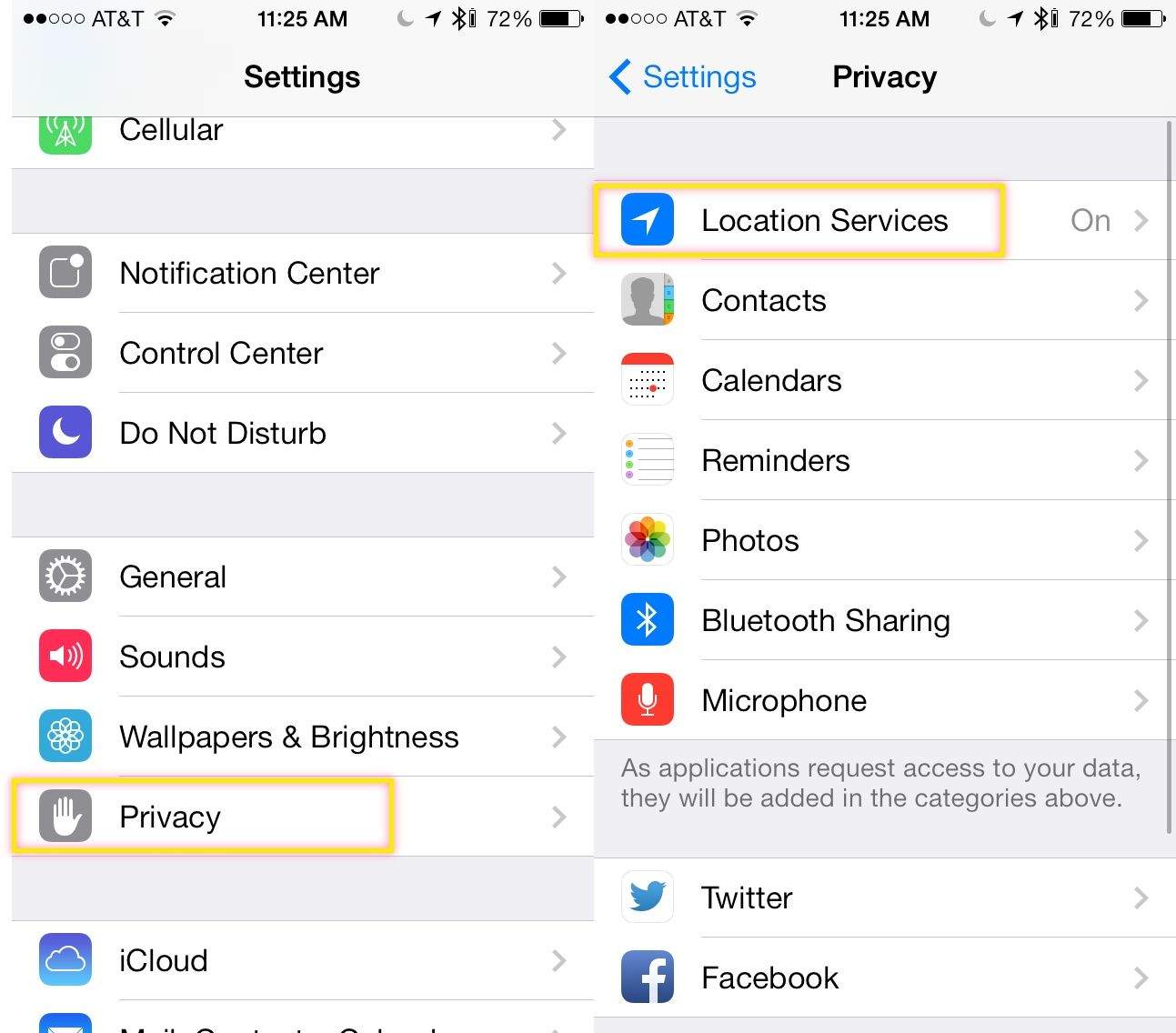
Head into your Settings app, and tap on Privacy. Next, tap on Location Services. Finally, swipe to the bottom of the Location Services Screen, and tap on Find My iPhone.
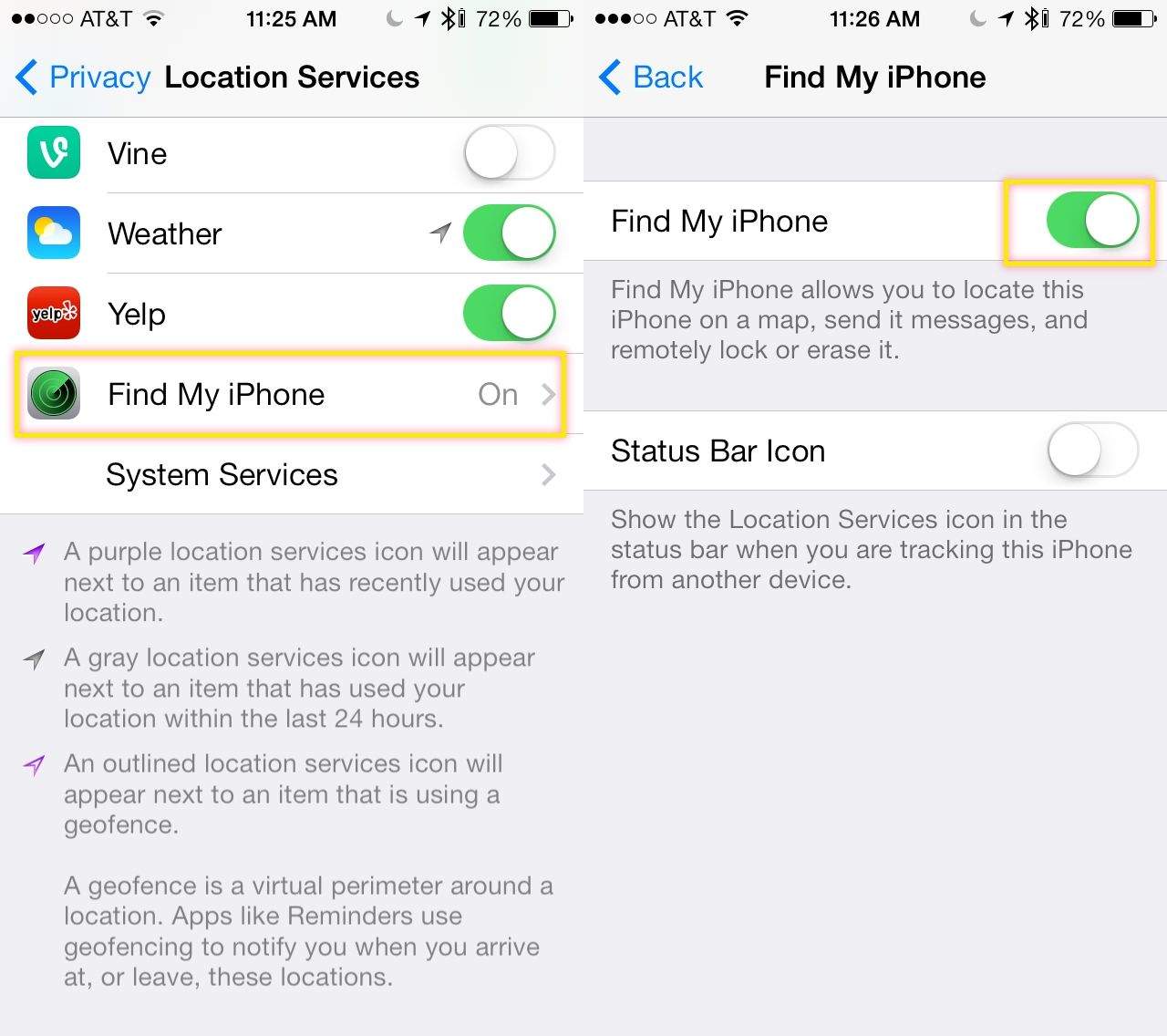
Toggle the feature ON with a tap, and then decide if you want to show that your device is being tracked remotely by setting the Status Bar Icon toggle to ON. You might want to leave it off if you don’t want potential theives to know you’ve got them in your sights.
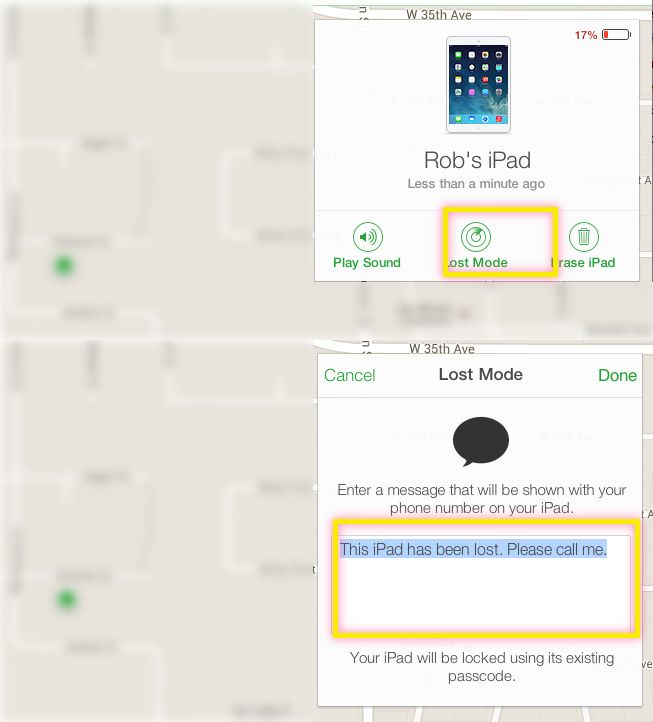
Now you’re set – your iOS device will have Activation Lock enabled, and you can remotely wipe the device via iCloud.com, setting the message there as well.

Rob LeFebvre is an Anchorage, Alaska-based writer and editor who has contributed to various tech, gaming and iOS sites, including 148Apps, Creative Screenwriting, Shelf-Awareness, VentureBeat, and Paste Magazine. Feel free to find Rob on Twitter @roblef, and send him a cookie once in a while; he’ll really appreciate it.


7 responses to “How To Enable Activation Lock On Your iPhone And iPad [iOS Tips]”
I have the iphone 4s with IOS 7.1.2 how do I enable actvation lock on my device I have Find My Iphone enabled as well
The activation lock in my iPad was unlocked by providing Apple Care with my proof of purchase (i.e. Receipt), actually my iPad was gifted to me by a relative and he had purchased it on his visit to the United States, now it was almost 3 years from now and he had lost the receipt, as the shopping bag that he had given the iPad in displayed a logo of a shop in the U.S., so I called them and asked them to track down a transaction for a said amount in the period of his visit to the U.S., to confirm the transaction the operator asked for a telephone number (which could aid him to track the transaction) I gave him the telephone number of a relative in the U.S. with whom the said relative stayed, he then came up with the transaction receipt and sent to me via E-Mail, I then forwarded the receipt to Apple Care who unlocked my iPad. The iCloud ID was made by my baby brother who had forgotten the password and the security question for the iCloud ID.
While conversing with them (Apple Care) on the topic, I came to know that the iCloud Activation Lock could be unlocked through several ways: 1. iCloud Account (ID & Password): 2. Security Question: 3. iCloud Account Associated Credit Card Number (if any) & 4. Proof of Purchase