For the last year or so, I’ve had an old indigo blue iMac G3, throbbing its orange oculus silently on my computer desk. I inherited it from the previous inhabitant of my apartment, and while I was at first enthusiastic about it, I’ve never quite been able to decide what I want to do with it.
While my budgerigar, Humbert J. Humbird, likes it well enough, converting it into a bird cage doesn’t really seem like a good idea: a gloomy demesne indeed for a parakeet already morbidly inclined. Another idea I had was to install Writeroom and put it in the front hallway of my palatial blogger’s luxury apartment, as a sort of guest book, but the only nook suitable is already the napping post of my senescent man servant, Beasley.
The other day, though, inspiration struck: I would Hackintosh it. I’d just rip out that iMac’s guts — the bulbous CRT, the 450MHz Power PC architecture, the 10GB hard drive and the 350MB RAM — and install a homemade mini-PC, hacked to run Snow Leopard. A perfect New Year’s project, and an excellent way to make that gorgeous, old and obsolete piece of plastic junk into a modern Mac.
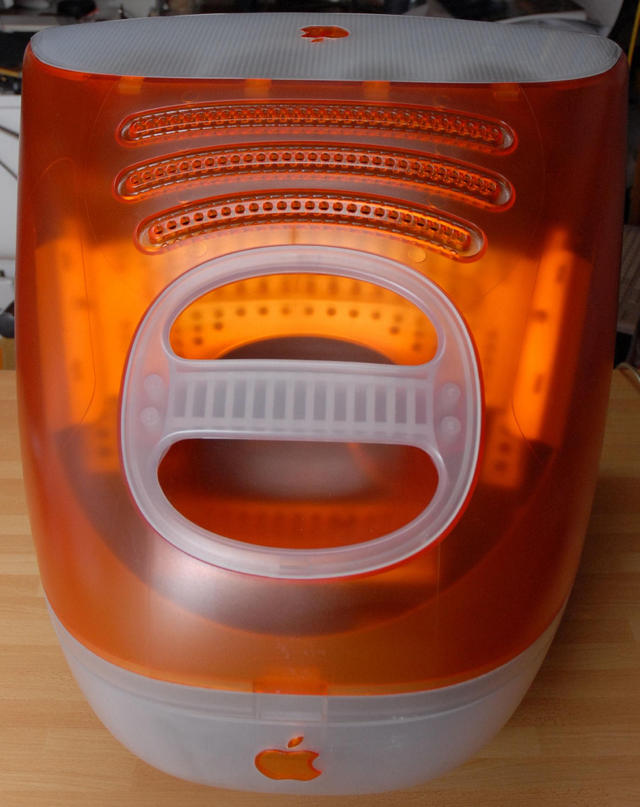
I haven’t started yet — I expect the real challenges to be the installation of an LCD screen and getting the slot-loading DVD drive to play nice — but I was curious if anyone had tried to Hackintosh an old iMac G3. Sure enough, someone had, as demonstrated this gorgeous picture guide of some maker who gutted his own, tray-loading Tangerine iMac G3 and installed a Hackintosh.
Unfortunately, there’s no text instructions, but the process seems simple enough. I plan to start sometime in January, and I’ll update here about it as I do. Any of our Cultists done something similar and want to warn me away from potential pitfalls? Pipe up in the comments.
[Tangerine iMac G3 Hackintosh]
[Creative Commons Image from LRosa’s Flickr]

John Brownlee is a writer for Fast Company, and a contributing writer here at CoM. He has also written for Wired, Playboy, Boing Boing, Popular Mechanics, VentureBeat, and Gizmodo. He lives in Boston with his wife and two parakeets. You can follow him here on Twitter.


24 responses to “Tangerine iMac G3 turned into a Hackintosh”
Any chance you successfully did this and have pictures or a guide to help others?
Did you complete this project – I would really like to do the same!!
I want to do it too!
I”m dying to do this to my iMac!!
i have three i macs (don’t know why) but anyway ive been thinking of ideas and you just given me the best idea yet!!!!
The links to the guide don’t work anymore… is there any chance anybody has a backup or has another guide?
Does anyone have a backup of this guide? It would be much appreciated.