I have been using Photoshop Touch almost obsessively for the past week, despite being holed up in the Mobile World Congress in Barcelona for much of that time. At first look, I thought it was yet another photo-editing app, and in many ways it is. But as I dig in more and more, its clear that — while this is no substitute for desktop Photoshop — its an amazing app in itself. And all the more so as it runs in just 512KB RAM.
First, what Photoshop Touch for? That’s not as dumb a question as it might seem.
Image apps for the iPad boil down to drawing/painting apps and photo processing apps. But Photoshop Touch is both, and manages each part as well as most dedicated apps. You don’t get all the fancy textured paintbrushes of SketchBook Pro, but the brush engine is crazy-good anyway. And you don’t get the grunge filters of PhotoStudio HD but, as this is Photoshop, you can build your own from scratch.
In this way, Photoshop Touch is a lot like the desktop version. You take a wide variety of tools and use them to create whatever you like. It is famously said that even top-end Photoshop pros will never learn to use everything in the app. You could learn all that Photoshop Touch has, but it would take you longer than your might think.
Better than the desktop
There are many things you can do with Photoshop Touch that are impossible on the Mac version. Snapping a picture with the iPad’s camera as a quick reference to sketch over for example. Sure, you can take a photo, import it and open it in PS on the Mac, but it’s clunky. And shooting straight into a transparent layer, lining things up on the fly, is tablet-only. And it gets better: One of the demos in the Russell Brown Show podcast shows you how to add lighting effects by shining a flashlight into the camera lens. It’s quite amazing.
Super smooth
The other thing that Adobe got right is the touch. The brush engine is smooth, the UI layout is incredibly finger-friendly, with extra options only exposed when you might need them. Somehow, it looks as simple as Adobe’s own Ideas app, but when you use it, many, many options are suddenly available.
While some filters take a second or so to update as you tweak the sliders, for the most part everything happens instantly. Last week I was giving my esteemed colleague John Brownlee a demo in my local bar, and many of the buttons weren’t registering a touch. It turned out that I wasn’t pressing hard enough with my Wacom Bamboo stylus, which needs a little pressure before it registers a touch.
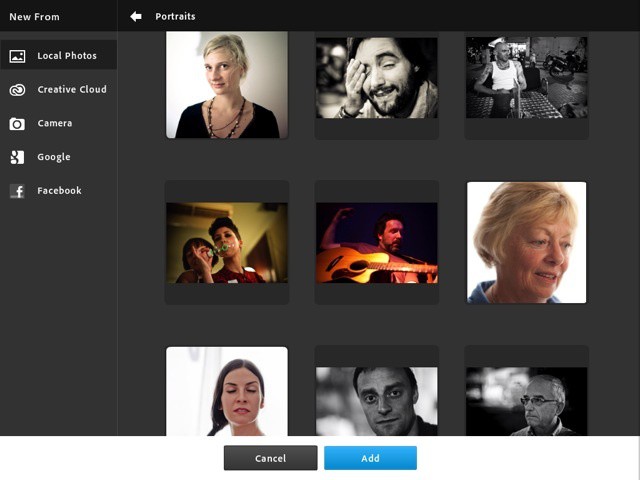
Adobe has even improved on some of Apple’s designs. The whole app has a flat, non-nonsense Windows Metro feel to it, including the photo browser. This ties into your existing library — albums and all — but is way better than the built-in browser. It’s full-screen, shows big thumbnails, and is at least as responsive as the native browser (which you can opt to use via the preferences if you really hate yourself).
Selections
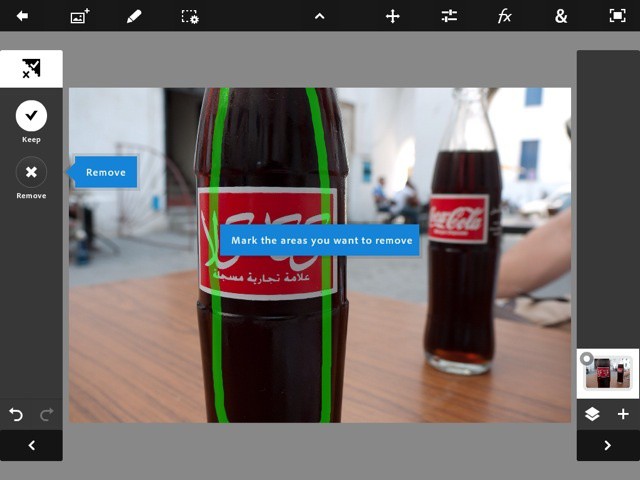
Also remarkable is the selection tool. Tracing around objects with a fat finger without a pressure-sensitive stylus should be a recipe for disaster, but Adobe pulls it off. Watch, as I pick the Scribble Selection Tool (toolbar, left side, under the Magic Wand section) and pull this bottle from its background.
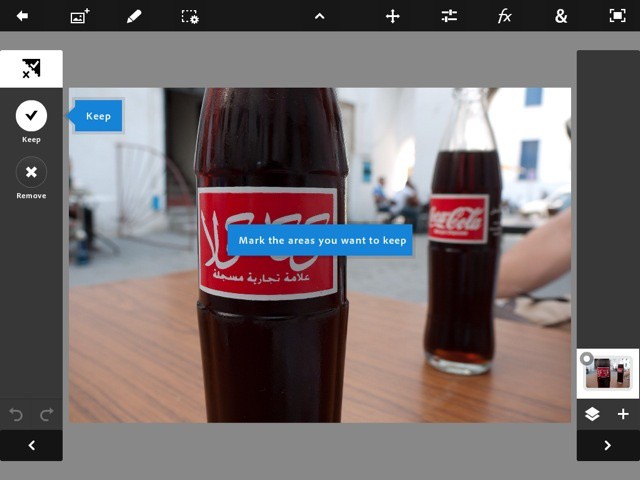
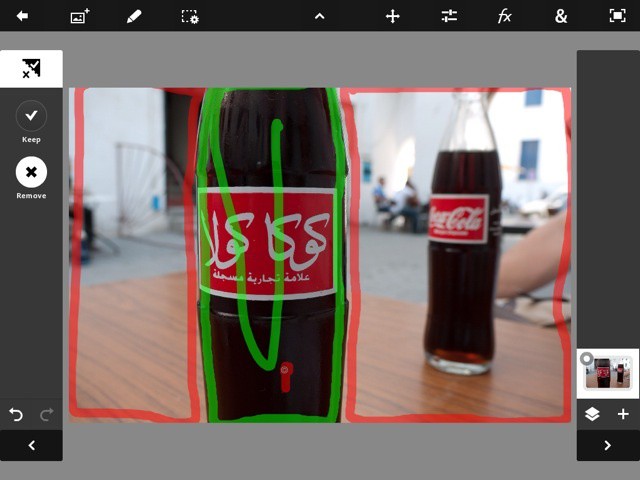

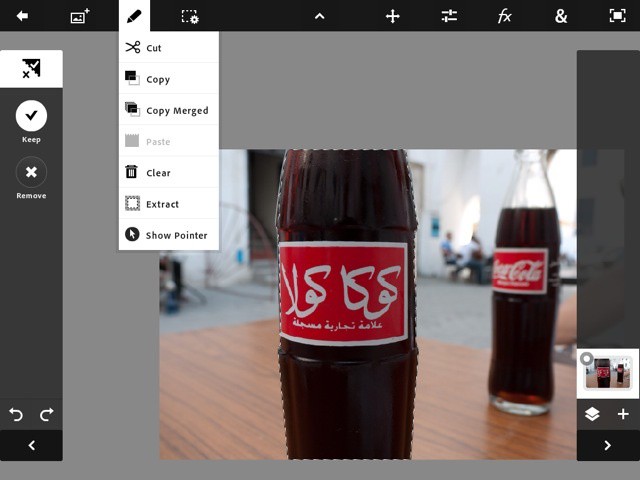
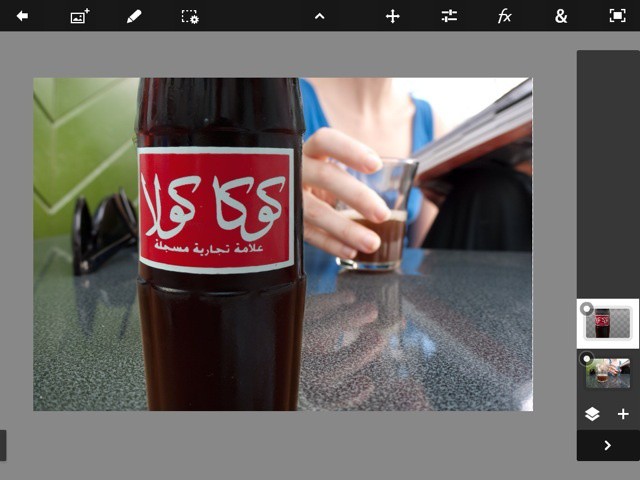
Easy, huh? And better still, the first time you use a new tool these little tips pop up on screen to help along. But to really get to grips with all the features, take a look at the tutorials.
Tutorials
The tutorials are as well thought through as everything else. All the images are provided, and step-by-step instructions are overlaid on the app itself, and you just follow along. If Adobe had released just the tutorial section as a $10 app, it would be worth the price.
There’s plenty more in there, but you really should just go and play. It’s not all perfect, though. Getting photos in and out is easy, and you can even send layered PSD files to the desktop. But they are big, and they have to go through Adobe’s Creative Cloud to get there. Fine on super-fast Wi-Fi, I guess, but the option to use iTunes to transfer bigger files would be great (despite iTunes’ clunkiness). Also, when bringing layered files into the app, they are flattened, likely due to memory issues.
Right now, PS Touch is a must-have app for your iPad 2. And with the retina display iPad 3 announcement tomorrow, my guess is that Adobe might have an update ready very soon, maybe even demoed on stage. And that is going to be very, very sweet.
Pros
Fast. Incredibly versatile. Fun. Writes the book on how to make a touch-based photo app. It’s Photoshop.
Cons
No import of layered files. That’s it.

Charlie Sorrel writes reviews and how-tos. Follow Charlie on Twitter at @mistercharlie, and at micro.blog on @mistercharlie

