

We’ve already shown you how to sync your address book with the Facebook app for iOS to add profile pictures and other credentials, but what if you prefer to use Twitter instead? Well, fortunately for you, you can also sync your address book with Twitter, and it’s incredibly easy thanks to iOS 5’s Twitter integration.
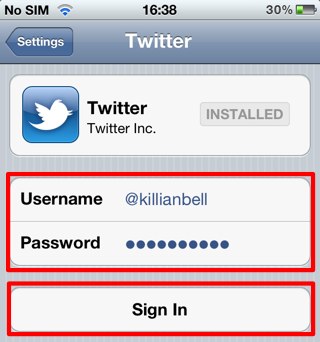
First, open up the Settings app on your device and tap on the Twitter tab. You’ll need to be logged in to sync your contacts, so if you don’t already have your Twitter account set up, enter your username and password and tap ‘Sign In’.
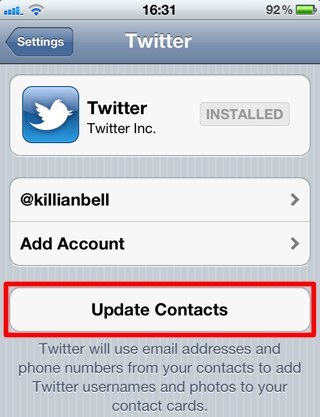
Now all you have to do is tap the ‘Update Contacts’ button to sync Twitter profile images and usernames with your address book.
Once the sync is complete, you’ll find your contacts — with a Twitter account — now have profile images, and a quick link to their Twitter profile, which will launch the Twitter app when you tap on it.

Killian Bell is a freelance writer based in the U.K. He has an interest in all things tech and also covers Android over at CultofAndroid.com. You can follow him on Twitter via @killianbell.


4 responses to “Sync Your Contacts With Twitter To Add Usernames & Photos To Your Address Book [iOS Tip]”
The question most people want to know when it comes to stuff like this is whether or not the “syncing” is going to overwrite anything in the Address book, but no one ever seems to address that issue.
Sure it’s easy, but is this (and the Facebook sync) a destructive or non-destructive sync?
Is it always safe to do? Is it going to overwrite the pictures or other details that I already have in Address book?
FYI, this doesn’t work if your address book is an exchange account.
FYI, this doesn’t work if your address book is an exchange account.
There is an option in the Facebook one that says “Replace photos with Facebook Photos” You can turn that on or off. As for Twitter…I have about 4 friends on twitter, I don’t know