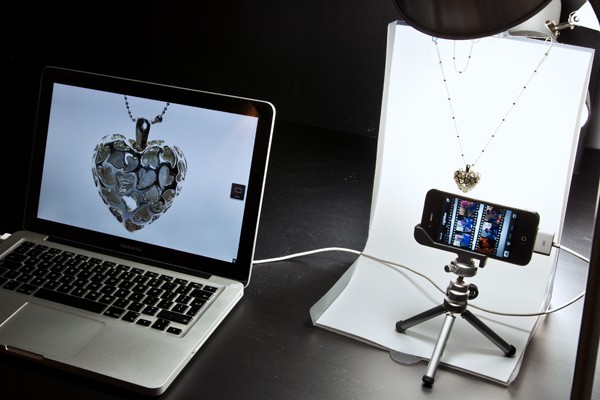
Photo accessories company Modahaus recently posted an excellent little how-to for anyone wanting to take nice looking product shots with an iPhone.
Turns out you can get pretty good images – certainly good enough for the web – with an iPhone 4, a plain white background, and a copy of Camera+, one of the most flexible all-purpose photo apps you can find in the App Store.
Of course it’s in Modahaus’ interests to post something like this. After all, they sell some of the accessories to make it all work. But there’s a wider message here: product photography need not cost the earth. You can still follow their suggestions and rig together your own plain backdrop.
Using Camera+ gives you precise control over focus and white balance, as well as access to a delayed shutter release – essential for avoiding camera shake no matter how gently you tap the on-screen shutter button.
Even if the only product you ever want to photograph is some old trinket you’re selling on eBay, there are some good tips in this post that will help you get the best possible results.

Giles Turnbull is a freelance writer in England. He also writes for the Press Association and The Morning News. You can find out more at his website, and follow him on Twitter @gilest.

