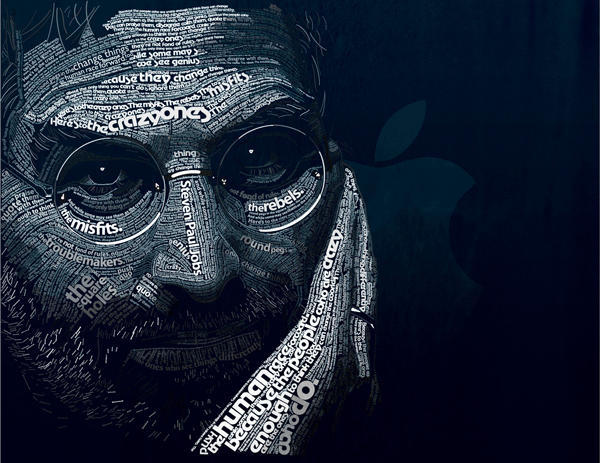
Remember the fantastic portrait of Steve Jobs using Apple’s classic typefaces from last week? Here’s a step-by-step guide showing exactly how designer Dylan Roscover created it in Illustrator and Photoshop. It was 24-hours of work, he says, with no sleep.
Dylan, a self-described ‘design nerd’ who lives in Aloma, Florida, explains:
“I used Adobe Illustrator and the Pen tool to trace his facial contours the way I figured they would make sense, one by one using the Type on a Path tool for each path.
The larger lines of type were hand-kerned character-by-character to fit accordingly. Near completion I used the Magic Wand tool to select areas of text and apply gradual shading.
Everything was composited in Adobe Photoshop as a smart object to give it that deep blue effect and the background texture.
In total it look about 24 hours to complete during three days with no sleep (class assignment).”
Here are Dylan’s detailed step-by-step instructions.
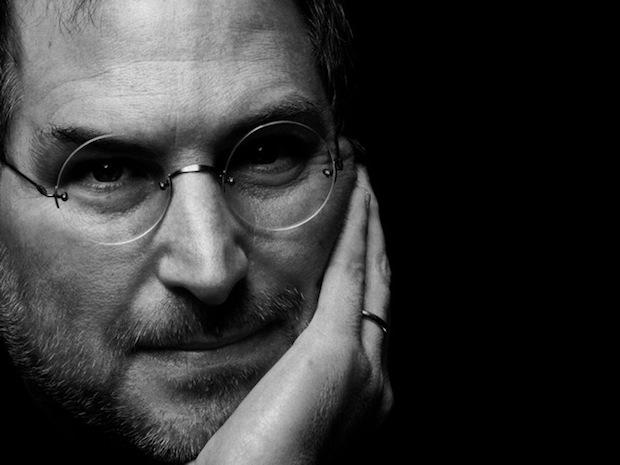
Steve Jobs, Original Photo
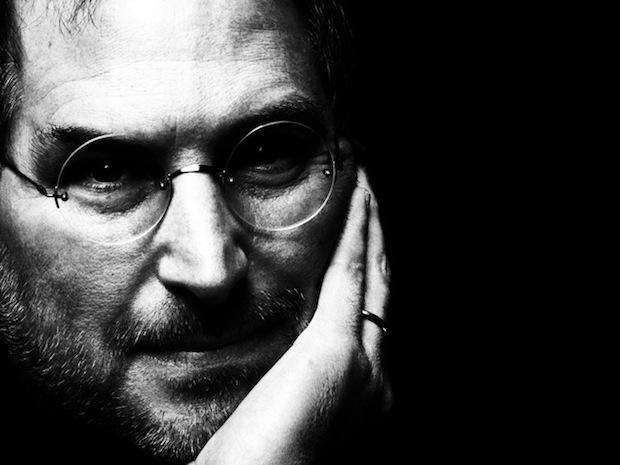
Steve Levels Adjustment
Using levels in Photoshop, I bumped up the contrast to help me better distinguish light from dark.

Steve, Beard Hair
Having imported the Photoshop image into Illustrator, I started with Steve’s beard hair, using a lowercase Adobe Garmond “L” over and over, manually repositioning and rotating each element.

Steve, Beard Hair 2
This was after about the first half-hour’s work. I began with pure white for all of the type, ignoring color and shadow and focusing solely on position and scale.
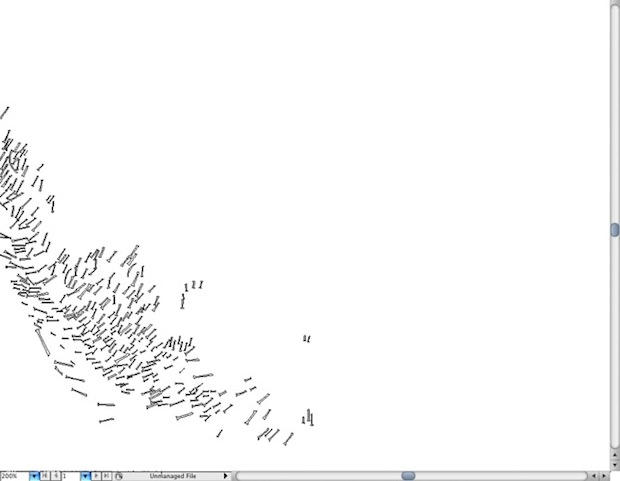
Steve, Beard Hair Outline
An outline view of the type only.
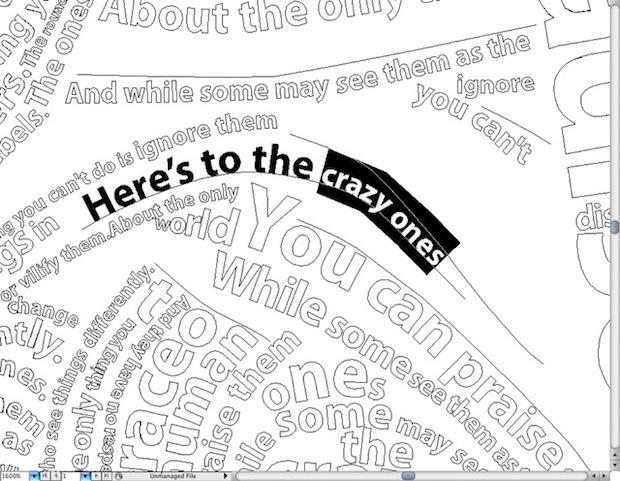
Type on a Path Outline
Detail of the overall typesetting process. I would frame each path of the facial contours using the pen tool, and then copy and paste a certain string from the ad campaign onto that line using the Type on path tool, setting, kerning and sizing that individual line as necessary. In certain areas and larger blocks of text, I would manually set individual characters. Fonts were grouped with each other to maintain consistency across the face.
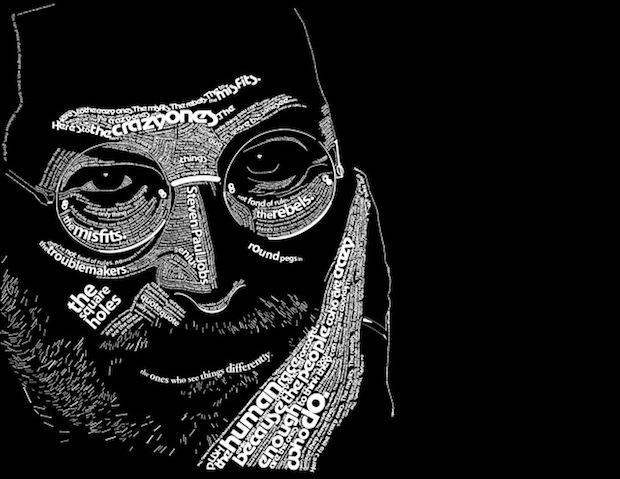
Steve, Halfway
About 10 or so hours into the project. Most of the major facial features were framed first chronologically (“Here’s to the crazy ones” sits on his forehead, “The Misfits” and “The Rebels” beneath his eyes, “The round pegs in the square holes” on his cheeks and then “The ones who see things differently” across his lower lips). Note that no shading was added yet in the process, and a deep emphasis was put into varying the character sizes to add interest to the piece.
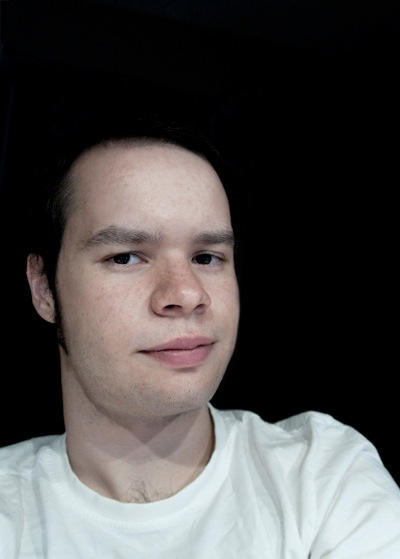
Dylan Roscover, the artist.

Leander Kahney is the editor and publisher of Cult of Mac.
Leander is a longtime technology reporter and the author of six acclaimed books about Apple, including two New York Times bestsellers: Jony Ive: The Genius Behind Apple’s Greatest Products and Inside Steve’s Brain, a biography of Steve Jobs.
He’s also written a top-selling biography of Apple CEO Tim Cook and authored Cult of Mac and Cult of iPod, which both won prestigious design awards. Most recently, he was co-author of Cult of Mac, 2nd Edition.
Leander has been reporting about Apple and technology for nearly 30 years.
Before founding Cult of Mac as an independent publication, Leander was news editor at Wired.com, where he was responsible for the day-to-day running of the Wired.com website. He headed up a team of six section editors, a dozen reporters and a large pool of freelancers. Together the team produced a daily digest of stories about the impact of science and technology, and won several awards, including several Webby Awards, 2X Knight-Batten Awards for Innovation in Journalism and the 2010 MIN (Magazine Industry Newsletter) award for best blog, among others.
Before being promoted to news editor, Leander was Wired.com’s senior reporter, primarily covering Apple. During that time, Leander published a ton of scoops, including the first in-depth report about the development of the iPod. Leander attended almost every keynote speech and special product launch presented by Steve Jobs, including the historic launches of the iPhone and iPad. He also reported from almost every Macworld Expo in the late ’90s and early ‘2000s, including, sadly, the last shows in Boston, San Francisco and Tokyo. His reporting for Wired.com formed the basis of the first Cult of Mac book, and subsequently this website.
Before joining Wired, Leander was a senior reporter at the legendary MacWeek, the storied and long-running weekly that documented Apple and its community in the 1980s and ’90s.
Leander has written for Wired magazine (including the Issue 16.04 cover story about Steve Jobs’ leadership at Apple, entitled Evil/Genius), Scientific American, The Guardian, The Observer, The San Francisco Chronicle and many other publications.
Leander has a postgrad diploma in artificial intelligence from the University of Aberdeen, and a BSc (Hons) in experimental psychology from the University of Sussex.
He has a diploma in journalism from the UK’s National Council for the Training of Journalists.
Leander lives in San Francisco, California, and is married with four children. He’s an avid biker and has ridden in many long-distance bike events, including California’s legendary Death Ride.
You can find out more about Leander on LinkedIn and Facebook. You can follow him on X at @lkahney or Instagram.

