Business Macs that don't include centrally managed antivirus protection may be ticking time bombs
The after effects of the Flashback Trojan are going to be felt for a long time to come. Although there’s been the occasional Mac malware announcement over the past few years, none was ever found to be rampant in the wilds of the Internet. Most were easily avoided by Apple’s basic security elements or by simple user actions like telling Safari not to immediately open so-called “safe” files after downloading them.
As a result, the Flashback Trojan caught a lot of people off guard – including individual Mac owners and some IT professionals who ought to have known better. It also highlighted deficiencies on the part of Apple when it comes to security.
Keep Java updated on your Mac to eliminate threats from the Flashback trojan.
Apple has issued a second update to Java in just two days this week as the company works to patch vulnerabilities that have led to the infection of over 600,000 Macs. The Java for OS 2012-002 update is now available to download via Software Update, and it’s recommended that you update.
Your Mac could be one of the 600,000 infected by malware. Here's how to check.
A Mac infected by a virus used to be something of a rarity, and it was the best argument you could bring to a Mac versus PC debate. But with Mac adoption surging in recent years, it was inevitable that Apple’s operating system would become a target for hackers.
Variations of one Flashback trojan, which first surfaced back in 2007, are now affecting more than 600,000 Macs around the world. Here’s how to find out whether your machine’s affected and kill the malware.
Ever get tired of the dialog that appears whenever you run or access a file you’ve downloaded? It can be an annoying halt to a workflow, especially if you already know not to trust files downloaded from questionable websites. Here’s how to turn off the warning.
Got a new Mac? You’ve probably realised that OS X provides an excellent out-of-the-box experience. Unlike with Windows, few add-ons are required. There’s a great browser, for example, and full PDF support. But there’s still some tools that most experienced Mac users download the minute they boot-up a new Mac. Here they are, listed for possibly the first time…
Since 1997, Intego has been providing some of the best security software for the Mac, including antivirus, firewall and backup programs. Using its expertise, the company has now created an app for iOS devices that aims to prevent the spread of malware through your email attachments. Don’t scoff.
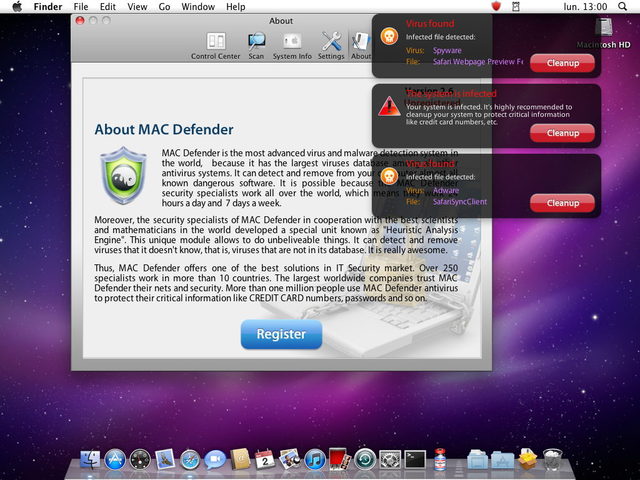
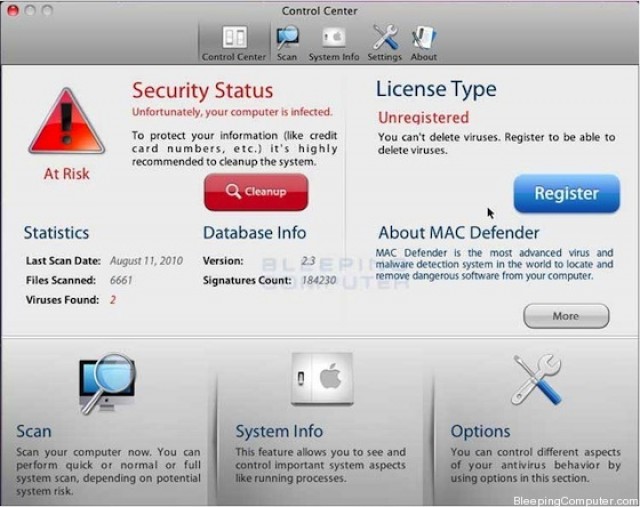
Do you need antivirus or antimalware software on your Mac? Although Apple’s sales staff are quick to hype up the relative security of a Mac compared to a Windows PC, internally, they aren’t so confident. According to an Apple Store Genius speaking to Ars Technica, “Mac Defender has changed everything.”
At this point, you probably know all about the Mac Defender thats doing the rounds. According to AppleCare Support reps, it’s exploding on Macs all across the country… but if you call Apple, they won’t lift a finger to help you remove it.
So how can you tell if you’re infected by MacDefender? Luckily, it’s pretty easy to spot it on your system… and even easier to remove it, if you know how.

Think recent reports that Mac malware is a very real threat are just another example of security researchers crying wolf? Think again.
An AppleCare support representative says that not only are call centers being inundated with reports about the MacDefender malware, but that Apple employees who help customers remove it from their computer can be fired.