Mobile menu toggle

Search results for: blackra1n

How To: Change Your iPhone’s Default SSH Password

By

ikee_iphone_wallpaper

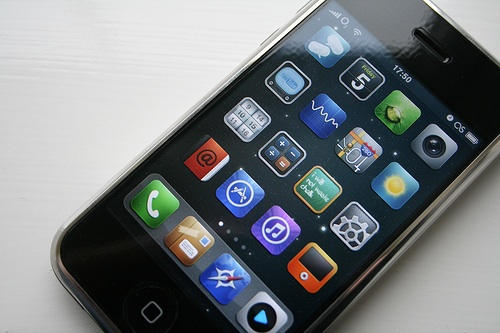
If you jailbreak your iPhone, the first thing you ABSOLUTELY MUST DO is change the default filesystem password.

When you jailbreak, the filesystem’s password is set to the common password “alpine.” As people usually don’t bother changing this password after performing a jailbreak, it’s really easy for hackers to get access to any jailbroken iPhone/iPod Touch on a public network.

EDIT: Just confirmed with GeoHot and it seems that at least blackra1n doesn’t install SSH by default, therefore this should not be a problem if you used blackra1n to jailbreak, unless you installed the OpenSSH package from Cydia.

An Australian hacker called Ashley Towns demonstrated this by circulating the first known iPhone worm, known as Ikee, which replaces your lockscreen wallpaper with an image of Rick Astley. Luckily Town’s Rickrolling is benign. He wrote the worm to demonstrate how easy it is to break into jailbroken iPhones.

Changing the password is quick and easy — after the jump is a tutorial showing how to change the SSH password.

Note: There is no need to follow this guide if you haven’t jailbroken your iPhone/iPod Touch.

Apple Seeks New Security Head As Exploits Increase

By

Credit: William Hook/Flickr

With hackers feasting on the iPhone, Apple appears to be looking for a new sheriff. The Cupertino, Calif. company is advertising for an “iPhone Security Manager” passionate about understanding security exploits. The move may be aimed at the latest round of jailbreak software released on the Internet.

Appearing Oct. 16 on Apple’s Web site, the ad seeks “a very technical and hands-on leader, someone with a passion for understanding security exploits and coming up with innovative methods to create secure platforms.” The chief goal for the new security chief: to “set the roadmap for the iPhone OS platform security.”

New iPhone 3GS Model Updates Boot ROM, Blocks Jailbreak Completely

By

post-18619-image-f8e2057dddb97b76d83df693c693f201-jpg

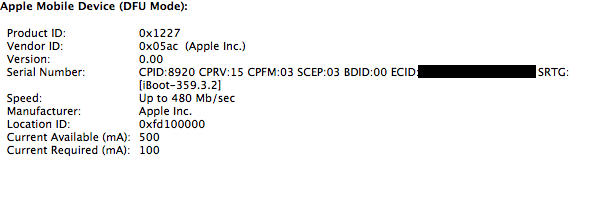
Expert iPhone hackers confirm that the newest iPhone 3GS model updates the bootrom to iBoot 359.3.2, which completely blocks all the current jailbreak solutions, including PwnageTool and blackra1n. The new model that started shipping last week has an iBoot that ‘fixes’ 24kpwn exploit, which is currently the base of all the aforementioned jailbreak solutions.

Found at first by a hacker named Mathieu Hervais, it has now been confirmed by DevTeam members CPICH and MuscleNerd. This means that the hackers will now have to work hard on finding a completely new solution.

Those who want to jailbreak might be able to find an older/refurbished iPhone with an earlier boot ROM. Otherwise, you will have to wait till the next major jailbreak solution, which might take months.

Apple has been preventing users from jailbreaking since the first ever firmware update. The main reason behind this is prevent customers from unlocking their iPhones to use with different carriers. Most jailbroken devices end up being unlocked at some stage, which has a negative impact on carrier’s monopoly of the device. This indirectly effects Apple’s earnings.

Another reason could be piracy, which too has a similar impact in terms of reduction in revenue from the AppStore. But preventing jailbreak to stop piracy sounds pretty lame as Apple definitely has the potential to develop a better and effective anti-piracy system.

Pretty bad news but will it really prevent you from getting a new iPhone 3GS?

DevTeam Updates PwnageTool for Mac, iPhone 3.1.2 Now Supported

By

post-18449-image-38850d2092778a88b34ba080ed9b3ebb-jpg

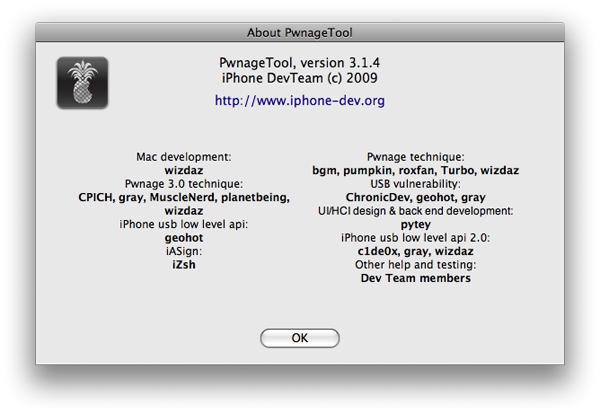
PwnageTool for Mac has been updated to version 3.1.4 by the DevTeam. This new update basically adds firmware 3.1.2 jailbreak support. It currently supports jailbreaking all the devices except iPod Touch 3G.

PwnageTool is currently compatible with Intel Mac only. The reason some would prefer it to blackra1n is that it allows you to ‘hacktivate’ the phone (use it without AT&T’s iPhone data plan) and the unlock is preserved even through firmware updates. However, to unlock an iPhone 3G or iPhone 3GS, make sure that you have a firmware 3.0 (or 3.0.1) baseband on the phone.