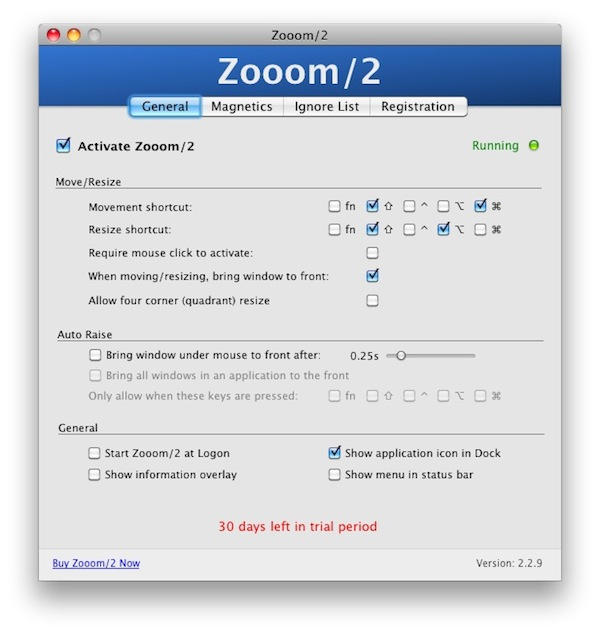
Screens of all shapes and sizes can end up cluttered with windows and palettes all over the place. On tiny little MacBook screens you get everything overlapping everything else; on ginormous 27″ iMac screens, everything’s so far apart you have to crane your neck to take it all in.
Step forward Zooom/2, a utility designed to make managing all those windows a little bit easier.
It’s pretty simple to understand, although the keyboard shortcuts might take a while to get into your head (even though they are very configurable): while Zooom/2 is running, you can move, resize, and bring forward individual windows without have to click on anything. You can hold down a key and simply move your mouse (or your finger) to do the job.
It’s quicker than standard pointing-and-clicking, and somewhat easier on the finger and wrist muscles. If your work involves a lot of window management, something like this might come in very useful.
The screencast above explains some of the basic features, but there are more buried away inside Zooom/2. One is bringing windows forward on mouseover; just click your pointer over a window and boom! it’s at the front. This one takes a bit of getting used to, but some people love it. Another is the way the app was built, which was entirely with Apple-approved APIs. That means there’s nothing shady going on the background. And finally an Ignore List means you can make app-by-app adjustments for what does and doesn’t get affected by Zooom/2’s controls.
On first hearing about Zooom/2 I thought it sounded similar to SizeUp, another window manager that I already own. While it’s true that the two of them share a lot of functionality, they are not identical or mutually exclusive. If you’re in the market for a window manager, I recommend you try them both out before choosing one (or possibly buying both).
When he heard we were writing a review, Zooom/2’s developer John Clayton offered Cult readers a 15% discount off the $15 license. If you want to use the discount, enter NICELIFECULTOFMAC into the promo code field when paying for Zooom/2. This discount code expires on January 12th 2010.

Giles Turnbull is a freelance writer in England. He also writes for the Press Association and The Morning News. You can find out more at his website, and follow him on Twitter @gilest.

