Review: Epson’s Artisan 710 Dresses Up Awesome Features, Superb Print Quality And Wifi In A Sleek Black Jacket
7:28 am, November 30th, 2009, Eli Milchman

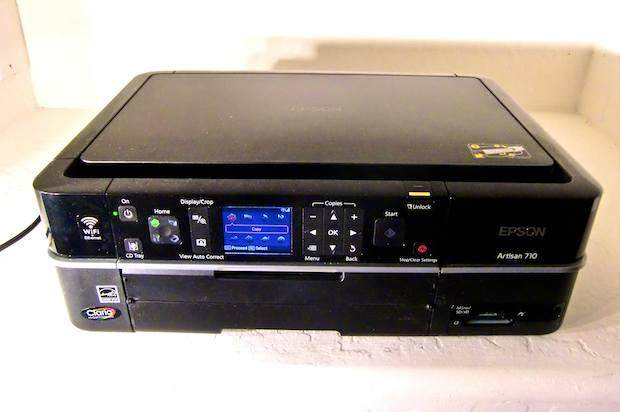
Epson should have called the Artisan all-in-one the “Intern” instead — it works that hard to please. It’s up on all the latest technology, surprises with nifty tricks; and while it isn’t exactly cheap, for what it does it’s a bargain. And unlike that sloppy, kind of half-working old printer with coffee-stained teeth you hired ages ago, Epson’s new beauty is snappily dressed, fast and reliable.
The 710 is the little brother of Epson’s two overhauled siblings, and is an update of last year’s 700. We picked it because it keeps most of the pair’s great features, with a list price just a little over half that of its even more feature-laden brother, the 810 (although since we received our 710 tester, prices on the 810 have plunged considerably).
Arguably, the coolest feature of the Artisan 710 is its ability to print wirelessly over wifi. But I have to admit, knowing the printer had this feature made me groan a little when setup time rolled around. I needn’t have worried — connecting the printer to my MacBook and my router was painless (Epson also made it abundantly clear that, because I had Snow Leopard, I needed to download the driver from their website rather than use the included install disk; props to the marketing dept. for clarity). Once set up, printing wirelessly from my laptop worked flawlessly. Bonus: There’s also an app at the iTunes store that’ll let you print wirelessly from your iPhone.
Print quality simply floored me. The test photos I printed were very, very close to lab quality, and the 710 pops them out extremely quickly — I was able to print 4×6 photos, at maximum resolution, in an impressive 20 seconds from hitting the “print” key. Printing letter-sized paper is likewise done in rapid manner, about 30 black & white pages/minute at draft quality.
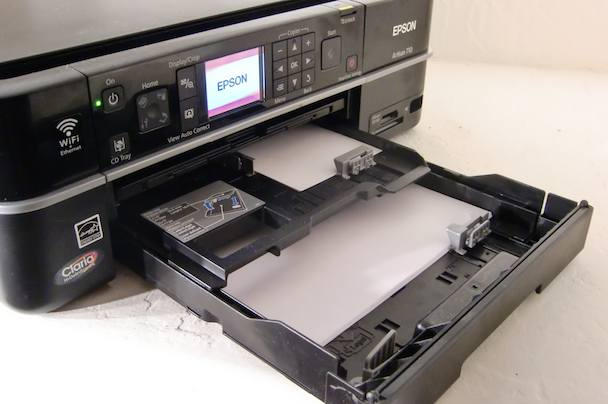
A removable, dual-feed paper tray means no-hassle switching between letter-sized paper and 4x6 (or 5x7) photo paper.
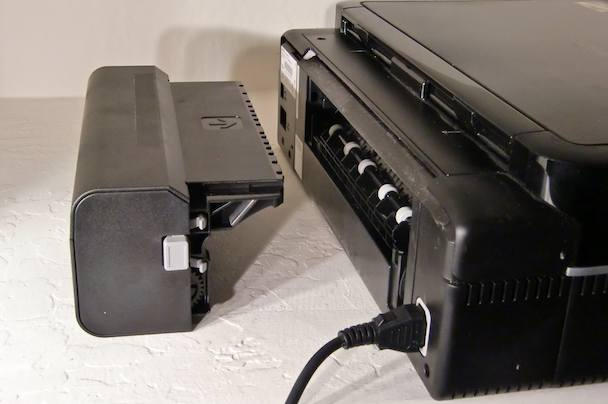
Paper-handling duties are shouldered by a dual-level paper tray that stacks regular and photo paper for easy switching, and a removable duplex-roller for double-sided printing at the printer’s rear, a luxury not often seen on printers at this level. Another rare feature is a DVD tray that allows printing directly onto special DVDs with printable surfaces (currently made only by Maxell).
Correction: Any printable DVDs/CDs (eg. those made by Verbatim, Memorex, Imation, TDK and others) should work just fine.
On top of all this, the 710 packs a dizzying array of nifty little tricks: onboard photo editing and color restoration of old-timey looking photos of your parents, printing lined paper notebook paper (weird), printing coloring book pages from actual photos, (really cool if you have kids, or just a lot of time on your hands), and of course all the usual stuff like photo borders, etc. The printer will even let you charge gadgets from its USB port. In fact, there are so many options, the menu system becomes a little intimidating at times.
If all that still isn’t enough, the 710’s big brother, the Artisan 810, adds fax capability, a higher-resolution scanner, a gorgeous touch-screen interface and a 30-page automatic document feeder — all for about $200 street.
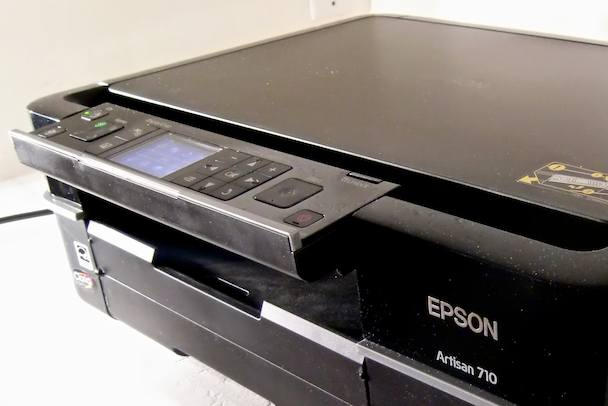
The printer's entire faceplate pivots incrementally within a 90 degree range.

The duplex roller at the printer's rear can be easily detached to save space.

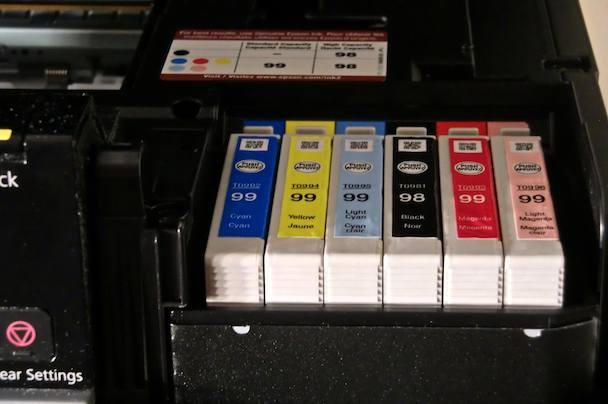
The Artisan 710 uses six separate ink cartridges — which makes replacing just one heavily-used color less expensive than replacing a single multi-color cartridge; and Epson says separate cartridges also contribute to better print quality.
Posted by Eli Milchman in Printers, Reviews | Comment on this article
If you enjoyed this article:
Subscribe via RSS or email, or follow us on Facebook and Twitter


Out of pure curiosity, why can you only use Maxwell printable DVDs? I have tons of Verbatim Inkjet Printable DVDs and CDs on hand, will they really not work with this unit?
RyanTV, on November 30th, 2009 at 9:40 am
yeah, i don’t see whyyou can’t use other brands. i have a bunch of memorex ones that work fine in my older epson.
firesign3000, on November 30th, 2009 at 9:49 am
Ryan, that’s a good question. Answer: We erred. Turns out any printable DVD/CDs should work just fine. Thanks for the catch.
Eli Milchman, on November 30th, 2009 at 9:50 am
Cool printer. I wonder how much cheaper it is to run versus a printer using the all-in-one cartridges found in comparable units from HP etc?
ElectroBoy, on November 30th, 2009 at 10:31 am
epson borrowed heavily from the cheesy all-in-one stereo from the 70’s school of design.
Buck, on November 30th, 2009 at 1:57 pm
I always wonder how you quys get so much dust and smudge on your tested gear!
Must be an unhealthy place to work in…
Bas, on December 1st, 2009 at 3:22 am
This looks cool.
I have a question for the team – - Do Epson cartridges still dry out quickly? I stopped installing / recommending Epson units due to this repeated issue, went to HP All-In-Ones.
Has this issue been fixed? If so, I’d recommend them again.
Erin's Dad, on December 1st, 2009 at 8:48 am
Very nice virtues, but much too expensive to purchase and to maintain.
Question: is this equipment truly “wireless”??
Larry Lieberman, on December 1st, 2009 at 4:12 pm
Larry, the only wire snaking out from the machine is a power cord.
@Erin’s Dad: I haven’t experienced a hint of clogged nozzles or dried ink in the month-plus that I’ve been testing the printer. That’s not long, but so far, so good.
@Bas: The Cult of Mac office is located at the bottom of a Welsh coal mine.
Eli Milchman, on December 2nd, 2009 at 4:23 am
Just wanted to add the features that i liked about the Artisan 710…
-The multi-card reader in the front of the printer…
this is cool because cards inserted here will automaticly be mapped to “My Computer” as a drive. (limit 1 card at a time) This feature means I dont need a card reader in your PC!
-Automaticly crops pictures
I can scan several pictures or cd/dvds at 1 time and the 710 will make each 1 its own picture.
-Scanning directly to the computer from the scanner through wifi
I can stand at the printer and scan a document directly to my pc… even in pdf format! (i can also scan to memory card inserted in the 710)
-Wifi Functions
The wifi was simple to set up and works very well. it is, in fact, very stable and “true wifi”
-Quiet
This printer is pretty quiet for all of its features.
Overall, i love this printer. It seems very well built. The only thing i don’t like is the speed of the cd/dvd tray. sometimes it takes 10 seconds to eject. other than that, it prints dvd/cds very well. (even blank labels pre-stuck to the disk)
Ryan B, on December 4th, 2009 at 3:41 am
I’ve read several discussion threads on how people can’t print with Epson printers (e.g. the 700 and the 710) in applications like iPhoto. And that there are problems with OS X (Snow Leopard specifically). See e.g. http://discussions.apple.com/thread.jspa?messageID=10693296&tstart=0 and http://discussions.apple.com/thread.jspa?threadID=2203525&start=15&tstart=45
Did you have any of these problems?
Winston, on December 13th, 2009 at 11:06 am
Winston — interesting. I didn’t experience any of the problems described at the link you supplied; but like you said, most of the problems seem related to iPhoto, and only I tested output via the printer itself, Preview and Aperture (my photo-management app of choice).
The last post mentioned an Epson-supplied update that might have taken care of the problem.
Eli Milchman, on December 13th, 2009 at 9:38 pm
Has anyone tried the Epson Artisan 710 with thick/heavy card stock? I was looking at the Epson r1900 for printing invitations and cards for my small business but if the Artisan 710 can handle 80-100 lb card stock, it will suit my needs for 2-3 hundred bucks less.
Carrie, on January 13th, 2010 at 6:24 pm
How do you print 4up photos on the Artisan 710?
Debbie, on February 27th, 2010 at 6:05 pm