Top stories

Apple Now Accepting iPad Apps, Planning “Grand Opening” of iPad App Store

Apple is now accepting iPad apps for a “grand opening” of the iPad App Store, according to an email just sent to registered developers.
“iPad will begin shipping soon and your opportunity to be part of the grand opening of the iPad App Store starts today,” the email says.
There’s no details about when the store’s grand [...]

Security Expert: “Mac OS X Is Safer, But Less Secure”

20100319-ipwned.jpg

Tech site H-Online has an interesting story today, quoting security expert Charlie Miller about his forthcoming talk at the CanSecWest conference next week.
He says OS X is full of security holes. There are lots more than in Windows, he claims.
And yet: OS X is a safer system to use. Why? Because, in the words [...]

Apple Devotes Entire Home Page To Jerome York Obituary

20100318-york.jpg

If ever you needed a sign that Apple was a different kind of technology company, this is it.
What other computer manufacturer would remove its top-selling, hype-inducing, industry-altering new product from the prime spot on its website home page, and replace it with an obituary to an investor?
This is one of those “Here’s to the [...]

Coming Soon: Steve Jobs, the Sitcom

Fake Steve creator Dan Lyons just signed a deal to bring Steve Jobs to another small screen near you.
The half-hour series called “iCon” is billed by the presser as “a savage satire centering on a fictional Silicon Valley CEO whose ego is a study in power and greed.”
Making sure the barbs prick will be the [...]

Opinion: MacBook, or iMac + iPad?

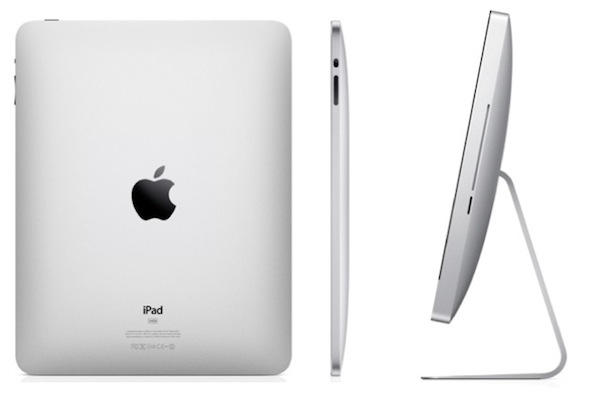
20100208-imacipad.jpg

The announcement of the iPad has done a lot of things: it’s stoked up excitement in the Mac using community, it’s got a bunch of developers feverishly coding exciting new stuff, and it’s got retailers and cell phone companies the world over drooling over the money they can make from it.

And it’s also somewhat upset my plans for buying a new Mac.

You see, I had made my decision: I was going to get myself a 13 inch (possibly 15 inch) MacBook Pro before April, which is when the new tax year starts here in the UK. I’d done all the testing and research that I needed to do, I’d consulted friends who have purchased a MacBook Pro recently, and I knew that what I needed matched pretty well with what it can do.

All fine, then.

And then Steve comes along with his iPad and suddenly, I have new options open to me. I have to start my thinking all over again.

A new possibility has opened up. Instead of buying a MacBook Pro, the new theory is that I could buy an iMac (probably a 21.5 inch – a 27 incher would swamp my desk, not to mention my peripheral vision) and an iPad, probably for roughly the same amount of money that the MacBook Pro would cost me.

I’ve not used a desktop computer for years now, so it would be a considerable change for me. Right now I carry my MacBook around the house, around the town, working where the mood and the whim takes me. I value that freedom.

And yet the iPad opens up new possibilities. Most of what I do is web browsing and writing. I have no doubt it will make an excellent web browsing device, although I wonder how it will cope with my particular web workflow. For example, I save lots of stuff to Delicious with a keyboard shortcut, so how can I easily replicate that? Another example: I like to use bookmarklets like Readability and Instapaper, so will I still be able to do so without fuss?

As for writing: well, I need to try out both the software keyboard and the hardware accessory. I need to know whether I can really, truly type directly on the iPad itself, and I need to see just how bulky the keyboard accessory might be in a bag.

So for the time being, my finger is hovering over the Apple Store BUY button. As soon as the iPad is out, I’m going to go to my nearest Store and give it some serious investigation. The fundamental question I’ll be trying to answer is: “Can this be enough of a laptop replacement to make a desktop computer a better choice for me in future?”

The reason I’m waffling on about this here is because I have a feeling that I’m not be the only person in this position. If you’re asking yourself similar questions, I’d be interested to hear what your thoughts are, both for and against the iPad.

But ultimately none of us are going to get any answers until we can get our hands on an iPad and put it through its paces. I can’t wait.

If you enjoyed this article:
Subscribe via RSS or email, or follow us on Facebook and Twitter

About the author

gilest

Giles Turnbull is a freelance writer in England. He is a columnist for PA, and has written for the BBC, Guardian, Daily Telegraph, MacUser, Macworld, and The Morning News. He has a blog you can ignore and a Twitter account you needn't follow.

Email the author | Read more posts by Giles Turnbull.

62 comments

    i’m sure you’ll be ok either way

    My thoughts are largely this: you utter git. I’m in the exact same position as you, and am now in exactly the same quandary as you. Argh.

    (Mind you, Apple hasn’t helped. I was all for going entirely laptop during my next upgrade round, but the new iMacs are really nice.)

    For me it’ll be the iPad coupled with my G5 tower. The tower is where I do the bulk of all my design work. The iPad will then replace my PowerBook G4 and allow me to do the regular office/home activities (read/send mail, browse, etc) with the added bonus of being able to use the iPad to create Keynote presentations, work on Pages and Numbers. The big benefit to me is that the iPad will give me a great vehicle to present my work to my clients. Much more user-friendly than the PowerBook. I’m really looking for to getting the iPad/G5 combo working together.

    if all folk do is write emails and web browse, the ipad seems “perfect”*
    however, if you want to do real computing the new imac i7 is awesome
    The current lineup of Apple products really is the best they have ever produced.

    *=very good compromise

    Factor in the possibility of a VNC-type connection (Back to my Mac, whatever) which will be available on the iPad. This will give you access to your desktop in case of emergencies

    This is a false dilemma. And the choice is quite clear.

    If you are a professional who needs to do exactly the same things they do on their desktop, but instead on the road, then you need a MacBook.
    E.g., you need to be running the full Adobe Photoshop on the road.

    For all other uses, the iPad will be adequate.

    Apple, has a very clear line of products out there. Personally, I do not think there’s any overlap.

    Just wait till LogMeIn Ignition and a VNC client appear for the iPad, then you can pretty much do anything you want with the iPad/iMac combo.

    Exactly the same situation. I was holding off on buying a Macbook 13″ because there’s a good chance that they’ll do a chipset refresh this quarter, but now…
    I use my Mac for three kinds of things: server style things like holding my iTunes librbary, desktop style things like writing at my desk, and mobile style things like browsing in the living room or taking notes of thoughts at the coffee shop.
    I have the suspicion that a desktop+pad combo would actually be better at all of these. Better at server because the desktop would be on all the time; better at desktop because it would have a bigger screen; better at mobile because it would be lighter.
    Actually it’s even worse for me than for you, because I don’t need much power for the Server/Desktop operations, so I could drop down as low as a entry level Mac Mini. that way the iPad option is cheaper than the Macbook option.
    RE: the keyboard accessory, it looks bulky, but if, as has been reported, the iPad will work with any BT keyboard, then all the people who used to make tiny folding keyboards for PDAs will get back in the game and you’ll have a wide choice.

    Question is, will you be more productive in the iMac when using it than a macbook? This may offset somewhat less productivity working on the iPad.

    If the bulk of the iPad load will be browsing and quick emails, it will probably be better than a MacbookPro.

    Sample your average week of using a computer (work and non-work) and try to determine if it would have been better or worse on each of the platforms.

    Good luck.

    For me, my interests were for multiple users on the iPad to remove the shared load on the family machines when it is just web, or email. Without having unique accounts, it’s less interesting, but as with everyone, once you can hold one, and actually buy one, my objections may dissipate and my head will only clear once I’ve passed through the checkout and am on my way home with an iPad in hand…

    I just had my 3 year old MacBook repaired because I can’t live without it. I’m in a similar quandary. I travel a reasonable amount on business (in fact, I’m getting on a plane later this afternoon); but can probably get away with slides plus document plus email / web whilst travelling. I think that my answer is ‘yes’…

    Simple: iMac + iPad.

    Harder to lose all of your data if its in one place, and the ipad will allow easy simple syncing of the data you take with you..

    I had the same thought as soon as the iPad was announced – but I’ve already made up my mind. I was planning on purchasing a 27″ iMac to work on at home (I use a Mac Pro at work) and a 13″ MacBook Pro for “in between”. However, after I saw what the iPad was capable of and how well it does it, I realized that my MacBook Pro would have been nothing more than a portable media device anyway. Something to watch movies on, listen to music, check email, surf the web, read an ebook, etc. So with the introduction of the iPad, the way I see it, Apple saved me somewhere between $400 and $1,000. Thanks Apple! for me the decision was easy.

    iMac +iPad all the way.

    I’m somewhat of a minimalist, and as a result always used the MacBook pro’s… In fact I had the 13″ MacBook pro! I’m a pretty hefty Xcode user, other than this though it’s just a net, media machine…

    When the iMac 27’s came out I went to my local apple store to check them out and was well impressed, but far from portable… Then the rumors of an apple tablet began to fly again…. I couldn’t resist any longer, I got the i5 27″ and waited for apple to announce their tablet… Best thing I ever did. All the lifting of xCode at home, and insane portablity with the iPad for eveything else.

    For me it’s an easy decision. I’ve always loved my desktop imac. But recently been doing more traveling. Even going out of town to a friends on the weekend has been becoming more annoying with out a portable device. Sure I have my iphone but wanting something a bit bigger to surf and web on and to be able to blog on. I really don’t like lap tops and have never been a fan even though all my friends have macbooks. I’ve been on the fence about getting one. The announcement of the ipad sealed the deal for me. Going to upgrade my 20 inch imac to a 27 inch and when the ipad is released in Canada this June I will be first in line to grab one. Can’t wait!

    My only waffling has been about the accessories I’ll buy with my iPad. I like the look of the keyboard dock, but I’m not sure the placement of the keyboard in relation to the iPad display is optimal. I’m thinking since it can be connected to an Apple Wireless Keyboard, it makes more sense to buy a standard dock and an Apple Wireless Keyboard – then the dock/display could be readjusted if needed. For your considerations, I would think a wireless keyboard and a standard dock would fit in a travel bag easier than the complete keyboard/dock combo would.

    i had a similar thought; i run a mac desktop in my study and an older macbook that lives in the kitchen but floats around the house.

    the macbook is a play device (and is overspecced for that purpose) and is used for browsing, some letter writing and media playback. the macbook also travels with me whenever i’m away for a few days (as browser/email acces point and dvd/avi player).

    The imac is the workhorse and is more powerful; ergonomic and comfortable to use. i like the separate keyboard, magic mouse and big screen and it is the natural hub for all wifi connected devices in the house.

    the ipad meets my floating computer needs; perfect for the kitchen table; floating around the house and for travelling. not sure if this is good news for apple though as the ipad represents way less revenue than an ipad.

    I had the same dilemma, until Apple let loose the 27″ iMac. Before, I was thinking MacBook + 24″ monitor, but with the 27″, and now the iPad ….

    So I will replace my old MBP core duo (yup, the 32 bit version) with an iMac core i5 27″ (it’s in the delivery phase, should be home for the 15th !).

    I was thinking of buying a iPod Touch 64 GB for all my work on the road (web, e-mail, ical stuff), but the iPad will be the perfect tool for that. I don’t really need a real heavy app on the road.

    I don’t think I’ll go back to a MacBook in the near future.

    I was waiting on the iPad to replace my old model Powerbook. Now I wonder what else is being developed in the Area 51 Skunkworks like a new format touch screen iBook and iMac later in the year….

    If you work in one location and do not need to do heavy duty stuff on the road, definetly iPad + iMac otherwise, MacBook. I work from home and from my office at school, but most of the time I only need to take a (paper) notebook with me and a USB stick with presentations, the iPad is the uber-notebook with all my papers and files in it and allows me to use Keynote. So for me it’s MacBook +Ipad

    “…and it’s got retailers and cell phone companies the world over drooling over the money they can make from it…”

    The most telling comment yet on the iPad.

    It depends what you want to do on the road. If you just want to tap and consume without any control over your content or OS, get the iPad. If you want to create content on the run, you need some sort of actual computer.

    I found myself in the same dilema. It will boil down to what you do need to be able to accomplish when you’re away from the desktop. I’m going to try an iPad and leave the MacBook Pro at home, if that works, I’ll pass the laptop on and get an iMac. That is very strongly based on how I work now and is definately not something that would work for everyone. I posted my proposed use scenario at gdgt. It inpired some passion in both directions.

    http://discuss.gdgt.com/apple/ipad/general/Here-s-How-I-d-Use-the-Thing/

    i already have an imac as a graphic designer/video editor and was looking at an iphone to have access to my email and such on the road. Instead I’m getting an ipad. Bigger screen to make reading more comfy and when I go to meets with clients I can have my preview vids on the ipad to show them. They will love it.

    Just get all three! Seriously though, do you really think we’ll see the iPad before April, especially the 3G version, in Europe?

    I like the MBP hooked up to an external monitor and keyboard at home. Benefits: 1) battery, so if the power ever goes out I don’t lose any work.
    2) If I do have to pick up and go, it’s all there. Try that with an iMac. Although those 27″ screens are tempting, especially if they ever iron out the problems with them.

    At last someone gets it. Yes iMac and iPad -with logmein or equivalent remote desktop app – bob’s your uncle. It won’t do for everyone i.e some people need the large screen on the road. But if you are only going to get a 13″ laptop it’s a no brainer.

    Think of it as a remote extention of the iMac and a remote TV . UK terrestrial tv is available via 3g through tvcatchup.com and Sky Sport via iPhone apps.

    It will become so much more. In fact everything you can think of.

    The ipad killed the mac. why would people buy a mac when they can get an ipad for half the price?

    Glad to see I’m not the only one thinking this way. As a full-time grad student in urban planning, I need to create content on the go. No question I need the MBP I have right now (15″ early 2008 model). However, once I graduate, will I need to create content on the go? If not, then the iMac/iPad combo makes the most sense to me. My dilema: 3G or not to 3G? Would I take it out of the house, or can my iPhone totally fill that void? That’ll be my big question come the time to replace the MBP come graduation time.

    Eerily enough, I’m in EXACTLY the same boat except for one thing — I already KNOW the iPad is exactly what I need to take outside the house.

    I have carefully thought about everything I use a laptop for beyond my little workstation at home (its my only computer). The iPad can already do 100% of what I want it to do.

    Which means that after three years of being portable-only, I can finally treat myself to what I really, really want — a 27″ pimped out iMac.

    Now, just hafta win that lotto draw … :)

    If you get an iPad, why would you buy that stupid keyboard ?

    It’s disconnected, cumbersome & defeats the whole purpose.

    If you wanna type on a keyboard portably, don’t get an iPad — get the MacBook Pro.

    Thanks for making me think about it too. I actually don’t have any mac yet. But was planning to buy one. And I was going to buy iPad anyway. I have an LCD monitor already with my windows laptop. I was thinking of buying MacMini to use with this monitor. would I have to buy anything else like keyboard/mouse separately? or my windows keyboard/mouse would work with MacMini?

    Nice post. I have the exact same problem. I’m afraid that the solution will be a little more expensive. I’ll probably end up keeping my macbook (white), and buying the iMac and the iPad, appart from my iPhone and iPod shuffle.
    Apple sucks with all those great products. :)

    CaryMG: You don’t know that until you’ve tried it. And neither do I. That’s why I’m very keen to try out the different options for typing on an iPad. The keyboard accessory might very well be cumbersome, but until I’ve held one in my hands I won’t make that judgement.

    Geert: an excellent point, thank you.

    You could go a cheaper route @home

    mac mini + existing TV + iPad

    The mini can provide heavy computing lifting when needed, super drive, larger screen of TV, plus home media server of your choice ( Front Row, Boxee,… ).
    The Bluetooth keyboard will work with both. Also, with the addition of one of the existing remote access apps for the iPhone, you would be able to use the iPad as a remote screen and input device to do work on the mac mini from anywhere there is WiFi.

    So, when I leave my house all I take is the much lighter iPad. Instead of a heavier MacBook Pro. I think the iPad may actually help the mac mini’s sales and development into a union of Mini/iTV/Time Capsule/TV perfect home setup for the non-computer geek masses. Perhaps this is why Apple has not updated the 30″ displays.

    This is the route I’m looking into to replace my aging Titanium G4

    After going through many 17-inch Powerbook/MacBook Pro’s over the last 6 years since they came out, I know exactly how you feel Giles. And I’ve just done the same.

    Bought a 27-inch iMac Core i5, and waiting for the iPad 3G to arrive here in the UK before selling off my 17-inch MacBook Pro. Sure beats coughing up for a notebook every two years.

    Especially one that starts at £1,900. Look at it that way.

    Well, for me I have a 27″ iMac as my main computer, I have also been thinking about upgrading my Macbook Pro, but I only tend to browse the web on the MBP, so Ive decided to simply replace it with an iPad, even though I’ve not seen one or touched one in person just yet.

    If i hadnt of had my iMac as my main machine, i suspect Id have just gone ahead and upgraded to a new Macbook, but seeing as i do have the iMac, the iPad looks perfect for me.

    Cant wait until its released here in the UK. Does anybody know if the UK release date is the same as the American release date please?

    I’d imagine they’d start trickling in at around the same time Andrew. But yea, I’ve got the same feelings as you share – iMac for a main, and an iPad when going mobile.

    Whether you’re an employee, an employer, or an entrepreneur – it’s got to be a tough setup to beat.

    Are you a carpenter???
    Because you’ve just hit the nail bro! …that is precisely what I’m going through as well.

    If anybody has the answer we’re looking for, please give me a buzz.

    iPad + iMac (+iPhone) is a good combo.

    For me, it will iPad + Macbook Air…

    (And my wife will get an iMac & an iPad)

    iPad has everything for a great browsing/emailing/mobility experience. I have listed the appplication I can’t use, and narrow it to Adobe Suite (Once per month), xTorrent and Transmit… So everything else is on the iPad for me.

    :-)

    I was thinking along the same lines (http://www.flickr.com/photos/drewvigal/galleries/72157623195293359/#photo_3623431299). It really depends on how you use your laptop. For production heavy creatives on the road (video, audio and drawing), you’ll still need your MacBook Pro.

    I have the same dilemma. I’m leaning toward the iMac, (the 27—deskspace, shmeskspase!). If you want to be mobile, I suggest getting the MacBook and the iPad… (Of course this may mean spending more than you hoped.) If you find the iPad a capable mobile reading and writing machine, the MacBook can sit on your desk. Disclaimer: I own 38 shares of Apple and could stand to profit from you buying more and more Apple kit!

    I just purchased a 24″ screen to accompany my macbook at work. I would love to replace both with an imac. My problem is that I often need to create and print documents during my frequent travels. What do you think, will ipad somehow be able to print from its version of Pages? If so, then imac + ipad it is.

    I am a student in a similar dilemma. I have a desktop in my dorm with dual screen and it is killing my space that is limited. I have thought of going Macbook or MBP for sometime now but since the release of the iPad, I have thought of just using it with the desktop. I would use the Macbook or MBP for Adobe and developing apps for the iPhone and iPad, but I already have a PC that I use for Adobe and having a Mac for developing would be cherry on top. But for my other college uses the iPad would be better. So is 700 dollars worth it?

    It would be great if the yet to be released MacBook Pros would drive two 24″ ACD’s via mini-display port.

    If so, I think sticking with a MBP is the way to go, unless you ‘really’ need a workhorse like a MP, or is you ‘really’ will ‘never’ need a camera or more computing power when mobile.

    I think the iPad will make a great partner to a iMac, but as it stands I don’t think it quite fills the remote working void yet.

    That and there is no way I am buying an iPad till i see what iPhone v4 looks like…

    MacBook Pro and NTRconnect Free remote access for the iPad or iPhone gets my vote and almost got my money in Heathrow Apple Store the other day…

    Your line of reasoning is exactly like mine. New iMac + iPad upgrades me all around. In fact, I use my iPhone so infrequently that an iPad with VOIP capability might be enough for me to drop the iPhone too.

    That was my plan from when the iPad debuted. I just bought my iMac, and the next thing i’m going to purchase is the iPad, most likely the 2nd gen iPad. my 3 year old Macbook pro just died so I was faced with the decision to get another laptop or get a desktop and I chose the desktop.

    My rational was that I want a computer that has computing power for a decent price, and the macbook pros were just too expensive. Since the iPad came out it gave me a reason to get an iMac desktop. Usually when I take my laptop places with me I just read blogs, and webpages. I don’t do any video editing, that is why I think the iPad will be a great buy. Now I will have what I want. A decently powered computer and web browser. And the price out come will come out to about the same as a similarly powered macbook pro.

    Its great to find I’m in the same position of many people. I love my current and aging MacBook Pro to bits, but I’ve been really looking hard at a 27″ desktop and really didn’t quite get there because I liked the ease and portability of my laptop. Now there’s another option with twice as many gizmos keep me happy and disappoint my bank manager. Mostly when I take my laptop anywhere with me (its a home machine – I’m PC by day (sorry!), mac by night) its really only so I can surf and email. Whereas most of my serious work is at my home desk, so a desktop would be great in this instance.

    Additionally, I usually take the MBP on work trips with me carrying two laptops with me, so having the iPad would lighten the load significantly and give me all I need.

    So, having written this I think I just convinced myself of the dire need for the iPad…. where is that ‘Buy’ button!

    “For example, I save lots of stuff to Delicious with a keyboard shortcut, so how can I easily replicate that? Another example: I like to use bookmarklets like Readability and Instapaper, so will I still be able to do so without fuss?”

    The iPhone already handles bookmarklets quite nicely (you use them in the same way you use them on the Mac), so the iPad is sure to be exactly the same. You can also save items to Delicious using a bookmarklet. I do this all the time, on both the Mac and iPhone.

    Currently, I have a 24″ iMac and a MacBook Air (1st rev). I’ll be selling the MacBook Air and getting the iPad (WiFi only, 16GB). Since I only use the MBA for consuming content anyway, it’s a no brainer. The one exception is for writing. The MBA was my writing machine up until now, but I’m inclined to switch to the iMac for this purpose, and use a simple app like WriteRoom on the iPad while writing on the go (which isn’t very often).

    Unless you specifically need to create content while on the go, the iPad should do what most people need it to. It handles content viewing in such a natural way, and the price is the icing on the cake.

    “mac mini + existing TV + iPad”

    I’m leaning towards this myself. Either this setup, or an iMac + iPad. My G4 powerbook has served me well, but being honest with myself about how much serious work I do with it while away from home (read: almost nil), I think the iPad’s iWork apps will suit me just fine. It’s a tough call though, I love my powerbook, and the idea of a new macbook pro is awfully, awfully tempting.

    At home it’s hard to argue with the benefit of a mini-TV combo or iMac’s larger display size. For the kind of things I do on the go, or while in bed or on the couch for that matter, the iPad seems ideal. And I’d rather have two devices, tailor made for the situations they are used in, than one notebook which is still pretty awesome, but ideal for neither situation. I won’t be pre-ordering one, but unless the iPad really disappoints when I get the chance to try it out firsthand it seems to be a sure buy.

    The most telling thing for me is that I’m finding myself increasingly reaching for my iPhone when it’s sitting right next to my Powerbook, and often the main thought crossing my mind is “I only wish the display was a little bigger.” And it’s not exactly made of lead, but I am getting tired of lugging the powerbook around now that it’s used even less.

    The new iMac is a work of art. A triumph of industrial design. A thing of beauty. Seriously, it’s probably the best computer ever built. The thing is f-ing amazing. You’ll wonder how in the hell you’ve been hacking through life all this time on a little laptop.

    The iMac comes with a sleek little Bluetooth keyboard as well, that will work with the iPad. Get the nice little leather case/stand, combined with the wireless keyboard from your iMac, and if you really need a 2nd keyboard, get the ful sized USB one for your iMac.

    This is a killer combination.
    I can’t wait to get an iPad, and sell my Dell Laptop, and finally be free of the oppression of shoddy operating systems.

    My choice: iMac + iPad + iPhone +NTRconnect. In any case I can connect from iPhone or iPad to my iMac and will have excess to files and application and could remote control it. A perfect “ménage à trois”. ;)

    As a photographer, my hands are really itching for the iPad! I see it as a BRILLIANT presentation tool. The image quality I’m sure, would be mind blowing. I love my iMac to a fault! Combining it with the iPad would be any photographers’ dream accessory. I can’t wait!!!!!

    My take on this is that the iPad is not a replacement to a lap top and that’s where I disagreed with Jobs (if I dare..). And that’s why I believe so many people were disappointed. All were expecting a replacement to the mac book Air. It is not. The iPad is creating a new range of product within Apple and you will want it. We will all want it. I have an iMac, I have a MacBook Air and I will buy an iPad.
    iMac will be for home work/surfing/media storage, Macbook for mobile/remote work/web surfing etc. and the iPad will become a home media device. Everybody will have an iPad (or similar from other brands) in 3 years time. Some will have 2 or 3 three at home. Synced remotely.
    So, Giles, buy an iMac because it is a great experience. Keep your Mac Book because I’m sure it’s still good enough. And wait few more weeks for the iPad to arrive. And go get it. Like me. Not really because you need it. But because you want it. And that’s the beauty of it.

    Giles,

    My thoughts exactly. I’m leaning toward the iMac + iPad idea. The only problem is that I’m very wary about buying the 1st gen of any new Apple product line but I’ll probably be in the market for a new desktop sometime in the spring.

    Welcome to my world buddy. I was going for the 17” MBP. Now for the same price tage I can get a 27” and iPad 64GB 3G. FML. But do I want to sport around an iPad, I’d much rather be seen having a 17”. I know looks don’t mean anything, but…I’m shallow.

    I was looking at 13″ macbook pro too. now i’m just going to upgrade my old mini to new one, and buy an ipad. My old mini will become a server under a tv, and my old acer netbook can be junked.

    I’m going through the exact same thought process, I wrote about it here. http://killorlove.wordpress.com/
    I wasn’t all that excited about the iPad the day it was announced, but now I am. I think it will be a great option for people in our future buying scenario. I hope I’m right!

    iMac + iPad + iPhone

    I just bought a 27″ i7 (loving it – wicked fast and beautiful screen) and plan on getting a 32GB iPad (WiFi only) when they’re released. Hoping by that time AT&T gets around to offering a tethering plan for my iPhone?

    With these 3 devices devices all bases are covered;

    iMac for home and heavy work, programming, web server, etc.
    iPad for around the house, the coffee shop and on trips.
    iPhone for all other times.

    Just bought a 21.5 inch iMac and am loving it…for way too long I had undersized laptops, when in reality what I need is a robust desktop and then something light to roam with. I have my old macbook for now, but I can sell that for enough to buy an iPad, and frankly, I’m trying to understand why I wouldn’t.

    The iPad is definitely a disruptive device. This is the first time in several years that I have stumbled in deciding an upgrade option. My wife’s G4 Powerbook is in serious need of an upgrade. The way this usually works is that she would get my current machine and I get the latest and greatest. Right up until the point the iPad was released, I was going to get a new Macbook Pro. However, the combination of iMac + iPad is a winning strategy. My current laptop pretty much has permanent residence on my desk. Web browsing around the house is usually on the iPhone. The laptop IS useful when I need to work away from home, but such uses are few and far between and mainly revolve around Keynote presentations… iPad sounds perfect for these uses.

    My current situation: 20″ iMac + 1st Gen Macbook Air + iPhone

    I’ve been living overseas for the past eight years and plan to travel back and forth between here and home within the next year, so the iMac is no longer a feasible option for me. My first though was to replace my desktop alone with a 15″ MBP once the new chips come out, but my Macbook Air has been giving me headaches lately. If I don’t use a laptop stand it overheats, and although I use it mainly for iCal, web, email and word processing I have almost no hard disk space left. So now I’m thinking:

    15″ Macbook Pro + iPad + iPhone

    The iPad will do for web surfing and mail, I’ll be able to keep all my info in sync, and do any document editing on the fly, I can look up lyrics for gigs (I’m a musician) without having to squint at the screen, waste paper or balance a laptop in one hand and a mic in the other. The MBP will handle all of my musical needs! I just hope they change the production plans and tack on a front view camera on the iPad for video calls!

    I am a freelance graphic/web designer living in Hong Kong and love to be mobile. And I don’t mean I like going to the coffee shop to check my mails. I like to pack up my things and go to the Philippines for a few weeks to work from there, for example. Taking the iMac and go seems a bit hard ;-) Only iPad won’t do…

    For the last years I had my MacBook Pro 15″. Awesome machine, still no upgrade needed, but the new Macs out there are just too sexy ;-)

    I thought about it for a while and just came to the same conclusion over and over:
    - iMac 27″ + iPad is a winning team, if you do not need a “real mobile computer”.
    - MacBook Pro 17″ + Cinema Display 24″ is the team you need if you wanna do some proper work on the road.

    Overkill: all 3 of them… but tempting ;-)

Add your comment

Name(Required)

Mail (required, but not published)

Website

Comment

Buy Inside Steve's Brain Buy from Amazon.com Buy from Barnes & Noble

