Just Released: Tinderbox 5
By Giles Turnbull (4:14 pm, Dec. 10, 2009)

Eastgate Systems has just announced Tinderbox 5, a major update to its venerable note-taking application.
“Note-taking” hardly covers it, though. Tinderbox is uniquely flexible and adaptable, in a league of its own when compared with all the other OS X notebooks.
This flexibility comes at a price, however: there’s a steep learning curve to overcome if you want to get the most from it. But every long-term Tinderbox user I’ve ever encountered has said the steep curve is worth overcoming, and that they’ve never looked back. It definitely has its fans.
What’s new in version 5? “It’s fast,” say Eastgate, thanks to a pile of under-the-hood improvements and an even bigger pile of brand new code. What else?
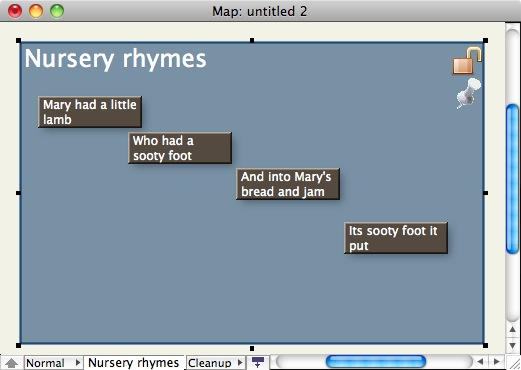
Better text rendering, better Unicode support, and new shapes and options for shapes in the map view, are just some of the features included in this update.
You can download a trial version (which is limited to 30 notes) to play around with. Give it some time; Tinderbox is not something that will appeal to everyone straight away. The learning curve starts off very shallow, because creating text notes and nesting them inside one another is very intuitive. It’s the deeper, far more powerful features that take some time to understand.
If any existing Tinderbox users have some views on this update, we’d be delighted to hear from you in the comments.
Posted by Giles Turnbull in News, Software | Comment on this article
If you enjoyed this article:
Subscribe via RSS or email, or follow us on Facebook and Twitter
![Grove’s Bamboo iPhone Case Is A Work Of Art [Review]](http://www.cultofmac.com/wordpress/wp-content/uploads/2010/09/image-1-250x150.jpg)
![Fixing iTunes 10 Minimize, Maximize, Close Buttons [How To]](http://www.cultofmac.com/wordpress/wp-content/uploads/2010/09/Screen-shot-2010-09-02-at-10.16.20-PM-250x142.png)


Eastgate is right, Tinderbox 5 is wicked fast. That seems to be the headlining feature, but I hope folks don’t miss some of the other big ticket items like checkboxes, columns, and what seem like hundreds of minor, useful improvements. Tinderbox has been my go-to software for years, and it keeps getting better.
Jack Baty, on December 10th, 2009 at 6:23 pm
Blogging 101: when reviewing software, include the price in your post.
BTW, for those curious, it’s $229. No, that’s not a typo. $229. Ludicrous!
Tim, on December 10th, 2009 at 6:30 pm
Tim: you’re right, I should have included the price. That said, I think there are many Tinderbox users who will disagree with you, and don’t think $229 is ludicrous. They think it’s worth every cent.
Giles Turnbull, on December 10th, 2009 at 6:58 pm
I could buy an ipod with that money! Heck, even MS word (twice!), or iwork (3X!)
Willie, on December 10th, 2009 at 8:45 pm
If you need a tool like Tinderbox, it’s worth the money. People who need to cut through dissertation-level or professional research, large-scale litigation, etc. don’t mind paying for this level of power. It’s overkill for most people, but that’s fine… it’s a professional tool.
I can only think of one other tool on either Windows or the Mac that has anywhere near the depth of Tinderbox. There are plenty of tools that don’t do a fraction of what Tinderbox does (e.g. MindManager for Windows) and cost substantially more.
Alan Yeung, on December 10th, 2009 at 9:57 pm
Tinderbox cost twice as much as MS word because it can do twice as much as MS word. There is no other software that can organize thoughts spatially without making you conform to a system beforehand, export those thoughts in html, opml, or xml, do automatically do exactly what you tell it to do in the process.
I can tell Tinderbox, “automatically update all pertinent information to exactly how I want it, and it will.” Wouldn’t you pay more if MS Word could automatically gather all of the sentences from your notes and put them in the correct order? This is just ONE of the things Tinderbox can do.
Eric, on December 10th, 2009 at 11:17 pm
It’s the closest software has ever come to mirroring my thought processes. It’s also the deepest and most elegant outliner and mind-mapper available, and although intimidating at first, it is also very easy to use for simpler matters. It’s potential complexity only serves to increase its flexibility. If you think it, Tinderbox can represent it, and the software eventually becomes a kind of second brain.
I’ve used it every day for about two years–with heavy usage, of course, the price seems more reasonable. It may or may not be worth it for you, of course, but you shouldn’t rule it out automatically.
Steve Stein, on December 10th, 2009 at 11:44 pm
I got to try a beta version a few weeks ago at Tinderbox Weekend San Francisco. I’m still playing with it and learning how I can use the new features. Version 5.0 — the final release — seems robust and it works as it is supposed to.
I am getting used to using the Inspector and also the contextual menu to change the appearance of notes, unlike in the 4.x version where this was done more often from the menubar.
Version 5.0 has many more options for the map views.
Jonathan D. Leavitt, on December 11th, 2009 at 12:18 am
Tinderbox (TB) continues to help avoid premature commitment and allow incremental formalisation. This is a real boon when analysing data lacking apparent structure. If you’re of the untidy desk/untidy mind sort, this is also a boon – you’re not forced to structure your data before you put it into the app, unlike many database-type programs. It is a mistake to think of it as another clip manager. Judging by users, it sits happily alongside Curio, Yojimbo, DEVONThink, etc. Tinderbox’s power is the ease of capturing and analysing unstructured (textual) data.
Besides the speed increases, the new text engine increases Unicode support (more important for those not working in/studying English text). Export has also got faster and more flexible. Users now have menu access to their ‘favourites’ (their regular files & stationery files) making access to the right data or data ‘template’ much faster. Note title edit-in-place is now extended to Map and Chart views speeding note-taking in settings like lectures where fast input is key.
Column data (new v5 option in Outline view) is great for checking for coverage/consistency of attribute data, such is often a task in mature TB documents. Suffice to say it works and is a real time-saver. Optional outline check-boxes (for upgraders) are again useful for noting review progress – it’s no just for the ‘To Do’ list crowd.
The new border and opacity controls further increase the subtlety of visualisation in map view, a further boost to helping incremental formalisation and displaying non linear/hierarchical relationships.
Many of the changes make most sense to existing users. The improved text engine (better Unicode support) is probably a key change for some holding off from trying TB.
Still trying to get a feel for the app. There’s lots more (free) documentation online at: http://www.acrobatfaq.com/atbref5/index.html (disclosure: I wrote it as part of TB community support).
Price? From those for whom TB does work no other tools can, there seems little complaint. Price comparisons are often made with clip organisers – a false comparison – with obvious consequences. Judging by comments made the the recent Tinderbox weekend in SF, I do believe Eastgate is looking to leverage the experience of TB to reach a wider audience with less complex collection/analysis needs than the full Tinderbox which may result in a powerful but less expensive tool.
Meanwhile, I’m off to renew my upgrade licence. Note: post purchase, all new releases are free for a year, thereafter the user can optionally renew their licence after the year or renew it after a lapse. For those on a budget watch for holiday and back-to-school time offers on the Eastgate site (for both new and renewal licences).
Mark Anderson
(TB user, TB wiki gardener, aTbRef author)
Mark Anderson, on December 11th, 2009 at 8:08 am
At work and in my charitable efforts, live Tinderbox note-taking sessions have kept meetings productive & on-point, saving us thousands of dollars in employee time, and more importantly, unlocking people’s creativity in new ways.
On the surface, Tinderbox 5 is very noticeably fast. For old-timers like me, who have accumulated very large collections of information, this is especially valuable.
Some of the fundamental overhauls are very handy. Unicode note names will make life easier people with material on non-European topics. A switch in the text engine makes formatting and highlighting text much easier.
There are also a few changes in Tinderbox 5 which seem huge improvements to users familiar with the system. For example, Tinderbox users often use lots of windows, and some of the Tinderbox 5 updates make it easier for those of us who do this.
It’s still early days for this release, but the selection of improvements and new features for Tinderbox 5 has been very good indeed.
J. Nathan Matias, on December 11th, 2009 at 10:55 am
It is very expensive, but it is powerful – and with version 5 it is now fast enough for most folks. It is “programmable” and as a result can give the user much to think about – highly complex tinderbox files can be created to “mind” your data in a bewildering number of ways.
I only have one complaint about it, and in some ways the complaint is unfair because it is not *quite* the tool I really need; I don’t like the way it handles graphics.
Note that tinderbox is not designed to allow embedding of external files – it links them instead.
Tinderbox cannot be compared to, for example, MSWord. It would be like comparing chalk to cheese, and a rather bland cheese at that. The “closest” software packages for comparison are, for example, Curio, Devonthink, Circus Ponies Notebook, VoodooPad.
Try it out thoroughly before you buy, and check out the tinderbox forums.
Tinderbox has an unmistakable feel of quality about it. It is quirky, but its handmade.
I’d recommend it with minor reservations.
PL
peter lindsay, on December 11th, 2009 at 1:50 pm
I’m a grad student of limited financial means (and a Tinderbox user), so I’ll chip in, too.
Yes, the program costs a fair bit. However, as others have noted it’s incredibly flexible, and there simply isn’t another tool out there – on any platform – that makes collecting, harvesting, and mining data and ideas any better. Unlike a number of programs out there, Tinderbox largely conforms to how you want to work, rather than forcing you to work within the paradigm of the program.
For me, Tinderbox is odd in how it’s been able to organize all kinds of things. I’ve used to gather research for academic papers, and discover linkages that we’re readily apparent. I’ve also used it as a simple to-do manager, an event planner, and even to layout the arrangement of furniture in my house. Needless to say, the program does take a while to wrap one’s mind around, but the persistence is worth it.
There are less expensive databases / idea managers / note takers / “everything” boxes / mind mappers / etc. However, comparing Tinderbox to one of those is like comparing iPhoto to Aperture: it might fill part of your needs, but if you full flexibility and control of your information, you’ll need to pay for the professional tool.
Tinderbox is *the* professional tool for notes and idea management.
As a final note, Tinderbox does go on sale from time to time (even renewals go on sale occasionally). Play around with the trial for bit, and *do* read through the Help system and the Tinderbox Wiki before giving up. This is a professional tool, and requires learning how to use it.
Heaven knows I’ve spent good money tools that are of less use in my day-to-day academic life (SPSS, anyone?). Tinderbox, though, is always worth the cost (and version 5 is amazing, from the little I’ve played around with it).
Jim Collison, on December 11th, 2009 at 2:13 pm
This is a great update! I’m a new user, but I’m already blown away by Tinderbox’s power. I’m using it to plan a non-fiction book and to keep notes for my webzine articles.
Jacob, on December 11th, 2009 at 3:40 pm
Tinderbox doesn’t compare with DevonThink, Curio, PersonalBrain, Notebook, EndNote, Bento, and other pieces of cognitive assistance software; it blows them away.
Tinderbox is the most important, flexible, and power software in its class bar none.
If you make your living by gathering information and making sense of it, do yourself a favor and try Tinderbox immediately. You’ll wonder how you lived before without it.
mistersquid, on December 11th, 2009 at 4:20 pm
I find it interesting that Tinderbox is used
instead of tools like atlas-ti or nvivo.
Stephen De Gabrielle, on December 11th, 2009 at 5:31 pm
It is definitely true that to get the most out of Tinderbox does take a steep learning curve, but people shouldn’t be intimidated by that because the application is very useful even when you only know the basics. I’m still a novice, but find Tinderbox invaluable.
Steve Zeoli, on December 11th, 2009 at 8:09 pm
I have been using personal computer software since 1979; hypertext software nearly that long; Tinderbox since version 1.0.
It is the most interesting software product ever designed. It may be the only interesting software product ever designed. In a just world, Mark Bernstein would be on the cover of Wired magazine. Maybe even Rolling Stone.
Objectively, Tinderbox is probably worth $495. I wish Eastgate would sell it for $49.50 because I think it’s criminal that so few Mac users have given it a shot.
Alas, I think I could foresee the actual result.
Within a few months, 25,000 copies would be sold; more if Tinderbox were included in one of those bundling promotions. About 24,000 users would become so frustrated with Tinderbox’s originality that they would decide it was a terrible product and was CERTAINLY not worth spending fifty bucks on. The hit to Tinderbox’s reputation would be permanent.
Of the other 1,000, maybe 200 or 300 would stick with it long enough to be blown away.
Worse, it would be impossible for Eastgate ever to raise the price of Tinderbox again.
I’m ‘kidding’, but not by much.
And, no, I’m not implying for a second that Tinderbox users are especially bright (though it may fall out that this has been so) or that the ’25,000′ would be flat-out wrong.
Rather, Tinderbox shatters the paradigm of software to-date, whether open source or proprietary. Vendors spoon-feed product to their ‘users’ (and here that word should be seen in all its ugliness) precisely so that the latter will not discover the unexpected, but only reinforce the automated execution of stuff they already understand.
Big surprise (not) that perfectly competent people in their fields view ‘computing’ as an exercise in being patronized and therefore judge anything that moves outside that metaphor to be ‘bad’ … and wisely in most cases.
When a product comes along that doesn’t patronize them, I hardly blame them for failing to recognize the possibility that Tinderbox might be the exception to the marketing lie about computers being our thinking tools.
So, I repeat: Tinderbox is the most interesting software product ever designed.
Tinderbox was great when it was version one, if pathetically immature relative to version 5.0. So how good is version 5.0?
Wicked good.
And yet …..
I’m going to be really irritated if Mark doesn’t continue evolving Tinderbox into his nineties. I hope to be marveling at version 15.0 in my nineties alongside him.
My maps will be very, very, very large visually then …. but I won’t care.
Russ Lipton, on December 11th, 2009 at 8:13 pm
This is serious software for serious people.
TB is unique and should not be compared to anything. Its design and approach to knowledge is as well. It may be the first truly modern design of an application; its architect is as well known as a top researcher as a software developer. I am glad I have Tinderbox and that Mark is in the world.
It blows me away that people will pay thousands for hardware without flinching, but niggle over a couple hundred dollars for truly life altering software.
Ted Goranson, on December 14th, 2009 at 4:12 pm
Tinderbox is great stuff, and Tinderbox 5 is a big leap forward, but thus far is only for those working almost exclusively in the Latin alphabet.
Sumner Gerard, on December 14th, 2009 at 5:37 pm
I’ve grown into a daily Tinderbox user after first encountering the software on an old Mac that was handed down to me. When people say there’s a steep learning curve, they aren’t kidding.
It’s beyond me why this program doesn’t have the same cult following among programmers/developers as it has among literary types. I’ll definitely be purchasing TB 5 when I upgrade this old dinosaur in the new year.
Luciano Fuentes, on December 16th, 2009 at 12:12 am
Tinderbox is an app that I want to like…. it’s brilliant in its flexibility, but cumbersome in practice. It’s easy to input information, easy to “customize” how I work, and easy to see my data. Usually when I want to do something, Tinderbox can handle it. The problem is, when I veer outside my normal workflow, I spend hours trying to figure it out how to make it do what I want. This is the learning curve that everyone talks about. Fortunately the forums and on-line resources are incredibly helpful. While interesting and challenging to figure out problems in Tinderbox (it’s like programming your own software), I can’t afford the investment in time. I used Tinderbox for a year or so and loved it, but ended up buying a $40 app that was way more powerful than anything I could do in Tinderbox. Granted, my new app is a “one trick pony” where Tinderbox is infinitely flexible, but for my needs specialized software was the way to go. I’ll probably be back to Tinderbox eventually, but for now I’m not going to renew my license. Sorry Mark.
TB User, on December 31st, 2009 at 10:20 pm
It’s taken me a long time to get my head around TB. As a computer scientist, I’m comfortable with programming, database theory, and “objects.” So you’d think that TB would be easy for me to comprehend, to get over the “learning curve” that everyone talks about. But the thing that slowed me down at the beginning was the lack of good documentation, not the reference type which does exist, but the how-to and demo/lab documentation. It’s scattered all over the place, but not in one place.
So…. how does TB differ from PersonalBrain, DevonThink Pro (Office), Thought, Circus Ponies Notebook, MindJet, and a host of other information managers? (I have all these and use some on a daily basis, others for specialized work.) Consider the following: Most serious users must be familiar with “tags”, and certainly everyone is comfortable with the nested folder/files architecture. For any given file/note/thought, you can attach any number of tags that describe that item, after it’s been placed in a primary folder location. Then, using smart collections/folders, you can extract specific items from the database that satisfy a certain query, like a list of one or more tags common to the desired items. Now consider TinderBox…
It doesn’t have tags; it has “attributes” each having “values.” For example, a note might have an expiration date. You can define an “expDate” attribute and assign it a specific date. The note might be attributable to a specific source, so just define a new attribute and assign the source (e.g. “NYTimes”) to it. If you are familiar with databases, then an item in TB is a record and the attributes are fields. But, there’s more …
Like smart folders, you can define criteria to extract records, but in TB, you can specify attribute/value pairs. Notes (or records) that match the criteria are gathered in the smart folder. Now we ratchet the power up a notch. We can add “programming” rules to a folder (we can also add rules to a note and other objects that TB supports). For example, all notes satisfying the given criteria can then be changed in some way. They can be moved into another folder, they can be given a different color; in other words, the attributes can be assigned new values. Thus the smart folder/rules combination is like a “if , then attrib = value” statement.
The programmability is one of the most powerful features of TB, but there are many more. TB provides a number of “views” into the database to display the data in different ways. Outline (nested folders..) is but one view. You can define links (that appear as directed lines in one of the views) from one note to another. You can define how output behaves; want to produce HTML from your notes? No problem – define templates that dictate how notes and their attributes are output. Text output, but having specific formatting? Sure, again you’ll need to define a template or two. There are prototypes that you can define and use to create new notes. A prototype defines some of the attributes you want as defaults for certain types of notes. I’ll have to stop with all the features of TB, otherwise I’ll never end.
So, what’s the downside?
Some applications like Curio or CP Notebook provide just the features you may want for a specific job. These are out-of-the-box applications that have all the features predefined. You just invoke the app and use it. Easy. If using TB, you may have a lot of setting up to do, since this app has very little predefined. My take is that TB is perfect when you need to do something and nothing else will do it. Before you start using TB for a specific project that doesn’t fit in any of the TB databases you’ve previously defined, you’ll need to do some thinking about what attributes you want, what type of notes you’ll have (to define the prototypes), etc. You can add more later on, but it helps to plan things out in advance. Of course, if you become proficient, then you can TB for many things that no longer require specialized apps.
If you are interested, plan to give TB a lot of time to grasp. If you don’t, then you’ll complain it’s too expensive, and why use it when so many other apps can be bought for a fraction of the price.
Pvonk, on July 5th, 2010 at 2:39 pm

