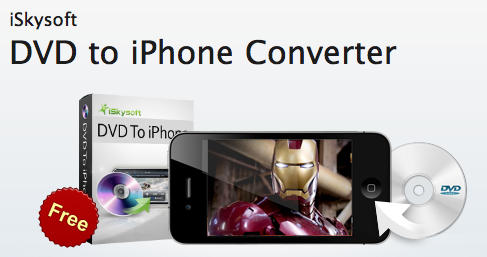
iSkySoft’s ‘DVD To iPhone Converter’ Currently Free For Limited Time

DVD to iPhone Converter for both Mac and PC is a handy application that allows you to transfer your DVD movies in to MP4 files optimized for your iPhone 3G, 3GS or 4.

It’s incredibly simple to use: just stick your favorite DVD in to your computer, select the appropriate movie file and then click “convert.” When it’s done, drag the MP4 file in to your iTunes library and sync it to your device.

This application is a must for any movie fan, and the giveaway which will last just over a week will save you $29. All you need is a Facebook account.

Visit iSkySoft’s Facebook page, and click on the “like” button to become a fan. Fill in your name and email address and then download the application. Be sure to click on the “get keycode” link to get the serial key sent to you via email.

Get it before the offer ends and enjoy your movies on the move without buying them again on iTunes!

If you enjoyed this article:
Subscribe via RSS or email, or follow us on Facebook and Twitter

About the author

Killian Bell

Killian Bell is a freelance writer based in England. He has an interest in all things tech and has previously written for Mactropolis. You can follow him on Twitter via @killianbell

Email the author | Read more posts by Killian Bell.

21 comments

    Does it work for iPod nano too ? I have a couple of movies i’d like to convert but i haven’t found the right converter.

    It doesn’t unfortunately, Aleks. However iSkySoft’s media converter does: http://www.iskysoft.com/imedia-converter-mac.html

    It’s $50, though!

    Handbrake does the same thing and it’s always been free.

    Hi Dave. Currently no option for iPhone 4 with handbrake, though!

    Does this work with the iPad? I tried HB a couple of weeks ago with no luck getting it to sync correctly with iPad.

    Killian,

    By no option for iPhone4, what do you mean? The DVDs I rip and loaded into iTunes long ago during the 3G days still sync and play fine. Do you mean it doesn’t have a default setting for a higher res version?

    Forest

    Great. I just paid for RipIt. I also have Handbrake and Miro converter for the rest.

    Oh and by the way, generally speaking, punctuation marks go inside the quotation marks.

    Hi Forest. Yeah, I mean there’s no default for the higher resolution. I understand that this isn’t a major issue.

    Regarding Handbrake, I’ve been very happy with the program, and it has increasingly, with every update, made better rips of movies while requiring less and less space.

    I’ve also noticed (in the past) that Handbrake works faster and compresses smaller on a MacBook than on a PC.

    All that said, movies that–at the iPhone/iPod Touch Setting–used to take 1GB now take 550MB to encode.

    As for the need for higher resolution…we really don’t need it…Handbrake’s iPhone encoding works well on the devices…as well as through Video Out to our car’s overhead DVD player and our 480 Plasma TV.

    I can see how you might want to encode at the highest rate for archiving; but just to pull out a movie with an iPhone or to pop a movie on a TV for the kids…it’s good–no, great.

    How does iSkySoft’s program compare to Handbrake in terms of video quality and resulting file size?

    Thanks a lot, Killian.

    Any discussion of iSkySoft is a waste of time.

    I used to use Handbrake to rip DVDs to iPod-friendly mp4s, but that was about 4 years ago.

    Now I use it to convert HD mkv files to 720p mp4s to watch on my iPad, MacBook, and PS3. An mp4 or m4v at 720p or lower should be compatible with all HD-capable Apple devices. You can control file size by manipulating the video bit rate. Handbrake can encode a 2-hour movie at 720p into a 4GB file running at 4500 kb/s.

    Handbrake + Pirate Bay = not paying a dime for anything.

    My Comodo Internet Security found a Trojan (TrojWare.Win32.Buzus.vbf@101147794) in a DLL (WS_AgentProcess.dll) when I tried to intall the DVD to iPhone Converter

    Killian. It really is NOT that hard to set your own default in Handbrake to make a file that will work on the iphone 4 or even ipad.

    Hi Charli. I understand that – I’ve used Handbrake for a long, long while. However with ‘DVD to iPhone Conveter,’ it’s even easier.

    I think Handbrake is the best solution for this. It’s not only for DVDs but also for any other Movie File that you wish to convert. I think it’s the easiest way to convert a movie from any source you wish.

    It worked great for my iPad.

    Not sure why people are giving you such a hard time for a free download trial version! I have HandBrake and it will not convert a movie that I really on my MAC used this software it was so simple thank you. I give it two thumbs up!

    “All you need is a Facebook account”. Yeah well, screw that. Don’t have a Facebook account, never will.

    Stupid question – but if I want to watch a movie on the Ipad, which format do I convert to?

    The only reason that I can think of anyone running this post is that it is actually a paid advertisement. Handbrake is free, simple, and versatile.

    Keep the Cult of Mac pertinent. It was sometimes better 2 years ago, when it was only two guys occasionally posting whichever of their writings didn’t make it to Wired’s site.

    I downloaded it, and tried it out. It’d be nice if it worked. While its loading the DVD the program stops responding and I get the stupid beach ball. Then after a while it’ll respond for a few seconds, repeat. Then the program crashes.

Add your comment

Name(Required)

Mail (required, but not published)

Website

Comment

