Hackers are getting faster and faster. Apple released the iOS 4.3 GM to developers earlier today. A few hours later, hackers had figured out a jailbreak for that same release. The same actually went for the iOS 4.3 betas (1 through 3, to be exact).
After the break: how to jailbreak your iOS 4.3 device (Be warned: it’s a bit of work to gather up the required keys and patches to make the jailbreak).
First, the credits!
- @jcf_dev for the iPT4G PT bundle.
- @DjayB6 for the iPhone 4 bundle.
- @msft_guy for the tools.
- @besweeet for the pre-made IPSWs.
The manual method for the GM jailbreak is to download a custom PwnageTool bundle, insert that bundle into the actual PwnageTool application, create a custom IPSW, make a ramdisk, insert it into the custom IPSW, and hope you can install it with no problems. This is not an easy procedure for end-users.
So, is there an alternative? Absolutely! But, there are some catches to this jailbreak:
- It’s a TETHERED jailbreak, meaning you’ll have to reboot your device using your computer to get it to boot up again. Think of it as jump-starting your car.
- This jailbreak requires a RESTORE. All custom IPSW jailbreaks require a restore. But besides, a restore is always good for your device, because it can start fresh.
The alternative is to download a pre-jailbroken IPSW file that’s already jailbroken for iOS 4.3 GM for a particular device. You can download one here:
- iPad 1G [Not uploaded yet, as there are still some annoying issues]
- iPhone 4 (681.1MB)
- iPod Touch 4G (666.8MB)
(Other devices will eventually become available, but those are the ones that are ready.)
The installation procedure is as follows:
- Download the above IPSW(s).
- If you’re on Mac OS X, download PwnageTool 4.2. If you’re on Windows, download iREB RC4.
- If you’re on Mac OS X, open your downloaded copy of PwnageTool 4.2 and use its “DFU” mode button to put your device into pwned DFU mode (it’s slightly different from regular DFU mode, and won’t work unless you do it this way). If you’re on Windows, open your downloaded copy of iREB RC4 and click on your device to put it into pwned DFU mode (it’s slightly different from regular DFU mode, and won’t work unless you do it this way).
- Once you’re finished,open up iTunes.
- If you’re on Mac OS X, hold alt/option while clicking on the restore button, and find the custom IPSW. If you’re on Windows, hold shift while clicking on the restore button, and find the custom IPSW.
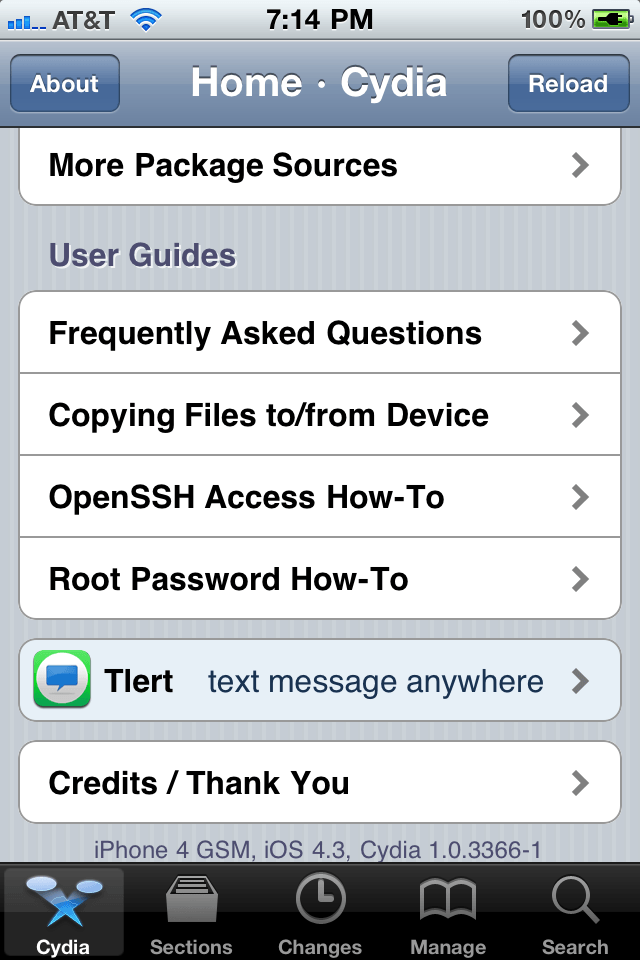
You should now be at your home screen with a “Cydia” icon on it. If you tap on it, it’s probably going to crash. This is because you have to boot your device into a jailbroken state. The procedure to do that is below. You’ll also need to follow this procedure EVERY TIME you reboot your device. This may be bad to some, but I honestly can’t remember the last time I had to reboot my iPhone 4 or iPad (it’s been at least a month).
- If you’re on Mac OS X, download THIS. If you’re on Windows, download THIS.
- Put your device into DFU mode (turn your device on; hold power+home for 10 seconds; while continuing to hold home, let go of power; you should now be in DFU mode (iTunes should detect your device in recovery mode, and your screen should be completely off).
- Follow the below video.
[I can’t embed videos for some reason, so here it is on YouTube.]
There’s a few things that I forgot to mention… To get the iBSS and kernel cache (which is required for TetheredBoot), you’ll have to rename your custom IPSW to a .ZIP file. After extracting the contents of the .ZIP (IPSWs are just ZIPped up files), you’ll be presented with the kernel cache. K48 is for the iPad, N90 is for the iPhone, and N81 is for the iPT4G. To get the iBSS, you’ll have to go to the /Firmware/dfu/ folder. Make sure you grab the iBSS, not the iBEC! Use this files in conjunction with the video above to boot your iDevice up. It may seem like a lot at first, but it’s very straightforward after you try it once.
There you have it folks. It may sound complicated, but this is as good as it gets, for now at least, until an untethered jailbreak is discovered and made public.
Enjoy!
Feel free to follow Brian on Twitter!

Brian Sweet is a young 20-year old student who loves technology (PCs, Macs, iPhones) and auto racing. Brian also writes for JailbreakZone, and is the host of the This Week in iPhone podcast (not affiliated with TWiT). Follow Brian on Twitter (the quickest way to get in touch), or visit his website.

