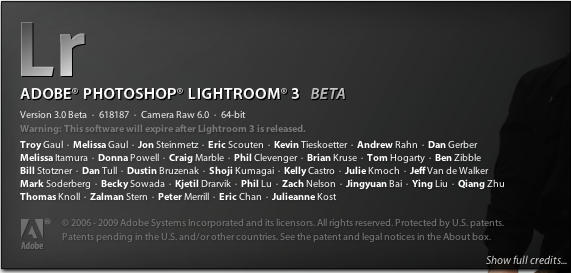
First Look: Adobe’s Lightroom 3 Beta Rocks, With One Big Exception
1:13 pm, October 23rd, 2009, Leigh McMullen

Even though I own both Adobe’s Lightroom and Apple’s Aperture, I use Lightroom because of the advanced development module, the ability to paint on different exposures, and non-destructive editing. I had very high hopes for Lightroom 3, which Adobe just released in beta, and am pleased to say that with one pretty significant exception, I’m very pleased.
Tutorial Videos and more comments after the jump
That exception of course is the neutering of the image-editing engine. A product that retails for two hundred Simoleans oughta at least have “Photoshop Light” built in. Nothing crazy, just layers, masks, and real cloning/spot removal. What we got however is quite clearly a product intentionally designed NOT to cannibalize Adobe’s core Photoshop business.
C’est la vie. The improvements in rendering speed and quality, along with additional workflow tweaks make this is no-brainer upgrade.
Unless of course Apple releases Aperture 3 with a genuine non-destructive editor built in.
Tutorial videos and Adobe eye-candy follow:
Posted by Leigh McMullen in First impressions, News | Comment on this article


can someone answer me this: at home, we are both really, really used to Aperture. how hard would it be to get into Lightroom? i’ve poked around, but it seemed a bit daunting for me (and i imagine it would be worse for my wife, as she’s the non-tech person in the house).
i ask, because if the next iteration of Aperture does not include support for 64-bit processing, we’re gonna need to dump it for something better.
Luke, on October 23rd, 2009 at 3:02 pm
Luke,
I started out with Aperture a few years ago. When Lightroom launched I tried it out and have never looked back. Lightroom is far more intuitive than Aperture and runs leaner IMO. I never use Aperture now and I have no intention to upgrade it further.
Lightroom is what Aperture should have been.
D
donal, on October 23rd, 2009 at 3:07 pm
@Luke: That’s a great question, and a great idea for another post, I’ll write that here shortly and publish on the site.
L
Leigh McMullen, on October 23rd, 2009 at 4:55 pm
Uh, don’t you miss the whole pt of Lightroom by asking for layers? Lightroom doesnt need layers because it doesn’t change the orignial file, ever. I don’t need a layer to go back and change an edit or in case I wish to change my mind about exposure. Any edit can be removed, or changed at any time.
Even better, simply right click on an image and get a ‘virtual copy’ to instantly create additional editted versions. No new image is created, just another set of metadata.
LR2 brought us spot editting, allowing for exposure changes to an area of an image, plus slightly better spot healing and cloning. But LR isn’t an editting tool, it is really an image workflow tool. If you only edit onesy twosy photos in iPhoto, you don’t get a sense of what this is about, but editing 1000 images with a deadline will teach you quickly. In this case LR is perfect, and the tight integration with Photoshop CS works brilliantly. I use both LR2 and CS3 on my Mac, but I won’t be upgrading to CS4 I suspect: I rarely have a need for Photoshop. About the only thing I can not do in LR, is separate a subject from the background for MASSIVE background edits (blur or composting). I doubt LR will ever go there, and it really shouldn’t, it is fast, and really focused where it should be: on the workflow.
rougerobot, on October 24th, 2009 at 9:05 am
” clearly a product intentionally designed NOT to cannibalize Adobe’s core Photoshop business” no they have Photoshop Elements for that.
LR is for photographers, PS is a graphics tool. Thankfully the Adobe LR team has maintained focus and not bloated the develop module. If you have to round trip to PS you are either looking to create digital art or you missed the shot in the first place.
Buck, on October 24th, 2009 at 11:09 am
Agreed – what I like SOOOoooooo much about Lightroom is that it’s NOT Photoshop and it doesn’t try to be. It is a RAW processing solution for those of us who want to avoid Photoshop. Those of us for whom time is money. A simple key command from any image in LR takes you right into Photoshop where you one can layer and clone yourself to death if need be… But that’s not what Lightroom is about. Lightroom is for dealing with the many – not the one. It’s for people who use their carmera to make good images and need software only for minor adjustments.
Lightroom is still not fast enough to stand alone as a complete workflow solution for working photo journalist & editorial photogs. God & Abobe willing, the LR product team will resist cries for more Photoshop-like features and continue to work on speed, efficiency and workflow UI.
Thawley, on October 24th, 2009 at 11:19 am
Both Aperture and Lightroom are non-destructive image editors. You may prefer Lightroom but drop “…and non-destructive editing” from you list of reasons.
That in fact would be the reason to use either over most other alternatives.
wmsey, on October 24th, 2009 at 11:59 am
“Unless of course Apple releases Aperture 3 with a genuine non-destructive editor built in.”
I don’t understand this comment. Aperture is a genuine non-destructive editor.
Gazzer, on October 24th, 2009 at 2:20 pm
I believe the “non-destructive” comment stems from the introduction of a plug-in architecture in Aperture 2 for round-tripping jpegs while LR2 introduced selective non-destructive editing.
Excluding the built in selective tools in LR, Aperture offers essentially the same set of non-destructive ‘develop’ tools. But that’s a very big exclusion; the adjustment brush and graduated filter are HUGE.
If you are okay with baked-in edits, the wealth of plugins for Aperture is very attractive. I also think Aperture 3 will (must) have at least a bit of non-destructive selective editing.
I love how they are both so similar and yet so completely different.
Buck, on October 24th, 2009 at 10:33 pm
@well just about everyone….
I guess I’m alone on this one.. but IMHO the clone, spot removal, etc tools in Lightroom suck. If I can paint on exposure, brightness, etc… why can’t I have a more PS like cloning tool?
That’s it… just a little more. What I don’t want to do is spend forever, editing pictures, nor do I want to round trip to a destructive editor to make anything more than the most basic global adjustments.
Leigh McMullen, on October 25th, 2009 at 9:40 am
I use Aperture 2 and am quit happy with what it does, if I need more sophisticated editing done I pick up the photo and drop it on the PS icon on my dock and POW PS opens up…how much faster do you need it.
I’ve played around with Lightroom 2 but find it quite daunting, maybe I’m just more used to the Aperture interface now and feel comfy with the familiarity of it. about non distructive editing, well AP does that also, one click and you back to the original.
I use it professionally for weddings so going through thousands of picks is a breeze, and to adjust exposure on maybe a hundred picks at once is a breeze with the pick-up and drop-down adjustment tool.
Aperture is a photo library for the pros with advance editing features for us, it’s not for putting eye candy on the pics. Although I would like the one spot editing feature that Lightroom has but it’s not enough for me to jump ship yet.
veeej, on October 26th, 2009 at 12:08 pm
Luke,
I’d go with Lightroom. I demoed both Aperture and Lightroom a few years ago, found a few things (can’t remember what) that really turned me off about Aperture, and put most of my energy into learning Lightroom. As another reviewer said, I have never looked back. I’m a hard-core Apple guy, too, so I would really prefer to buy Apple’s product. But I think Lightroom is better.
The learning curve isn’t that daunting after all. The easiest thing is to jump in and start playing around, and to make use of the many excellent free tutorials available. Pretty quickly things will become intuitive, and you’ll love the easy control you get to make really creative adjustments to your images.
I also hugely applaud Adobe for not overlapping Photoshop features here. A photographers tool chest doesn’t need Photoshop tools; when I do need them for graphics work, Photoshop edits are a click away and Lightroom even elegantly keeps track of my Photoshop files. Beautiful.
Lightroom isn’t perfect, but it’s still quite excellent. And Adobe clearly continues to put a lot of energy into making the program even more awesome.
John, on November 12th, 2009 at 5:54 pm
I recently installed Lightroom 3, and it is my first time using it. I had once used Elements 7 but was not impressed. I agree about the lack of a proper cloning tool, but other than that I must say that I am quite pleased and impressed by the way LR3 handles my NEF Raw files. I was using Nikon’s Capture NX2, which is a fine piece of software in its own right, but it does not compare to LR3. However, what really caught my attention with LR3 over Capture NX2, is the ability to install a 64 bit version so that you can run a 64 bit on a 64 bit platform, rather than running it as x86 on a 64 bit OS. I use Windows 7 64 bit, and much prefer to run actual 64 bit applications. It’s funny though. Adobe can come up with a beta version for LR3 that is 64 bit, but they can’t do the same for their flash program.
Hal, on January 2nd, 2010 at 7:19 pm
The comment about only using photoshop for digital art or because you missed the shot can’t possibly come from a pro. And the comment about layers being outside the realm of LR is missing the point of layers.
What if you want to remove a spot that’s not shaped like a circle?? And the spot is next to a key element that you don’t want to mess with? This is the most glaring fault. Let us draw around the thing we want to remove. Or what if you want to brighten and desat some yellow teeth quickly and then fade the effect to perfection? Can’t do it. You have to fiddle with a boat load of sliders to get it just right. What if you’re stuck with ugly mixed source lighting and want to warp a tinted gradient out of shape to fix it? What if you only want a gradient on the background and wish to use a brush to remove it from foreground faces? Live events don’t always cooperate with you like your studio.
For real world professional photography that is shot for clients LR is still missing some important basics.
PhotoYoda, on January 24th, 2010 at 2:09 pm

