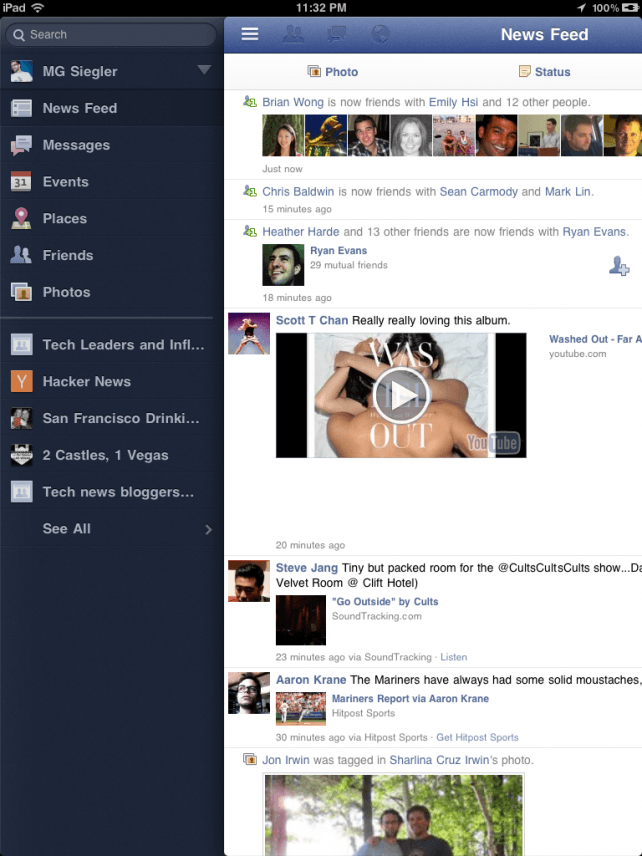
It was revealed yesterday that the long-awaited Facebook app for iPad was already here — not in the App Store, but hidden away inside the Facebook app for iPhone. We published details on how to install the app on your iPad, but soon after the news spread, Facebook decided to block access to those using the app before its public release.
Fortunately, as is often the case with these things, jailbreakers have provided a workaround — a new tweak called FaceForward that reactivates the official Facebook app for iPad.
Thanks to iOS jailbreak expert Chpwn, you can now download the FaceFoward tweak from within Cydia. What’s more is it doesn’t just reactive the Facebook app for iPad for you, it will also perform the magic that unearths the app from within the iPhone release if you haven’t already done this. Here’s how to use FaceForward:
- You’ll obviously need a jailbroken iPad. If yours isn’t already jailbroken, the easiest way to do this is using JailbreakMe 3.0 — but ensure your device is compatible first.
- Install the Facebook for iPhone app on your iPad
- Find FaceForward in Cydia and install it
- Reboot your device
- Open up the Facebook app and begin enjoying Facebook for iPad — without any restrictions
If you struggled to follow those four steps, this video how-to might help you out:
httpv://www.youtube.com/watch?v=7L3xkesJr8I&feature=player_embedded
Did this little trick get Facebook working on your iPad? Let us know in the comments.
[via AppAdvice]

Killian Bell is a freelance writer based in the U.K. He has an interest in all things tech and also covers Android over at CultofAndroid.com. You can follow him on Twitter via @killianbell.

