Top stories

Bottom-Feeding Jeweler Unveils Despicable Diamond iPad for $20,000

We all know the wait for the iPad, at least in the U.S., will be over on April 3, right? Wrong. True connoisseurs know they need to wait until June 1, when Mervis Diamond Importers will unleash the hideous and despicable Diamond iPad on the world. It’s a bejeweled and bedazzled monstrosity boasting 11.43 carats [...]

iPhone App Magnets To Appify Your Fridge

20100312-iphonemagnets.jpg

If – like me – your fridge is black, then these shiny iPhone app fridge magnets from Jailbreak Collective will look very smart indeed displayed on the door.
Just 13 bucks gets you a set of these icon almost-replicas. I say almost because if you look carefully, you’ll see they’re not identical to the Apple originals. [...]

Which iPad To Buy? Get the 32GB iPad With Wi-Fi + 3G. Here’s Why.

If you’re in the market for an iPad — and you know you are, because it’s killer — you’re probably wondering which model to buy.
Naturally, you’re looking at the cheapest $499 iPad, which has Wi-Fi only, but you’re thinking you might also want 3G. After all, you can pay-as-you-go for data, and who knows when you [...]

Is Apple Selling 20K iPads an Hour?

Did you buy an iPad when Apple began pre-sales this morning? If so, you weren’t alone. Indeed, Apple may have sold 20,000 iPads per hour, leading one commentator to suggest the Cupertino, Calif. company was earning $10 million per hour on its new tablet device.
The estimate comes from Andrew Erlichson, CEO of Phanfare, a photo [...]

DevTeam Updates PwnageTool for Mac, iPhone 3.1.2 Now Supported

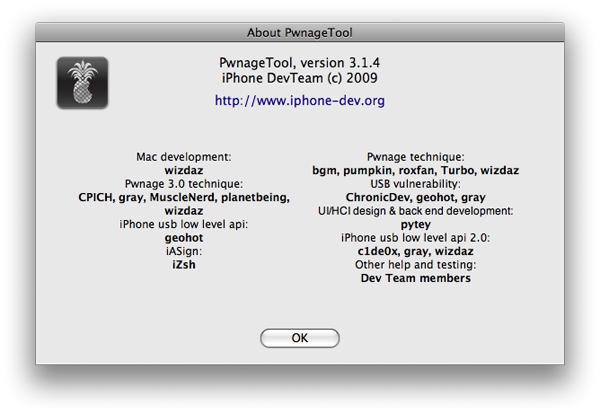
PwnageTool for Mac has been updated to version 3.1.4 by the DevTeam. This new update basically adds firmware 3.1.2 jailbreak support. It currently supports jailbreaking all the devices except iPod Touch 3G.

Pwnage_3.1.4_3.1.2

PwnageTool is currently compatible with Intel Mac only. The reason some would prefer it to blackra1n is that it allows you to ‘hacktivate’ the phone (use it without AT&T’s iPhone data plan) and the unlock is preserved even through firmware updates. However, to unlock an iPhone 3G or iPhone 3GS, make sure that you have a firmware 3.0 (or 3.0.1) baseband on the phone. Then, you can simply update to a custom 3.1.2 IPSW, created using PwnageTool. After updating, just install ultrasn0w from Cydia to unlock. Those who already upgraded to 3.1.x and then used blackra1n to jailbreak can no longer unlock for quite a while.

You can even make a transition from blackra1n jailbreak to the PwnageTool one, if you are having issues with WinterBoard or MobileSubstrate on your jailbroken device. For this, make a custom IPSW using PwnageTool 3.1.4. Open iTunes and press option key + select restore (or Shift key + Restore on Windows) and then select the custom firmware to restore. Just make sure that you do NOT enter DFU mode. This way, you will be jailbroken using the PwnageTool and shouldn’t have such issues any longer.

Before you finally use the tool, just have a look at these ‘Golden Rules’

  1. GOLDEN RULE: If you are using a iPhone 3G or iPhone 3G(S) with ultrasn0w and rely on ultrasn0w to obtain cellular service then you should only update your device with an .ipsw that is made with the new PwnageTool. There are no second chances with this. You need to remember that PwnageTool will provide an upgrade path to newer versions of the iPhone software in the future.
  2. Please read all parts of this post before downloading and using these tools.
  3. Read items 1, 2 and 3 again and again.
  4. At the bottom of this post are the bittorrent files for the 3.1.4 capable version of PwnageTool.
  5. PwnageTool will work for the iPhone 3GS
  6. PwnageTool will work for the iPod touch 2G
  7. PwnageTool WILL work for Original iPhone (1st Generation), the iPhone 3G and iPhone 3G(S) and the iPod touch (1st Generation and 2nd Generation) but NOT the iPod touch 3rd generation.
  8. For 3G and 3G(S) users who are Pwned, PwnageTool is your key to updating in the future, just remember to never install an update directly from Apple, always use an .ipsw that has been created with PwnageTool.
  9. There is no Windows version of PwnageTool it is a Mac OS X tool only, we are not developing a Windows version of PwnageTool.

The latest PwnageTool for Mac is available to download from torrents. [SHA1= d9d44258ade35623ec71e83520943b6f4baa568a]

If you enjoyed this article:
Subscribe via RSS or email, or follow us on Facebook and Twitter

About the author

Sayam Aggarwal

Sayam Aggarwal is a 16-year-old student living in India who has been an Apple fan for almost 5 years. He has worked with ModMyi, one of the leading iPhone communities, as an author for more than a year. He spends most of his free time on the Internet fetching the latest news regarding Apple and its entire product range. Follow him on Twitter!


Email the author | Read more posts by Sayam Aggarwal.

2 comments

    I Have a 3G 8G- I have jailbroken & unlocked it using Redsn0w and really not sure how to rate it still under previous os 3.0 firmware. Should I update it to 3.1.2 and use blackra1n? By the way I use T-Mobile and don’t want to get stuck with At&t. Anyone what I should do! If so adamdavila42@yahoo.com

    hey Sayam,

    i’m struggling with hactivation of my iphone 3G. Even after installing Blacksnow RC3 i’m getting same emergency call message with USB icon & Itune icon on the iphone screen.

    i think i made some mistake while upgrading it to 3.1.2. All i want to do now is to first hactivate the iphone then jailbreak n unlocking it through blacksnow.

    In my itune i’m getting message that your sim is not supported n all that blah blah message. I have downloaded the custom firmware for 3.1.2 and now i want to restore it. You help is highly appreciated if you can able to guide with restoration of my iphone with custom firmware n get my iphone hactivated.

    Thanks in anticipation
    Paresh

Add your comment

Name(Required)

Mail (required, but not published)

Website

Comment

Buy Inside Steve's Brain Buy from Amazon.com Buy from Barnes & Noble