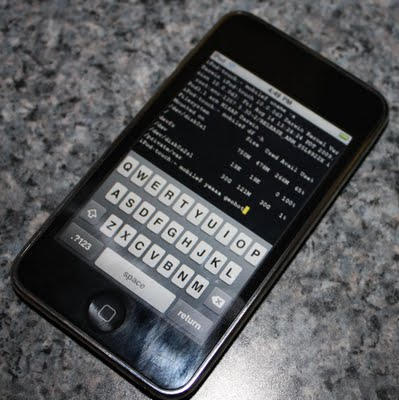
Blackra1n for Windows Is Released, But Unlock Not Supported
1:17 pm, October 11th, 2009, Sayam Aggarwal

Blackra1n, iPhone hacker George Hotz’s software for 1-click jailbreaking, has been released for all existing iPhone and iPod Touch devices. However, it will NOT unlock the device, enabling it to be used with different GSM carriers worldwide.
Blackra1n is currently compatible with Windows only — or “all Windows that matter,” in GeoHot’s words. I am supposing that means Windows XP, Windows Vista and hopefully Windows 7 RC. Currently, there is no word on a Mac version — but it should be released soon as well.
What blackra1n does is… … jailbreak your iPhone or iPod Touch (any generation) with a single click in merely 30 seconds, making it the easiest jailbreak solution that ever existed. Now that’s a record timing I believe.
Although it does support iPod Touch 3G, there is only a tethered jailbreak for it, which means you need to use blackra1n every time you boot the device.
The sudden change was the result of a last minute problem – the exploit used doesn’t work ‘properly’ on the device. It will add an extra 30 seconds to the booting process but the bigger problem is you’ll always need to be close to a PC to boot up the device, or you loose all your jailbreak data including application, themes etc.
Blackra1n for Windows is available to download at blackra1n.com
Posted by Sayam Aggarwal in News, iPhone, iPhone 3G, iPhone 3G S, iPod Touch | Comment on this article


Dear Sayam, the link pointing to the blackrain application for Windows doesn’t work because, as the programmer points out on his blog he doesn’t want direct links to it, he suggests to point to the website.
Marco Dal Moro, on October 11th, 2009 at 7:36 pm
Worked on my Win 7 RC under 30 secs.
Luke, on October 12th, 2009 at 1:40 am
Win 7: worked perfectly for me too
Marco Dal Moro, on October 12th, 2009 at 6:56 am
Will it work on the 1st gen iPod touch with a 3.1 firmware?
Nidz, on October 12th, 2009 at 11:38 pm
@echo off
color 1a
:step1
cls
set /P c=Is your iPhone upgraded to 3.1.2? [Y/N]
if /I “%c%” EQU “Y” goto :step2
if /I “%c%” EQU “N” goto :upgraded-needed
goto :step1
cls
:step2
cls
set /P c=Is your iPhone off and connected via USB? [Y/N]
if /I “%c%” EQU “Y” goto :step3
if /I “%c%” EQU “N” goto :turnitoff
goto :step2
cls
:step3
cls
taskkill /f /im “iTunes.exe”
taskkill /f /im “iTunesHelper.exe”
if exist c:\blackra1n.exe goto :step4
goto :goanddownloadit
:step4
start /high c:\blackra1n.exe
cls
echo 1) Click “make it rain”
echo.
echo.
echo.
echo.
echo 2) Hold down home and power button, as soon as you see the apple
echo logo release the power button, continue to hold the home button.
echo.
echo.
echo.
echo.
echo 3) Release home button when you see geohots picture on your iPhone.
echo.
echo.
echo.
echo.
echo When you’ve done 1 through 4 then your done.
echo.
echo.
echo.
echo.
echo.
pause
goto :end
:upgraded-needed
cls
echo Please upgrade your iPhone to 3.1.2 through iTunes then run this program again.
pause
goto :end
:turnitoff
cls
echo Please turnoff your iPhone now and connect it via USB.
pause
goto :step2
:goanddownloadit
cls
echo Please Visit http://blackra1n.com save blackra1n.exe to c:\ Drive.
echo This program looks for c:\blackra1n.exe so please make sure it’s there.
echo Once that’s done,
pause
goto :step3
:end
cls
color
exit
David, on October 14th, 2009 at 6:49 pm
Used blackra1n to jailbreak iphone s on 3.1.2 and was fine, until i used cydia and attempted to upload winterboard, was fine until it had to reboot, needed itunes to restore phone?
any ideas
tony lewis, on November 3rd, 2009 at 8:40 am
@tony lewis see this – http://www.cultofmac.com/new-iphone-3gs-model-updates-bootrom-blocks-jailbreak-completely/18619
Sayam Aggarwal, on November 3rd, 2009 at 9:57 am

