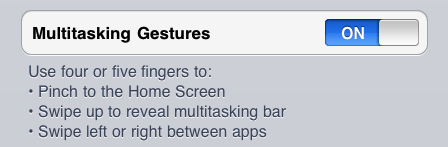
If you have an iPad (any model) running iOS 4.3 then you can easily add additional four or five-finger multi-touch gestures to your iPad. It will take only a few minutes and you don’t have to jailbreak your iPad to get them.
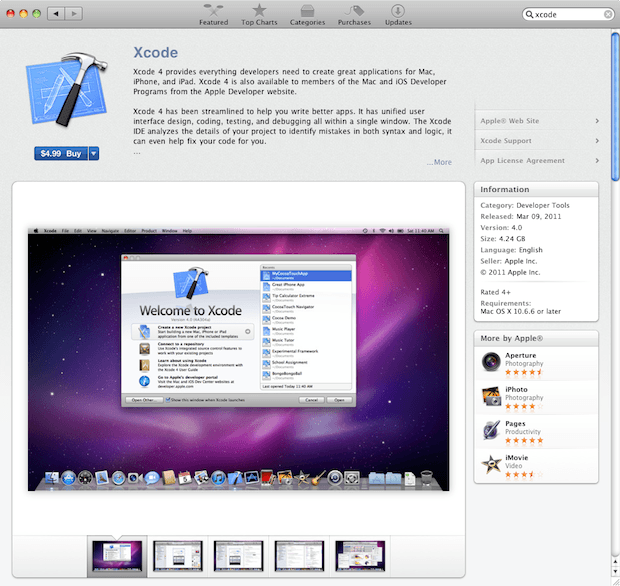
The only requirement is that you’ll need a copy of Xcode 4 and if you don’t already have a copy you can purchase it for $4.99 in the Mac OS X App Store. Registered Mac OS X or iOS developers in the paid development programs for either operating system can download a copy of Xcode 4 at developer.apple.com after logging in with their developer credentials.
However, you don’t need a developer account to activate these gestures either — at least for the time being. I wouldn’t be surprised if Apple changes this later.
If you are using Windows you are out of luck that is unless you can find a friend with a Mac to help you out. Xcode doesn’t run on Windows.
Here are the steps.
1. If you haven’t already purchase a copy of Xcode 4 and install it.

2. After installing Xcode 4 launch it and connect your iPad (any model) to your computer. The iPad should appear in the Organizer window under Devices.
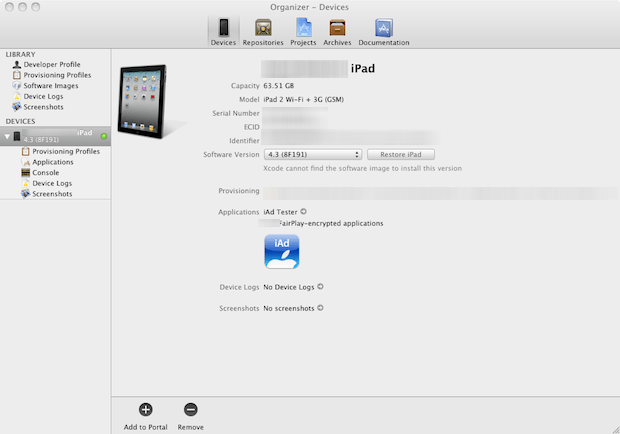
3. Select the attached iPad in Organizer and click on the “Use for Development” button.
4. If you are prompted to enter your iOS developer credentials go ahead and enter them if you have that information otherwise click Cancel on the dialog box. If you select Cancel and get an error just ignore it.
5. Xcode will activate developer features on your iPad. This might take a few minutes or less.
6. Launch the Settings app on your iPad, tap General, turn Multitasking Gestures On.
You’re all done!
Now you can enjoy four or five-finger multi-touch gestures on your iPad. It’s well worth the $4.99 entry fee and although it isn’t clear why Apple did not include these in the iOS 4.3 release they work perfectly fine on both the first and second generation iPad.

David W. Martin has more than 20 years of experience in the industry as a programmer, systems and business analyst, author, and consultant. David has written for CNET’s iPhoneatlas.com, MacLife.com, CultofMac.com, BYTE.com and recently for aNewDoman.net. He comes to Cult of Mac’s website with deep knowledge and passion for the all things Apple. Follow David on Twitter @david_w_martin or see what he’s up to now at davidwmartin.com.

