You don’t.
There’s no need to. The OS X filesystem is designed to look after files properly in the first place, so that’s one thing you don’t have to worry about.
Sometimes – not often, but sometimes – you might hear your computer’s hard disk whirring for no apparent reason. Among other things, that could be the system looking after itself – moving stuff around on the disk so that there’s no need for you to actually sit down and click a button marked “defrag.”
If you want to know more about the technical ins-and-outs behind this, go read this Apple support document. As it points out, there’s no need to defrag your disk, and even if you download a third party defragging application and run it, you probably won’t notice any difference.
Save yourself the trouble, and spend your not-defragging time doing something fun on your computer instead.
(You’re reading the 28th post in our series, 100 Essential Mac Tips And Tricks For Windows Switchers. These posts explain to OS X beginners some of the most basic and fundamental concepts of using a Mac. Find out more.)
38 responses to “100 Tips #28: How Do I Defrag My Mac?”
Not necessary, true for most people. If you work with a lot of large files and after system updates, that changes a bit. I’d like to say it doesn’t, but it does.
http://reviews.cnet.com/8301-1…
This was the most USELESS post I have seen on the net. Its things like this that ruin a mac experience. Don’t make a post to say how to defragment a mac then pretentiously say you don’t. Three words, this is stupid.
I’ve just looked at my hd as I get lots of spinning disks and it is heavily fragmented – 20GB free on 120GB drive. Some files have 50-100 fragments.
I thought the apple de-frag only works as
1. Only when opening a file
2. file less than 20MB
3. files with more than 8 fragments
Not sure why the apple defrag is not working on my mac. Any ideas?
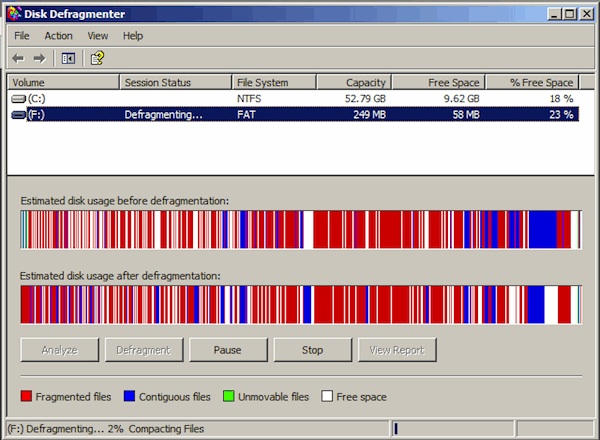
It’s pretentious articles like this that give Macs a bad name. I came here because I actually do need to defrag my drive so BootCamp can repartition it. Also, if you were trying to make a statement about Windows-based PCs, showing a pic of an old 98/XP machine with a 250mb hard drive is a bit misleading. Windows 7 automatically defrags.
The Mac OS X can handle the fragmented files upto some extent only. If you have
1. Large files which are modified frequently
2. Large volume of data in your disk
Then you have to go for some third party defragmentation tool as there is no inbuilt defrag tool for Mac OS X.
Have you checked some large files for fragmentation on old installation, like say the maps for a game? My Leopard install is nearly 2 years old, and when it was fresh the same game the maps didn’t seem to take such a long flurry of drive activity. I found this pretty early in the google results while trying to find ways to defrag, preferably just a few hand selected folders.
It wouldn’t surprise me if OS X pays particular attention to things like boot files being optimized, but it doesn’t seem to show my game maps much love. I will try to defrag just the game folder first and then the whole disk and see if either nets me anything. It may just be time for an OS re-install. 100 gigs free on a 500 gig WD Caviar Blue laptop drive so lack of space is definitely not causing the issue, and 4GB is plenty of RAM for a nearly 4 year old game.
This blog post is stupid. For anyone who’s trying to partition their mac, you’ll discover that OSX will complain if your hard drive’s free space is fragmented.
I believe everything I read, because I am smart, very very smart… Defragging is for suckers…
hated this post. For some reasons it appears I DO NEED to defrag it, even if just for proving that I don’t. I do have a 35% defrag rate, my iMac is a drag, my disk spins at every click. And I still don’t have a way. Thanks Giles for the frustration … :(
What about when I want to Oh I don’t know, resize my partition on-the-fly? Oh that’s right, I can’t, because I’ll get an error that says “not enough disk space” because my files are all over the disk.
Unfortunately, there is no built-in tool to take care of fragmentation in Mac. One needs to opt for Mac defragmenting software from third party.
I have used and experienced a satisfactory result with Stellar Drive Defrag.

