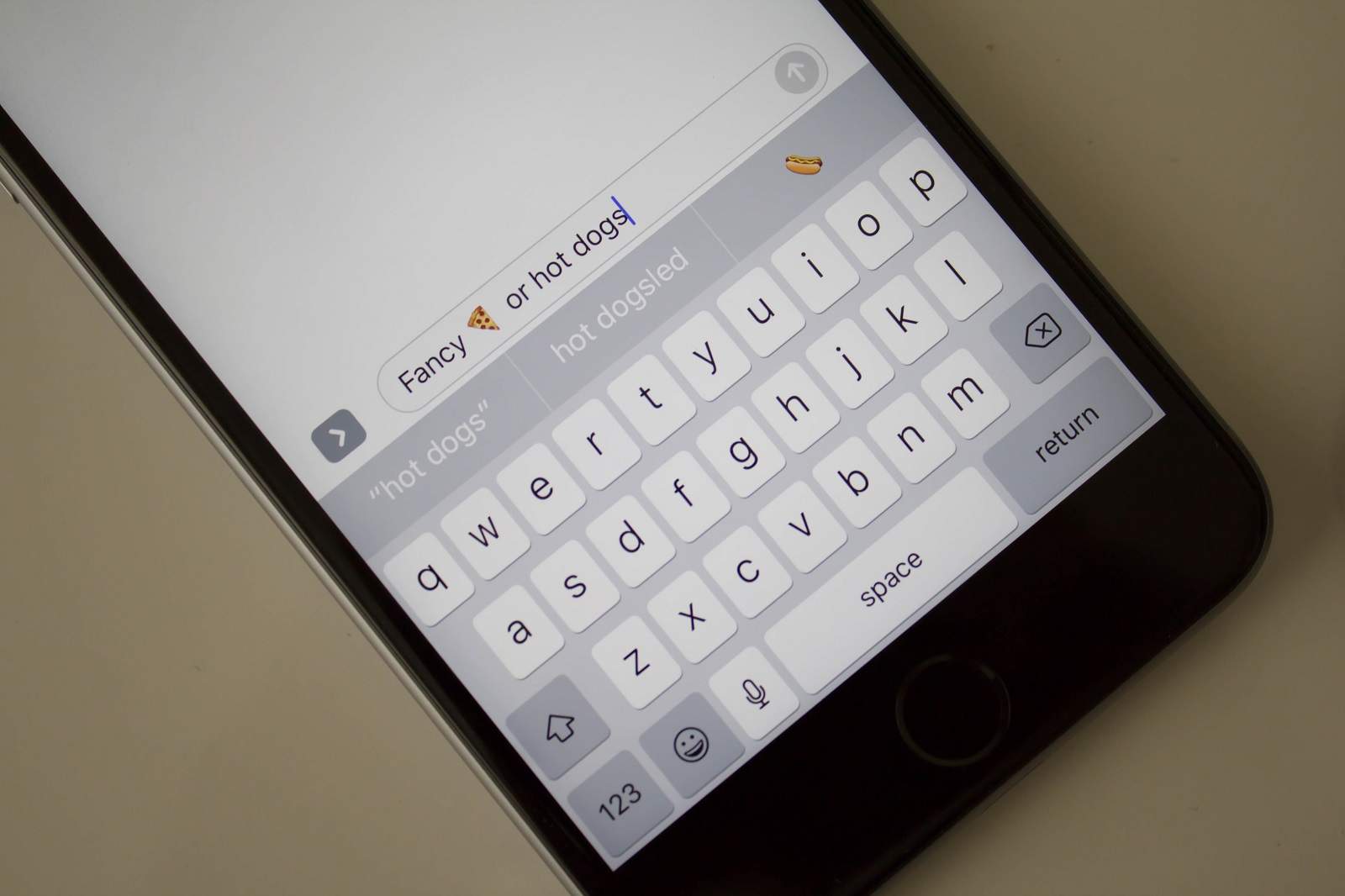
We hope you like emoji, because you’re going to be seeing a whole lot more of them when iOS 10 makes its public debut this fall.
Apple is introducing a new feature for its built-in QuickType keyboard that makes it easy to swap words for relevant emoji characters as you type. Here’s how to use it.
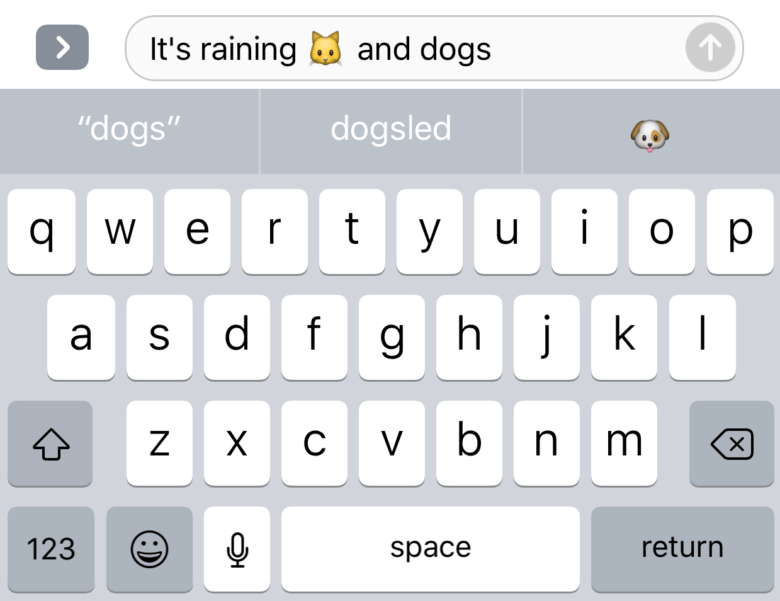
There are actually two ways to “tap to replace with emoji” in iOS 10. The first method is to swap individual words as you type out what you want to say.
When you’ve finished entering a word that’s suitable for swapping, you’ll see the relevant emoji at the top of the keyboard — alongside the next word suggestions. Simply tapping it will insert the emoji in place of the word you just typed.
Screenshot: Cult of Mac
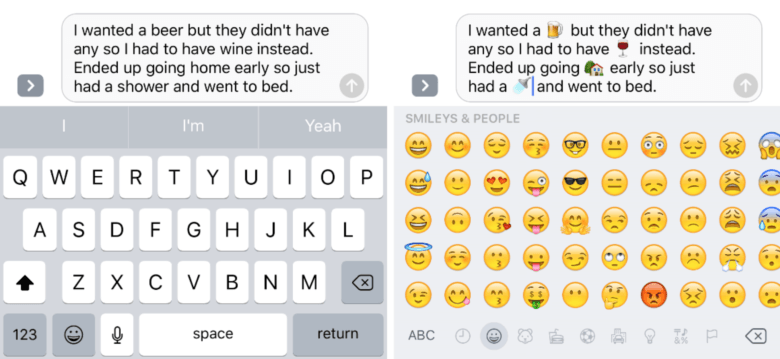
Alternatively, you can type out your entire message, then insert all the emoji you want to use at the end. To do this, compose your message or email, then tap the emoji key. Words that can be replaced are highlighted in orange, and tapping them turns them into emoji characters.
Screenshot: Cult of Mac
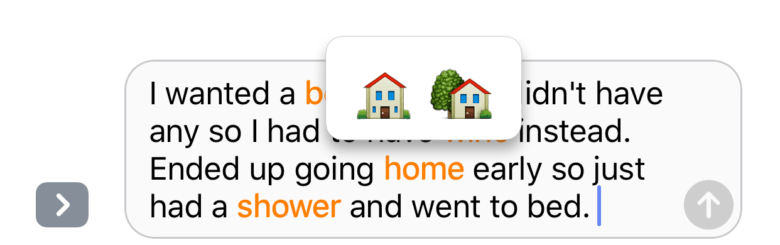
If there is more than one emoji character that would be a suitable replacement for a certain word, iOS 10 will give you the option to pick the one you wish to use.
Screenshot: Cult of Mac

Killian Bell is a freelance writer based in the U.K. He has an interest in all things tech and also covers Android over at CultofAndroid.com. You can follow him on Twitter via @killianbell.


6 responses to “How to swap words for emoji in iOS 10”
ddfgdg
I am earning around six to eight thousand bucks /month doing an online job. For anyone prepared to do simple online work for few hours daily from comfort of your home and make good payment while doing it… Then this gig is for you… OW.LY/5Lic302l4pa
Does this work in other languages too?
sggfdg
I currently make in the range of 6000-8000 dollars every month for freelancing at home. Everyone ready to work simple freelance jobs for several hrs a day from your home and get solid profit in the same time… Then this job is for you… OW.LY/mxF3302KWXU
gghjghj
OMW! That’s an example of amazing innovation, Johnny I’ve and Time Cook are geniuses.
It’s almost as brilliant as their auto-correct System. It’s feature set and handling of contractions is unparalleled. works great, I.,e.:
It’s just plain = It’ squat plain
There’ s no need = There’ son need
It’ segregated for it’s great
It’ salsa for it’s also
It’ swarthy for it’s worth
It’ snot for it’s not
That’ she for that’s the.
When one considers all the basic inconsistencies and glitches within iOS and Mac OS that Ned fixing, this auto-emoji conversion biz is fantastic news!
s/
:-)