Before Jailbreaking, Extract Your iPhone’s SHSH Blobs with Umbrella [Jailbreak Superguide]

Before Jailbreaking, Extract Your iPhone’s SHSH Blobs with Umbrella [Jailbreak Superguide]

If you’re going to jailbreak your iPhone or iPad, before you get started, we highly recommend you backup your device’s SHSH blobs.

With the release of iPhone 3GS and iPod Touch G3, Apple added an extra layer of security to prevent hacking, jailbreaking and unlocking. Apple is constantly closing the exploits used by jailbreak hackers by updating the firmware of its iPhone/iPt and iPad. If you accidentally upgrade your jailbroken device to Apple’s latest firmware, you can’t re-jailbreak it until hackers release new jailbreak software.

You can, however, downgrade your device to the previous firmware version which can be jailbroken — if you have your SHSH blobs on file.

You can extract these SHSH records and save them with the help of a utility called Umbrella. Here’s how:

Keep in mind that these records are firmware specific and each time you update, you should repeat this process to save the records for the particular firmware version.

What you’ll need:

  • Mac
  • iPhone 3GS / iPod Touch G3 / iPad (no need to do this if you have any older device).
  • Firmware Umbrella for Mac by Semaphore (version 2.2.2 or later)

Please backup your device in iTunes before following the below procedure.

Note also that your SHSH blobs are firmware specific and each time you update, you should repeat this process to save the records for each particular firmware version.

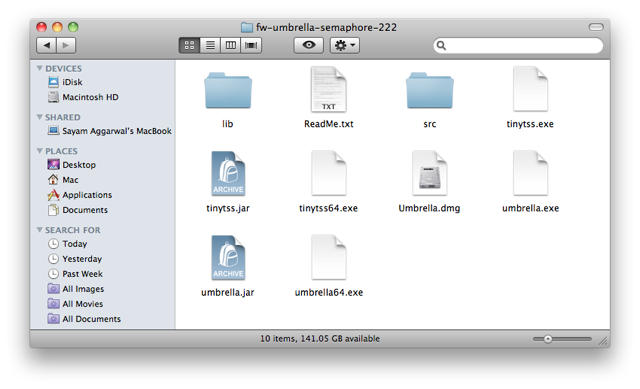
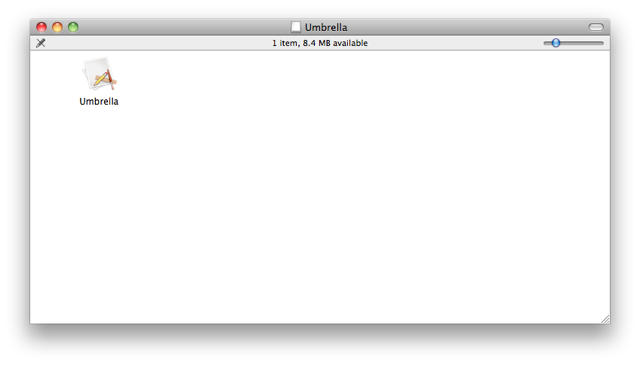
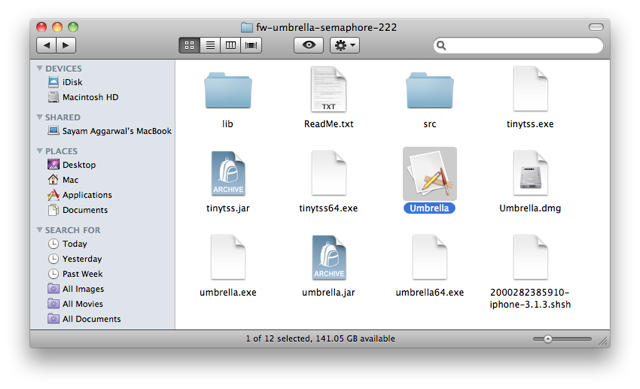
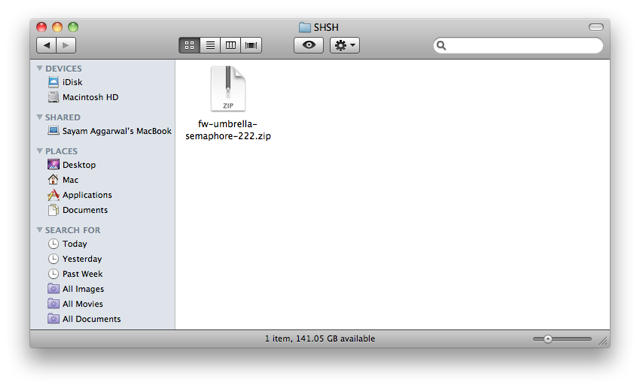
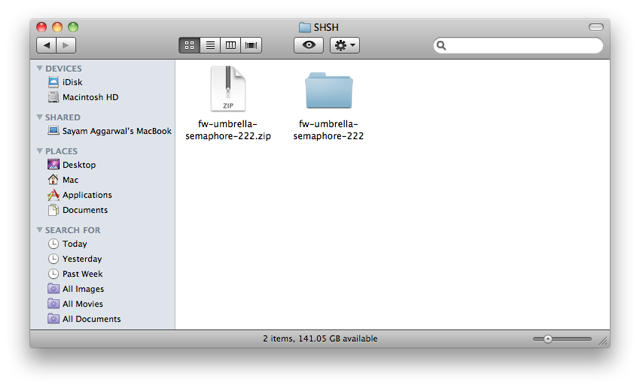
1. Download Firmware Umbrella and extract the ZIP file. Double-click to open the folder and then extract the ‘Umbrella’ app from the ‘Umbrella.dmg’ file inside.
Before Jailbreaking, Extract Your iPhone’s SHSH Blobs with Umbrella [Jailbreak Superguide]

Before Jailbreaking, Extract Your iPhone’s SHSH Blobs with Umbrella [Jailbreak Superguide]

Before Jailbreaking, Extract Your iPhone’s SHSH Blobs with Umbrella [Jailbreak Superguide]

Before Jailbreaking, Extract Your iPhone’s SHSH Blobs with Umbrella [Jailbreak Superguide]

Before Jailbreaking, Extract Your iPhone’s SHSH Blobs with Umbrella [Jailbreak Superguide]

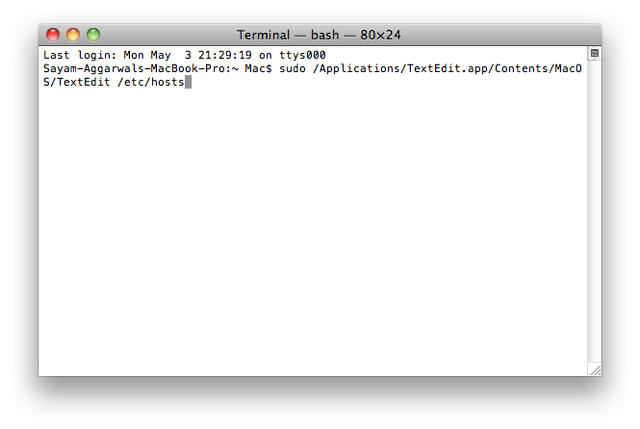
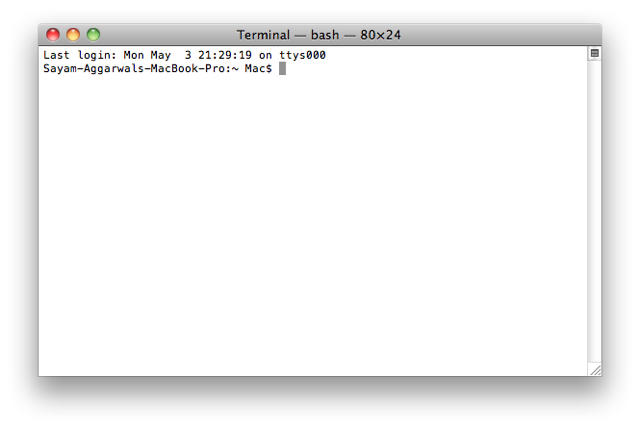
2. Open Terminal from ‘/Applications/Utilities/’  then enter the following command and press return.

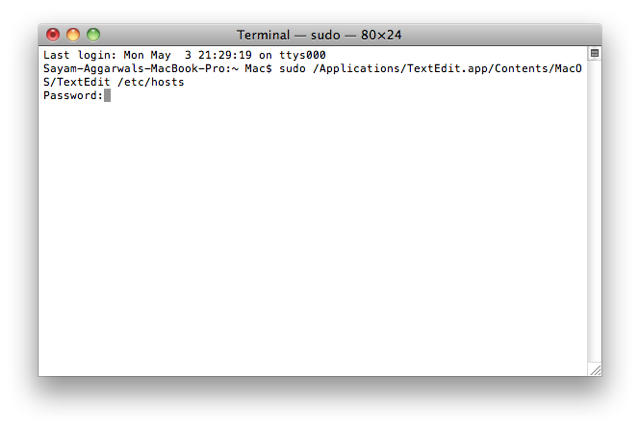
sudo /Applications/TextEdit.app/Contents/MacOS/TextEdit /etc/hosts
Before Jailbreaking, Extract Your iPhone’s SHSH Blobs with Umbrella [Jailbreak Superguide]

Before Jailbreaking, Extract Your iPhone’s SHSH Blobs with Umbrella [Jailbreak Superguide]

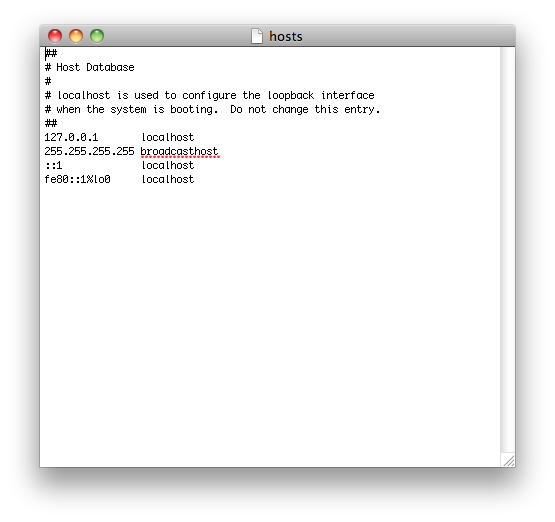
When prompted for password, type your Mac admin password and press return. A text edit window should appear.
Before Jailbreaking, Extract Your iPhone’s SHSH Blobs with Umbrella [Jailbreak Superguide]

Before Jailbreaking, Extract Your iPhone’s SHSH Blobs with Umbrella [Jailbreak Superguide]

3. Look for a line containing ‘gs.apple.com’, erase the line and save and close the file. (NOTE: There’s a chance this line might not be there. In that case,  just close the file).

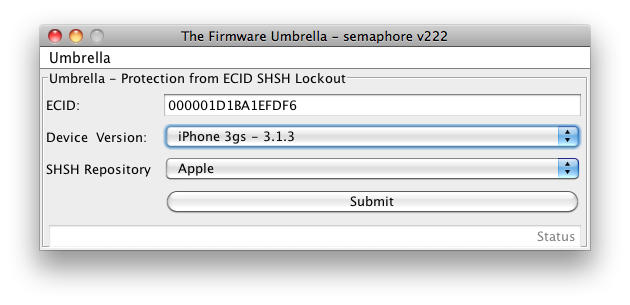
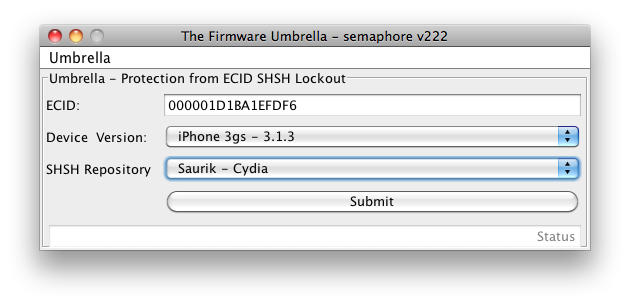
4. Open Umbrella and put your ECID in (if you don’t already know it, grab the device’s ECID using this guide).

Before Jailbreaking, Extract Your iPhone’s SHSH Blobs with Umbrella [Jailbreak Superguide]

Before Jailbreaking, Extract Your iPhone’s SHSH Blobs with Umbrella [Jailbreak Superguide]

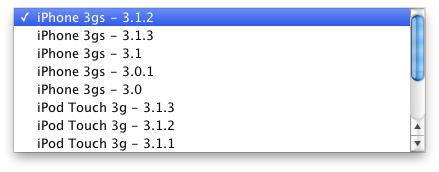
Choose your device and firmware version from the ‘Device Version’ dropdown list.
Before Jailbreaking, Extract Your iPhone’s SHSH Blobs with Umbrella [Jailbreak Superguide]

Before Jailbreaking, Extract Your iPhone’s SHSH Blobs with Umbrella [Jailbreak Superguide]

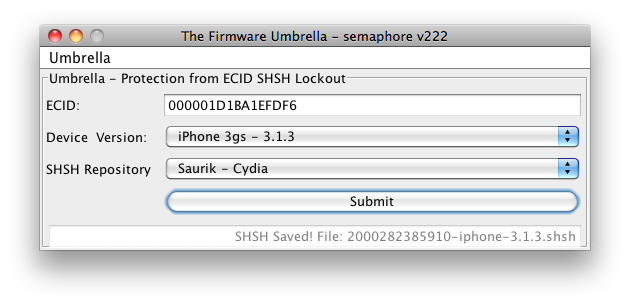
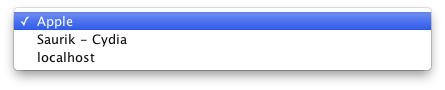
Now, choose an ‘SHSH Repository’ from the dropdown menu.

  • ‘Apple’ checks if the SHSH is stored on their servers and saves a copy locally.
  • ‘Saurik – Cydia’ checks if the SHSH is stored with Cydia, if not it will be stored there and locally.
Before Jailbreaking, Extract Your iPhone’s SHSH Blobs with Umbrella [Jailbreak Superguide]

Before Jailbreaking, Extract Your iPhone’s SHSH Blobs with Umbrella [Jailbreak Superguide]

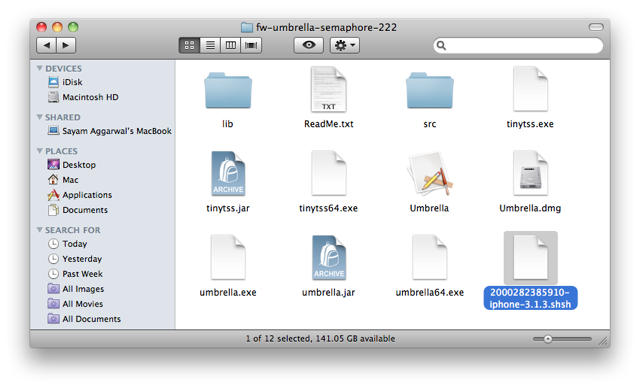
5.  Press the ‘Submit’ button. When the status returns positive in the bottom left corner, the SHSH file should be downloaded to the same folder as the Umbrella application. (NOTE: The application may freeze briefly but it usually comes back with an OK message.)

Before Jailbreaking, Extract Your iPhone’s SHSH Blobs with Umbrella [Jailbreak Superguide]

Before Jailbreaking, Extract Your iPhone’s SHSH Blobs with Umbrella [Jailbreak Superguide]

DON'T MISS
Extract SHSH Blobs For iOS4 Devices [How To]

About the author

Sayam Aggarwal

Sayam Aggarwal is a 18-year-old student living in India who has been an Apple fan for almost 5 years. He has worked with ModMyi, one of the leading iPhone communities, as an author for more than a year. He spends most of his free time on the Internet fetching the latest news regarding Apple and its entire product range. Follow him on Twitter!


(sorry, you need Javascript to see this e-mail address)| Read more posts by .

Posted in How-To, iPad, iPhone 3G S, iPod Touch, Mac, Tips & Tricks | Tagged: |

  • http://disco-bar.blogspot.com Hal

    Great tip, thanks!

  • Joe NoMacathome

    What if you don’t have a Mac to run this on? Is there a Windows version of the Umbrella app?

  • Naveen

    i have a Iphone 3gs 3.1.3 jail broken but not unlocked. Can i downgrade mine with the above said trick..

  • Kees

    @ Naveen:
    No, that isn’t possible. The SHSH saves your current firmware, so you can’t go from 3.1.3 to 3.1.2. When Apple releases 4.0 this summer, you can downgrade if you saved a copy with 3.1.3.

  • James

    It worked for me but i cannot physically see where it has saved my SHSH file to?
    I am very new to this and cannot understand if/how i would be able to obtain this information again should i brick my iphone? Please advise :-/

  • kosal

    so do i need to back up anything if i have a iphone 3G?

  • JB

    Latest version (4) of Umbrella seems to auto-detect an ECID. However this isn’t the same as the ECID found with the Recovery Mode trick and looking in Apple’s device list. Checking advanced options to manually input the ECID from the list seems to work fine and Umbrella says it will recover OK. Any clue what’s up with this auto-detect feature? Does Umbrella have an official site?

  • Santiago

    Umbrella official website:
    http://thefirmwareumbrella.blogspot.com/

  • @kuma

    You have deleted all the comments venting fury at this post.

    fuck you cult of mac!

  • http://redparkz.de/ RedParkz

    This Articel is very outdated. Everyone should use the newest version of TinyUmbrella (it is not calles Firmware Umbrella any more). Atm this would be 4.01.07. With this Version TinyUmbrelle can detect your ECID and there is no need for getting it manualy. With Version 4.x there is also support for iPhone 4 and iOS 4.x. Also the iPhone 3 and the iPod Touch 2G (non MC-Model) is missing in the list. Since 4.0 theses Devices perform a soft-shsh-check.

    The new Version is also usefull when restoring your device using SHSH since it creates a local Signature-Server an edits the hosts-file for you.

    So please try to research a little before posting/updateing such a crap (sorry for the language). You don’t help anyone with this guide and you create more confusion than you clear things. I hope you don’t move further in this direction of “journalism” It’s not always only about clicks. Quality should be the first goal and usually i would consider COM to do be a site that would agree with this opinion.

    @jb the ECID can be shown as HEX or DEC. So you don’t need to worry. The two ECIDs are the same, but in a different format

  • Elmer Fudd

    be veeeery very quiet, i’m hunting idiots… @redspaz, it might be a little dated but it’s not crap. why not write an up to date article and submit it?

  • http://redparkz.de/ RedParkz

    @Elmer Fudd

    Because I am from Germany. Therefore, I am certainly not the best person to update this article. Even though I think that I can write an english text most people would unterstand, a native speaker should do the job.

    However, this has nothing to do with the quality of the post. If you decide to bring up an old article that is ok. But you have to update the content as well and not only the publish-date. Many things have changed since the time this post was initially created and should have been considered. For example, the soft-shsh check with the iPhone 3G / ipod Touch 2G (non MC) or the release of iOS4.0.

    So lets just say, crap was a little to harsh. Nevertheless, it is not accurate and will bring more confusion than it helps people.

  • yoyo

    hi…just want to ask,

    my ipod using 3.0 and it’s jailbreak… with this method can i jailbreak to 3.1.3 version ( the latest that apple release is 4.0.2 )??

    thanks for the answerd

  • SHB

    MAYBE YOU COULD LET ME KNOW HOW TO RESTORE MY IPHONE USING SAVED SHSH BLOBS & TINY UMBRELLA FIRMWARE. DO I NEED SOME OTHER COPY OF SAVED FIRMWARE OR NOT? HELP!!

  • http://www.facebook.com/people/Moeteise-Surrey/100001455787723 Moeteise Surrey

    Before updating your jailbroken iPhone make sure you do these back ups first http://surreystore.com/cms/articles/7-apple/33-things-to-do-before-updating-your-jailbroken-iphone.html